Repository navigation
Final Unit Testing
Following the same techniques used in the prototype, in unit testing the final game we decided to stay away from formal unit testing frameworks such as NUnit. Instead, we used testing buttons, inspector properties and/or logging outputs for unit testing. This method was used in the development of the major areas of functionality described below.
Before the Campaign Feature was integrated into the story along-side the decision-making cards and metric modifiers, a button was created to create a campaign and submit the chosen values (invoking the StartCampaign() method) The values received from creating a campaign where then logged to the Unity console. This allowed us to verify that the campaign was generating the right metric multiplier for a given input.
To test the level transition animations before connecting them to the story progress system of the game. An inspector property was made to invoke the LevelUp() method which ran the animation. This allowed us to verify if the animation would run smoothly before integration.
In order to test that the Natural disaster animations were displayed on the world correctly and the right location while the game was running, test buttons were added to the scene as shown below.
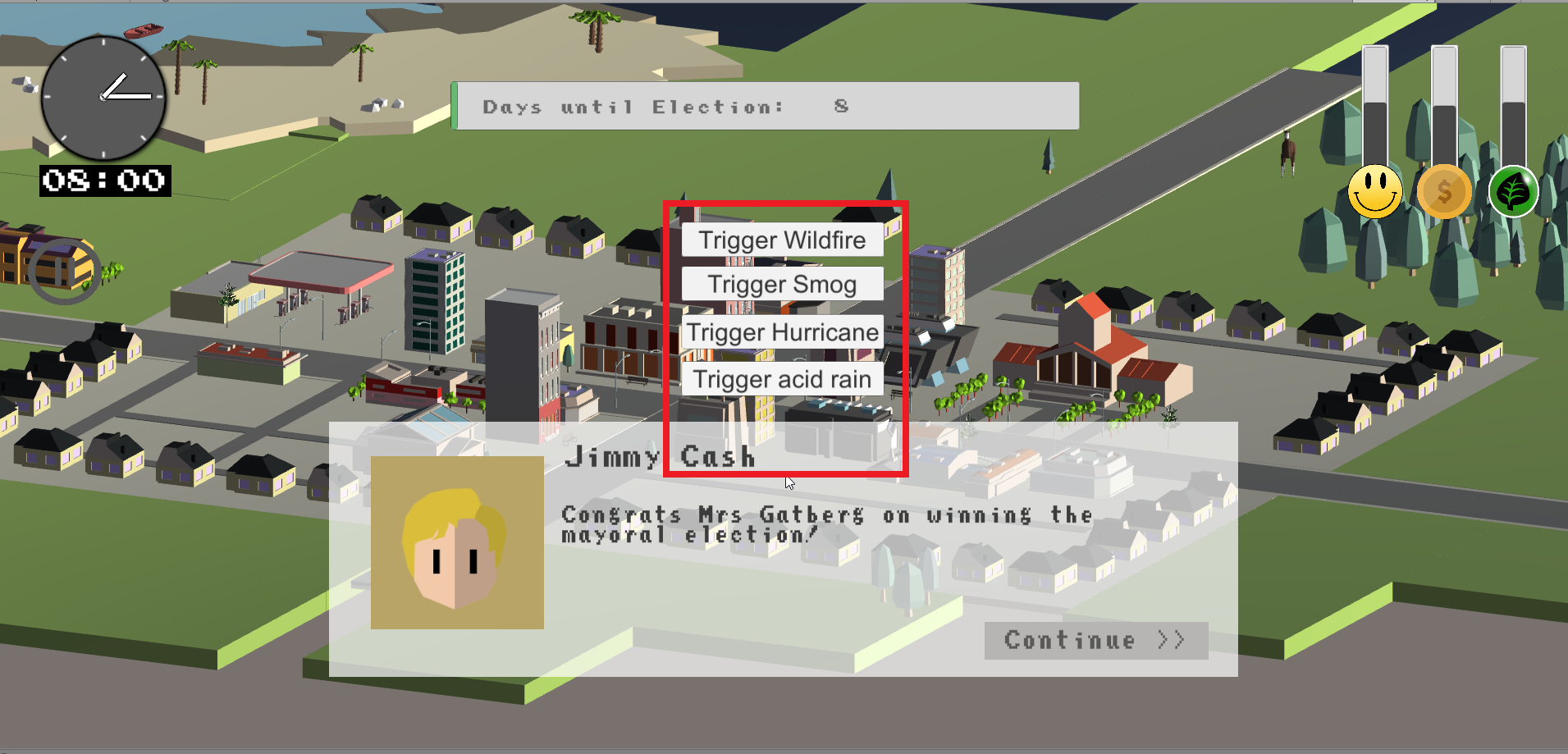
These buttons would invoke TriggerWeatherEvent() which is the method that would be used by other modules in actual gameplay. This allowed us to verify the natural disasters functionality before integration. This well-defined interface also meant that modules dependent on the weather system were not blocked and could be developed in parallel.