Repository navigation
Features
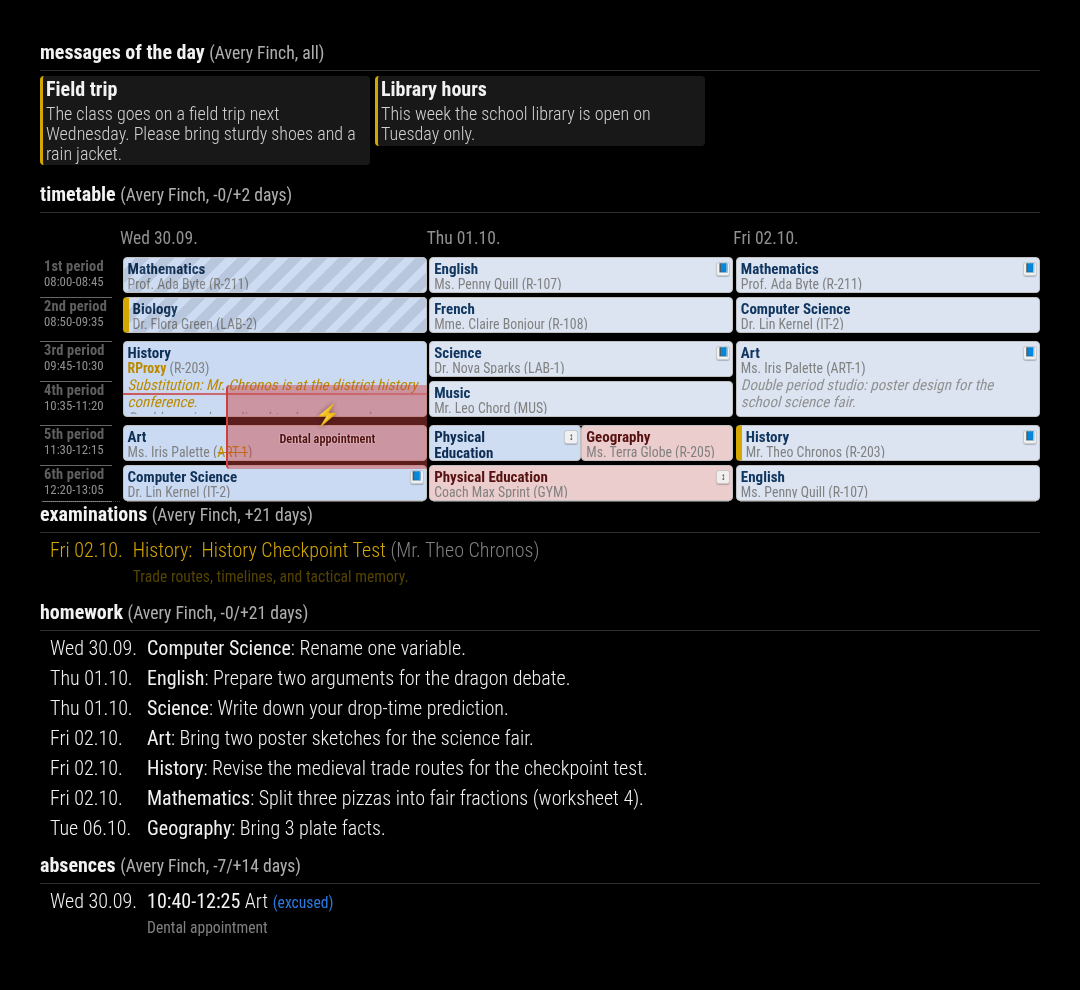
Everything MMM-Webuntis can show and do, on one page. All screenshots use the anonymized demo data, not a real school.
| Area | What you get |
|---|---|
| Timetable grid | Calendar-style week or rolling day view with substitutions, cancellations, absences, exams and homework |
| Lessons list | Compact list of upcoming lessons, focused on changes |
| Exams | Upcoming exams with subject, teacher and description |
| Homework | Homework sorted by due date |
| Absences | Absences with time, subject, excuse status and reason |
| Messages of day | WebUntis announcements as cards |
| Students and accounts | QR code or password login, parent accounts, several children |
| Customizing | Hide or add lessons, CSS variables, German and English |
| Operation | Refresh behavior, error handling, CLI and demo mode |
Each widget is a plugin that you switch on with displayMode, e.g. displayMode: 'grid, exams, homework'.
All options are listed on the plugin pages.
-
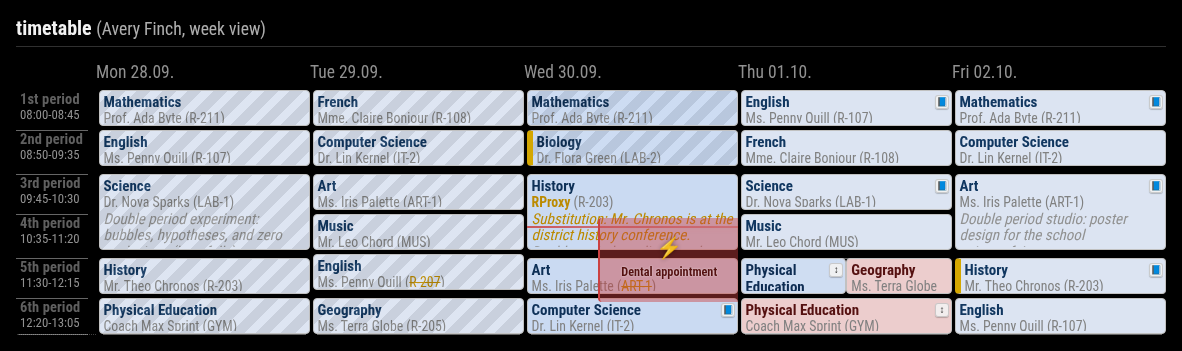
Week view or rolling view: Monday to Friday of the current week (
weekView: true), or any number of days before and after today (pastDays/nextDays). The week view moves on to the next week on Friday afternoon. - Real school periods: rows follow the school's time grid, with period number and times.
- Now line and past lessons: a red line marks the current time, finished lessons are hatched.
- Configurable cell content: choose what goes on each line of a lesson cell (subject, teacher, room, class, student group, info), in short or long form.
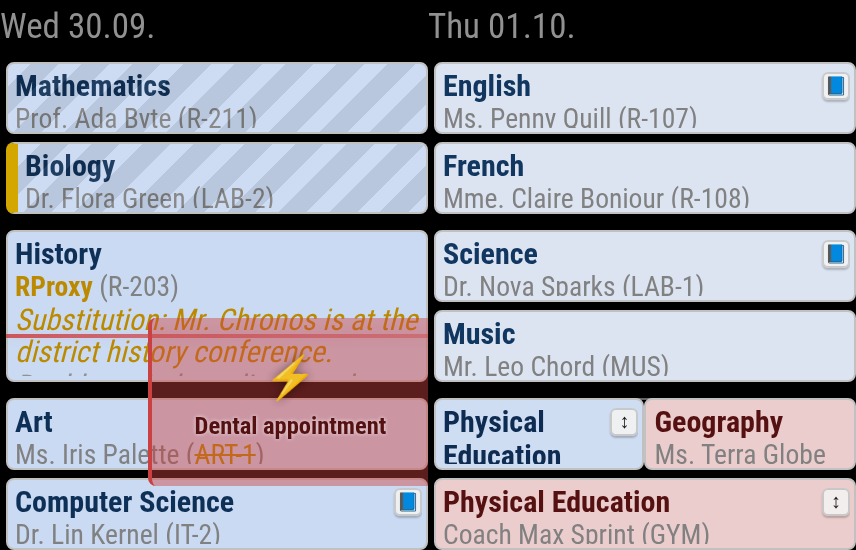
Close-up of Wednesday and Thursday in the demo week:
| What you see | Meaning |
|---|---|
Name in yellow (RProxy) and substitution text |
Substitute teacher, with the reason from WebUntis |
Struck-out room (ART-1) |
Room removed or changed; the old value is struck out |
| Red cell, struck-out text | Cancelled lesson |
↕ badge |
Lesson moved to another period; replacement and cancelled lesson are shown side by side |
| Red overlay with ⚡ and reason | Your own absence (e.g. "Dental appointment") |
| Yellow bar on the left | Exam in this lesson |
| 📘 icon | Homework due in this lesson |
More grid behavior:
-
Double periods are merged into one cell (
mergeGap). -
Overlapping lessons (e.g. parallel courses) take turns in the same cell as a ticker.
-
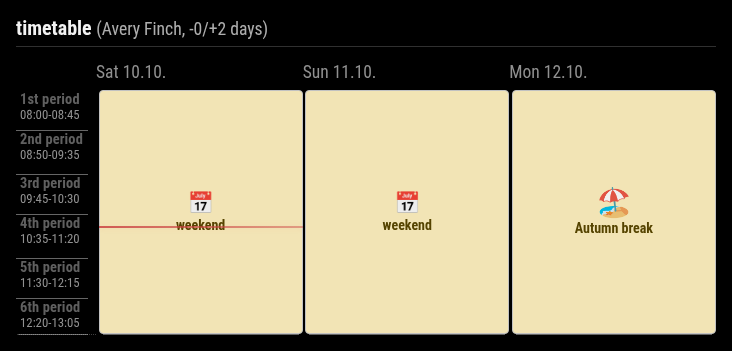
Holidays, weekends, locked timetables and days without lessons get their own notice instead of an empty column:
-
Limit the height with
maxLessons; a... morebadge shows that lessons are hidden. -
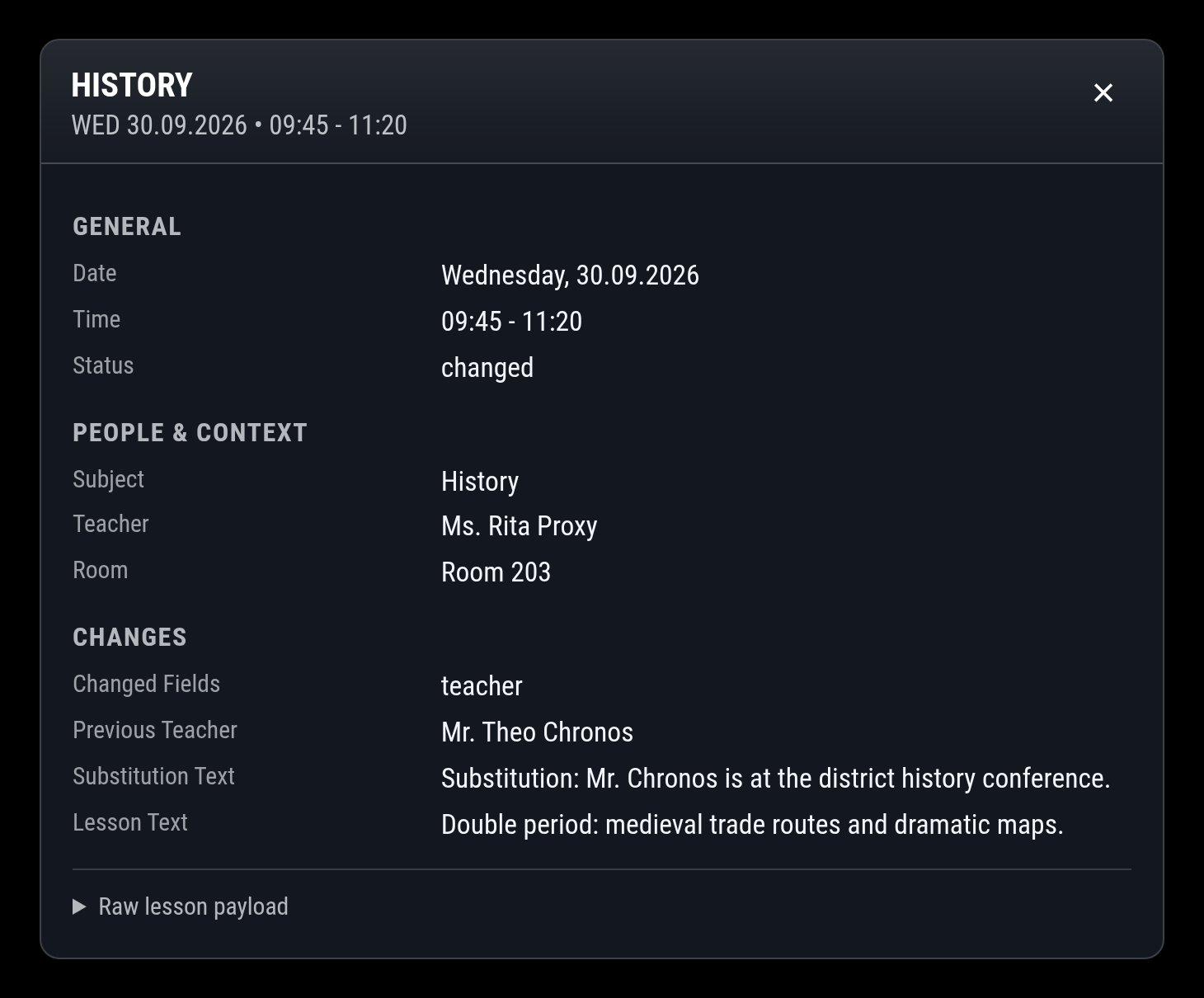
Details on tap: click or tap a lesson to see everything WebUntis knows about it, including the previous teacher or room and the raw data:
Options: Grid Plugin
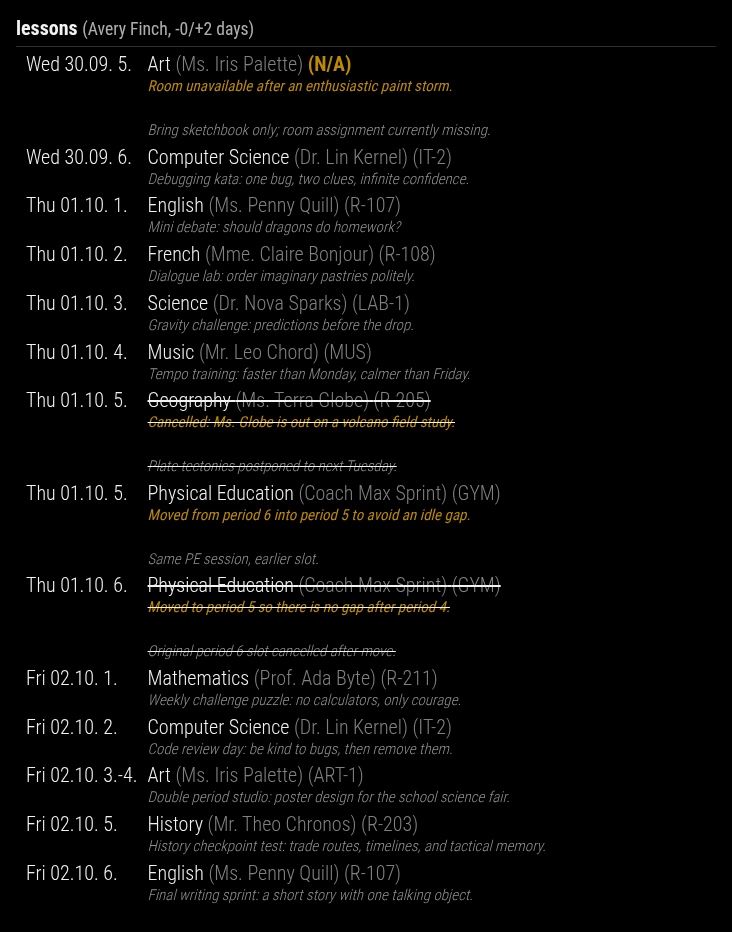
- Shows only changes by default (substitutions, cancellations, moved lessons);
showRegular: truelists every lesson. - Teacher as full name or initials, optional room, substitution text and lesson text.
- Changed values are highlighted, missing ones shown as
N/A, cancelled lessons are struck out, exam lessons are highlighted. - Period numbers (
3.-4.for double periods) or start times. - Finished lessons are hidden automatically; holidays and free days are shown as notices.
Options: Lessons Plugin
- Upcoming exams for the next
nextDaysdays, with date, subject, exam name, teacher and description. - Exams are also marked in the grid and the lessons list.
Options: Exams Plugin
- Homework for a configurable time window, sorted by due date and subject, with the full text.
- Homework is also marked in the grid on the lesson it is due in.
Options: Homework Plugin
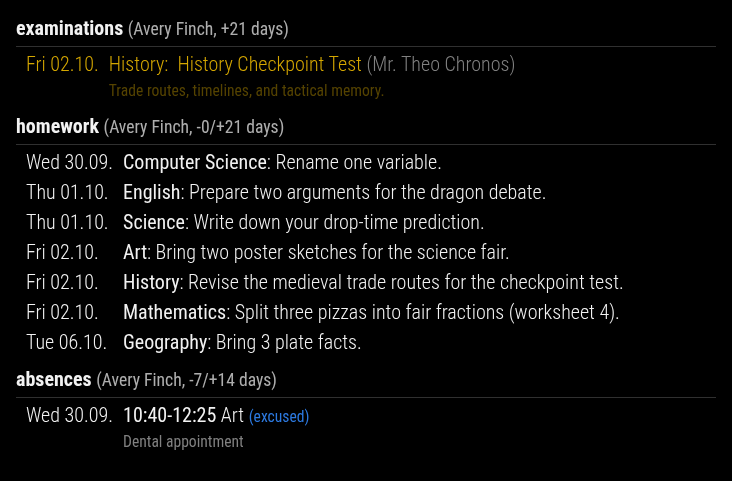
- Date, time range and subject of each absence, with excused / unexcused status and the reason.
- Looks back and ahead (
pastDays/nextDays), optionally limited tomaxItemsentries. - Absences are also drawn over the lessons in the grid.
- Parent accounts: WebUntis does not provide absences there; the widget says so instead of staying empty.
Options: Absences Plugin

- WebUntis announcements as cards with title and text.
- The number of columns and the card width can be adjusted with CSS variables.
Options: Messages Of Day Plugin
-
Login via QR code (recommended, also works with SSO schools) or username and password. See Authentication.
-
Parent accounts: leave
studentsempty and all children are found automatically. -
Several students in one module:
mode: 'verbose'shows a section per student,mode: 'compact'combines them with the student name in each row: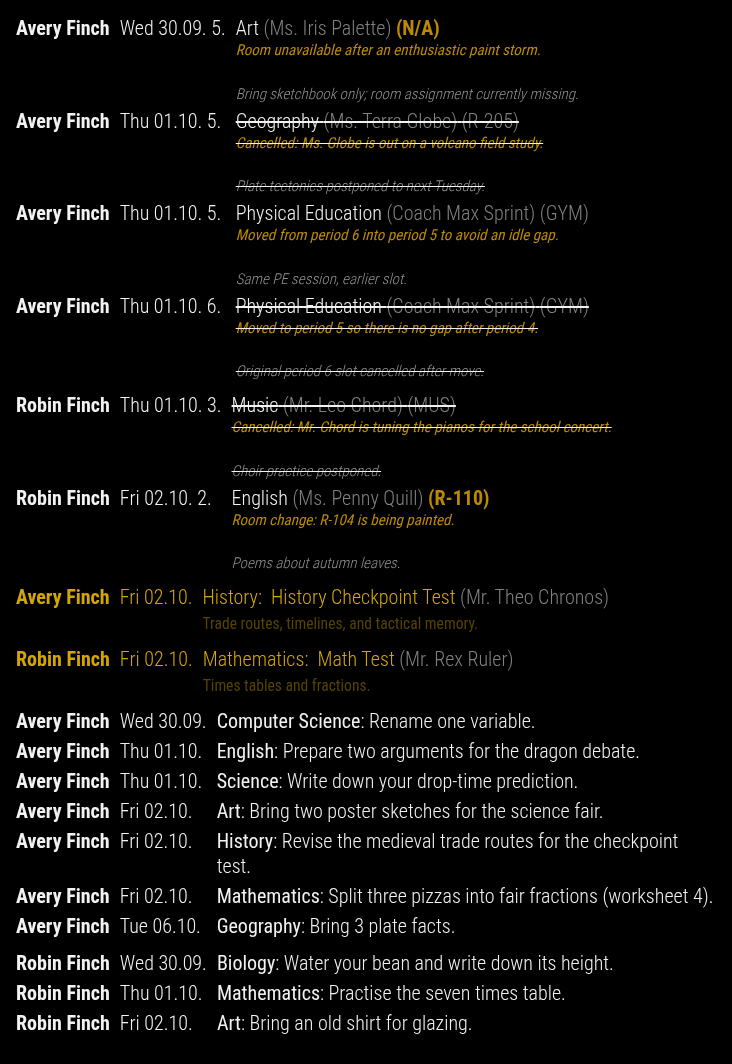
-
Per-student options: every plugin option can be overridden per student.
-
Class timetable instead of the personal one (
useClassTimetable). -
Several module instances with the same account share their WebUntis requests.
-
Hide lessons you do not attend (
excludeLessons, text or regular expression) and add your own lessons such as music school or tutoring (addLessons), recurring or on a single date. See Hiding and Adding Lessons. -
Look and feel: colors, icons and spacing are CSS variables that you can override in
custom.css. See CSS_CUSTOMIZATION.md. -
Languages: English and German, following MagicMirror's
language. Date formats are configurable per widget (dateFormat). - Form-based configuration: the module ships a schema for MMM-Config.
-
Refresh: every 4 minutes by default (
updateInterval), also while the module is hidden, e.g. in a carousel (backgroundRefresh).quietHourspauses all requests, e.g. at night. - Robust against outages: if WebUntis fails, the last data stays on screen instead of an empty widget, and a widget without any data says "data unavailable". Configuration problems are reported in the module instead of failing silently.
-
Timezone aware: all dates are calculated in the configured
timezone. -
Troubleshooting tools:
logLevel, frozen test date (debugDate), payload dumps and a command line tool that fetches data without MagicMirror. See Troubleshooting. -
Demo mode:
demoDataFile: 'demo/fixtures/single-student-week.json'shows a complete fake school week without any WebUntis account. All other options apply as usual, so you can try views and styles before connecting your school. Adddemo/fixtures/sibling-week.json(comma-separated) for a second child.