Repository navigation
Plugin Exams
The exams plugin lists upcoming exams in chronological order.
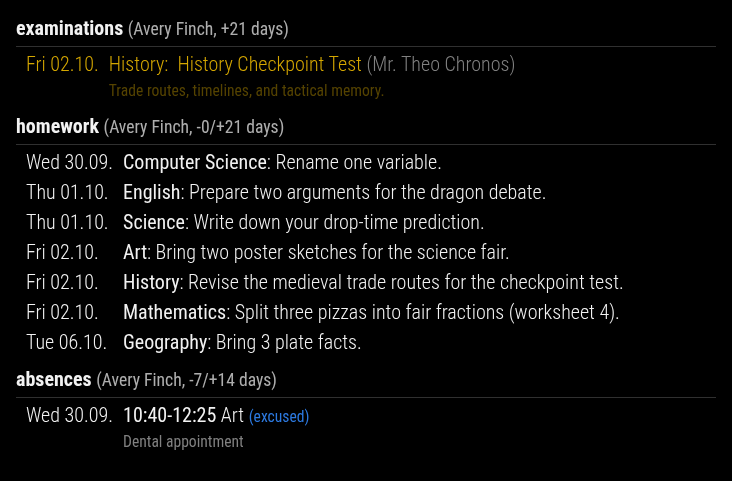
Simple activation via displayMode:
displayMode: 'exams'Canonical activation via plugins.exams:
plugins: {
  exams: {
    enabled: true,
    config: {
      nextDays: 21,
    },
  },
}
The old top-level namespace exams: { ... } is still accepted for compatibility, but plugins.exams.config is the canonical form.
| Option | Type / Values | Default | Effect |
|---|---|---|---|
nextDays |
number >= 0
|
21 |
Future exam window in days |
pastDays |
number >= 0
|
none by default | Optional past exam window for filtering and compatibility |
dateFormat |
string | EEE dd.MM. |
Date format for the exam date column |
showSubject |
boolean | true |
Prepends the subject before the exam title |
showTeacher |
boolean | true |
Appends the primary teacher in brackets |
- Exams are sorted by date and start time.
- In normal operation, past exams are hidden. With
logLevel: 'debug', old exams remain visible for troubleshooting. - If
nextDaysis0, the plugin skips rendering. -
pastDaysis supported by validation and compatibility mappings even though the built-in defaults do not set it explicitly. -
excludeLessons(module or student level) also hides exams whose subject matches, see Hiding and Adding Lessons.
plugins: {
  exams: {
    enabled: true,
    config: {
      nextDays: 30,
      dateFormat: 'EEEE dd.MM.',
      showSubject: true,
      showTeacher: false,
    },
  },
}