Repository navigation
Supported Formats
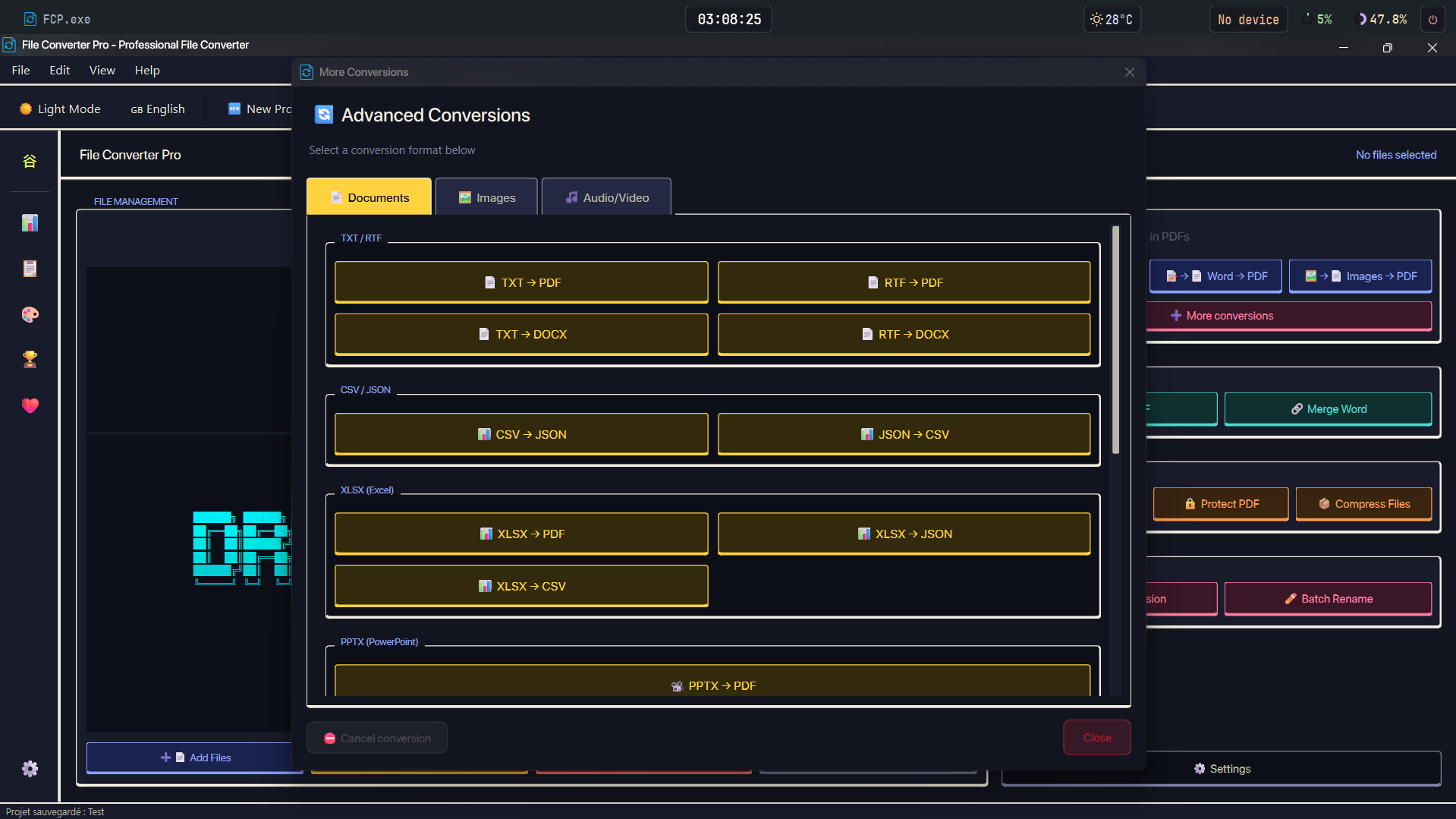
| Input | Output | Engine chain |
|---|---|---|
| TXT | ReportLab native | |
| TXT | DOCX | python-docx native |
| RTF | Native RTF renderer → internal parser + ReportLab (no Office needed) | |
| RTF | DOCX | Native RTF span parser → python-docx |
| DOC / DOCX | Word COM → LibreOffice CLI → ReportLab; the context-menu route adds docx2pdf for .docx before LibreOffice |
|
| CSV | JSON | Native |
| JSON | CSV | Native |
| XLSX | Microsoft Excel COM → openpyxl + ReportLab (auto portrait/landscape, multi-sheet) | |
| XLSX | JSON | openpyxl native |
| XLSX | CSV | openpyxl native |
| PPTX | Microsoft PowerPoint COM → native renderer → python-pptx + ReportLab + Matplotlib | |
| HTML | pdfkit (wkhtmltopdf) → WeasyPrint → ReportLab | |
Markdown (.md, .markdown) |
HTML | Python-Markdown (standalone UTF-8 HTML) |
| HTML | PyMuPDF dict-mode (flow layout, base64-embedded images) | |
| EPUB | pypandoc → spine-order native (images embedded) | |
| ODT | DOCX | Word COM → LibreOffice CLI → native (zip/XML) |
| ODT | Word COM → LibreOffice CLI | |
| ODS | XLSX | Excel COM → LibreOffice CLI → native (zip/XML) |
| ODS | Excel COM → LibreOffice CLI | |
| ODP | PPTX | PowerPoint COM → LibreOffice CLI → native (zip/XML) |
| ODP | PowerPoint COM → LibreOffice CLI | |
| PDF + PDF | Merged PDF | Sort: current list order / manual drag-and-drop / name A→Z, Z→A / number ↑, ↓ / date oldest, newest first. PDF bookmarks are preserved; output is merged_YYYYMMDD_HHMMSS.pdf
|
| DOCX + DOCX | Merged DOCX | Same sort options as PDFs, including manual ordering in the merge dialog; page breaks are inserted between documents. Legacy .doc files cannot be merged; output is merged_YYYYMMDD_HHMMSS.docx
|
PDF → DOCX uses Word COM, pdf2docx, LibreOffice where supported, and a rich fitz fallback; text-only mode reports scanned/image-only PDFs instead of returning an empty DOCX. Quality caveats are listed in Known Limitations.
Output safety: PDF/Word conversions, PDF/DOCX merges, and image-OCR outputs are staged and validated before replacing an existing file. Failed or cancelled jobs preserve the previous destination and clean temporary files.
Batch conversion targets PDF, DOCX, and PNG only. Each input is routed through the shared
CONVERSION_MAP/DISPATCHtables; it is not a universal 3×3 matrix:
Input ↓ \ Output → DOCX PNG DOCX Word COM → LibreOffice CLI → python-docx + ReportLab Identity copy Render via PDF (all pages) DOC Word COM → LibreOffice CLI → ReportLab Not supported Render via PDF (all pages) Identity copy Word COM → LibreOffice CLI → native fitz (respects the PDF → Word mode) One PNG per page Images ( .jpg.jpeg.png.bmp.gif.tiff.tif.webp.heic.heif.jfif.avif.svg.j2k.jp2.jpx)Pillow → PDF page Image embedded in DOCX Pillow re-encode TXT / RTF Engine chain Engine chain Via PDF render ODT Engine chain Engine chain Via PDF render XLSX / PPTX / HTML / EPUB / ODS / ODP Engine chain Not supported Via PDF render PSD / DNG / RAW ( .psd,.dng,.raw,.cr2,.cr3,.nef,.arw,.orf,.rw2,.raf)Not supported in batch Not supported in batch Not supported in batch Markdown (
.md,.markdown), CSV, JSON, and audio/video inputs are available through their normal conversion routes but are not part of the batch PDF/DOCX/PNG matrix.
PDF optimization / compression (in-app feature) is powered by Ghostscript when available, with an internal fallback otherwise.
| Input | Output | Notes |
|---|---|---|
| Image | Single image → PDF page (searchable via OCR, see below) | |
| Images | PDF (merged) | Multiple images combined into one PDF (searchable via OCR, see below) |
| Image | Searchable PDF (OCR) | Single image → PDF with a selectable/searchable text layer via scanlayer (Tesseract) |
| Any image | PNG | Pillow |
| Any image | JPEG / JPG | Pillow, quality 95 |
| Any image | BMP | Pillow |
| Any image | WEBP | Pillow, quality 90 |
| Any image | HEIC | HEIC/HEIF input is supported; HEIC output requires an extra plugin and is unavailable in the bundled build |
| Any image | TIFF | Pillow |
| Any image | PSD | via ImageMagick (must be installed) |
| Any image | SVG | via VTracer |
| Any image | AVIF | via Pillow-avif-plugin
|
| Any image | J2K | Pillow JPEG2000 |
| Any image | ICO | Multi-resolution or fixed-size icon generation |
| Any image | DNG | Requires a Pillow DNG writer; unavailable in the bundled build |
Raster image conversions use Pillow; PSD output uses ImageMagick, and SVG output uses VTracer.
Image inputs cover:
.jpg,.jpeg,.png,.bmp,.tiff,.tif,.webp,.gif,.heic,.heif,.jfif,.avif,.psd,.svg,.dng,.j2k,.jp2,.jpx, plus RAW camera formats (.cr2,.cr3,.nef,.arw,.orf,.rw2,.raf).Image-to-PDF, OCR, and context-menu image pipelines detect HEIC/HEIF/AVIF by content, so phone photos misnamed as
.pngor.jpgare decoded correctly. The generic image-to-image converter relies on the file extension and may need the matching plugin for misnamed files.
Images → PDF with OCR: any image (or set of images) can become a searchable PDF with a hidden, selectable text layer (OCR via the bundled scanlayer / Tesseract). See How To Use → OCR for setup and fallback behavior.
| Input | Output |
|---|---|
| Audio | MP3 |
| Audio | WAV |
| Audio | AAC |
| Audio | OGG |
| Audio | FLAC |
| Audio | M4A |
| Video | MP3 |
| Video | WAV |
| Video | AAC |
| Video | FLAC |
Audio input covers:
.mp3,.wav,.aac,.ogg,.flac,.m4a
| Input | Output |
|---|---|
| Video | MP4 |
| Video | WEBM |
| Video | MOV |
| Video | MKV |
| Video | AVI |
Video input covers:
.mp4,.webm,.mov,.mkv,.avi
Audio and video conversions require a separately installed ffmpeg (or one configured through external_binaries.conf), with per-format quality presets.