Repository navigation
Templates
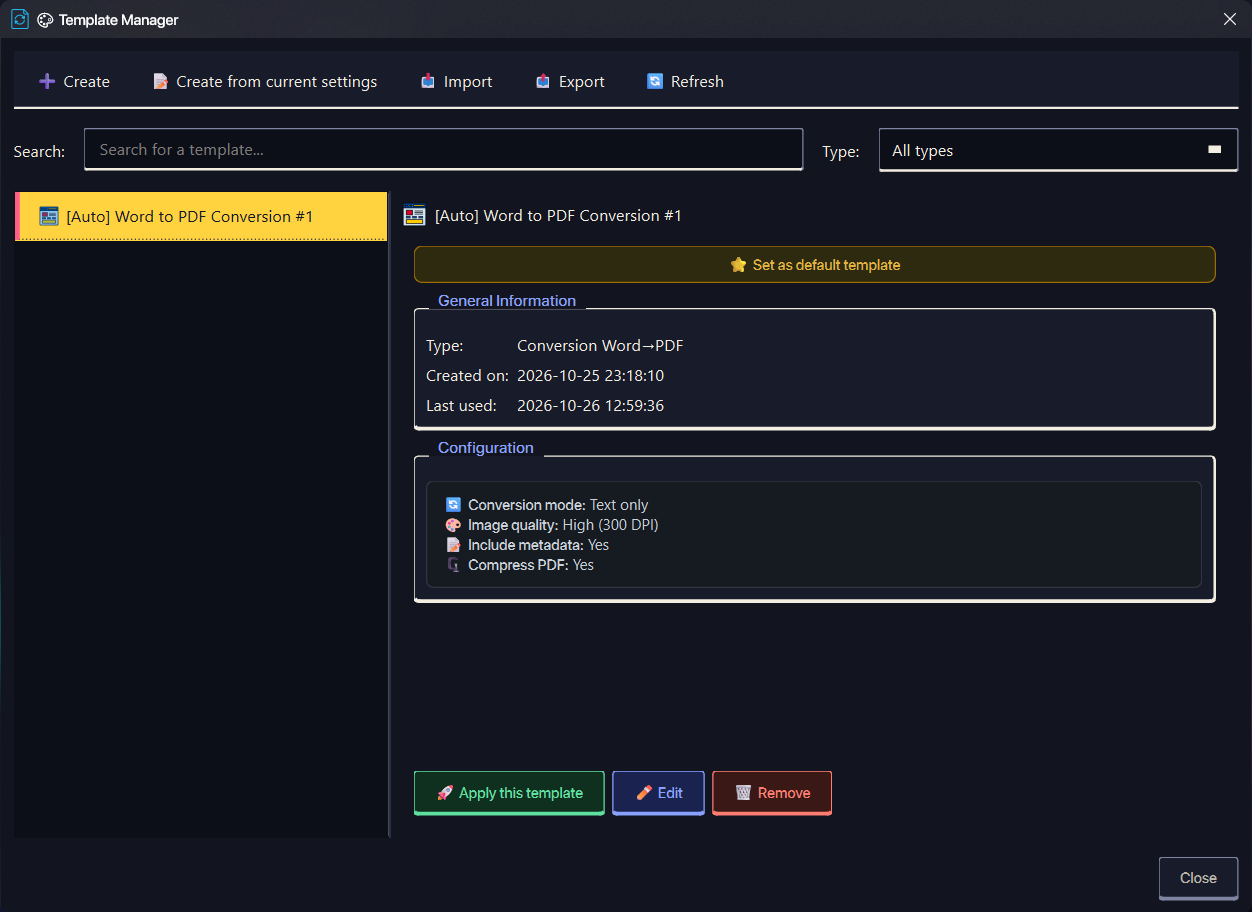
Templates are reusable conversion presets. Open the Template Manager from the Templates action in the main toolbar. Templates are stored in the application database and can be applied to the main window, merge dialogs, split dialog, protection dialog, compression dialog, and file-optimization flow.
| Type | Settings stored |
|---|---|
| PDF → Word | Conversion mode (with_images or text_only), quality, bookmark handling, image extraction |
| Word → PDF | Conversion mode (preserve_all or text_only), quality, metadata, image compression, page format, orientation |
| Images → PDF | Separate PDF per image, orientation, quality, margin, image compression, original-order handling |
| PDF merge | Merge order, filename template, bookmark merging, duplicate removal, page numbers |
| Word merge | Merge order, filename template, formatting preservation, page breaks |
| PDF split | Split method, pages per file, bookmark handling, filename template |
| PDF protection | Protection level, printing, copying, and modification permissions |
| Compression | Archive format, compression level, encryption, delete-originals, archive splitting and split size |
| File optimization | Optimization type, quality level, metadata removal, image compression, backup retention |
Internally, template types and values use language-independent keys. Older templates that still contain French or English display labels are normalized when loaded, so they keep working after a language change.
- Create opens the template editor with an empty configuration.
- Create from current settings saves the options currently configured in the main window.
- Edit changes the name or configuration of an existing template.
- Duplicate creates a copy with a new name.
- Remove deletes the selected template(s). Deleting an auto-created template also prevents that configuration from being auto-created again.
- Set as default template marks one template per operation type as the default.
- Apply this template loads its settings into the matching conversion flow.
- Search and the Type filter narrow the list; Refresh reloads it.
Default templates are applied silently when a supported operation starts: PDF → Word, Word → PDF, Images → PDF, compression, and file optimization. Merge, split, and protection templates are applied through the Template Manager.
| Shortcut | Action |
|---|---|
| Ctrl+N | Create a new template |
| Ctrl+A | Select all templates |
| Delete | Delete selected templates |
| Esc | Close the Template Manager |
When Settings → General → Automatically save frequent configurations is enabled, successful operations are recorded. After the same reusable configuration succeeds 3 times, the app creates a template named [Auto] <type> #N.
- An equivalent template (auto-created or user-created) is reused instead of duplicated.
- At most 3 auto templates per type are kept; the least-recently-used auto template is evicted to make room.
- Templates you created or renamed are never auto-removed.
- A deleted auto template is remembered as dismissed and is not recreated.
- Frequency tracking uses the reusable core of a configuration. For example, PDF merge tracks the merge order, PDF → Word tracks the mode, and PDF split ignores a one-off page-range method.
Auto templates use the same configuration fields and can be edited, duplicated, applied, exported, or marked as default like any other template.
-
Export all templates writes a JSON array containing
id,name,type,config,created_at, andlast_used. Use this file for backup or to move templates between installations. - Export this template writes a single JSON object for sharing or inspection.
- Import templates expects the JSON-array format produced by Export all templates. Templates whose names already exist are skipped; empty or malformed files import nothing.
Template files include normalized semantic keys, so old exports with legacy type names or French/English labels are converted on import.