Repository navigation
Getting Started
Release boundary: The only declared profile is the blocked and uncertified
stable-v1Windows 11 x64/MSVC v143 + D3D11/Windows NullRHI + C++ module slice. Windows 10, Linux, macOS, and other toolchain/backend paths below are development instructions outside that profile.
This guide covers everything you need to clone, build, and run SparkEngine from source. It includes platform-specific setup instructions, troubleshooting for common build issues, and verification steps.
For end-user hardware targets (CPU/RAM/VRAM minimums and recommended specs), see System Requirements.
| Requirement | Details |
|---|---|
| C++ Compiler | MSVC v143 (Visual Studio 2022 17.6+), GCC 13+, or Clang 17+ with C++23 support |
| CMake | 3.25 or newer |
| Graphics | DirectX 11 capable GPU (Windows). Vulkan SDK optional. OpenGL 4.5 optional. Metal 2.3+ on macOS. |
| Release candidate host | Windows 11 x64 is the blocked and uncertified stable-v1 target |
| Development hosts | Windows 10 x64, Linux x64, and macOS are outside the release profile |
| Git | For cloning with submodules |
| Linux packages |
build-essential, ninja-build, cmake
|
| macOS packages |
brew install cmake sdl2 openal-soft (plus molten-vk for Vulkan) |
-
Visual Studio 2022 (Community edition or higher) with the following workloads:
- "Desktop development with C++" workload
- Windows 10/11 SDK (any recent version)
- MSVC v143 build tools
- CMake 3.25+ (bundled with current Visual Studio installations, or install separately from cmake.org)
-
Git (install from git-scm.com or via
winget install Git.Git)
To verify your Windows setup:
# Check Visual Studio compiler
cl.exe 2>&1 | Select-String "Version"

# Check CMake
cmake --version

# Check Git
git --versionsudo apt update
sudo apt install build-essential ninja-build cmake gitFor Clang builds (optional but recommended for matching CI):
sudo apt install clang clang-formatTo verify your Linux setup:
# Check GCC version (must be 11+)
g++ --version

# Check CMake version (must be 3.16+)
cmake --version

# Check Ninja (optional but faster)
ninja --versionsudo dnf groupinstall "Development Tools"
sudo dnf install cmake ninja-build git clang clang-tools-extrasudo pacman -S base-devel cmake ninja git clang# Install Xcode command-line tools
xcode-select --install
# Install CMake and Ninja via Homebrew
brew install cmake ninjaNote: macOS is experimental. OpenGL stubs are provided but DirectX 11 features are not available.
git clone --recurse-submodules https://github.com/Krilliac/SparkEngine.git
cd SparkEngine
If you already cloned without submodules:
git submodule sync
git submodule init
git submodule update --recursiveSparkEngine currently declares six Git submodules. After cloning, verify they
are present; additional audited dependencies are vendored snapshots recorded in
ThirdParty/dependencies.lock rather than submodules:
# Check that ThirdParty directories are populated
ls ThirdParty/
The submodule paths are ThirdParty/Utils/miniz, ThirdParty/UI/imgui,
ThirdParty/ECS/entt, ThirdParty/Scripting/angelscript-mirror,
ThirdParty/AI/recastnavigation, and ThirdParty/SDL2. Do not infer a
dependency from an old documentation name; the manifest and CMake target graph
are authoritative.
If any are empty, re-run:
git submodule update --init --recursive.\generate.bat -g "Visual Studio 17 2022" releasechmod +x generate.sh
./generate.sh release -g Ninjacmake -B build -G "Visual Studio 17 2022" -A x64 -T v143SparkEngine includes CMakePresets.json with ready-made configurations:
| Preset | Platform | Description |
|---|---|---|
windows-debug |
Windows | VS 2022, Debug |
windows-release |
Windows | VS 2022, Release |
linux-gcc-debug |
Linux | GCC, Debug |
linux-gcc-release |
Linux | GCC, Release |
linux-clang-debug |
Linux | Clang, Debug |
linux-clang-release |
Linux | Clang, Release |
ci-linux-asan |
Linux | AddressSanitizer build |
ci-linux-tsan |
Linux | ThreadSanitizer build |
minimal |
Any | Reduced development preset: networking and DXR are effectively disabled; several other preset variables are inert |
cmake --preset windows-release
cmake --build --preset windows-releaseFor a release-configured development build with networking and DXR disabled:
cmake --preset minimal
cmake --build build/minimal --config Release
This preset effectively disables networking and DXR. Its AI, animation, save,
procedural, cinematic, decal, and mesh-LOD cache variables do not correspond to
root options and therefore do not strip those sources; the editor also remains
enabled. Disable declared targets explicitly when needed. HEAD-220 tracks a
true stripped/headless configuration.
# Preferred: CMake presets
cmake --preset windows-release
cmake --build --preset windows-release

# Supported alternative (uses /m:1 with Visual Studio generators)
.\build.ps1 -config Release
Options:
-
-config Debug|Release-- Build configuration -
-editor-- ForceENABLE_EDITOR=ON(already the default; the switch is additive only) -
-angelscript-- ForceENABLE_ANGELSCRIPT=ON(already the default)
There is no -console switch and no ENABLE_CONSOLE CMake option; SparkConsole is always built as a separate target.
./build.sh releaseOptions:
-
-g Ninja-- Use Ninja generator (faster) -
-E-- Disable editor
cmake --build build --config ReleaseSpeed up the build by specifying the number of parallel jobs:
# Linux/macOS
cmake --build build --config Release -- -j$(nproc)

# Windows (PowerShell)
cmake --build build --config Release -- /maxcpucount
A clean Release build typically takes 2-5 minutes on a modern machine with 8+ cores.
After a successful build:
build/
├── bin/
│   └── Release/             # VS/Ninja Multi-Config output; use the built configuration
│       ├── SparkBuild.exe   # In-tree SparkBuild target
│       ├── SparkEngine.exe  # Main engine executable
│       ├── SparkConsole.exe # Optional debug-console subprocess (Windows)
│       ├── SparkEditor.exe  # Visual editor (Windows)
│       ├── SparkShaderCompiler.exe
│       ├── SparkTests.exe   # Unit test runner (when BUILD_TESTS=ON)
│       └── SparkGameFPS.dll # A built game module; choose it explicitly at launch
├── lib/                     # Static/shared libraries
├── Shaders/                 # Compiled shaders
└── Assets/                  # Game assets
Single-config generators retain the flat build/bin/ layout. With a CMake
preset, substitute that preset's binary directory for build/.
cd build\bin\Release
SparkEngine.exe -game .\SparkGameFPS.dll
For a VS/Ninja Multi-Config build, replace Release with the configuration you
built. The game module is selected explicitly; a bare launch only discovers
candidates and prompts for a selection.
You should see:
- A DirectX 11 window with a blue background
- Unless
-no-subprocessis supplied, the engine attempts to launch the optional SparkConsole subprocess - The in-process console emits initialization messages
SparkEditor is a separate executable. When ENABLE_EDITOR=ON, launch the
same configuration directly:
.\build\bin\Release\SparkEditor.execd build/bin
./SparkEngineOn Linux, select a compiled Vulkan or OpenGL development backend. For explicit CPU-rendered OpenGL, configure Mesa llvmpipe and the required virtual display:
# Software rendering (no GPU required)
sudo apt-get install -y xvfb libgl1-mesa-dri
Xvfb :99 -screen 0 1024x768x24 &
DISPLAY=:99 LIBGL_ALWAYS_SOFTWARE=1 ./SparkEngine
RHIFactory::CreateDevice alone does not retry a failed backend. At runtime,
RHIBridge::Initialize retries its available GPU backends after device or
swap-chain setup fails, then creates the no-render NullRHIDevice only if all
of them fail. That resilience path is not a certified Linux compatibility claim.
| Option | Description |
|---|---|
-headless |
Select the host headless entry path. Current host wiring initializes no RHI; wiring the separate NullRHIDevice path remains HEAD-220. |
-game <path> |
Load a specific game module DLL |
-scene <path> |
Run a reflected-scene document (.sparkscene, as saved by SparkEditor) without a game module. Windows loads it only when no game module initializes and draws it with the basic renderer. Linux loads it into the engine ECS world, skips implicit module discovery, prints SPARK_SCENE_LOADED entities=N renderables=M, and exits 4 when the scene cannot be loaded. It refuses -scene combined with -game/-manifest. Linux does not draw the scene (its basic draw path is a no-op). |
-window-size <W>x<H> |
Override the initial window size, for example -window-size 1920x1080
|
-no-subprocess |
Skip the optional standalone SparkConsole subprocess; the in-process console remains available |
Example:
./SparkEngine -game MyGame.dll -window-size 1920x1080
./SparkEngine -headless -scene MyProject/Scenes/Main.sparkscene -test-frames 5
Working-directory anchoring. The host re-anchors the working directory to the executable
directory unless a relative -game, -manifest or -scene was passed. (Previously any such
flag suppressed anchoring.) An absolute -game/-manifest/-scene therefore re-anchors — which is
what lets a packaged runtime find Data/*.spk and keep Logs//Saves/ together — so a CI or
tooling invocation that passes an absolute module path and expects its other relative paths to
resolve against its own working directory needs checking.
Environment switches. SPARK_CRASH_ON_ASSERT=1 (exact string 1) makes CrashHandler treat a
surviving assertion as a crash and write a dump/report. Do not set it in a shipping configuration:
every tolerated assertion then looks like a crash in crash-rate telemetry.
Spark::UserPaths anchors the runtime's writable data per user. Saves/, Logs/
(rotating SparkEngine_<timestamp>.log), spark_trace.json, and ShaderCache/
live under %LOCALAPPDATA%/SparkEngine (POSIX: $XDG_DATA_HOME or
~/.local/share/SparkEngine); settings.ini falls back to
%LOCALAPPDATA%/SparkEngine/Config/ ($XDG_CONFIG_HOME or
~/.config/SparkEngine) whenever a per-user copy exists or the install tree's
Resources/Config is not writable. Data/*.spk is resolved beside the executable
first and the working directory second. A development run with no per-user
directory falls back to the old CWD-relative locations. Engine logs are also
mirrored into SparkConsole.exe once Logger::InstallDefaultSinks runs.
| Input | Action |
|---|---|
| W / A / S / D | Move |
| Mouse | Look |
| Space | Jump |
| Ctrl | Crouch |
| Shift | Sprint |
| Left Click | Fire / Capture Mouse |
| Right Click | Aim Down Sights |
| R | Reload |
| E | Interact |
| 1 / 2 / 3 / 4 | Weapon slots |
| Esc | Release Mouse / Menu |
| ` (Backtick) | Toggle Debug Console |
| F1 | Toggle Editor (if enabled) |
| F3 | Toggle Performance Stats |
Once the engine is running, you should see the editor interface:
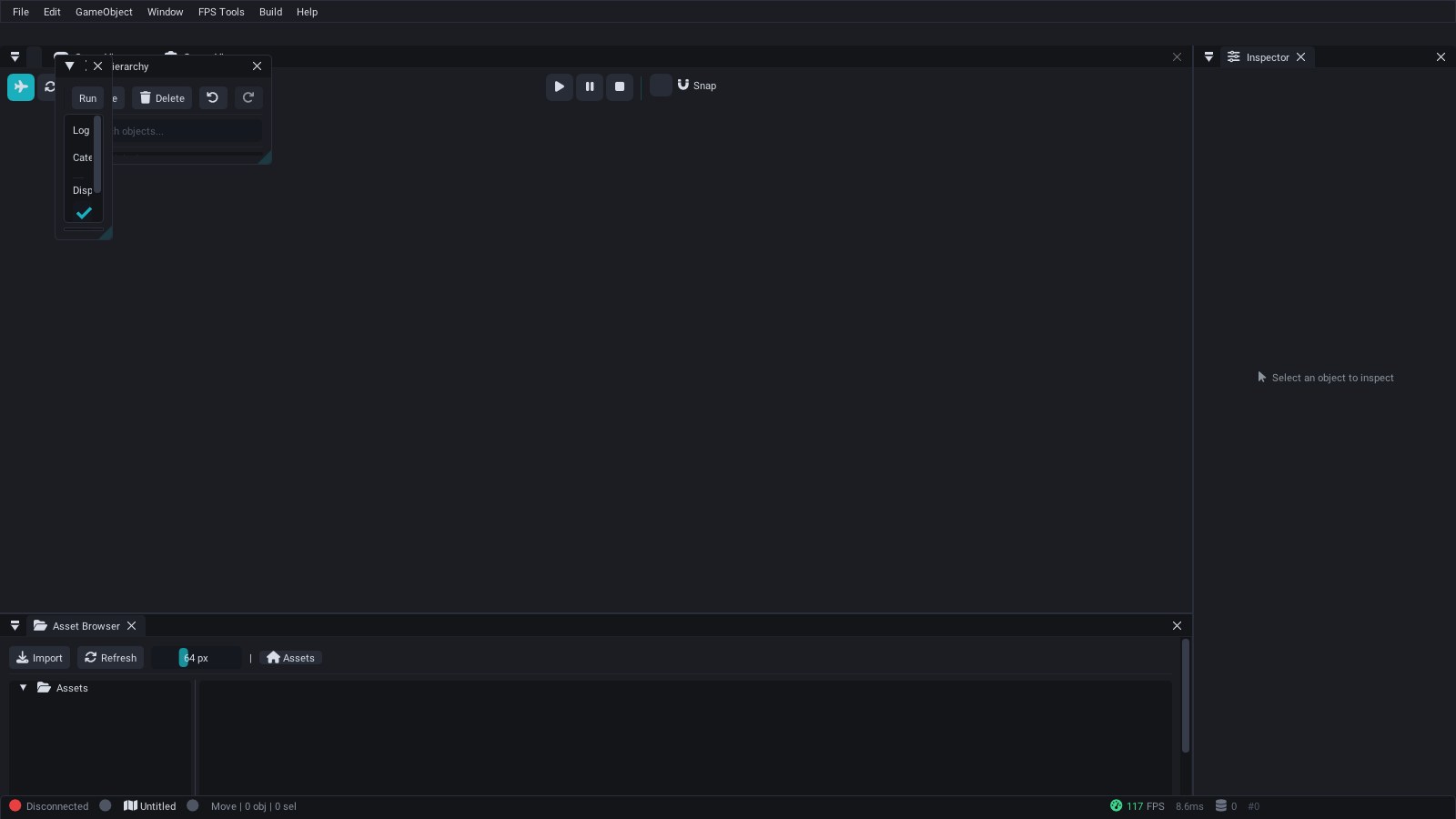
SparkEditor with docked panels — Material Editor, Physics tools, Scene View, Inspector, and Asset Browser.
Open SparkConsole and try:
help            # List all commands
engine_status   # Check system initialization
fps             # Show framerate
graphics_info   # Display GPU information
diag            # Run diagnostics
scene_info      # Show current scene info
physics_info    # Show physics system state
audio_info      # Show audio device information
To verify that the build is correct, run the test suite:
# Build with tests enabled (default)
cmake -B build -DBUILD_TESTS=ON
cmake --build build --config Release

# Run tests
ctest --test-dir build -C Release --output-on-failure --no-tests=error
The generated source inventory records SparkTests TEST/TEST_F definitions (the harness is the in-tree Tests/TestFramework.h, not GoogleTest; the current count is published in README.md by docs/update-readme-badges.sh); that inventory is not a CTest verdict. Use the command's exit status and final CTest summary to determine the actual result. See Testing for details.
The repository includes SparkBuild, a cross-platform terminal-UI wrapper around CMake. Its source lives in-tree under SparkBuild/; when ENABLE_SPARKBUILD=ON (the root default), normal CMake configuration adds its target to the build. Opt out with -DENABLE_SPARKBUILD=OFF.
cmake --build build --config Release --target SparkBuild
.\build\bin\Release\SparkBuild.exe
Single-config superproject builds use build/bin/SparkBuild; a standalone
SparkBuild-only project also retains its historical flat bin output.
See Build System and CMake Modules -- SparkBuild for more details.
SparkEngine exposes documented root CMake options. Pass supported options during configuration:
cmake -B build -DENABLE_EDITOR=OFF -DENABLE_NETWORKING=ON ...| Flag | Default | Description |
|---|---|---|
BUILD_TESTS |
ON | Build the unit test suite |
ENABLE_EDITOR |
ON (Windows) | Include the ImGui editor |
ENABLE_NETWORKING |
ON | Controls networking definitions/libraries; server-process targets have a separate option |
ENABLE_PROFILING |
ON | Controls the PROFILING_ENABLED compile definition |
ENABLE_VULKAN |
ON | Controls Vulkan discovery and its support definition; source-glob breadth still needs verification |
ENABLE_OPENGL |
ON | Controls OpenGL discovery/enablement; host context setup remains separate |
BUILD_GAME_MODULES |
ON | Include in-tree game-module targets |
See Build System and CMake Modules for the full list of options.
Symptom: CMake fails with "Could not find EnTT" or similar missing dependency errors.
Fix: Ensure submodules are fully initialized:
git submodule update --init --recursiveIf submodules are stuck in a detached HEAD state:
git submodule sync --recursive
git submodule update --init --recursive --forceSymptom: CMake errors about unsupported features or policy warnings.
Fix: Update to CMake 3.25 or newer:
# Ubuntu (may need to add Kitware PPA for latest version)
sudo apt remove cmake
sudo snap install cmake --classic

# macOS
brew upgrade cmakeSymptom: Compiler errors about missing C++23 features, std::expected, std::print, or deducing this.
Fix: Ensure you are using MSVC v143 (Visual Studio 2022 version 17.6+) or newer. Open the Visual Studio Installer and update to the latest version. The engine requires full C++23 support.
Symptom: Linker errors about X11, GL, or Xrandr symbols.
Fix: Install the development packages:
# Debian/Ubuntu
sudo apt install libx11-dev libxrandr-dev libgl1-mesa-dev libglu1-mesa-dev

# Fedora
sudo dnf install libX11-devel mesa-libGL-develSymptom: CI rejects your PR with clang-format violations.
Fix: Format your code before committing:
find SparkEngine/Source GameModules SparkEditor/Source SparkConsole/src SparkShaderCompiler/src \
     SparkBuild/src SparkInstaller/src SparkDaemon/src SparkServer/src SparkGateway/src \
     SparkCooker/src SparkWorker/src SparkAutomation/src SparkLauncher/src Tests FuzzerTests \
  -not -path '*/Metal/*' \( -name '*.h' -o -name '*.hpp' -o -name '*.cpp' \) \
| xargs clang-format -iSymptom: The engine executable starts but immediately crashes or shows a black window.
Fix: Check the following:
- Ensure your GPU supports DirectX 11 (Windows) or OpenGL 4.5 (the experimental Linux build)
- Update your GPU drivers to the latest version
- Check the
spark.logfile in the working directory for error messages - Try running in Debug mode for better error messages:
cmake --build build --config Debug
Symptom: "The program can't start because XXXXX.dll was not found."
Fix: Ensure all DLLs are in the same directory as the executable. The build system should copy them automatically, but if not:
# Copy required DLLs to the bin directory
cmake --build build --config Release --target installSymptom: ASan build reports link errors or missing runtime libraries.
Fix: Ensure you are using GCC 11+ or Clang 14+ with ASan support:
cmake --preset ci-linux-asan
cmake --build build/ci-linux-asan
ctest --test-dir build/ci-linux-asan --output-on-failure --no-tests=errorSparkEngine/
├── SparkEngine/ # Core engine library + executable
│ └── Source/
│ ├── Core/ # Platform, EngineContext, entry point
│ ├── Graphics/ # DX11 renderer, post-processing
│ ├── Engine/ # ECS, AI, Animation, Events, Networking
│ ├── Physics/ # Jolt Physics integration
│ ├── Input/ # Keyboard, mouse, gamepad
│ ├── Audio/ # XAudio2 audio engine
│ └── Utils/ # Logger, Profiler, Console
├── SparkEditor/ # ImGui editor (Windows)
├── GameModules/ # Game modules
│ ├── SparkGame/ # Default game module (DLL)
│ └── SparkGameMMO/ # MMO game module (DLL)
├── SparkConsole/ # Standalone debug console
├── SparkShaderCompiler/ # Shader compilation tool
├── SparkSDK/ # Public SDK headers
├── Templates/ # Game module templates
├── ThirdParty/ # Audited dependencies: six submodules plus vendored snapshots
├── Tests/ # Unit-test sources (generated inventory above; CTest is the verdict)
├── Shaders/ # HLSL, GLSL shaders
├── Assets/ # Models, Scenes, Scripts
├── cmake/ # CMake helper modules
└── CMakeLists.txt # Root build configuration
- Architecture Overview -- Understand the engine's design
- Creating a Game Module -- Build your first game
- Entity Component System -- Work with entities and components
- Build System and CMake Modules -- Full build configuration reference
- Testing -- Running and writing tests
- Troubleshooting -- If you run into issues
- SparkConsole -- Debug console for engine interaction
- SparkEditor -- Visual editor for scenes and materials
- Architecture Overview -- Understand the engine's design
- Creating a Game Module -- Build your first game module
- Input System -- Configuring input bindings
- Scene Management -- Loading and editing scenes