Repository navigation
Color Scheme
Named palettes (ColorScheme assets) applied to groups of MaskableGraphics by ColorSchemeController. Slot i maps to scheme color i.
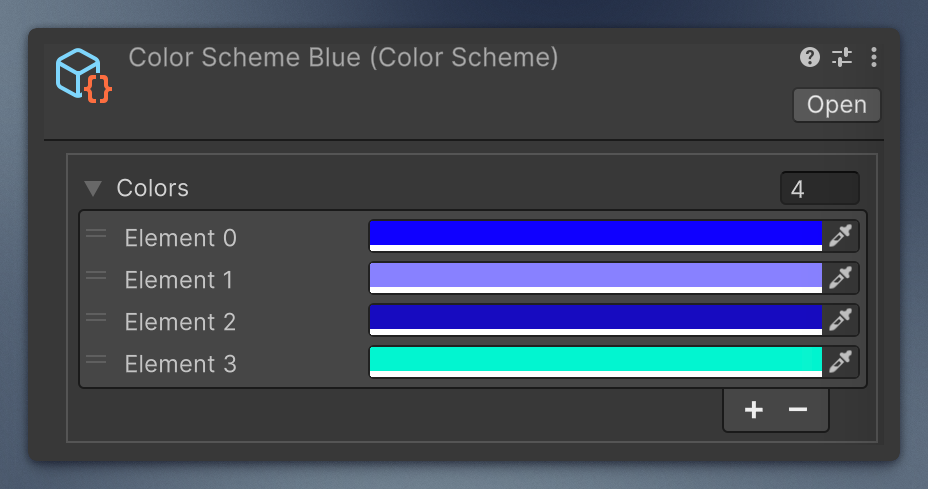
Create an asset: Create → Mane Tools → Color Scheme.
using Mane.Unity.UI;
using UnityEngine;

public class ThemeSwitcher : MonoBehaviour
{
    [SerializeField] private ColorSchemeController _controller;
    [SerializeField] private ColorScheme _dayScheme;
    [SerializeField] private ColorScheme _nightScheme;

    public void GoNight()
    {
        _controller.ColorScheme = _nightScheme;           // snap, or...
        _controller.AnimateTo(_nightScheme, .35f);        // lerp (see caveats)
    }
}ScriptableObject. _colors is a Color[]. Indexer returns white if the index is out of range (or the array is null). Length is the array length.
Add Component → Mane Tools → UI → Color Scheme Controller.
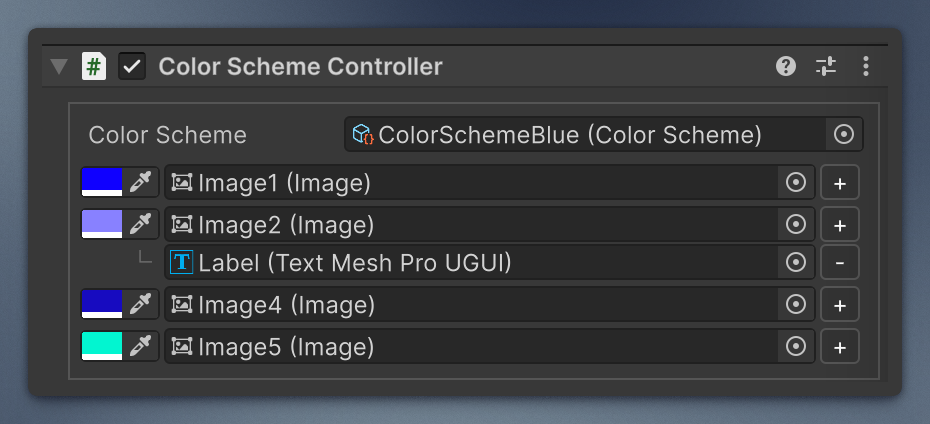
-
ColorSchemesetter callsRefresh()immediately. -
Refresh()paints every graphic in slotiwith scheme colori. Missing scheme or empty slots: no-op. -
GetGraphicColor(i)is the first graphic in that slot (white if none). -
SetGraphicsColor(i, color)writes every graphic in the slot. -
SetColorSchemeWithoutRefreshstores the asset without painting (used while animating).
Awake refreshes. Editor OnEnable on the custom inspector also refreshes so you see colors without entering Play mode.
Lerps current graphic colors toward colorScheme over duration seconds (Time.deltaTime). Default curve is linear.
-
duration <= 0or there is no current scheme → snap via theColorSchemesetter. - Target scheme null, or different
Lengththan the current scheme → no-op. - Stops previous animate coroutines.