Repository navigation
Hunter's Atlas 1.1 - LEGACY (unsupported)

Legacy — no longer supported. All versions before Atlas 3.0 are legacy. Please upgrade to Atlas 3.0 before reporting an issue.
Hunter’s Atlas 1.1 — lamp travel, pickup markers and automatic updates
Added
- Fast travel to discovered lamps, with confirmation. LB/RB (L1/R1) cycle available lamps; undiscovered lamps stay hidden.
- Colored dots for remaining world pickups: Blood Vials, Knowledge/Wisdom, weapons/clothing and Coldblood. Monster drops are excluded.
- Optional map reveal after defeating an area’s boss.
- A new-dialogue NPC filter for verified Gilbert and early Eileen conversations.
Improved
- Atlas prepares automatically when you update the official launcher, reusing valid maps without an uninstall.
- Smaller travel confirmation that scales with resolution, a compact color key and aligned controls.
- Separate launcher switches for fog, fast travel and pickup categories. Turning them off keeps the map available.
Install
- Extract Hunters-Atlas-1.1.zip and run Install.cmd. Select your launcher and wait for map preparation.
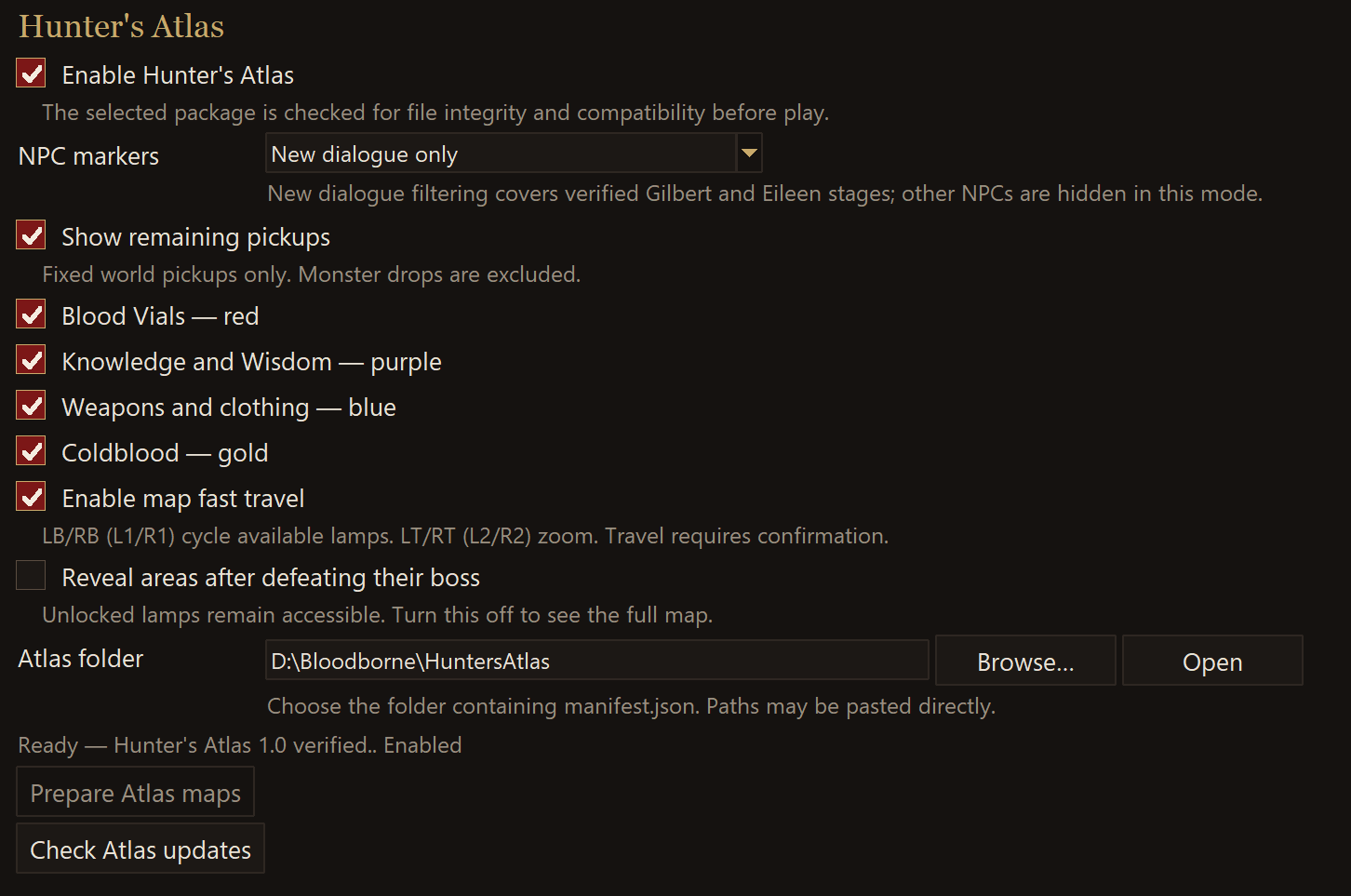
- Reopen the launcher → Mods & patches → tick Enable Hunter’s Atlas. Wait for Ready, then Play.
Enable the mod after installation:
Already have Atlas? Close the game and launcher, extract 1.1 into a new folder,
then run Update.cmd from that extraction and select your existing launcher.
Windows 10/11, verified CUSA00207 1.09. Launcher 1.7.2 → 1.8.2 was tested.
The first automatic rebuild may take several minutes. Future incompatible
launcher changes may require an Atlas repair; verified launcher updates can
still complete while Atlas is pending.