Repository navigation
Releases: ModdySwag/PatternForge
Release list
Pattern Forge v1.0f-beta

Pattern Forge 1.0f (beta) — for Windows
The fifth beta of Pattern Forge for Windows — a one-fix release.
Pattern Forge is a live-coding music workstation you can actually play: Strudel patterns in the
code drawer, a step sequencer, a 61-key piano dock with a real synth engine behind it, 80 genre
styles, a pack store, a mixer and recorder that export WAV, Opus, stems, MIDI and a DAW kit, and a
3D dancer that moves with the music. It is the same app as the free in-browser version at
moddys.net/forge — this is that app in its own window, by itself.
A look at the Windows build — the full gallery is at https://moddys.net/forge/shots.html:
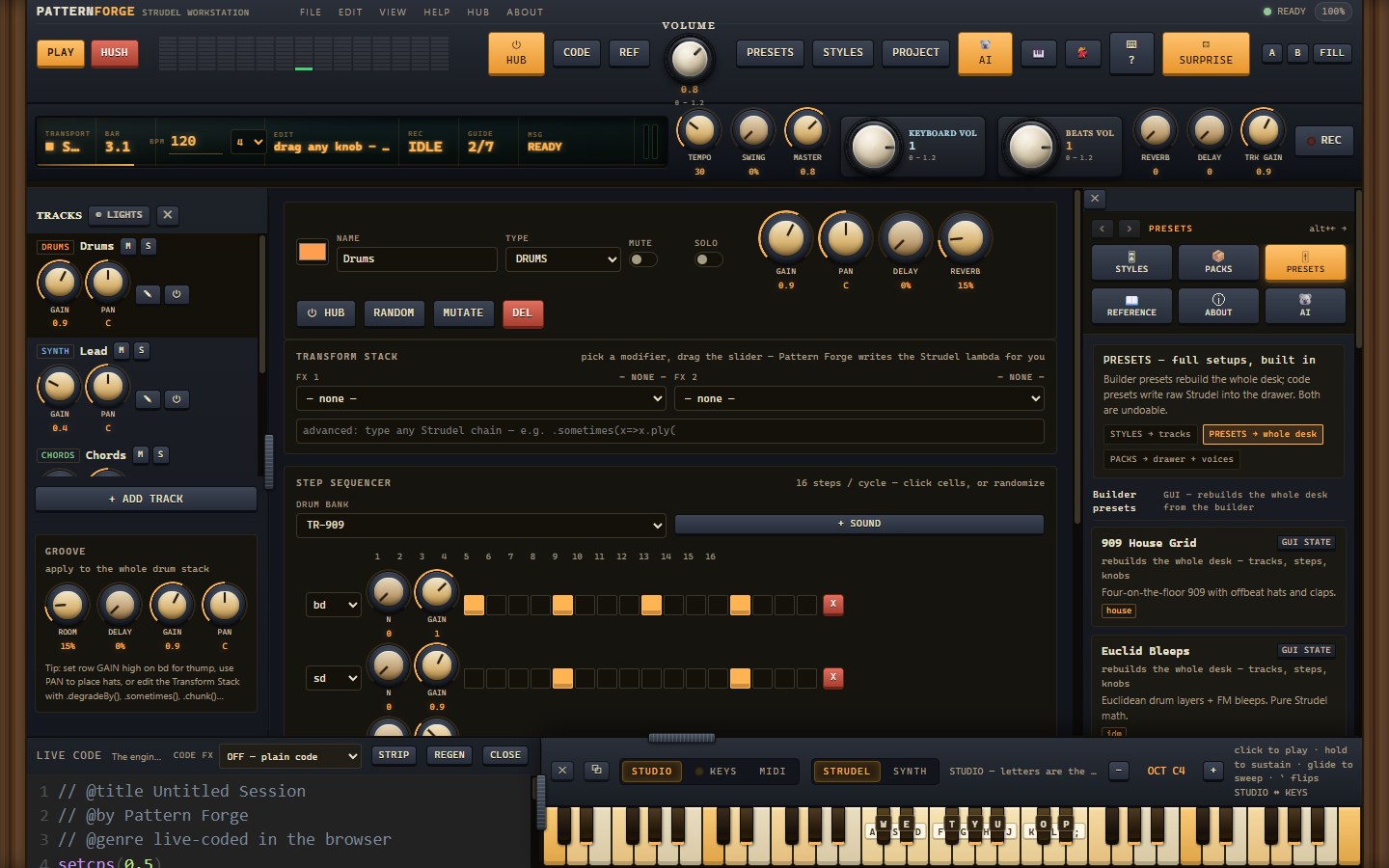
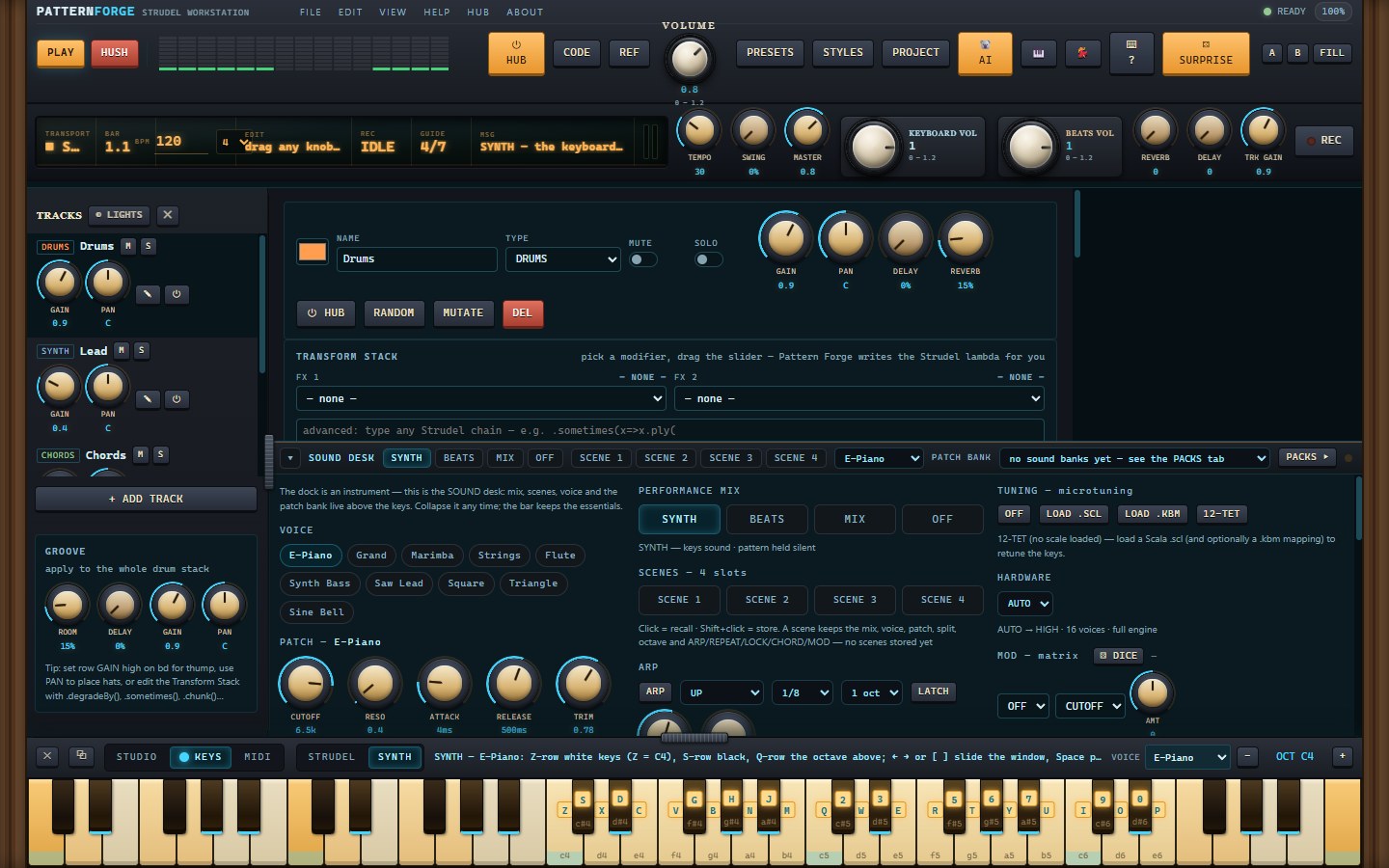
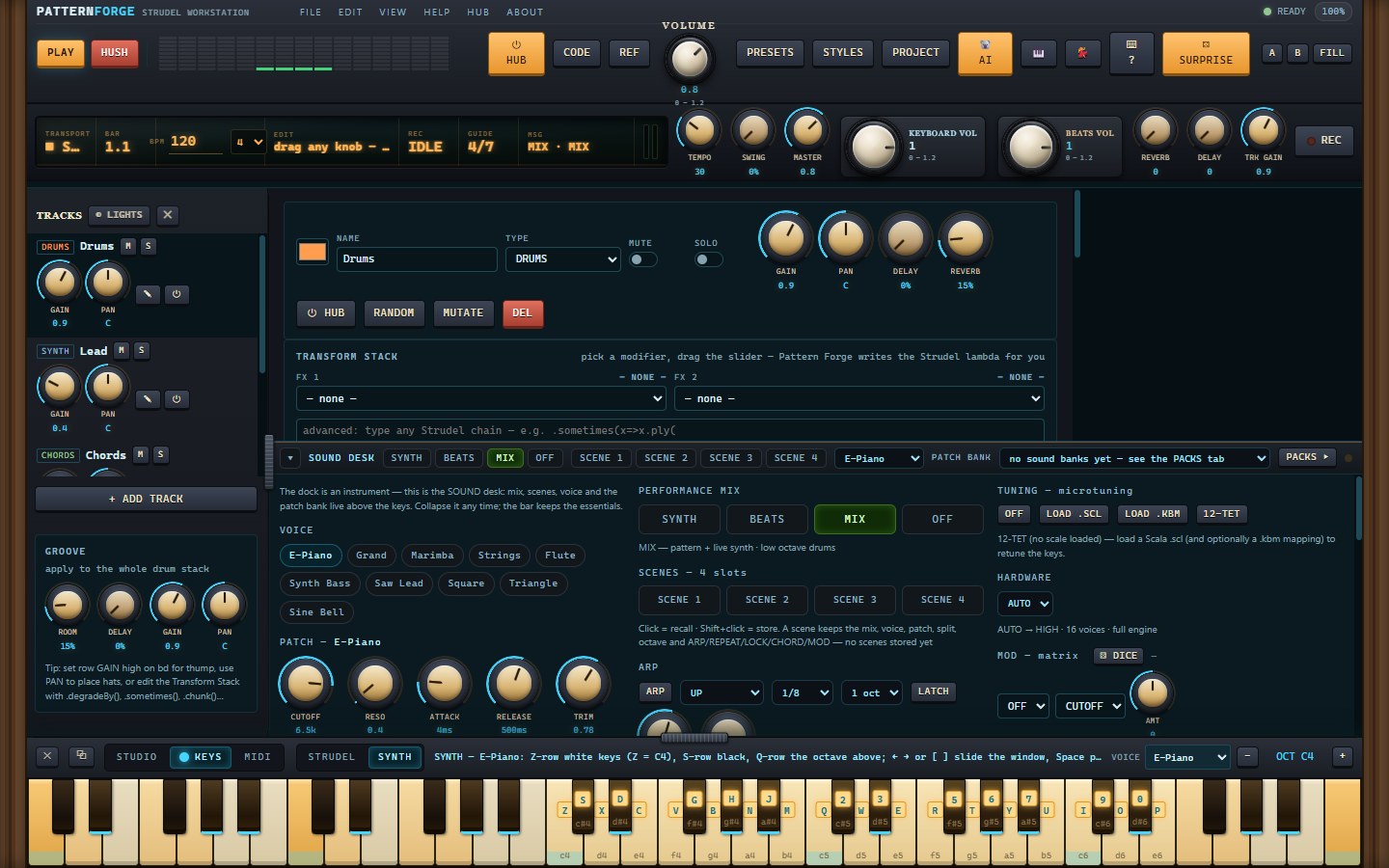
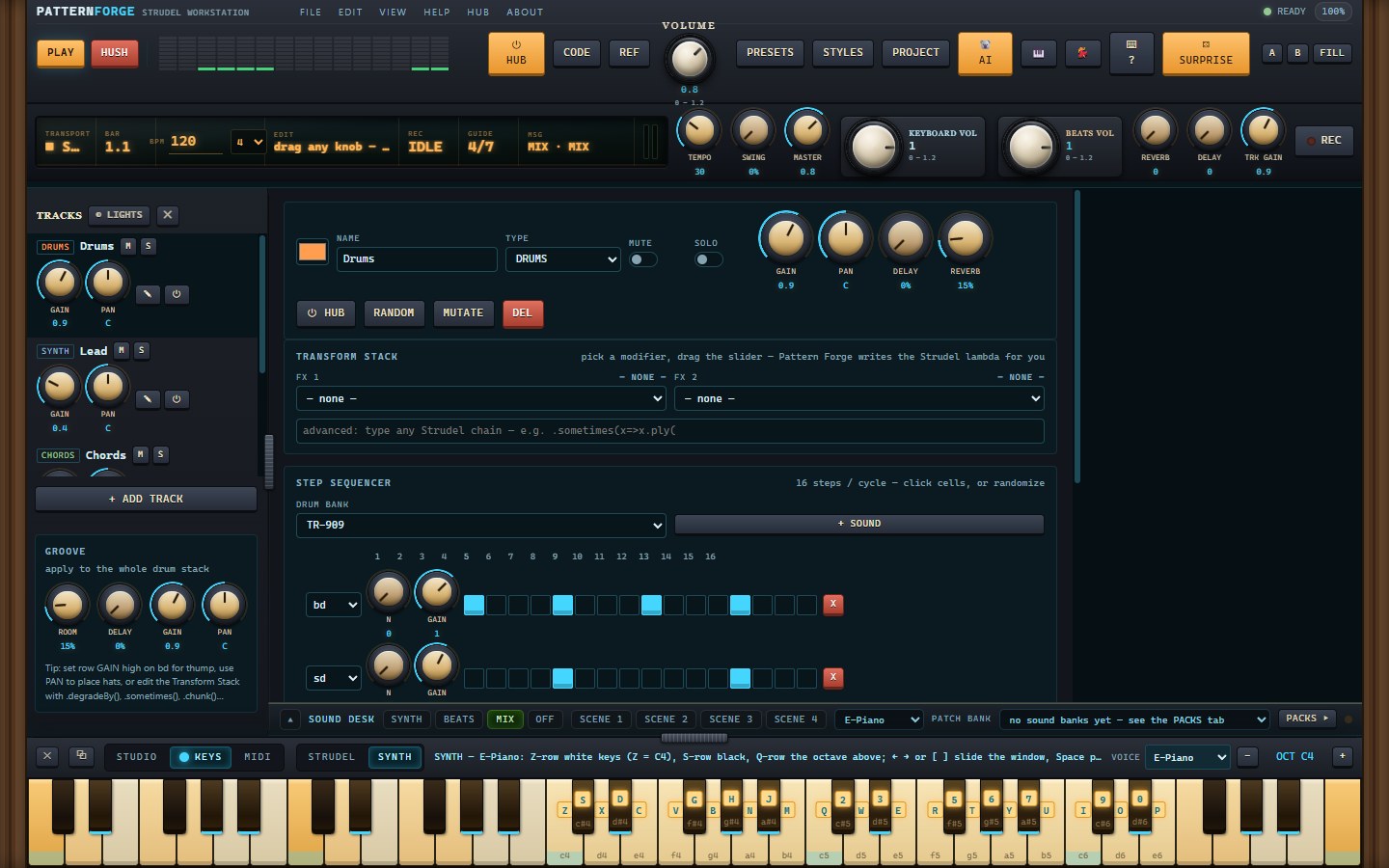
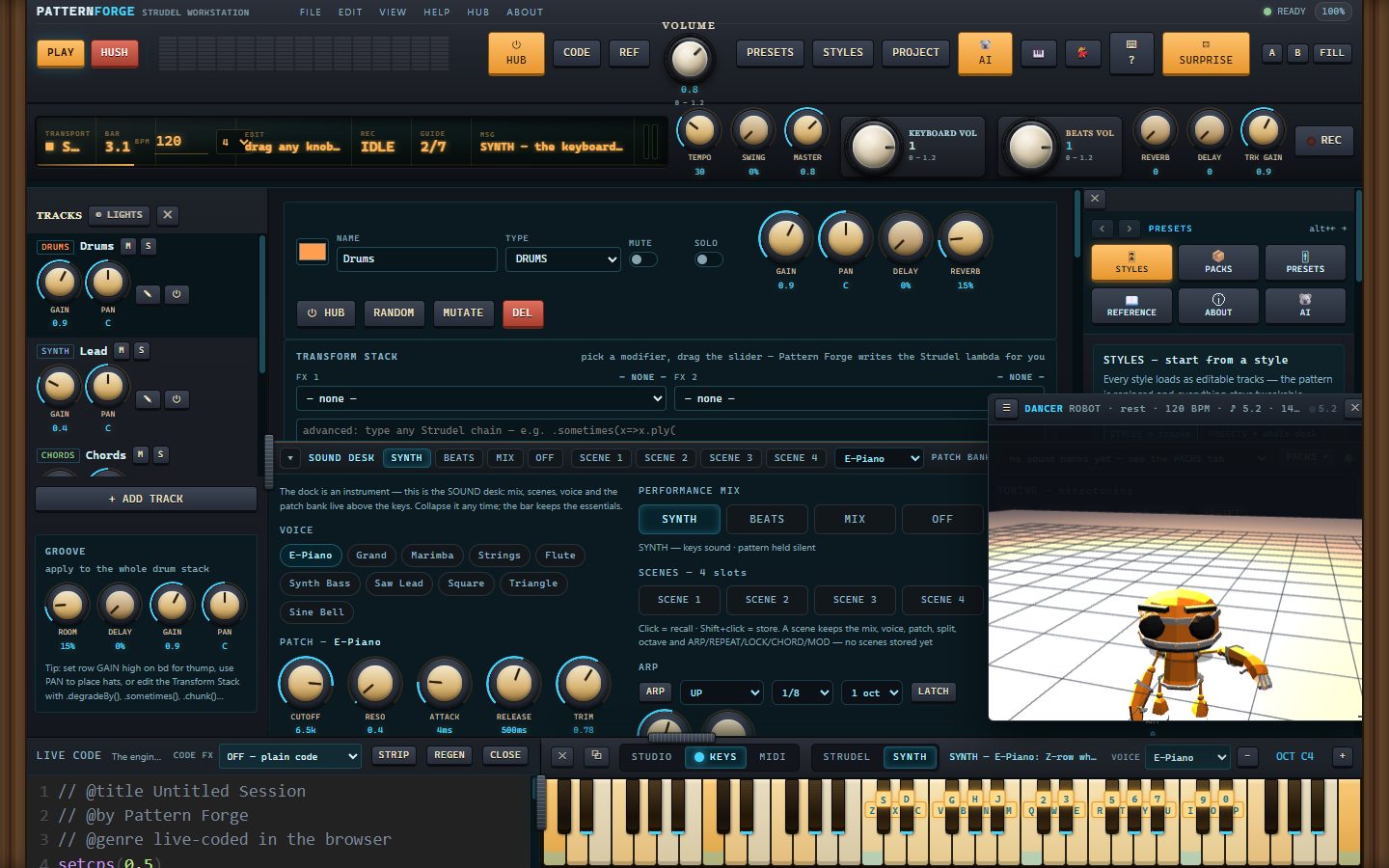
More — the mixer, the recorder, export, packs, Kody and the piano dock — plus captions, in the gallery: https://moddys.net/forge/shots.html
What's fixed since 1.0e
- The popped-out SOUND desk floats above everything now. In 1.0e, the detached desk slid
behind the main window the moment you clicked anywhere else — it looked like it had vanished,
and you had to fish it back from the taskbar or Alt+Tab. The keyboard's own popout has floated
since 1.0d; the desk now does too: click the main window, another app, anything — the desk stays
up until you ⧉ BACK it home or close it. (In a browser the desk already floated via
Picture-in-Picture; nothing changed there, and the dancer's window deliberately does not float.)
In this release
- PatternForge-Setup-1.0f.exe — the installer. Per-user (no admin prompt), Start Menu entry and
desktop shortcut, upgrades install straight over the top, clean uninstall from Add/Remove.
It is not code-signed yet, so SmartScreen will say it hasn't seen this app before — More info,
then Run anyway. - PatternForge-Setup-1.0f.exe.zip — the same installer as a zip, byte for byte: the exact file
moddys.net/moddys-downloads.html serves. - PatternForge-1.0f-source.zip — the corresponding source for this build (AGPL-3.0-or-later): the
app build frozen into the installer, the src/ tree it is assembled from, the Electron shell, the
installer script, the build and verification tools, and every third-party manifest. The vendor
blobs themselves come from their own upstream URLs — VENDOR.json carries the url and sha256 of
each.
Good to know
- Windows 10/11, 64-bit. The app opens with no network at all — the engine, the 3D rigs and the
sample maps are inside the install. Sample audio still streams from its own CDNs, so a
sample-based drum machine or soundfont wants a connection; the built-in synth, your installed
packs and everything you record work offline. - Your projects, takes, installed packs and settings live in %APPDATA%\PatternForge. The installer
never touches that folder and the uninstaller keeps it by default — installing again picks up
where you left off. Nothing is sent anywhere. - Verified on this exact payload: the 54-check desktop suite on the installed program (including
the new desk-float proof: the window manager reports WS_EX_TOPMOST on the desk window), 22 checks
with every non-local request blocked, and a silent install → upgrade → uninstall journey
(21 checks) that leaves your data intact. The web build inside the installer is byte-identical
to the one live at moddys.net/forge (e0c74355). - This is a beta — if something breaks, tell me: modtech@gmail.com.
sha256
b9ff2ac905f1f60db50adc78403c638b26c651d09b3aa8845157901d8a781031 PatternForge-Setup-1.0f.exe
3a6f5f17de73daa7fbcac8a13dad9c5f18e8fd95ccd95e569bbef2ad34abb164 PatternForge-Setup-1.0f.exe.zip
629a364eb80e4865a8141cd5af7d579a4c48429579c06e1346923c059f7787d2 PatternForge-1.0f-source.zip
The download page is also https://moddys.net/moddys-downloads.html.
Cheers Moddy !
Pattern Forge v1.0e-beta
Pattern Forge 1.0e (beta) — for Windows
The fourth beta of Pattern Forge for Windows.
Pattern Forge is a live-coding music workstation you can actually play: Strudel patterns in the
code drawer, a step sequencer, a 61-key piano dock with a real synth engine behind it, 80 genre
styles, a pack store, a mixer and recorder that export WAV, Opus, stems, MIDI and a DAW kit, and a
3D dancer that moves with the music. It is the same app as the free in-browser version at
moddys.net/forge — this is that app in its own window, by itself.
A look at the Windows build — the full gallery is at https://moddys.net/forge/shots.html:
More — the mixer, the recorder, export, packs, Kody and the piano dock — plus captions, in the gallery: https://moddys.net/forge/shots.html
What's new since 1.0d
- Paste Strudel straight into the CODE area. Copy a pattern — from strudel.cc, from a friend,
from anywhere — and paste it into the Live Code drawer: an offer appears over the editor, and
NEW SESSION turns the paste into the session itself. Your code becomes the document, the panel
parks, and PLAY runs exactly what you pasted, byte for byte. Nothing is parsed, guessed or
rewritten. The drawer head also gained a PASTE button for the paste-through-a-box route, and the
help page now names the CODE-area way in. - Safety on the way in: if a session is already open, the first press only warns — the second
one replaces it. Nothing you were working on is dropped by one stray click.
In this release
- PatternForge-Setup-1.0e.exe — the installer. Per-user (no admin prompt), Start Menu entry and
desktop shortcut, upgrades install straight over the top, clean uninstall from Add/Remove.
It is not code-signed yet, so SmartScreen will say it hasn't seen this app before — More info,
then Run anyway. - PatternForge-Setup-1.0e.exe.zip — the same installer as a zip, byte for byte: the exact file
moddys.net/moddys-downloads.html serves. - PatternForge-1.0e-source.zip — the corresponding source for this build (AGPL-3.0-or-later): the
app build frozen into the installer, the src/ tree it is assembled from, the Electron shell, the
installer script, the build and verification tools, and every third-party manifest. The vendor
blobs themselves come from their own upstream URLs — VENDOR.json carries the url and sha256 of
each.
Good to know
- Windows 10/11, 64-bit. The app opens with no network at all — the engine, the 3D rigs and the
sample maps are inside the install. Sample audio still streams from its own CDNs, so a
sample-based drum machine or soundfont wants a connection; the built-in synth, your installed
packs and everything you record work offline. - Your projects, takes, installed packs and settings live in %APPDATA%\PatternForge. The installer
never touches that folder and the uninstaller keeps it by default — installing again picks up
where you left off. Nothing is sent anywhere. - Verified on this exact payload: the 50-check desktop suite on the installed program, 22 checks
with every non-local request blocked, and a silent install → upgrade → uninstall journey
(21 checks) that leaves your data intact. The web build inside the installer is byte-identical
to the one live at moddys.net/forge (e0c74355). - This is a beta — if something breaks, tell me: modtech@gmail.com.
sha256
3532412191fcd2586c3ffd2ec264d355055d015e095424f7409a818120e500d1 PatternForge-Setup-1.0e.exe
77f41d834d656e8199e72a186481c9c9ce92126edd55454313b5b51f76662b6e PatternForge-Setup-1.0e.exe.zip
21c6a5343d0c2d824565816b3f295caabf7ec635df02812eee23f94ce5f0561f PatternForge-1.0e-source.zip
The download page is also https://moddys.net/moddys-downloads.html.
Cheers Moddy !
Pattern Forge v1.0d-beta
Pattern Forge 1.0d (beta) — for Windows
The third beta of Pattern Forge for Windows.
Pattern Forge is a live-coding music workstation you can actually play: Strudel patterns in the
code drawer, a step sequencer, a 61-key piano dock with a real synth engine behind it, 80 genre
styles, a pack store, a mixer and recorder that export WAV, Opus, stems, MIDI and a DAW kit, and a
3D dancer that moves with the music. It is the same app as the free in-browser version at
moddys.net/forge — this is that app in its own window, by itself.
A look at the Windows build — the full gallery is at https://moddys.net/forge/shots.html:
More — the mixer, the recorder, export, packs, Kody and the piano dock — plus captions, in the gallery: https://moddys.net/forge/shots.html
What's fixed since 1.0c
- The keyboard popout works in the Windows build. In 1.0c, clicking ⧉ on the piano dock
could do nothing at all here: the app asked for a browser-style Picture-in-Picture window, and
this shell's PiP path resolves a window that never actually materialises. The app now uses the
shell's own window route — the keyboard opens in its own always-on-top window, remembers its
size, and ⧉ BACK (or its own ✕) docks it home. The desktop check now drives a real click and
demands the window stays up, and the in-browser build still gets true document
Picture-in-Picture.
In this release
- PatternForge-Setup-1.0d.exe — the installer. Per-user (no admin prompt), Start Menu entry and
desktop shortcut, upgrades install straight over the top, clean uninstall from Add/Remove.
It is not code-signed yet, so SmartScreen will say it hasn't seen this app before — More info,
then Run anyway. - PatternForge-Setup-1.0d.exe.zip — the same installer as a zip, byte for byte: the exact file
moddys.net/moddys-downloads.html serves. - PatternForge-1.0d-source.zip — the corresponding source for this build (AGPL-3.0-or-later): the
app build frozen into the installer, the src/ tree it is assembled from, the Electron shell, the
installer script, the build and verification tools, and every third-party manifest. The vendor
blobs themselves come from their own upstream URLs — VENDOR.json carries the url and sha256 of
each.
Good to know
- Windows 10/11, 64-bit. The app opens with no network at all — the engine, the 3D rigs and the
sample maps are inside the install. Sample audio still streams from its own CDNs, so a
sample-based drum machine or soundfont wants a connection; the built-in synth, your installed
packs and everything you record work offline. - Your projects, takes, installed packs and settings live in %APPDATA%\PatternForge. The installer
never touches that folder and the uninstaller keeps it by default — installing again picks up
where you left off. Nothing is sent anywhere. - Verified on this exact payload: the 50-check desktop suite on the installed program, 22 checks
with every non-local request blocked, and a silent install → upgrade → uninstall journey that
leaves your data intact. The web build inside the installer is byte-identical to the one live
at moddys.net/forge (bd3d9cdc). - This is a beta — if something breaks, tell me: modtech@gmail.com.
sha256
468e553ff93d6b17a4c588a6b73e8ddda439b2cf68e2574c369ab1cbad52aeb3 PatternForge-Setup-1.0d.exe
e86da98612ca1b6e000ed3919bd70f333b822b3d86b9471ac8d3bd45f6e643fe PatternForge-Setup-1.0d.exe.zip
2ebc5dedc93a1dff492226d635f764a3ef083c1921f8293d4004ad6e501da78c PatternForge-1.0d-source.zip
The download page is also https://moddys.net/moddys-downloads.html.
Cheers Moddy !
Pattern Forge v1.0c-beta
Pattern Forge 1.0c (beta) — for Windows
The second beta of Pattern Forge for Windows.
Pattern Forge is a live-coding music workstation you can actually play: Strudel patterns in the
code drawer, a step sequencer, a 61-key piano dock with a real synth engine behind it, 80 genre
styles, a pack store, a mixer and recorder that export WAV, Opus, stems, MIDI and a DAW kit, and a
3D dancer that moves with the music. It is the same app as the free in-browser version at
moddys.net/forge — this is that app in its own window, by itself.
A look at the Windows build — the full gallery is at https://moddys.net/forge/shots.html:
More — the mixer, the recorder, export, packs, Kody and the piano dock — plus captions, in the gallery: https://moddys.net/forge/shots.html
What's new since 1.0b
- The SOUND desk detaches. The ⧉ OUT button on the desk's bar pops it into its own window —
the bar stays behind as the rail, and the window keeps its size. A popouts tray in the topbar
(KEYBOARD / SOUND DESK / DANCER chips) tracks whatever is out: send one home or pop it back out,
bring it to the front, or close it. The popped desk now fills its window properly, too — at some
window heights it used to clamp down to a sliver. - A 12-pad drum kit for the drum voices, with its own DRUMS level. Every drum voice runs
through the kit's gain before it reaches the synth bus, so you can sit the kit under the synth
without touching anything else — the level sticks across reloads. - Blend chips on the dock rail — BEATS / MIX / SYNTH / SPLIT from the strudel dock itself on
both desks (Alt+1–4). The MIX split is now opt-in, so a fresh session starts whole. - Paste & play. FILE → Paste & play takes a Strudel pattern straight from your clipboard into
a new session: the track is that code, the drawer opens with it, and the LCD reminds you that
E or REGEN rebuilds the GUI from it. If the session already has something in it, it asks before
replacing.
In this release
- PatternForge-Setup-1.0c.exe — the installer. Per-user (no admin prompt), Start Menu entry and
desktop shortcut, upgrades install straight over the top, clean uninstall from Add/Remove.
It is not code-signed yet, so SmartScreen will say it hasn't seen this app before — More info,
then Run anyway. - PatternForge-Setup-1.0c.exe.zip — the same installer as a zip, byte for byte: the exact file
moddys.net/moddys-downloads.html serves. - PatternForge-1.0c-source.zip — the corresponding source for this build (AGPL-3.0-or-later): the
app build frozen into the installer, the src/ tree it is assembled from, the Electron shell, the
installer script, the build and verification tools, and every third-party manifest. The vendor
blobs themselves come from their own upstream URLs — VENDOR.json carries the url and sha256 of
each.
Good to know
- Windows 10/11, 64-bit. The app opens with no network at all — the engine, the 3D rigs and the
sample maps are inside the install. Sample audio still streams from its own CDNs, so a
sample-based drum machine or soundfont wants a connection; the built-in synth, your installed
packs and everything you record work offline. - Your projects, takes, installed packs and settings live in %APPDATA%\PatternForge. The installer
never touches that folder and the uninstaller keeps it by default — installing again picks up
where you left off. Nothing is sent anywhere. - Verified on this exact payload: the 48-check desktop suite on the installed program, 22 checks
with every non-local request blocked, and a silent install → upgrade → uninstall journey that
leaves your data intact. The web build inside the installer is byte-identical to the one live
at moddys.net/forge (73e0b390). - This is a beta — if something breaks, tell me: modtech@gmail.com.
sha256
c70a88929c0b014620fbe46c7ababa91567ef4fd371441e69d07d7696094c390 PatternForge-Setup-1.0c.exe
03e89a5104fa1cd65f8efc4a8fcefe03594c860feb50bb47cd7f64504136323d PatternForge-Setup-1.0c.exe.zip
85e28432ef2224f68a598a7ddae57c092815707f6a9430c9cd78ffc9d7537097 PatternForge-1.0c-source.zip
The download page is also https://moddys.net/moddys-downloads.html.
Cheers Moddy !
Pattern Forge v1.0b-beta
First beta of Pattern Forge for Windows.
Pattern Forge is a live-coding music workstation you can actually play: Strudel patterns in the
code drawer, a step sequencer, a 61-key piano dock with a real synth engine behind it, 80 genre
styles, a pack store, a mixer and recorder that export WAV, Opus, stems, MIDI and a DAW kit, and a
3D dancer that moves with the music. It is the same app as the free in-browser version at
moddys.net/forge — this is that app in its own window, by itself.
A look at the Windows build — the full gallery is at https://moddys.net/forge/shots.html:
More — the mixer, the recorder, export, packs, Kody and the piano dock — plus captions, in the gallery: https://moddys.net/forge/shots.html
In this release
- PatternForge-Setup-1.0b.exe — the installer. Per-user (no admin prompt), Start Menu entry and
desktop shortcut, upgrades install straight over the top, clean uninstall from Add/Remove.
It is not code-signed yet, so SmartScreen will say it hasn't seen this app before — More info,
then Run anyway. - PatternForge-Setup-1.0b.exe.zip — the same installer as a zip, byte for byte: the exact file
moddys.net/moddys-downloads.html serves. - PatternForge-1.0b-source.zip — the corresponding source for this build (AGPL-3.0-or-later): the
app build frozen into the installer, the src/ tree it is assembled from, the Electron shell, the
installer script, the build and verification tools, and every third-party manifest. The vendor
blobs themselves come from their own upstream URLs — VENDOR.json carries the url and sha256 of
each.
Good to know
- Windows 10/11, 64-bit. The app opens with no network at all — the engine, the 3D rigs and the
sample maps are inside the install. Sample audio still streams from its own CDNs, so a
sample-based drum machine or soundfont wants a connection; the built-in synth, your installed
packs and everything you record work offline. - Your projects, takes, installed packs and settings live in %APPDATA%\PatternForge. The installer
never touches that folder and the uninstaller keeps it by default — installing again picks up
where you left off. Nothing is sent anywhere. - Verified on this exact payload: the 48-check desktop suite on the installed program, 22 checks
with every non-local request blocked, and a silent install → upgrade → uninstall journey that
leaves your data intact. The web build inside the installer is byte-identical to the one live
at moddys.net/forge (d00d17d8). - This is a beta — if something breaks, tell me: modtech@gmail.com.
sha256
e9ada0b72d7e79aa2647df29c695fbc35f83b3b41c1f67aab18b560d87f29c9b PatternForge-Setup-1.0b.exe
12efec95a02e8a632649c42aeaa05840725ba38ccac9ddad69353a07a3d549a5 PatternForge-Setup-1.0b.exe.zip
25d3baf6b5b674e67d95d1fc214e28b944ca698606e075955c29f83c45e7b2b2 PatternForge-1.0b-source.zip
The download page is also https://moddys.net/moddys-downloads.html.
Cheers Moddy !