-
Notifications
You must be signed in to change notification settings - Fork 5
Custom Monster Cards
For many of you, this is probably the exciting part. In fact, it may be so exciting that you skipped right over the previous tutorial about spell cards. Don't do that. Monster cards are actually just spell cards that summon monsters, and I'm not going to repeat things that were already covered there, so go back and read it over.
Once you've done that, you can move on to the next section.
The first card we will create is a Banner unit. A true classic. Blue Eyes White Dragon. This will cover the basic skeleton of a Monster Card, and common things you must set for all monster cards as well as more on specific card pools for monster cards.
Download the card art here, then download the monster art here. They're both static images. Animated characters are much more complicated, so they're covered in their own dedicated tutorial.
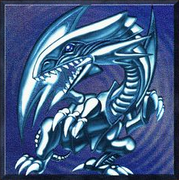

Of course Blue Eyes will be placed in the Pyreborne clan and have the Dragon subtype.
For monster cards we make a card with a singular effect to spawn a character. Then we define the character to spawn. As shown below.
{
  "$schema": "https://github.com/Monster-Train-2-Modding-Group/Trainworks-Reloaded/releases/latest/download/schema.json",
  "cards": [
    {
      "id": "BlueEyesCard",
      "cost": 3,
      "card_type": "monster",
      "rarity": "rare",
      "class": "ClassPyreborne",
      "pools": [
        "UnitsAllBanner",
        "UnitsPyreborneBanner"
      ],
      "card_art": "@BlueEyesCardArt",
      "effects": [
        "@SpawnBlueEyes"
      ]
    }
  ],
  "characters": [
    {
      "id": "BlueEyesCharacter",
      "names": {
        "english": "Blue Eyes White Dragon"
      },
      "character_art": "@BlueEyesCharacterArt",
      "size": 5,
      "attack_damage": 3000,
      "health": 2500,
      "subtypes": [
        "SubtypesData_Dragon",
        "SubtypesData_BannerUnit"
      ]
    }
  ],
  "effects": [
    {
      "id": "SpawnBlueEyes",
      "name": "CardEffectSpawnMonster",
      "param_character": "@BlueEyesCharacter"
    }
  ],
  "game_objects": [
    {
      "id": "BlueEyesCardArt",
      "type": "card_art",
      "extensions": {
        "card_art": {
          "sprite": "@BlueEyesCardSprite"
        }
      }
    },
    {
      "id": "BlueEyesCharacterArt",
      "type": "character_art",
      "extensions": {
        "character_art": {
          "sprite": "@BlueEyesCharacterSprite"
        }
      }
    }
  ],
  "sprites": [
    {
      "id": "BlueEyesCardSprite",
      "path": "textures/card_art/blueeyes.png"
    },
    {
      "id": "BlueEyesCharacterSprite",
      "path": "textures/character_art/blueeyes_character.png"
    }
  ]
}A few things to note.
-
card_type- We set this tomonster, be sure to set this properly. The game uses this to define the look and feel of the card. If it were set to spell it would still work; however, the card would not have the attack, health, and capacity icons present on the bottom and top of the card. -
names- Notice we don't setnamesin the card's definition. The name of a monster card will be fetched from the character spawned by the card so no need to set that here it will be ignored. -
pools- We add this to two card pools:-
UnitsAllBanneris the main pool containing ALL banner units. You should put your banner units in this pool, otherwise it will not be picked for the Unit Banner reward after the ring 3 major boss battle. -
UnitsPyreborneBanneris the pool containing just Pyreborne's banner units. This pool is used for Pyreborne Banner map rewards.
-
A new top level section. characters specifies a list of characters we will define. Characters are any units you see in battle, your units, enemy units, even Flying Bosses, and the Titans all can be defined here, they are all the same type of data.
  "characters": [
    {
      "id": "BlueEyesCharacter",
      "names": {
        "english": "Blue Eyes White Dragon"
      },
      "character_art": "@BlueEyesCharacterArt",
      "size": 5,
      "attack_damage": 3000,
      "health": 2500,
      "subtypes": [
        "SubtypesData_Dragon",
        "SubtypesData_BannerUnit"
      ]
    }
  ],
We define one character with id BlueEyesCharacter we will use this in the effects section coming up shortly. We give this character a name which in english is Blue Eyes White Dragon, like with card names you can specify translations in the other langauges supported by Monster Train 2.
-
character_art- Just like with cards, characters also need a sprite, we define this later. -
size- This is how much space the unit takes, this can be a number from 1 to 6, here this unit will take 5 capacity on the floor. -
attack_damage- This is how much attack the character has, staying true to his homage its 3000. -
health- The units HP. 2500. -
subtypes- Important field this determines what subtypes the character has. To make a unit a banner unit the special hidden subtypeSubtypesData_BannerUnitis used. We also want to make it the Dragon subtype so the subtype corresponding to that isSubtypesData_Dragon. The full list of subtypes is in the schema and will be present in autocomplete they are fairly intuitive what they are given the name.
  "effects": [
    {
      "id": "SpawnBlueEyes",
      "name": "CardEffectSpawnMonster",
      "param_character": "@BlueEyesCharacter"
    }
  ],
Here we show a new CardEffect type - CardEffectSpawnMonster. This card effect, you guessed it. Spawns a monster. All you need to tell it is which character to spawn, we specify the BlueEyesCharacter we just defined. Remember to reference it we need to prepend an '@' to its id. All monster cards will have an effect that spawns the character in.
These sections will be simple since we are defining an non-animated sprite with just a static image.
Here is the game object definition. Just like with cards we specify we want a character art gameobject created for us. Be sure to set the type as character_art you can't reuse the card art GameObjects for character art as they have a different structure. You can reuse the card sprite for the character_art by setting sprite below to be the same sprite reference for the card art.
    {
      "id": "BlueEyesCharacterArt",
      "type": "character_art",
      "extensions": {
        "character_art": {
          "sprite": "@BlueEyesCharacterSprite"
        }
      }
    }
{
"id": "BlueEyesCharacterSprite",
"path": "textures/character_art/blueeyes_character.png"
}Once your JSON is saved, rebuild your project and copy to the Bepinex/plugins folder.
If you check the logbook and search in Pyreborne you will see that the new card is in the logbook but hasn't been discovered yet. If you don't then check the following
- All
@references match defined IDs - There are no trailing commas in your JSON
- The sprite path is correct
Make sure that the BepinEx logs don't produce any warning or error text, If you have the console enabled simply checking for red/yellow text.
You can give yourself the card by using one of the console mods if you are using Patty's DevConsole mod you can use the command card BlueEyesCard during a run to get the card for testing.
This character is a dragon costume. When any unit dies, it puts on a new costume (graphical effect not included), gaining damage shield. If you remember from the last tutorial, Cards can have triggers; now we show that Characters can have triggers too!
We will also show the setup and conventions for a Non Banner Unit and give this unit a Custom Subtype of Costume!
Download the card art here and the character art here.

You'll find that it is very similar to Blue Eyes White Dragon, but note the addition of triggers.
{
  "$schema": "https://github.com/Monster-Train-2-Modding-Group/Trainworks-Reloaded/releases/latest/download/schema.json",
  "cards": [
    {
      "id": "DragonCostumeCard",
      "cost": 2,
      "card_type": "monster",
      "rarity": "uncommon",
      "class": "ClassPyreborne",
      "pools": [
        "MegaPool"
      ],
      "card_art": "@DragonCostumeCardArt",
      "effects": [
        "@SpawnDragonCostume"
      ]
    }
  ],
  "characters": [
    {
      "id": "DragonCostumeCharacter",
      "names": {
        "english": "Dragon Costume"
      },
      "character_art": "@DragonCostumeCharacterArt",
      "size": 2,
      "attack_damage": 20,
      "health": 5,
      "subtypes": [
        "SubtypesData_Dragon",
        "@Subtype_Costume"
      ],
      "triggers": ["@DragonCostumeHarvest"]
    }
  ],
  "character_triggers": [
    {
      "id": "DragonCostumeHarvest",
      "trigger": "on_any_unit_death_on_floor",
      "descriptions": {
        "english": "Gain <nobr>[damageshield] [effect0.status0.power]</nobr>"
      },
      "effects": ["@DragonCostumeGainDamageShield"]
    }
  ],
  "effects": [
    {
      "id": "SpawnDragonCostume",
      "name": "CardEffectSpawnMonster",
      "param_character": "@DragonCostumeCharacter"
    },
    {
      "id": "@DragonCostumeGainDamageShield",
      "name": "CardEffectAddStatusEffect",
      "target_mode": "self",
      "param_status_effects": [
        {
          "status":"damage shield",
          "count": 1
        }
      ]
    }
  ],
  "subtypes": [
    {
      "id": "Subtype_Costume",
      "names": {
        "english": "Costume"
      }
    }
  ],
  "game_objects": [
    {
      "id": "DragonCostumeCardArt",
      "type": "card_art",
      "extensions": {
        "card_art": {
          "sprite": "@DragonCostumeCardSprite"
        }
      }
    },
    {
      "id": "DragonCostumeCharacterArt",
      "type": "character_art",
      "extensions": {
        "character_art": {
          "sprite": "@DragonCostumeCharacterSprite"
        }
      }
    }
  ],
  "sprites": [
    {
      "id": "DragonCostumeCardSprite",
      "path": "textures/card_art/DragonCostume.png"
    },
    {
      "id": "DragonCostumeCharacterSprite",
      "path": "textures/character_art/DragonCostume.png"
    }
  ]
}
We'll only go over differences.
"triggers": ["@DragonCostumeHarvest"] - Here we set the triggers on the character to be the one we define below. DragonCostumeHarvest
"subtypes": ["SubtypesData_Dragon", "@Subtype_Costume"] - Here we use our custom subtype we define later.
Subtypes are easier to explain, its just an ID along with the localized names for the subtype
  "subtypes": [
    {
      "id": "Subtype_Costume",
      "names": {
        "english": "Costume"
      }
    }
  ]
Here we define a subtype "Subtype_Costume" which we refer to it when using with "@Subtype_Costume". In game it will show "Costume" at the subtype section of the card.
A new top level section, character_triggers defines all of the CharacterTriggers we will use on characters we define.
  "character_triggers": [
    {
      "id": "DragonCostumeHarvest",
      "trigger": "on_any_unit_death_on_floor",
      "descriptions": {
        "english": "Gain <nobr>[damageshield] [effect0.status0.power]</nobr>"
      },
      "effects": ["@DragonCostumeGainDamageShield"]
    }
],-
*id*- As with other things we assign an id to our CharacterTrigger which is referenced in the character. -
*trigger*- This determines the trigger type, the internal trigger name for Harvest is on_any_unit_death_on_floor. For a full list of internal -> in game name see Character Trigger Reference -
*descriptions*- Triggers also have descriptions, they add themselves to the card's text. The tags prevent the text from being split onto a new line. -
*effects*- Much like Card Triggers triggers also have a list of effects to play when the trigger fires.
Testing this is the same as Blue Eyes just give yourself the card during battle and play it. Notice that it has the purple Harvest trigger, test it out by playing a card that kills a unit and watch it gain Damage Shield.
Also notice that on its card it also has the Costume subtype!.
This character introduces Room Modifiers — effects that apply to the room a character occupies for as long as that character remains there.
A good example from the base game is Deranged Brute (rage damage modification). Any unit with the yellow star icon has a Room Modifier.
Download the card art here and the character art here.
This definition is very similar to the earlier Blue Eyes White Dragon example. The main difference is the addition of a room_modifiers section and the reference to that modifier on the character itself.
{
  "$schema": "https://github.com/Monster-Train-2-Modding-Group/Trainworks-Reloaded/releases/latest/download/schema.json",
  "cards": [
    {
      "id": "FrostFuryCard",
      "cost": 2,
      "card_type": "monster",
      "rarity": "uncommon",
      "class": "ClassStygian",
      "pools": [
        "UnitsStygianBanner",
        "UnitsAllBanner"
      ],
      "card_art": "@FrostFuryCardArt",
      "effects": [
        "@SpawnFrostFury"
      ]
    }
  ],
  "characters": [
    {
      "id": "FrostFuryCharacter",
      "names": {
        "english": "Frost Fury"
      },
      "character_art": "@FrostFuryCharacterArt",
      "size": 2,
      "attack_damage": 20,
      "health": 20,
      "subtypes": ["SubtypesData_BannerUnit"],
      "room_modifiers": ["@FrostFuryBonusFrostbite"]
    }
  ],
  "room_modifiers": [
    {
      "id": "FrostFuryBonusFrostbite",
      "name": "RoomStateAddStatusEffectOnStatusApplied",
      "titles": {
        "english": "Frosty"
      },
      "descriptions": {
        "english": "Apply +[power] stack of [frostbite] each time it is applied."
      },
      "param_int": 1,
      "param_status_effects": [
        {
          "status": "poison",
          "count": 0
        }
      ]
    }
  ],
  "effects": [
    {
      "id": "SpawnFrostFury",
      "name": "CardEffectSpawnMonster",
      "param_character": "@FrostFuryCharacter"
    }
  ],
  "game_objects": [
    {
      "id": "FrostFuryCardArt",
      "type": "card_art",
      "extensions": {
        "card_art": {
          "sprite": "@FrostFuryCardSprite"
        }
      }
    },
    {
      "id": "FrostFuryCharacterArt",
      "type": "character_art",
      "extensions": {
        "character_art": {
          "sprite": "@FrostFuryCharacterSprite"
        }
      }
    }
  ],
  "sprites": [
    {
      "id": "FrostFuryCardSprite",
      "path": "textures/card_art/FrostFury.png"
    },
    {
      "id": "FrostFuryCharacterSprite",
      "path": "textures/character_art/FrostFury.png"
    }
  ]
}The important addition is:
"room_modifiers": ["@FrostFuryBonusFrostbite"]This attaches the FrostFuryBonusFrostbite Room Modifier that we define in the file to the character. While this unit is in a room, the modifier becomes active and affects everything in that room according to its behavior.
The room_modifiers section defines all Room Modifiers used by your characters.
Unlike character_triggers, Room Modifiers are separate reusable objects with their own tooltip text, parameters, and behavior definitions.
    "room_modifiers": [
    {
      "id": "FrostFuryBonusFrostbite",
      "name": "RoomStateAddStatusEffectOnStatusApplied",
      "titles": {
        "english": "Frosty"
      },
      "descriptions": {
        "english": "Apply +[power] stack of [frostbite] each time it is applied."
      },
      "param_int": 1,
      "param_status_effects": [
        {
          "status": "poison",
          "count": 0
        }
      ]
    }
  ]
-
*id*- As with other things we assign an id to our RoomModifier which is referenced in the character. -
*name*- Like the same parameter for card effects, this is an important parameter that specifies which Room Modifier class to use which defines the Room Modifier's behavior. -
*titles*- This sets the tooltip title for the Room Modifier. If you forget to set this each Room Modifier has a default title. -
*descriptions*- RoomModifiers also have descriptions, they add themselves to the card's text. Here, [power] is another special substitution text will resolve to the value inparam_intRemember not to hardcode it! -
*param_int*- This is a parameter used byRoomStateAddStatusEffectOnStatusAppliedIn this instance it specifies the amount of additional frostbite to apply when frostbite is applied. -
*param_status_effects*- Another parameter used byRoomStateAddStatusEffectOnStatusApplied. In this instance it specifies which status effects the room modifier looks for to apply additional stacks of said status effect.
Testing this card is the same process used in the Blue Eyes White Dragon example:
- Give yourself the card during a battle.
- Play the unit into a room.
- Notice the yellow star icon, which indicates an active Room Modifier.
- Apply Frostbite using a spell or another unit effect.
- Observe that additional Frostbite stacks are added automatically.
This character introduces Abilities. Abilities are relatively easy to add to characters because they are essentially spell cards attached to a unit.
In this section, we will create an ability card, attach it to a character, configure its cooldown, and add starting status effects to make the unit more interesting.
Download the card art here and the character art here.
At this point, this structure should be familiar. The main addition is the second card definition, which is configured as the unit’s ability.
{
  "$schema": "https://github.com/Monster-Train-2-Modding-Group/Trainworks-Reloaded/releases/latest/download/schema.json",
  "cards": [
    {
      "id": "DemonicScreecherUnit",
      "card_art": "@DemonicScreecherUnitCardArt",
      "cost": 2,
      "card_type": "monster",
      "rarity": "rare",
      "class": "ClassHellhorned",
      "targets_room": true,
      "targetless": false,
      "pools": [ "UnitsAllBanner", "UnitsHellhornedBanner" ],
      "effects": [ "@SpawnDemonicScreecherUnit" ]
    },
    {
      "id": "ScreechAbility",
      "names": {
        "english": "Screeeeeech!"
      },
      "descriptions": {
        "english": "Apply [meleeweakness] [effect0.status0.power] to enemy units. Starts on cooldown 1."
      },
      "is_an_ability": true,
      "cooldown": 3,
      "initial_cooldown": 1,
      "targetless": true,
      "targets_room": false,
      "card_type": "spell",
      "effects": [ "@DemonicScreecherAbilityApplyMeleeWeakness" ]
    }
  ],
  "characters": [
    {
      "id": "DemonicScreecherUnitCharacter",
      "names": {
        "english": "Demonic Screecher"
      },
      "character_art": "@DemonicScreecherUnitCharacterArt",
      "size": 2,
      "health": 5,
      "attack_damage": 15,
      "ability": "@ScreechAbility",
      "starting_status_effects": [
        {
          "status": "armor",
          "count": 20
        },
        {
          "status": "buff",
          "count": 15
        }
      ],
      "subtypes": [ "SubtypesData_BannerUnit"]
    }
  ],
  "effects": [
    {
      "id": "SpawnDemonicScreecherUnit",
      "name": "CardEffectSpawnMonster",
      "target_mode": "room",
      "param_character": "@DemonicScreecherUnitCharacter"
    },
    {
      "id": "DemonicScreecherAbilityApplyMeleeWeakness",
      "name": "CardEffectAddStatusEffect",
      "target_mode": "room",
      "target_team": "heroes",
      "param_status_effects": [
        {
          "status": "melee weakness",
          "count": 3
        }
      ]
    }
  ],
  "game_objects": [
    {
      "id": "DemonicScreecherUnitCardArt",
      "type": "card_art",
      "extensions": {
        "card_art": {
          "sprite": "@DemonicScreecherUnitCardSprite"
        }
      }
    },
    {
      "id": "DemonicScreecherUnitCharacterArt",
      "type": "character_art",
      "extensions": {
        "character_art": {
          "sprite": "@DemonicScreecherUnitCharacterSprite"
        }
      }
    }
  ],
  "sprites": [
    {
      "id": "DemonicScreecherUnitCardSprite",
      "path": "textures/card_art/DemonicScreecherUnit.png"
    },
    {
      "id": "DemonicScreecherUnitCharacterSprite",
      "path": "textures/character_art/DemonicScreecherUnit.png"
    }
  ]
}
The important addition is:
      "ability": "@ScreechAbility",
      "starting_status_effects": [
        {
          "status": "armor",
          "count": 20
        },
        {
          "status": "buff",
          "count": 15
        }
],-
ability- Sets the character’s ability. This must reference a card that is configured as a unit ability. You cannot use just any card here; the referenced card must haveis_an_abilityset totrue. -
starting_status_effects- Gives the character status effects when it enters battle. In this example, Demonic Screecher starts with Armor and Rage.
The main addition is the ability card. This should look familiar by now, so we will focus on the new properties.
    {
      "id": "ScreechAbility",
      "names": {
        "english": "Screeeeeech!"
      },
      "descriptions": {
        "english": "Apply [meleeweakness] [effect0.status0.power] to enemy units. Starts on cooldown 1."
      },
      "is_an_ability": true,
      "cooldown": 3,
      "initial_cooldown": 1,
      "targetless": true,
      "targets_room": false,
      "card_type": "spell",
      "effects": [ "@DemonicScreecherAbilityApplyMeleeWeakness" ]
}-
is_an_ability- Marks this card as a unit ability. There are also room abilities, which use the separateis_room_abilityflag. -
cooldown- Sets the cooldown after the ability is used. -
initial_cooldown- Sets the cooldown the ability starts with after the unit is spawned.
- Give yourself the card during a battle.
- Play the unit into a room.
- Notice that the unit has an ability and that it starts on cooldown.
- Wait one turn, then try activating the ability.
This character introduces Conditional Triggers. Certain Triggers allow to trigger only when a specific conditions have been met.
In this section we will make a character with a conditional Revenge trigger as well as make a unit that spawns another unit.
Download the card art here and the character art here.
{
  "$schema": "https://github.com/Monster-Train-2-Modding-Group/Trainworks-Reloaded/releases/latest/download/schema.json",
  "cards": [
    {
      "id": "MrFleshyUnit",
      "card_art": "@MrFleshyUnitCardArt",
      "cost": 1,
      "card_type": "monster",
      "rarity": "rare",
      "class": "ClassLazarusLeague",
      "targets_room": true,
      "targetless": false,
      "pools": [ "UnitsAllBanner", "UnitsLazarusLeagueBanner" ],
      "effects": [ "@SpawnMrFleshyUnit" ]
    }
  ],
  "characters": [
    {
      "id": "MrFleshyUnitCharacter",
      "names": {
        "english": "Mr. Fleshy"
      },
      "character_art": "@MrFleshyUnitCharacterArt",
      "size": 2,
      "health": 25,
      "attack_damage": 25,
      "triggers": ["@MrFleshyConditionalRevenge"],
      "subtypes": [ "SubtypesData_BannerUnit"]
    }
  ],
  "character_triggers": [
    {
      "id": "MrFleshyConditionalRevenge",
      "trigger": "on_hit",
      "trigger_at_threshold": 20,
      "descriptions": {
        "english": "If damage taken is at least 20, spawn a basic Mr. Fleshy with [effect0.upgrade.bonushp][health]."
      },
      "effects": ["@SpawnBasicMrFleshy"]
    }
  ],
  "effects": [
    {
      "id": "SpawnMrFleshyUnit",
      "name": "CardEffectSpawnMonster",
      "target_mode": "room",
      "param_character": "@MrFleshyUnitCharacter"
    },
    {
      "id": "SpawnBasicMrFleshy",
      "name": "CardEffectSpawnMonster",
      "target_mode": "room",
      "param_character": "@MrFleshyUnitCharacter",
      "param_upgrade": "@Minus15Health",
      "param_bool": true
    }
  ],
  "upgrades": [
    {
      "id": "Minus15Health",
      "bonus_hp": -15
    }
  ],
  "game_objects": [
    {
      "id": "MrFleshyUnitCardArt",
      "type": "card_art",
      "extensions": {
        "card_art": {
          "sprite": "@MrFleshyUnitCardSprite"
        }
      }
    },
    {
      "id": "MrFleshyUnitCharacterArt",
      "type": "character_art",
      "extensions": {
        "character_art": {
          "sprite": "@MrFleshyUnitCharacterSprite"
        }
      }
    }
  ],
  "sprites": [
    {
      "id": "MrFleshyUnitCardSprite",
      "path": "textures/card_art/MrFleshyUnit.png"
    },
    {
      "id": "MrFleshyUnitCharacterSprite",
      "path": "textures/character_art/MrFleshyUnit.png"
    }
  ]
}
The important addition is:
  "character_triggers": [
    {
      "id": "MrFleshyConditionalRevenge",
      "trigger": "on_hit",
      "trigger_at_threshold": 20,
      "descriptions": {
        "english": "If damage taken is at least 20, spawn a basic Mr. Fleshy with [effect0.upgrade.bonushp][health]."
      },
      "effects": ["@SpawnBasicMrFleshy"]
    }
],-
trigger_at_threshold- A new property, the purpose of this field changes depending on the trigger. For Revenge specifically, the value here will be compared with the damage taken by the unit, if the damage taken is more than this value then the trigger is allowed to fire. If you wanted to know which triggers support this parameter see Base Game CharacterTriggers Reference only triggers withparam_int (threshold param)specified will support this. -
descriptions- Just making a call out to mention that it is ok to hardcode the 20 here since there is no substitution fortrigger_at_threshold.
Here is something new. To spawn a unit you, of course, use CardEffectSpawnMonster. You'll notice that it is similiar to the effect to spawn in our monster.
    {
      "id": "SpawnBasicMrFleshy",
      "name": "CardEffectSpawnMonster",
      "target_mode": "room",
      "param_character": "@MrFleshyUnitCharacter",
      "param_upgrade": "@Minus15Health",
      "param_bool": true
}-
param_upgrade- We can specify a card upgrade to apply when the monster is spawn. -
param_bool- This flag controls whether to pass down stat changes present on the card to the spawned unit. If we did not set this then the Mr. Fleshy spawned would be exactly the same as the one spawned from the card.
This just shows the versality of CardEffectSpawnMonster! To see all of the possible parameters you can set with this effect see the Effect Reference entry for it
- Give yourself the card during a battle.
- Play the unit into a room.
- Play a spell to damage the unit with at least 20 damage, or have an enemy with 20 or more attack to hit the unit.
- When the Revenge trigger fires a new Mr. Fleshy is spawned with just 10 health.
This character introduces a unit with permanent scaling. Whenever the unit is played, it permanently gains Soul, each time you summon the unit it becomes stronger throughout the run.
We've already seen upgrades in the Not Razorsharp Edge tutorial, where upgrades were applied to units from a spell card. In this tutorial we'll apply upgrades permanently and use those upgrades to scale another effect.
Download the card art here and the character art here.
At this point this should be pretty familar, I will only go into the effects here.
{
  "$schema": "https://github.com/Monster-Train-2-Modding-Group/Trainworks-Reloaded/releases/latest/download/schema.json",
  "cards": [
    {
      "id": "FuneralBellUnit",
      "card_art": "@FuneralBellUnitCardArt",
      "cost": 1,
      "card_type": "monster",
      "rarity": "rare",
      "class": "ClassUnderlegion",
      "targets_room": true,
      "targetless": false,
      "pools": [ "MegaPool" ],
      "effects": [ "@SpawnFuneralBellUnit" ]
    }
  ],
  "characters": [
    {
      "id": "FuneralBellUnitCharacter",
      "names": {
        "english": "Funeral Bell"
      },
      "character_art": "@FuneralBellUnitCharacterArt",
      "size": 1,
      "health": 1,
      "attack_damage": 1,
      "triggers": ["@FuneralBellSummonPermanentSoul", "@FuneralBellEtchDamage"]
    }
  ],
  "character_triggers": [
    {
      "id": "FuneralBellSummonPermanentSoul",
      "trigger": "on_spawn",
      "descriptions": {
        "english": "Gain <nobr><b>Soul [effect0.upgrade.status0.power]</b></nobr> permanently."
      },
      "effects": ["@FuneralBellPermanetSoul"]
    },
    {
      "id": "FuneralBellEtchDamage",
      "trigger": "card_exhausted",
      "descriptions": {
        "english": "Deal [effect0.power] damage per <b>Soul</b> to the front enemy unit."
      },
      "effects": ["@FuneralBellDamagePerSoul"]
    }
  ],
  "effects": [
    {
      "id": "SpawnFuneralBellUnit",
      "name": "CardEffectSpawnMonster",
      "target_mode": "room",
      "param_character": "@FuneralBellUnitCharacter"
    },
    {
      "id": "FuneralBellPermanetSoul",
      "name": "CardEffectAddCardUpgradeToUnits",
      "target_mode": "self",
      "param_int_3": 2,
      "param_bool": true,
      "param_upgrade": "@AddSoul1"
    },
    {
      "id": "FuneralBellDamagePerSoul",
      "name": "CardEffectDamage",
      "target_team": "heroes",
      "target_mode": "front_in_room",
      "param_int": 1,
      "use_status_effect_multiplier": true,
      "status_effect_multiplier": "captured_soul"
    }
  ],
  "upgrades": [
    {
      "id": "AddSoul1",
      "status_effect_upgrades": [
        {
          "status": "captured_soul",
          "count": 1,
          "from_permanent_upgrade": true
        }
      ]
    }
  ],
  "game_objects": [
    {
      "id": "FuneralBellUnitCardArt",
      "type": "card_art",
      "extensions": {
        "card_art": {
          "sprite": "@FuneralBellUnitCardSprite"
        }
      }
    },
    {
      "id": "FuneralBellUnitCharacterArt",
      "type": "character_art",
      "extensions": {
        "character_art": {
          "sprite": "@FuneralBellUnitCharacterSprite"
        }
      }
    }
  ],
  "sprites": [
    {
      "id": "FuneralBellUnitCardSprite",
      "path": "textures/card_art/FuneralBellUnit.png"
    },
    {
      "id": "FuneralBellUnitCharacterSprite",
      "path": "textures/character_art/FuneralBellUnit.png"
    }
  ]
}
To permanently upgrade a unit, we, of course, use the CardEffectAddCardUpgradeToUnits effect.
{
  "id": "FuneralBellPermanentSoul",
  "name": "CardEffectAddCardUpgradeToUnits",
  "target_mode": "self",
  "param_int_3": 2,
  "param_bool": true,
  "param_upgrade": "@AddSoul1"
},-
param_int_3- Controls the upgrade lifetime. A value of 2 means the upgrade is applied permanently. -
param_bool- This flag is important when the same upgrade may be applied repeatedly. When set totrue, the game updates the existing upgrade instead of creating a brand-newCardUpgradeStateevery time the effect triggers. This reduces unnecessary object creation and improves performance.
On the associated upgrade itself.
    {
      "id": "AddSoul1",
      "status_effect_upgrades": [
        {
          "status": "captured_soul",
          "count": 1,
          "from_permanent_upgrade": true
        }
      ]
}-
from_permanent_upgrade- This should be set to true since the upgrade will be applied permenantly to the card, this is to ensure the card's text is updated correctly.
The second ability demonstrates another way to create scaling effects.
Instead of dealing a fixed amount of damage, the damage is multiplied by the number of stacks of Soul on the unit.
    {
      "id": "FuneralBellDamagePerSoul",
      "name": "CardEffectDamage",
      "target_team": "heroes",
      "target_mode": "front_in_room",
      "param_int": 1,
      "use_status_effect_multiplier": true,
      "status_effect_multiplier": "captured_soul"
}-
param_int- Sets the base damage dealt. -
use_status_effect_multiplier- We enable the status effect based scaling by setting this to true -
status_effect_multiplier- Specifies which status effect should be used as the multiplier.
When the effect runs, it gets the number of stacks of Soul (captured_soul) from the character whose effect is being triggered, in this case Funeral Bell. Then multiplies the number of stacks by param_int to get the amount of damage to deal.
You can verify that everything is working correctly with the following test:
-
Give yourself the card during a battle.
-
Play the unit.
Expected Result:
- The unit should gain Soul 1.
- The card in your deck should now display Soul 1.
-
Kill the unit and reform it using Molded.
-
Play it again.
Expected Result:
- The unit should gain another stack of Soul.
- The card should now display Soul 2.
-
Play a Consume card.
Expected Result:
- Funeral Bell should trigger its Etch ability.
- The front enemy should take damage equal to its current Soul value.
If everything is working correctly, each time the unit is replayed throughout the run it will permanently gain more Soul, causing its Etch damage to continue scaling upward.
For the final monster card in this tutorial series, we will create a unit with a scaled effect that changes based on the number of specific cards in your deck. We will also introduce how to use custom effects and traits defined by another mod.
The card we will make is Waxling, a homage to Melting Remnant. Waxlings are small candle units that become stronger the more of them you collect.
Waxling has two main behaviors:
- When played, it gains Attack based on the number of Waxling cards in your deck.
- When it dies, it creates another Waxling card and adds it to your discard pile.
Download the card art here and the character art here.
This is the largest card definition we have written so far, and it brings together several concepts from previous tutorials:
- Play Other Cards introduced scaled effects for spell cards and card upgrades.
- Hymnist Recruit introduced adding cards during battle, adding cards permanently, and creating custom card pools.
{
  "$schema": "https://github.com/Monster-Train-2-Modding-Group/Trainworks-Reloaded/releases/latest/download/schema.json",
  "cards": [
    {
      "id": "WaxlingUnit",
      "descriptions": {
        "english": "When played, Gain [traits0.power][attack] for each <b>Waxling</b> in your deck temporarily."
      },
      "card_art": "@WaxlingUnitCardArt",
      "cost": 1,
      "card_type": "monster",
      "rarity": "rare",
      "class": "ClassRemnant",
      "targets_room": true,
      "targetless": false,
      "traits": ["@WaxlingSummonScaleAttack"],
      "pools": [ "MegaPool" ],
      "effects": [ "@SpawnWaxlingUnit" ]
    }
  ],
  "traits": [
    {
      "id": "WaxlingSummonScaleAttack",
      "name": {
        "id": "@CardTraitScalingUpgradeUnitAttackSafely",
        "mod_reference": "Conductor"
      },
      "param_int": 20,
      "param_tracked_value": "num_specific_cards_in_deck",
      "param_card": "@WaxlingUnit",
      "param_upgrade": "@WaxlingSummonUpgrade"
    }
  ],
  "characters": [
    {
      "id": "WaxlingUnitCharacter",
      "names": {
        "english": "Waxling"
      },
      "character_art": "@WaxlingUnitCharacterArt",
      "size": 1,
      "health": 3,
      "attack_damage": 0,
      "triggers": ["@WaxlingSummonScaleByWaxlings", "@WaxlingExtinguishAddWaxling"]
    }
  ],
  "character_triggers": [
    {
      "id": "WaxlingSummonScaleByWaxlings",
      "trigger": "on_unscaled_spawn",
      "effects": ["@WaxlingScaleAttackByWaxlings"]
    },
    {
      "id": "WaxlingExtinguishAddWaxling",
      "trigger": "on_death",
      "descriptions": {
        "english": "Add a <b>Waxling</b> to the discard pile."
      },
      "effects": ["@WaxlingAddWaxling"]
    }
  ],
  "effects": [
    {
      "id": "SpawnWaxlingUnit",
      "name": "CardEffectSpawnMonster",
      "target_mode": "room",
      "param_character": "@WaxlingUnitCharacter"
    },
    {
      "id": "WaxlingScaleAttackByWaxlings",
      "name": "CardEffectAddCardUpgradeToUnits",
      "target_mode": "self",
      "param_int": 1,
      "param_upgrade": "@WaxlingSummonUpgrade"
    },
    {
      "id": "WaxlingAddWaxling",
      "name": "CardEffectAddBattleCard",
      "param_int": 1,
      "param_int_2": 1,
      "param_card_pool": "@WaxlingOnlyPool",
      "ignore_temporary_modifiers_from_source": false,
      "copy_modifiers_from_source": false,
      "filter_based_on_main_sub_class": false
    }
  ],
  "upgrades": [
    {
      "id": "WaxlingSummonUpgrade",
      "upgrade_will_be_scaled_by_non_magic_power_trait": true
    }
  ],
  "card_pools": [
    {
      "id": "WaxlingOnlyPool",
      "cards": [
        "@WaxlingUnit"
      ]
    }
  ],
  "game_objects": [
    {
      "id": "WaxlingUnitCardArt",
      "type": "card_art",
      "extensions": {
        "card_art": {
          "sprite": "@WaxlingUnitCardSprite"
        }
      }
    },
    {
      "id": "WaxlingUnitCharacterArt",
      "type": "character_art",
      "extensions": {
        "character_art": {
          "sprite": "@WaxlingUnitCharacterSprite"
        }
      }
    }
  ],
  "sprites": [
    {
      "id": "WaxlingUnitCardSprite",
      "path": "textures/card_art/WaxlingUnit.png"
    },
    {
      "id": "WaxlingUnitCharacterSprite",
      "path": "textures/character_art/WaxlingUnit.png"
    }
  ]
}
For this card, we explicitly set the descriptions field:
"descriptions": {
  "english": "When played, Gain [trait0.power][attack] for each <b>Waxling</b> in your deck temporarily."
}
This gives the card its base text.
Normally, character triggers can generate text automatically when they have player-facing descriptions. However, the trigger we use for Waxling's scaling effect does not have normal player-facing text, so we provide the card text directly on the card instead.
The [trait0.power] text is filled in by the scaling trait. As the number of Waxlings in your deck changes, this value updates to show the correct amount of Attack the unit will gain when played.
Waxling has two character triggers:
- A trigger that fires when the unit is spawned that applies temporary Attack.
- An Extinguish trigger that adds another Waxling card to your discard pile.
For the first trigger:
{
  "id": "WaxlingSummonScaleByWaxlings",
  "trigger": "on_unscaled_spawn",
  "effects": ["@WaxlingScaleAttackByWaxlings"]
}
We omit the descriptions field here because on_unscaled_spawn does not have a normal player-facing trigger name. Setting it here would result in the text ": " appearing on the card. Do not set descriptions for triggers that don't have a player-facing in game name.
The on_unscaled_spawn trigger has timing similar to Summon, but with two important differences:
-
Transcendimp does not replay it.
Transcendimp only replays normal Summon effects, which useon_spawn. -
Ashes of the Fallen does not double it.
Since this is not a normal Summon trigger, it is not eligible to fire twice when triggered.
This makes on_unscaled_spawn useful when you want a unit to modify itself as it enters play, but you do not want the effect to behave like a normal Summon ability.
Since we want to scale an effect on a monster card, we need to add a trait to the card.
We have already seen scaled effects in the Play Other Cards tutorial. However, many of the base game scaling traits were designed for spell cards, not monster cards.
For example, CardTraitScalingUpgradeUnitAttack can cause problems when used on a monster card. That trait watches for upgrades applied by the card. If a monster card has multiple effects that apply upgrades to itself or other units, the trait may modify upgrades that were not intended to be scaled.
To avoid that issue, we use a custom trait from Conductor. Conductor is a modding library that provides reusable effects, status effects, triggers, keywords, and traits for mod authors.
Conductor defines a Card Trait, CardTraitScalingUpgradeUnitAttackSafely which is designed specifically to avoid accidentally scaling the wrong upgrade.
{
  "id": "WaxlingSummonScaleAttack",
  "name": {
    "id": "@CardTraitScalingUpgradeUnitAttackSafely",
    "mod_reference": "Conductor"
  },
  "param_int": 20,
  "param_tracked_value": "num_specific_cards_in_deck",
  "param_card": "@WaxlingUnit",
  "param_upgrade": "@WaxlingSummonUpgrade"
}-
name- Here we show how to reference a trait defined by another mod. Because the trait comes from Conductor, we specify both:-
The trait name (
id):@CardTraitScalingUpgradeUnitAttackSafely -
The mod that provides it (
mod_reference):Conductor
If this trait were defined in your own mod, you could reference it directly with
"name": "@CardTraitScalingUpgradeUnitAttackSafely"instead. -
-
param_int- This controls the amount of Attack gained per Waxling in your deck. -
param_tracked_value- This tells the trait which value to count.num_specific_cards_in_deckcounts the number of matching cards in your permanent deck. It does not include temporary cards added during the current battle, that is, the Waxlings added by the Extinguish trigger will not count towards this value. -
param_card- This tells the trait which card to count in the permanent deck. -
param_upgrade- This parameter is specific toCardTraitScalingUpgradeUnitAttackSafely. It tells the trait which upgrade it is allowed to modify. The trait will only scaleWaxlingSummonUpgradeand will ignore any other upgrades applied by the card. This is what makes the trait safer to use on monster cards.
You can verify that everything is working correctly with the following test:
- Give yourself one Waxling card during a battle.
Expected Result:
- The card should show that it will gain 20 Attack when played.
- Give yourself a second Waxling card during the same battle.
Expected Result:
- Both Waxling cards should show that they will gain 40 Attack when played.
- Play one of the Waxlings.
Expected Result:
- The unit should enter play and immediately gain 40 Attack.
- Kill the Waxling.
Expected Result:
- A copy of Waxling should be added to your discard pile.
- The dead Waxling card should show it has 0 Attack in the consume pile.
- The dead Waxling card should still show that it will gain 40 Attack when played.
- The new Waxling in your discard pile should also show that it will gain 40 Attack when played.
Remember that num_specific_cards_in_deck only counts cards in your permanent deck. It does not count temporary cards created during the current battle.
Congrats on reading until the end. This and the last tutorial should cover the most basic cards you can create. You should now know how to do the following.
- How to make a new Monster subtype.
- How to make a monster card with a static image for the character.
- How to make a monster with a Trigger.
- How to make a monster with a Room Modifier.
- How to make a monster that spawns monsters.
- How to make a monster with a conditional trigger
- How to make a monster with an ability.
- How to make a monster with some starting status effect stacks.
- How to make a monster that has a effect that permanently scales it for the run.
- How to make a monster with an effect that is scaled
- How to use custom things from other mods.
Again with the MonsterTrain2GameData repo and some research, there's no limit to what you can make here. Some additional things that Monsters can do that weren't covered here.
- Enchanters. Units that apply a status effect to other units on the floor as soon as they are spawned or moved to the floor. Units such as the Hymnists or Entropy Seraph are examples.
- Grafted Equipment. If you wanted to graft equipment to a unit you simply set the
grafted_equipmentproperty on the character to a reference to the equipment card. - Heroes. Heroes can also be created the same way, you just don't make cards for them
- Anything from the spell card tutorial can also be applied to monster cards. That is you can have monster cards that do more than just spawn a monster. You can put Card Triggers on Monster cards as well.
Next Up Custom Equipment and Rooms