Cog Integration
🌐 English · Deutsch
Any Red cog can contribute content to this dashboard — widgets, panels, lists and (optionally) full pages — by decorating a few methods. The integration is opt-in and decoupled: a cog keeps working without the dashboard installed (the decorators become no-ops), and it can run alongside AAA3A's dashboard at the same time. This page focuses on how those contributions surface in the web UI; the full Python-side guide lives in the cogs repo.
➡️ Dashboard Integration guide (cogs wiki)
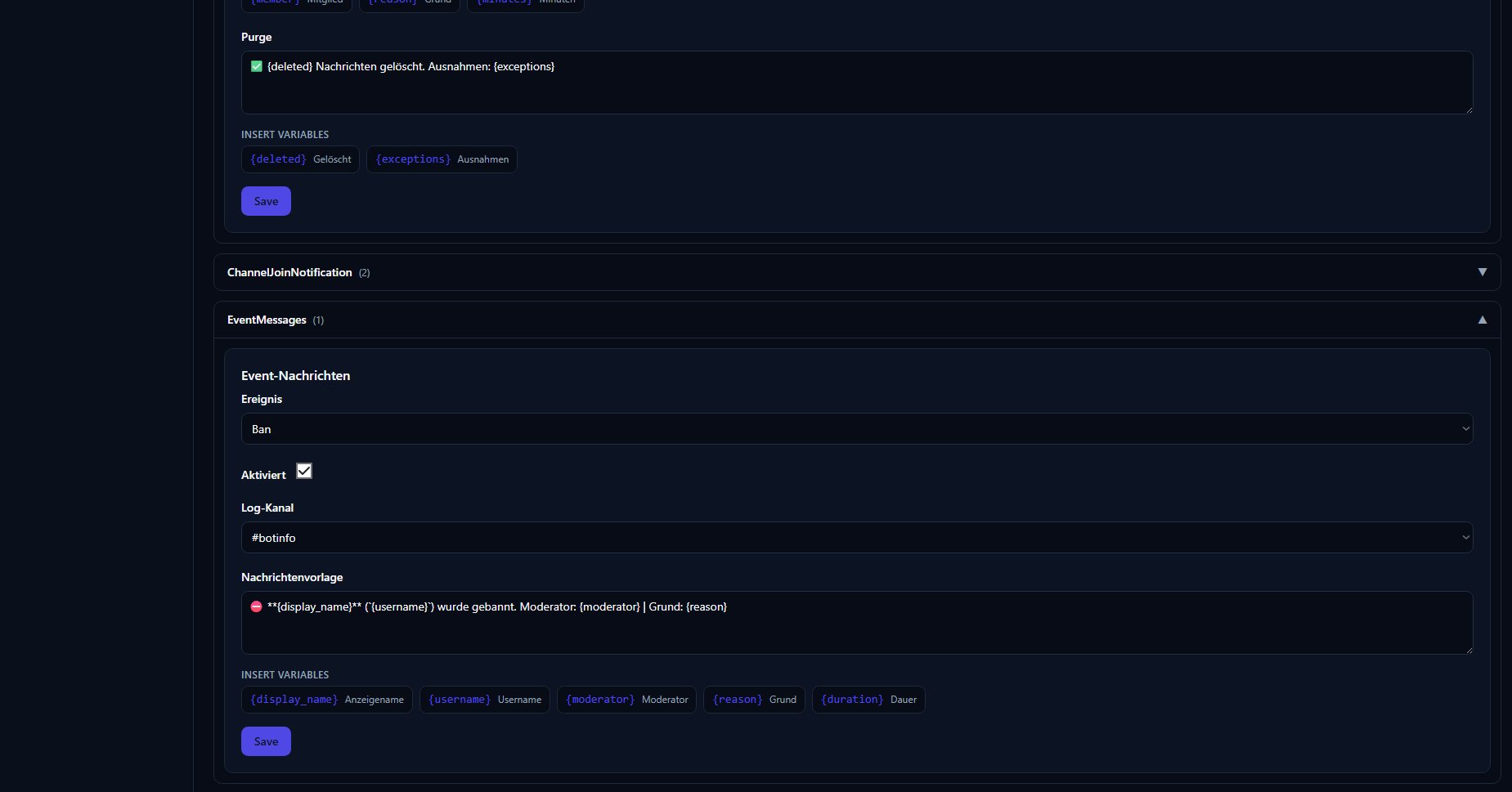
A cog integrates by copying a small pdc_dashboard.py drop-in (or importing from pdc_webdashboard.integration) and decorating methods. Four contribution types exist:
| Decorator | Contribution | Renders as |
|---|---|---|
@dashboard_widget |
Read-only data tile | A KPI / list / line chart / status / markdown card, optionally auto-refreshing. |
@dashboard_panel |
A declarative form | A form (switches, text, channel/role pickers) with a save button. |
@dashboard_list |
A manageable collection | A table you can view, add to, edit and delete from. |
@dashboard_page |
A full custom view (optional) | A component-tree page for cases needing more than a panel. |
Each contribution declares a permission level (authenticated … bot_owner); the gateway enforces it server-side before the handler ever runs. See Authentication.
Contributions return declarative data, never HTML:
-
WidgetData— structured widget content:kpi,list,status,markdownor achart(line chart viaWidgetData.chart(series, labels=…)). -
PanelSchema+Field— a form described as fields (switch,text,textarea,channel,role, …) with values and validation. Submitting calls the cog'son_submithandler, which returns aSubmitResult. - Lists return rows plus column metadata; edit/delete map to the cog's handlers.
Because the web app only ever receives declarative schemas, there is no XSS surface — the frontend renders trusted components, not cog-supplied markup. This is enforced on both sides.
A cog can ship its dashboard texts in German and English, and they follow the language toggle in the web UI (the DE/EN switch, top-right). Three small drop-in helpers cover the surfaces:
| Helper | Localizes | Follows |
|---|---|---|
L("Deutsch", "English") |
Decorator names/descriptions (tab titles). | The web UI language. |
tr(ctx, …) |
Text returned from a handler (PanelSchema description, SubmitResult message, widget text), via ctx.locale. |
The web UI language. |
tr_lang(lang, …) |
The cog's Discord output. | A per-guild setting the cog stores, not the website language. |
When a user flips the toggle, the frontend re-fetches module texts live, so tab titles and panel text update immediately. Field labels stay English — one source of truth — so only names/descriptions and Discord output are translated.
The deep reference (helper signatures, the per-guild language setting, full code) lives in the cogs-repo guide:
➡️ Dashboard Integration guide (cogs wiki)
Rather than giving each cog an isolated page (the AAA3A model), this dashboard groups a single cog's contributions into one module with tabs. A cog that exposes, say, a stats widget, a config panel and a managed list shows up as one coherent module — view, configure and manage in the same place, mounted where the cog asks (e.g. inside guild settings, or as a global owner panel under Cog Management).
- On load, the cog registers its decorated methods with
pdc_webdashboard(or the dashboard auto-detects them). - The gateway collects every contribution in its registry.
- The BFF calls
manifest.get, which returns the contributions the current user is allowed to see, filtered by permission level. - To render, the frontend calls the per-contribution methods:
widget.data,panel.schema/panel.submit,list.rows/list.edit/list.delete,page.schema.
cog (decorated) ──register──▶ pdc_webdashboard registry
BFF ──manifest.get──▶ gateway ──filtered by permission──▶ contributions
BFF ──widget.data / panel.schema / list.rows──▶ gateway ──▶ cog handler
-
Works without the dashboard. No hard dependency — if
pdc_webdashboardisn't loaded, the decorators do nothing and the cog runs normally. - Coexists with AAA3A. The marker attributes and class names differ, so both dashboards can scan the same cog without conflict; neither disables the other.
For the Python implementation — the drop-in file, full decorator signatures, PanelSchema/Field reference and registration lifecycle — follow the cogs-repo guide linked above.
- Dashboard Integration (cogs wiki) — the Python side
- Architecture — where contributions fit in the BFF
-
API & Gateway — the
manifest.*,widget.*,panel.*,list.*methods - Web UI — how modules appear to users