Cog Management
🌐 English · Deutsch
The /cogs page is the bot owner's control center for everything related to cogs and commands. It is gated to bot_owner and groups four areas into tabs: managing loaded cogs, the Downloader (repos and updates), slash-command control, and per-cog global owner panels. Everything here runs as a server-side RPC call to the bot; see API & Gateway for the underlying methods.
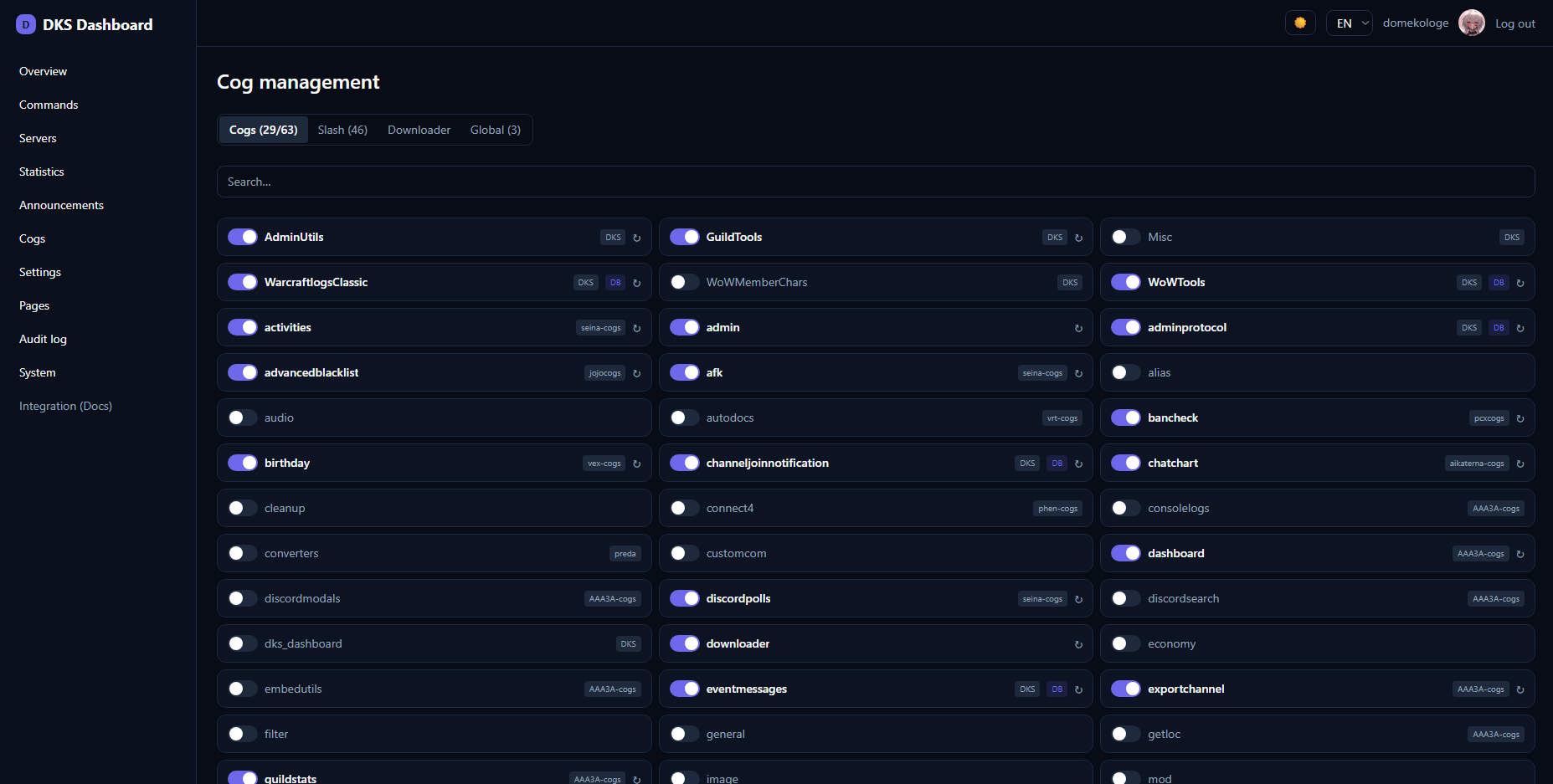
Lists every installed cog with its load state, which repo it came from, and whether it contributes dashboard content. A repo filter dropdown narrows the list; cogs without a repo (Red's core cogs) are tagged with a "System" pill. For each cog you can:
| Action | Effect |
|---|---|
| Load | Loads the cog and adds it to Red's package list. |
| Unload | Unloads it and removes it from the package list. |
| Reload | Unload + load, picking up code changes. |
The required cogs pdc_webdashboard and pdc_webdashboard_stats may be enabled, but their toggle is locked while they are loaded — you can't unload a required cog, only load it when it is off.
Reloading the
pdc_webdashboardcog itself is handled specially: the reload is deferred ~1 second so the current response can still be sent before the gateway restarts. Clicking reload onpdc_webdashboardopens a confirmation modal (it restarts the RPC gateway this page talks to) showing the recommended order — reloadpdc_webdashboardfirst, wait ~10 s, then dependent cogs — followed by a countdown that auto-reloads the page once confirmed. This modal appears only for thepdc_webdashboardcog.
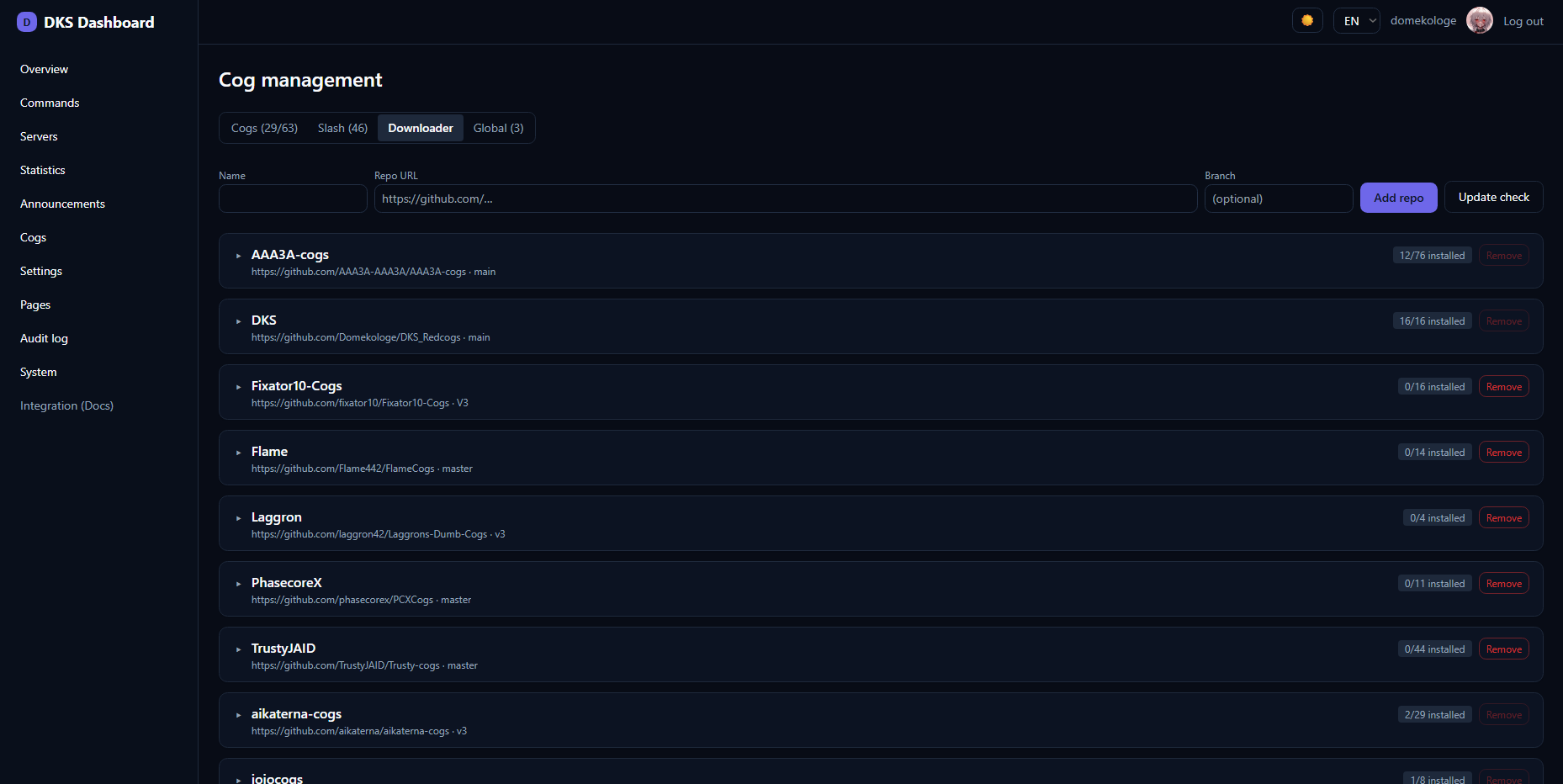
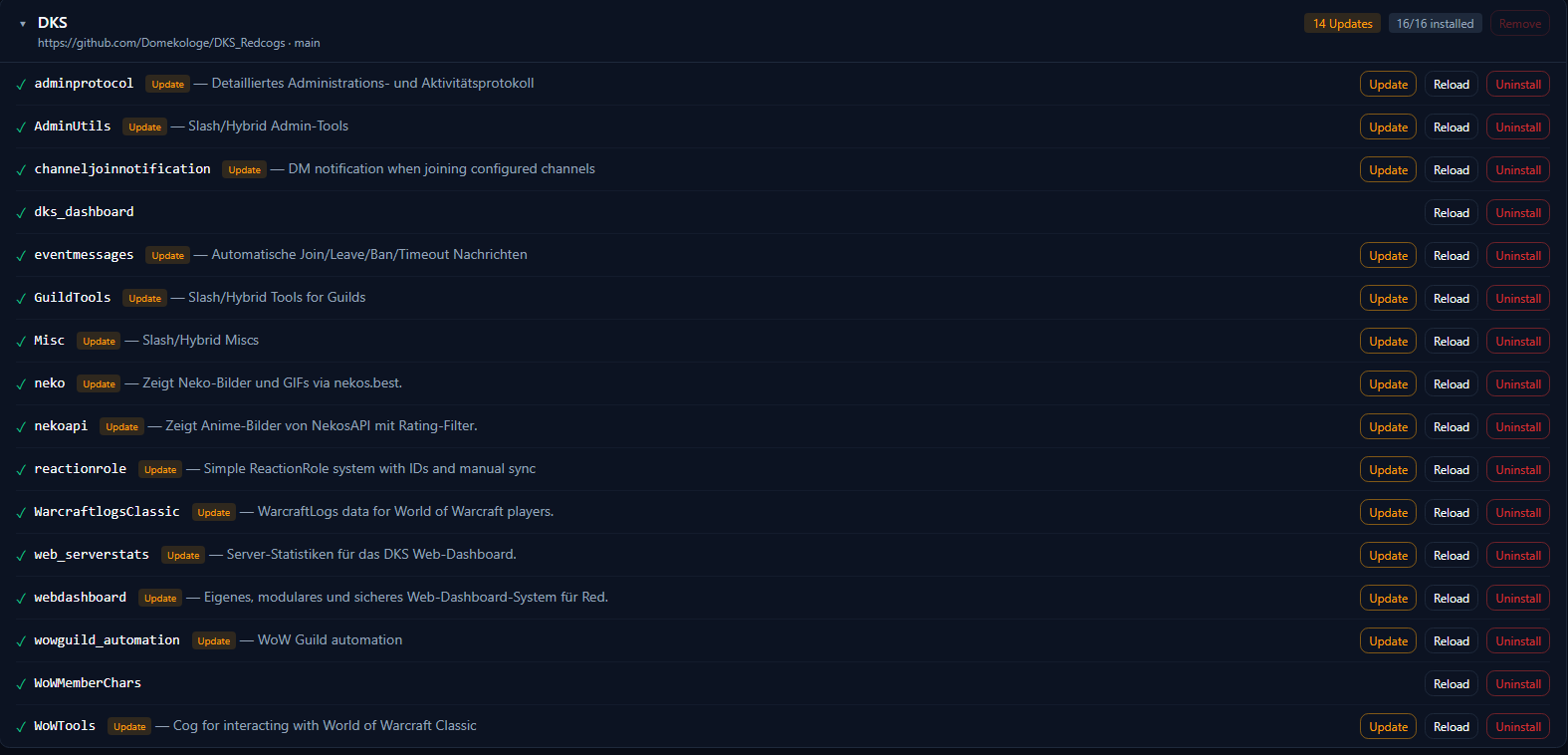
A view over Red's Downloader: repositories are shown as collapsible sections, each labelled with a repo pill. Inside a repo you see its installed cogs (with their commit) and the cogs available to install.
| Action | What it does |
|---|---|
| Update check | Runs git fetch + update on all repos and reports which repos changed and which installed cogs now have an update available. |
| Update (per cog) | Brings a single installed cog up to the latest repo state, then automatically Reload → Slash-Sync so the change is live immediately. |
| Install | Installs an available cog from a repo (then activate it via Load). |
| Uninstall | Unloads, removes the files and re-syncs slash commands. |
| Add / remove repo | Manage repositories (a repo with installed cogs cannot be removed until those are uninstalled). |
The per-cog Update is the key convenience: it chains update → reload → slash-sync in one click, so you don't have to run three separate commands.
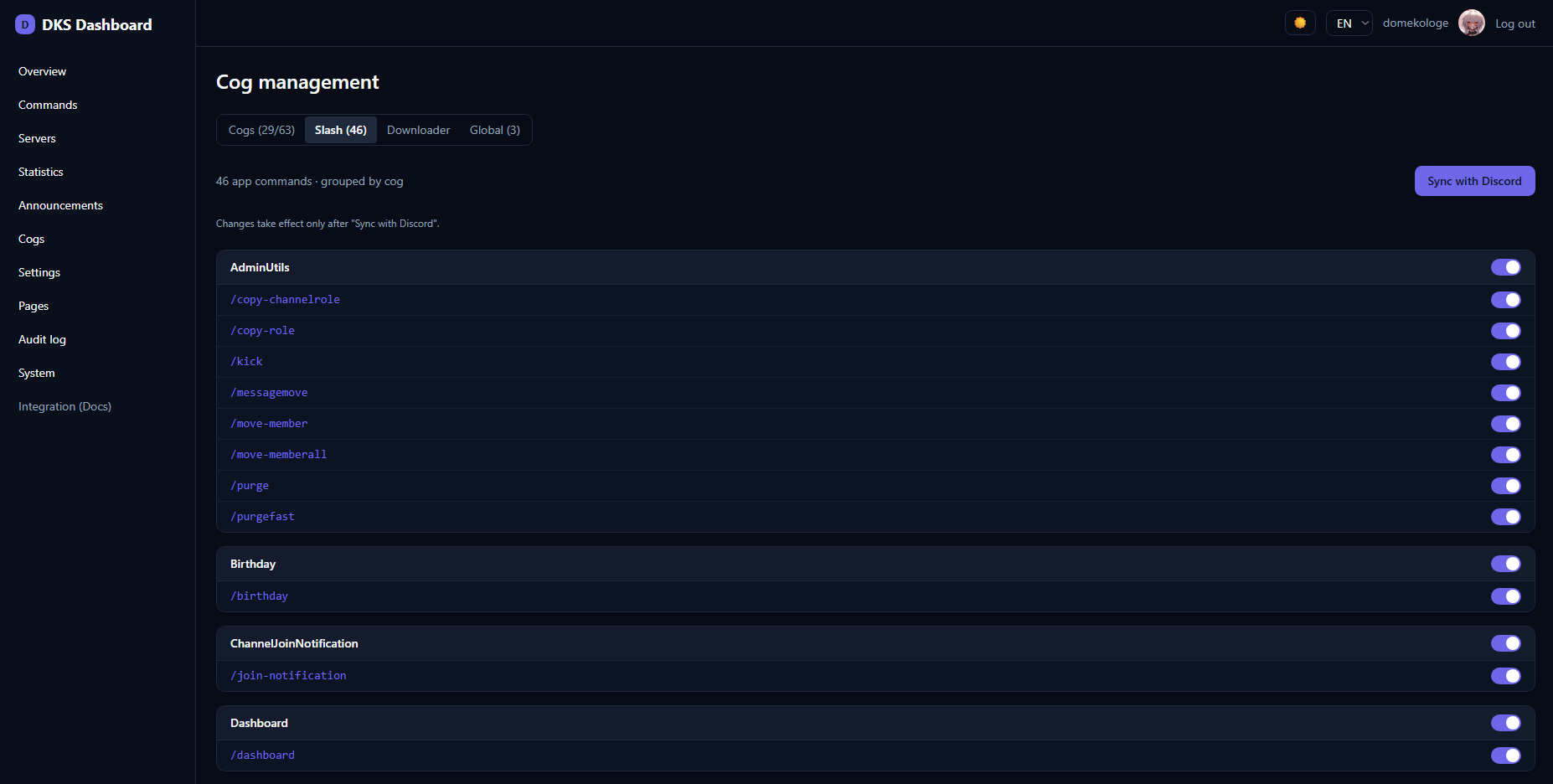
Lists application (slash / context-menu) commands grouped by cog, including commands that are currently disabled (Red removes disabled commands from the live tree, so the dashboard also reads them from each cog's definition to show them). You can:
- Toggle a single command on/off.
- Toggle a whole cog's commands on/off at once.
- Sync the command tree to Discord.
Enabling/disabling takes effect in Red's config immediately; a Sync pushes the change to Discord so it appears (or disappears) in the client. (Newly added hybrid slash commands start disabled in Red.)
A red "(Not existent)" group at the bottom lists Discord registrations that no loaded cog backs anymore (orphans / ghosts). Clear them with the Sync with Discord button.
Some cogs contribute global owner panels — bot-wide configuration that isn't tied to a single guild. These appear here as tabs, one per contributing cog, each rendering the cog's declarative form. This is where bot-level cog settings live, separate from the per-guild panels you find under guild settings.
- Web UI — the rest of the dashboard
- Cog Integration — how a cog exposes panels/widgets/lists
-
API & Gateway — the
cogs.*,downloader.*andslash.*methods - Self-Update — updating the web app itself (not the cogs)