Self Update
🌐 English · Deutsch
The dashboard can update itself from GitHub — pull the latest code, rebuild, and restart the service — straight from the /system page. This is gated twice: the feature must be enabled with ENABLE_SELF_UPDATE=true, and the user must be the bot owner. Under the hood it runs deploy/update.sh and streams live progress. The only manual setup is granting the service user permission to restart the service, for which a polkit rule is recommended.
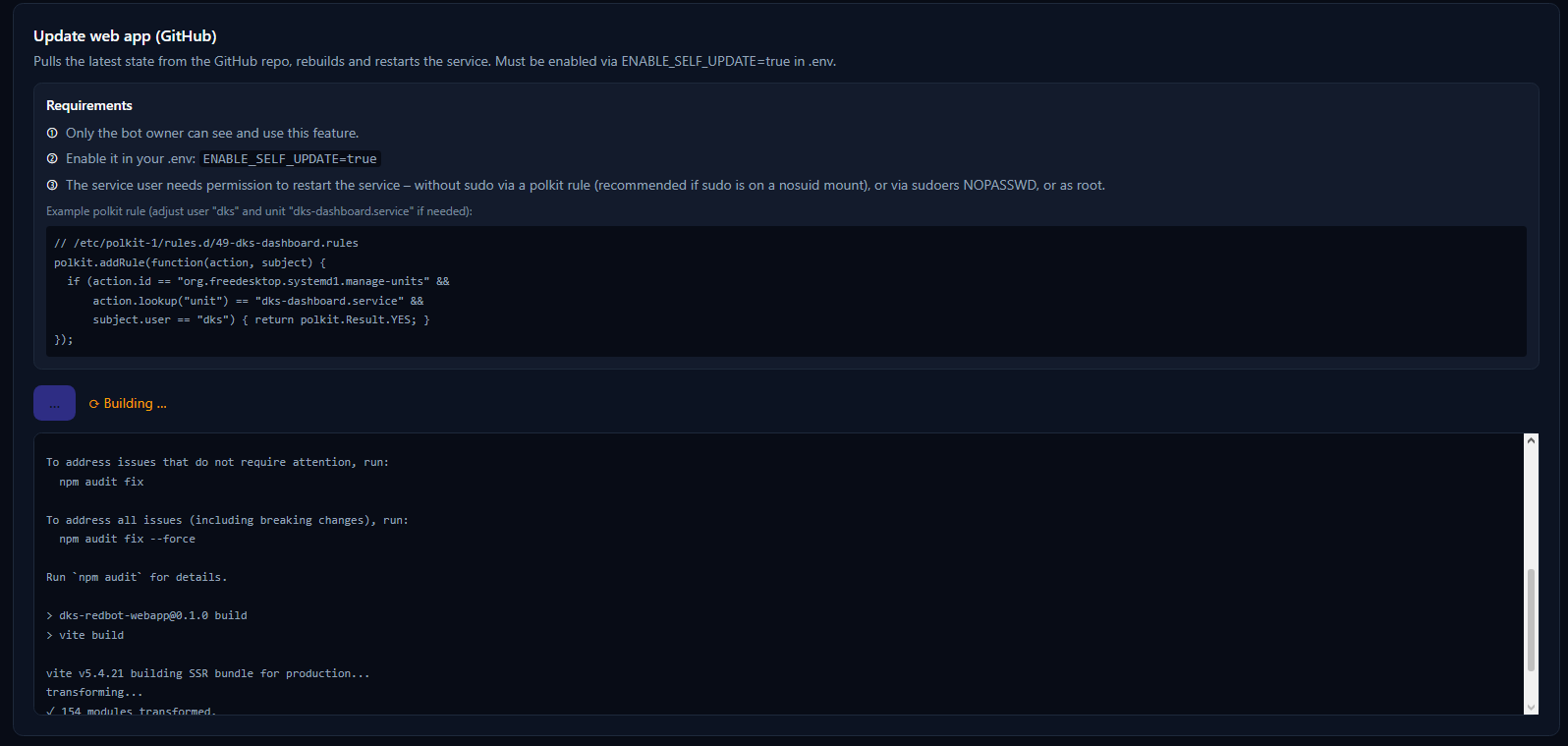
In your .env:
ENABLE_SELF_UPDATE=trueWith this off (the default), the update button does not appear. With it on, the button shows on /system only for the bot owner. See Configuration.
Clicking update runs deploy/update.sh, which:
-
Fetches and hard-resets the repo to
origin/<branch>(git fetch --prune+git reset --hard). A hard reset means local changes to tracked files never block the update; untracked files like.envare left untouched. -
Builds (
npm ci, falling back tonpm install, thennpm run build). - Restarts the systemd service.
The script writes status markers that the UI watches for: ===UPDATE_DONE=== (build finished), ===UPDATE_ERROR=== (failure), and ===RESTART_SKIPPED=== (build ok but the service couldn't be restarted).
The /system page polls the update log and shows the phase:
| Phase | Meaning |
|---|---|
| building | Code fetched, dependencies installed, app rebuilding. |
| restarting | Build done; the service is restarting (the page briefly loses, then regains, the connection). |
| done | Update finished; the page reloads on the new version. |
| error | Something failed — the log explains what. |
Next to the self-update button, /system has a "Check for updates" button (bot owner only, available regardless of ENABLE_SELF_UPDATE). It compares the running dashboard version (from package.json) with the version on the git remote — git fetch --prune plus the package.json from origin/<branch> — and reports either "up to date" or "update available" (showing both version numbers). It only reads; it does not pull, build, or restart anything.
The web app runs as an unprivileged service user (e.g. dks) and cannot restart a systemd unit on its own. You must grant that one specific permission.
Why not sudoers? On many setups the service runs from a mount with
nosuid, wheresudosimply cannot elevate to root. Asudoersrule then does not help. The robust option is a polkit rule that authorizes exactly this user to manage exactly this unit.
Create /etc/polkit-1/rules.d/49-dks-dashboard.rules:
polkit.addRule(function(action, subject) {
  if (action.id == "org.freedesktop.systemd1.manage-units" &&
      action.lookup("unit") == "dks-dashboard.service" &&
      subject.user == "dks") {
    return polkit.Result.YES;
  }
});
This lets the dks user run systemctl restart dks-dashboard (and nothing else) without a password. Adjust the unit name and user if you changed them in the installer.
If your sudo can reach root, a narrow sudoers rule works too:
dks ALL=(root) NOPASSWD: /usr/bin/systemctl restart dks-dashboard
If neither is configured, the build still completes but the restart is skipped (===RESTART_SKIPPED===); restart manually with sudo systemctl restart dks-dashboard.
-
Configuration —
ENABLE_SELF_UPDATE -
Deployment — the systemd service and
deploy/update.sh -
Web UI — the
/systempage