Web UI
🌐 English · Deutsch
This page is a tour of the dashboard's pages. The UI is fully translated (German + English, switchable in the top-right), supports a light/dark theme toggle, and ships a command palette (Ctrl/Cmd+K) for fast navigation. What you can see depends on your permission level: the public landing and command list need no login, while bot-owner areas (cog management, global settings, system) only appear for the owner.
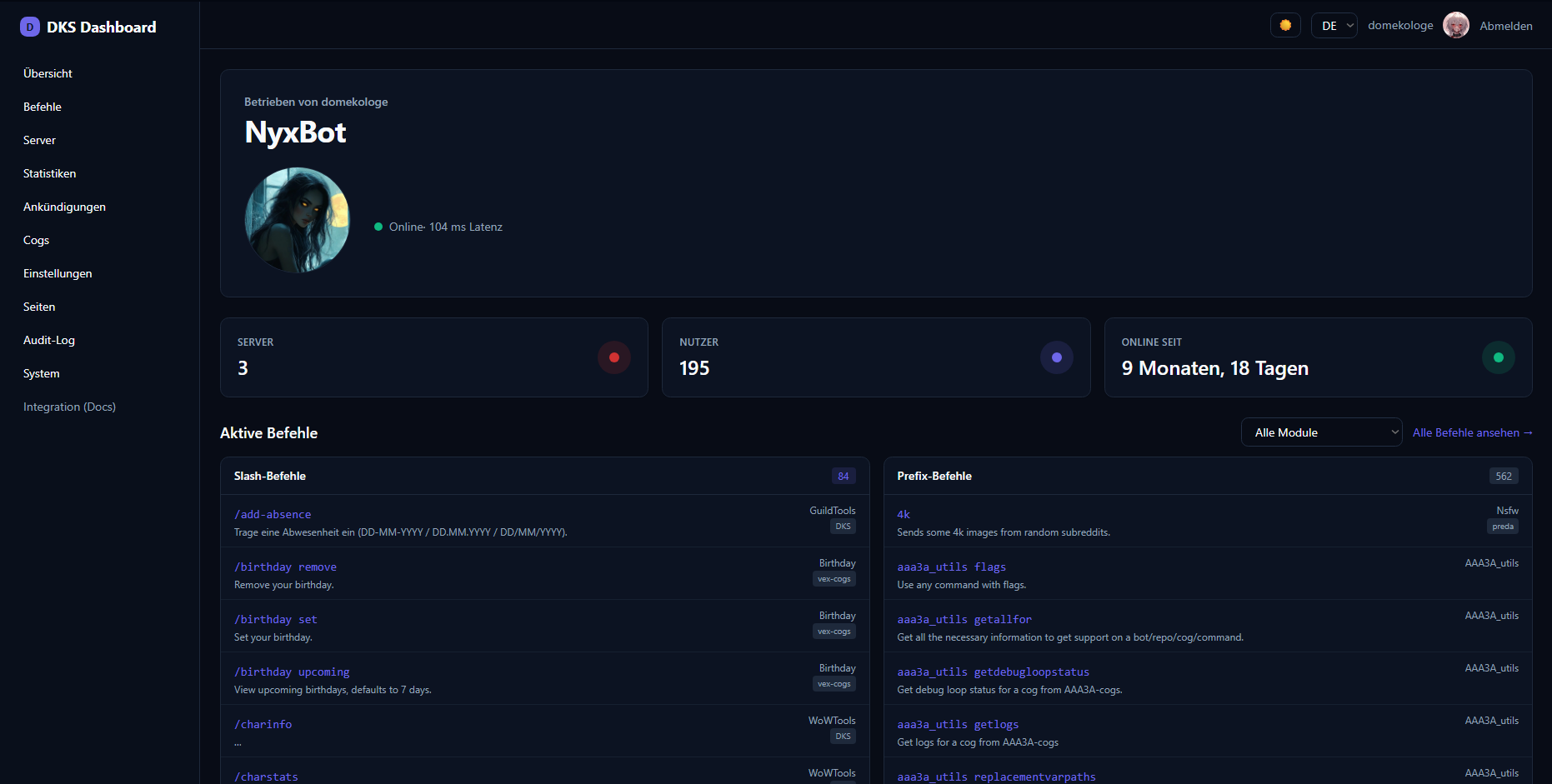
| Page | Route | What it shows |
|---|---|---|
| Landing / overview | / |
Bot name, avatar, Markdown description (full GitHub-flavored markdown), guild/user counts, uptime and latency, and an "Invite me" button (the bot's OAuth invite — auto-built from the client id with scope=bot+applications.commands&permissions=8, overridable via the invite_url branding field). A repo filter sits next to the module filter (only repos with active modules; the module list adapts to the selected repo). |
| Command list | /commands |
All active text and slash commands, grouped, with the cog and repo each belongs to. The repo name is shown under each module (sidebar and headings). Command descriptions follow the website language (DE/EN) when the cog provides a bilingual description. Only enabled, non-hidden commands appear; a red "(Not existent)" group lists orphaned slash registrations (visible to logged-in users). The list is grouped by module, and a category dropdown filter (All / Admin / Moderator / Setup / User — auto-detected from each command's permission level) narrows it to a single category: pick Admin and only the Admin commands remain. |
| Custom pages (public) | /p/<slug> |
Any custom page marked public (see Custom Pages). |
| Public guild pages | /public/<guildId> |
A login-free server showcase page, powered by public custom pages with the slug guild-<id> (plus guild-<id>-* sub-pages). See Public Pages. |
| Credits | /credits |
Attribution/licensing (MIT base template; AAA3A & Neuro Assassin#4779 under AGPLv3; Red-DiscordBot by Twentysix under GPLv3) with links to the policy documents (Privacy Policy, Cookie Policy, Third Parties Disclaimer) under documents/ in the repo. |
Every menu entry carries an icon. A separate bottom section adds links that open in a new tab — Documentation (this GitHub Wiki), GitHub: Dashboard and GitHub: Cogs (the two repos) — plus an internal Credits link. On mobile the same menu opens through a hamburger drawer.
After login you see the servers you share with the bot.
-
Server overview (
/guilds) — a card per guild you are a member of, with icon, member count and your level. Bot owners see all guilds. -
Guild detail (
/guilds/<id>) — members, channels (text/voice/categories), roles, presence breakdown (online/idle/dnd/offline) and creation/join dates. -
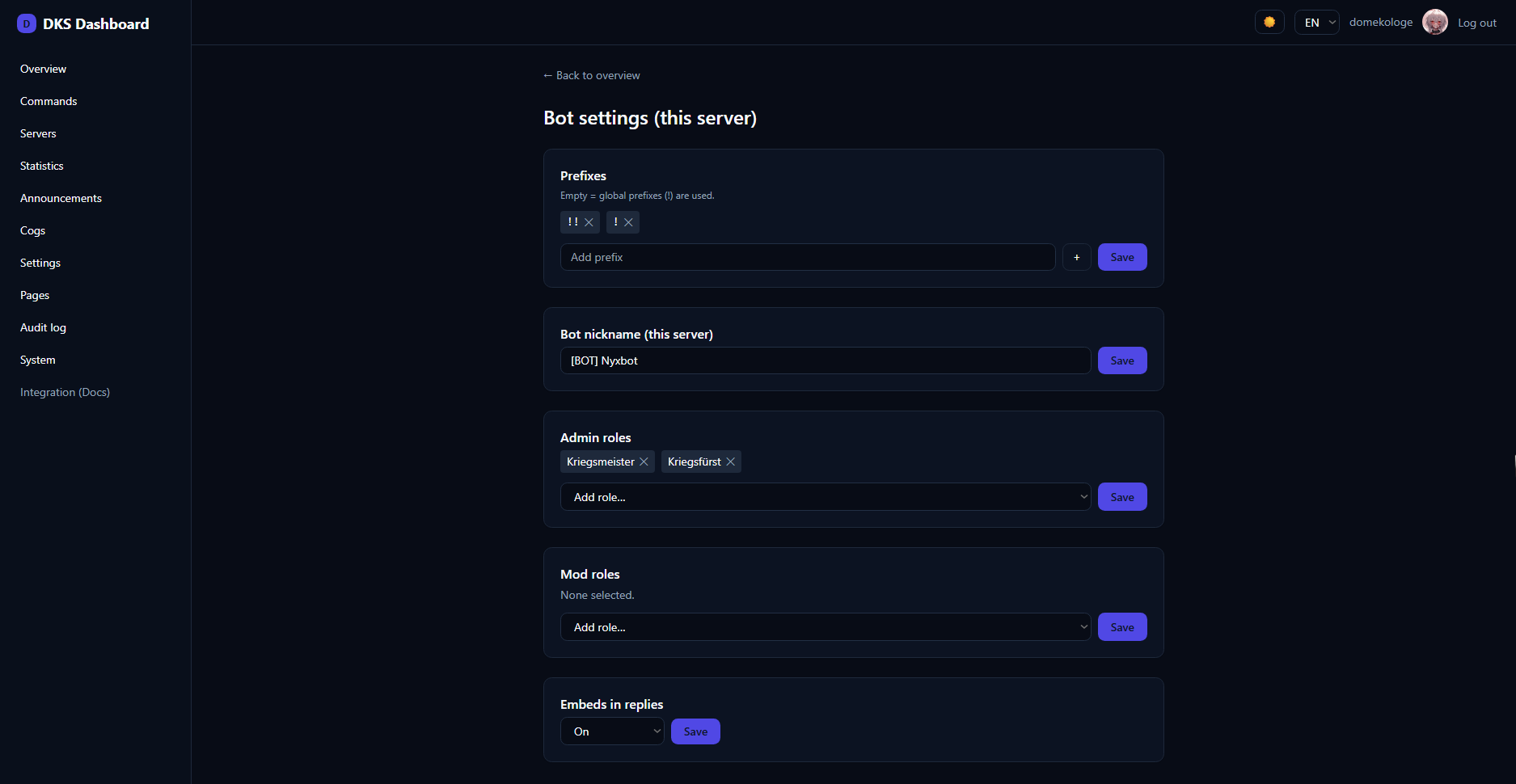
Bot settings per guild (
/guilds/<id>/settings) — guild prefixes, the bot's nickname, admin/mod roles and embed behavior. These are Red's own settings, edited through the dashboard. Requiresguild_admin.
Cogs contribute content to the dashboard. Instead of giving each cog its own isolated page, related contributions from one cog are grouped into one module with tabs:
- Widgets — read-only cards (a KPI number, a small list, a status). They can auto-refresh.
- Panels — declarative forms (switches, text, channel/role pickers) that save back to the cog. Think reaction-role config or a welcome message.
- Lists — manageable tables: view rows, add, edit and delete entries (e.g. reaction roles, WoW profiles).
Each module appears wherever the cog mounts it (e.g. inside guild settings) and respects the contribution's required permission. The wiring is documented in Cog Integration.
/features is a card grid of all PDC cog modules — with "replaces bot X" hints, loaded/not-loaded status, per-module Open/Setup links and an owner-only load/unload toggle. /features/setup/<cog> walks through a module's settings panels step by step. Full details: Feature Catalog.
/cogs is the bot-owner control center for cogs: load/unload/reload, the Downloader, slash-command management, and per-cog global owner panels. It has its own page: Cog Management.
/stats is a Statbot-style analytics view (messages, voice, status, invites, activity, member/channel drilldown, command usage) with a server dropdown, time filter and Chart.js charts. It requires the pdc_webdashboard_stats cog. See Statistics.
/announce is an embed/announcement builder. Pick a text channel the bot can post in, compose plain text and/or an embed (title, description, color, image, footer, author) and send it. Requires guild_admin; only channels where the bot can send are offered.
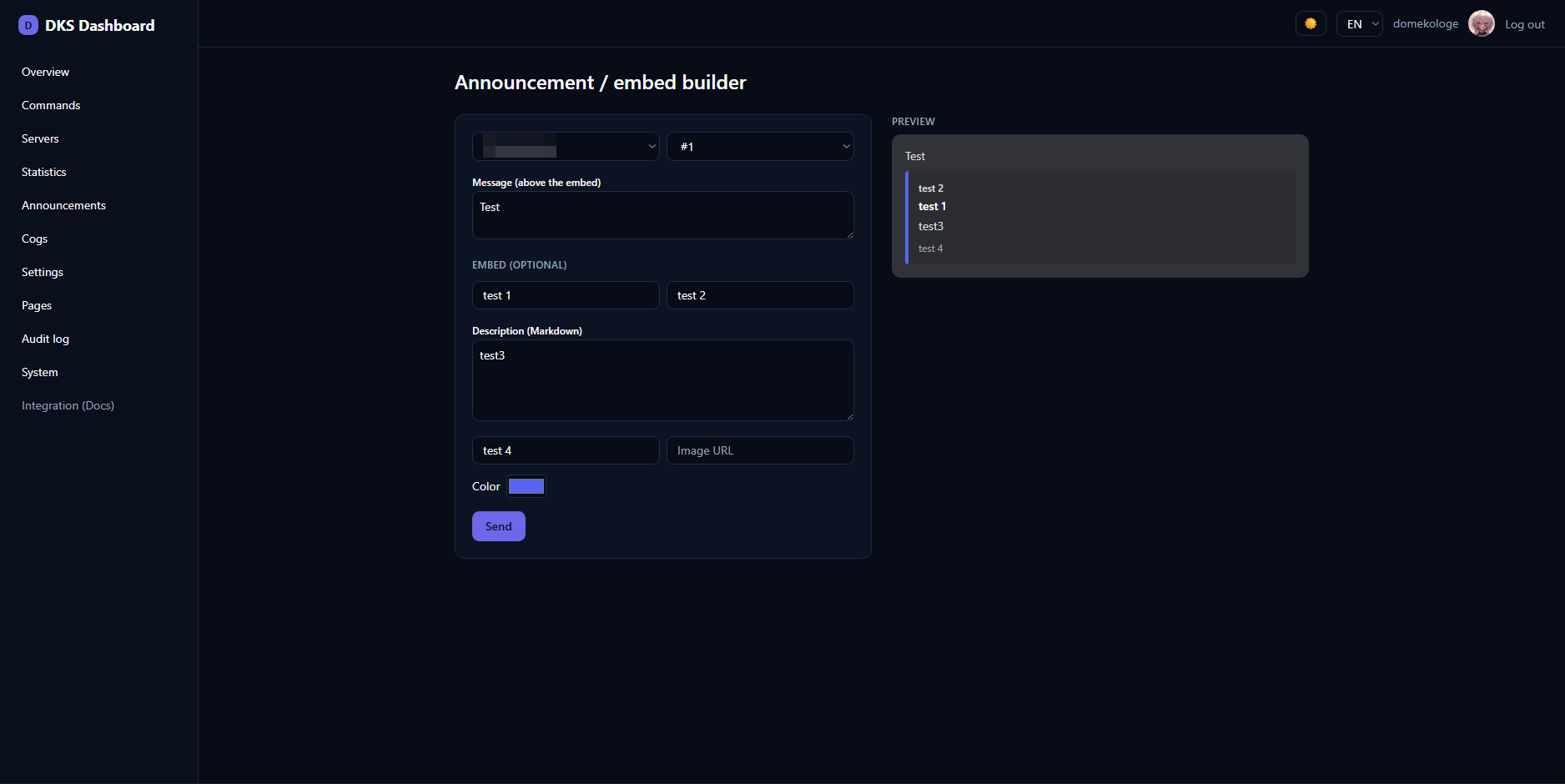
/embeds is the full visual embed builder with a live Discord-style preview, localStorage drafts and JSON import/export in the Discord API format. Sending reuses the announce gateway (fields/thumbnail/timestamp are preview/export-only). Full details: Embed Builder.
/settings (bot owner) holds global bot settings (prefixes, embeds, fuzzy matching), dashboard branding (title, icon, description, support URL, accent color, theme), the dashboard lock toggle, the refresh sessions action, and any global module panels cogs contribute.
Branding extras:
- Description — now Markdown, rendered as full GitHub-flavored markdown on the landing page.
-
Website description (
short_desc) — a short plain-text line used as the HTML<meta name="description">and the Open Graph description, so search engines and link-preview snippets show it. - Favicon — taken from the bot's profile picture (avatar), which is also the Open Graph image for link previews.
-
invite_url— optional override for the landing page's "Invite me" button.
/pages is a Markdown editor for creating extra dashboard pages (public or private). See Custom Pages.
/credits (public) shows attribution and licensing for the dashboard — the MIT-licensed base template, the AGPLv3 rework by AAA3A and Neuro Assassin#4779, and Red-DiscordBot (GPLv3) by Twentysix — and links to the policy documents (Privacy Policy, Cookie Policy, Third Parties Disclaimer) kept under documents/ in the repo.
/audit (bot owner) lists who changed what and when — every writing action (settings, cog management, announcements, panel/list submits, page edits) is recorded, newest first. The list is paginated: a page-size selector (10 / 20 / 50 / 100, default 10) and prev/next arrows with a "page X / Y" indicator.
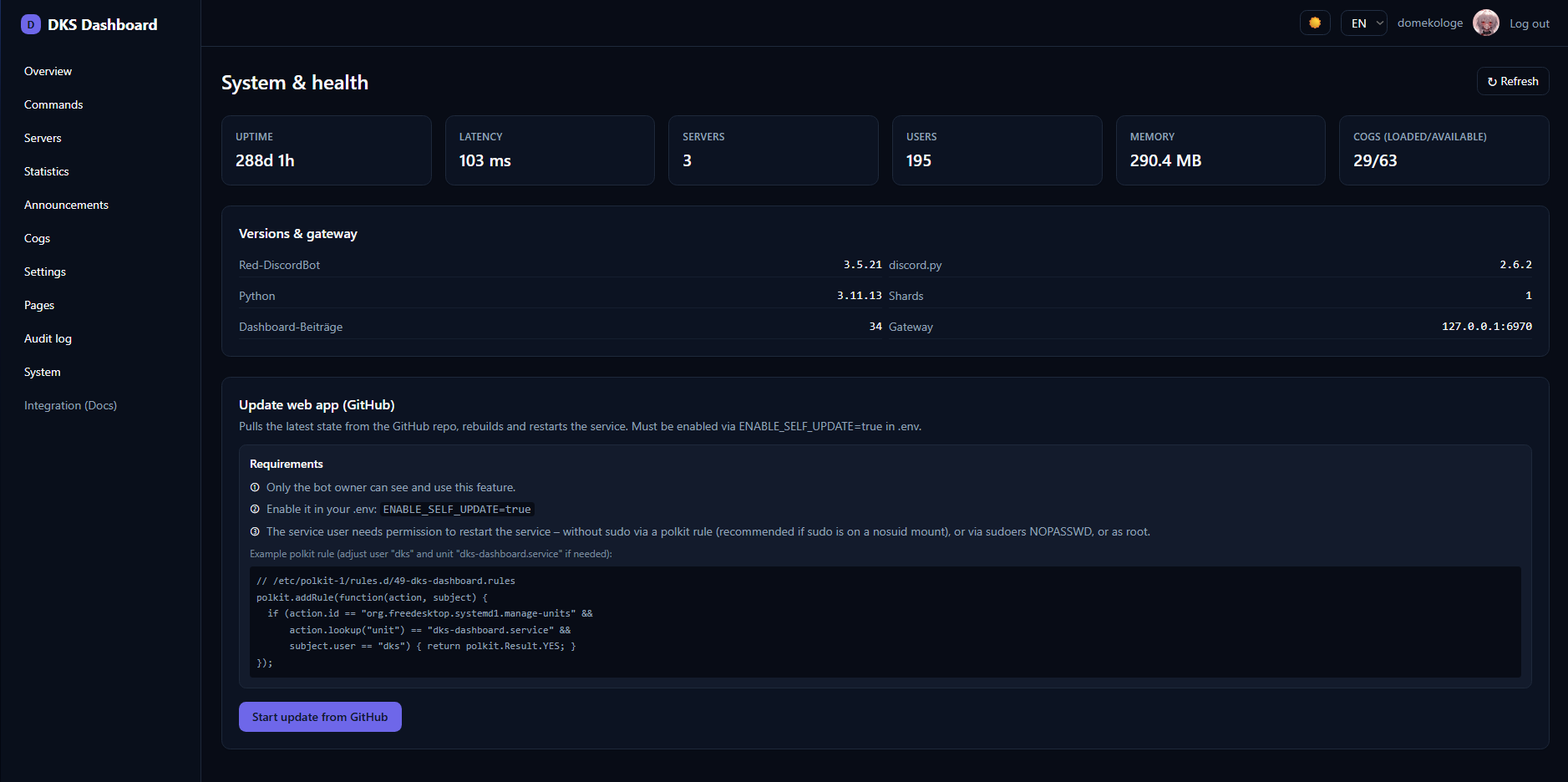
/system (bot owner) shows bot and gateway health: uptime, latency, guild/user counts, loaded vs. available cogs, shard count, Python/discord.py/Red versions, memory and the gateway host/port. A "Check for updates" button compares the running dashboard version (from package.json) with the latest on the git remote and reports "up to date" or "update available". When enabled, this is also where the GitHub Self-Update button lives.
-
Theme toggle — a button in the header switches between light and dark; the choice is stored in
localStorage. Dark is the default. - Command palette — press Ctrl+K (Windows/Linux) or Cmd+K (macOS) to open a searchable palette and jump to any page, including custom pages. Arrow keys to move, Enter to go, Escape to close.
- Language switch — DE / EN in the top-right; the choice persists per user.
- Feature Catalog · Embed Builder · Public Pages
- Cog Management · Statistics · Custom Pages · Self-Update
- Authentication — what each level can see