Graphics
Xenogears was released at a time when aspect ratio was not particularly well understood in games development, so there are some inconsistencies in the game's presentation. One such inconsistency is that when the original ROM runs at its native (or storage) aspect ratio, the character portraits used for the main cast's dialogue display as perfect 64x64 pixel squares but the artwork within the squares is stretched along the x-axis, resulting in slightly squashed-looking characters. In contrast, with the same display settings the portraits in the game menu have the correct proportions.
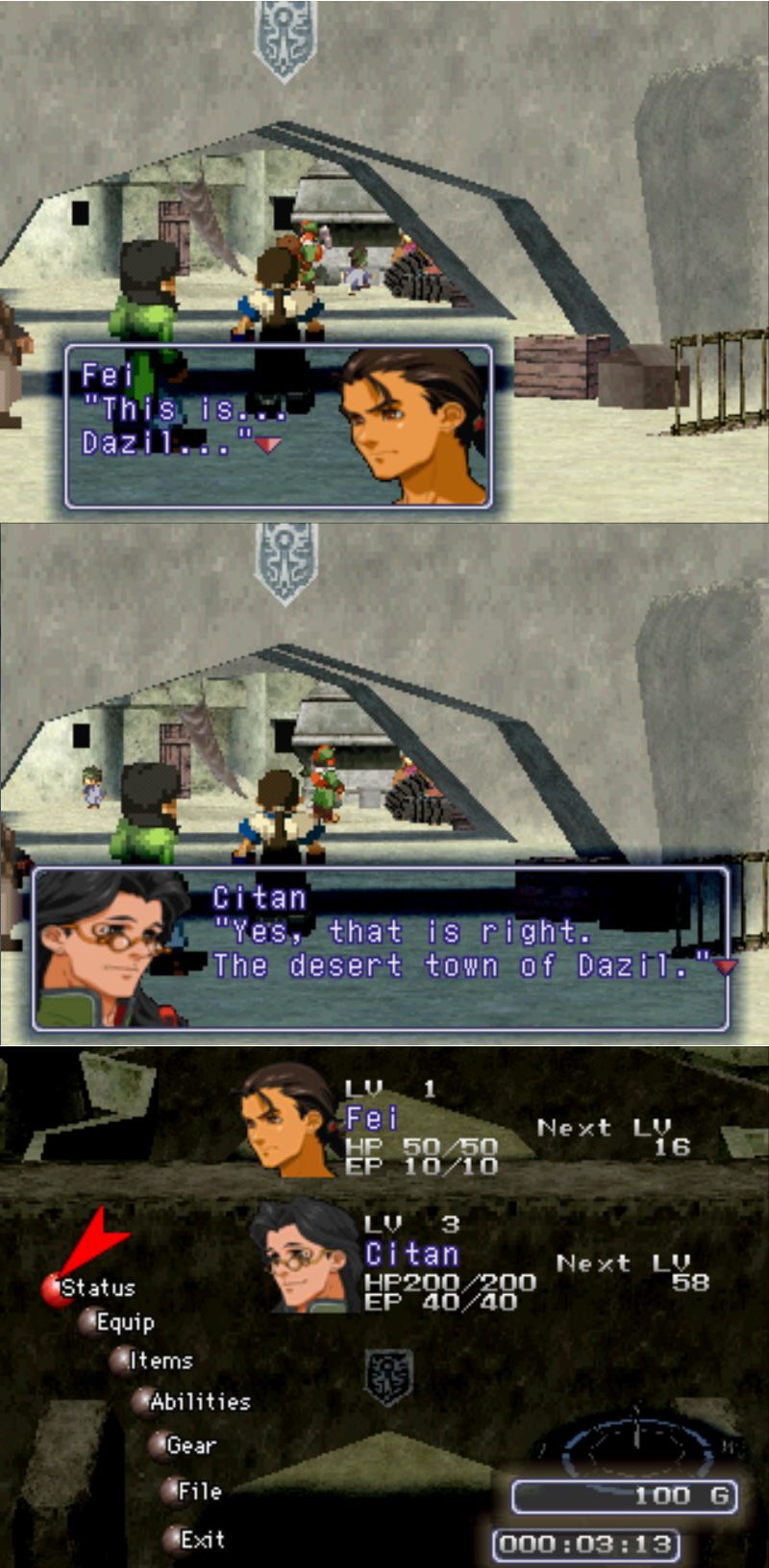
Dialogue portraits vs menu portraits, without patch
It's possible that the developers noted the variation from the native aspect ratio when the game was displayed on TVs, and tried to find a compromise that would look best on the majority of home equipment of the time.
The "Resized portraits" option in the patch will correct all character portraits when running the game at its native aspect ratio, and bring them into line with the proportions seen in the menu.
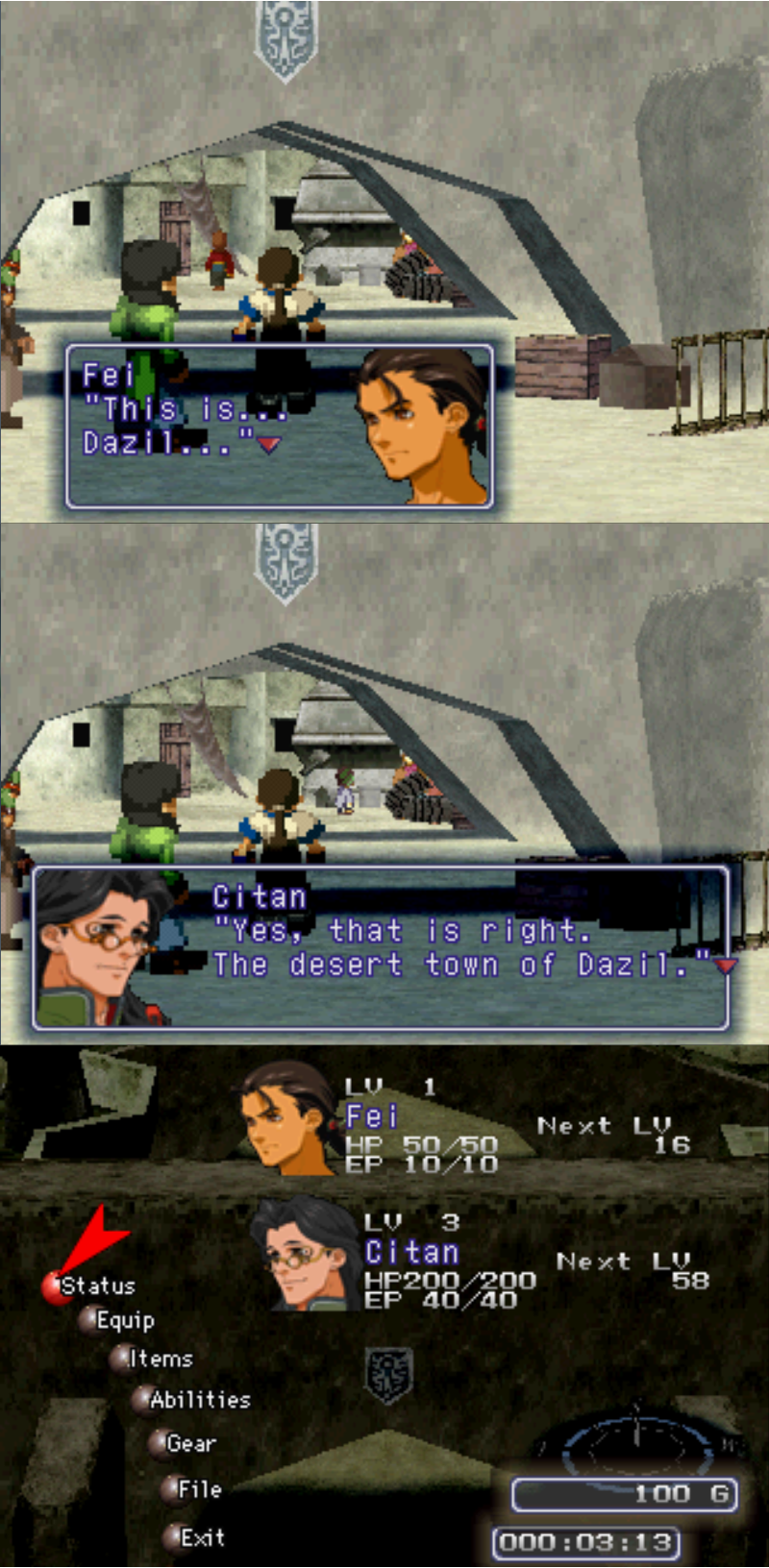
Dialogue portraits vs menu portraits, with patch
NOTE: If your emulator or scaler is stretching the game's overall aspect ratio to 4:3, there is probably no need to apply this fix on top of that - see what looks the most natural on your setup - but be aware that in 4:3 the menu portraits look slightly off (stretched vertically), and so will many other visual elements throughout the game. If you are running the Perfect ART Works pack or other texture replacement that already improves the portraits, do not select this option.
This patch includes the same fixes for the minor transparency issues in some portraits mentioned below.
To check the aspect ratio of the game, trigger a battle while in the Gears. When your Gear gets a turn, check the shape of the command ring and the semi-transparent moving reticle. To play at native aspect ratio, adjust your graphics settings until these elements appear as perfect circles and not ovals.
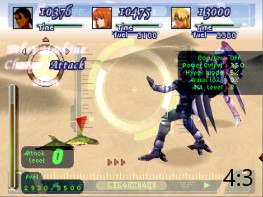
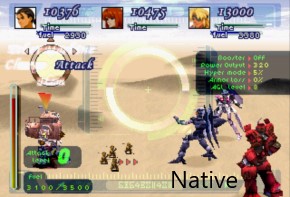
The portraits patch exists to complement this aspect ratio, which is approximately 3:2. ePSXe will show the game with these proportions by default when you use its "ePSXe core GPU". Other emulators will vary.
This option fixes graphical bugs that occur with the game's default portraits, interfaces and more.
Rogue pixels in some of the default character portraits have been fixed. The edited portraits are listed below. NOTE: If you select this option and are also using texture replacement with RetroArch (Beetle PSX HW core), you'll need to rename the replacement images as indicated.
Fei's Sad Portrait - it was missing black pixels on the back of his neck where his hair is. From c44361bb-b2e81840 to f7511ac9-339f07ab.png


Adult Emeralda - missing a few black pixels in her right eyelash. From bf58561-84598680 to 13d8bed6-e5bc243c.png


Id - missing black pixel from eyelash. From 840eb794-71046228 to ee7899fd-4c2afa5b.png


Miang - 4 stray pixels near the bottom right edge of her portrait. Added 1 pixel to the bottom of her bang on the left side. From 6262da3b-148cb3e to 96aae7a8-c0acac2c.png


Karen - an area of brown pixels top left corner outside her apparent outline, removed them and seems to look right.. esp. compared to Khan. From 59785951-c65ba831 to 9af6b578-56affa2d.png


Vanderkaum - missing black pixels in his beard/suit. From bf418954-18cb0ded to 4e8534c1-695609b8.png


Shakhan - missing black pixels on his jawline. From e2784dd7-8878c18d to 8a9bf742-673e8111.png


Renk - had stray pixels with a large gap of empty space in lower right corner, moved them down into bottom and cut extra on top. From feb33c34-a11380ee to 1a9dc0f4-b44c4b88.png


Breur - removed 1 pixel off edge of cheek. From dae75350-8a549e0c to 7e152c99-3d9bdffc.png


Stratski - colored in missing pixels on shoulder pad. From a46f7111-904bb173 to 9e6b9961-cdd20b0b.png


Franz - missing few black pixels in eye, removed couple black pixels on top of nose. From a4b08849-727a7d35 to e3b464a6-79c42965.png


Yui - colored in 3 missing pixels from right eye. From 52c01ea-982180de to 4ac0ad8e-c42aba50.png


Midori - missing 1 black pixel from pupil. From 11c8f769-dc78cd4e to cc676900-66241a89.png


Chief Lee - missing 1 black pixel from chin. From d3756da8-29e124d to fffd7062-c3370775.png


Alice - colored in missing pixels around eyes. From 9b395356-b020aead to d3a44e6-b746b416.png


Timothy - missing 1 black pixel on left eye. From ae68acff-afcd026a to 95d151a0-c02a787c.png


Selecting this option will replace Roni Fatima's "recoloured Sigurd" portrait with his more unique design from Perfect Works. The portrait will be sized according to whether the "Resized portraits" option is also selected or not. Again, if you are running the Perfect ART Works pack or other texture replacement that affects portraits, do not select this option.
When visiting the Breidablik cafe with Emeralda in the party, the original game uses her nanoreactor sprite when ordering food, ostensibly as a deliberate easter egg. This additional option will display her normal sitting sprite in this scenario instead.