

Try it now: yukios.pages.dev · yukios.vercel.app · yukios.netlify.app · yukiwebos.github.io
A browser-based desktop environment running in a single web page with window management, persistent storage, emulators, utilities, and web applications.
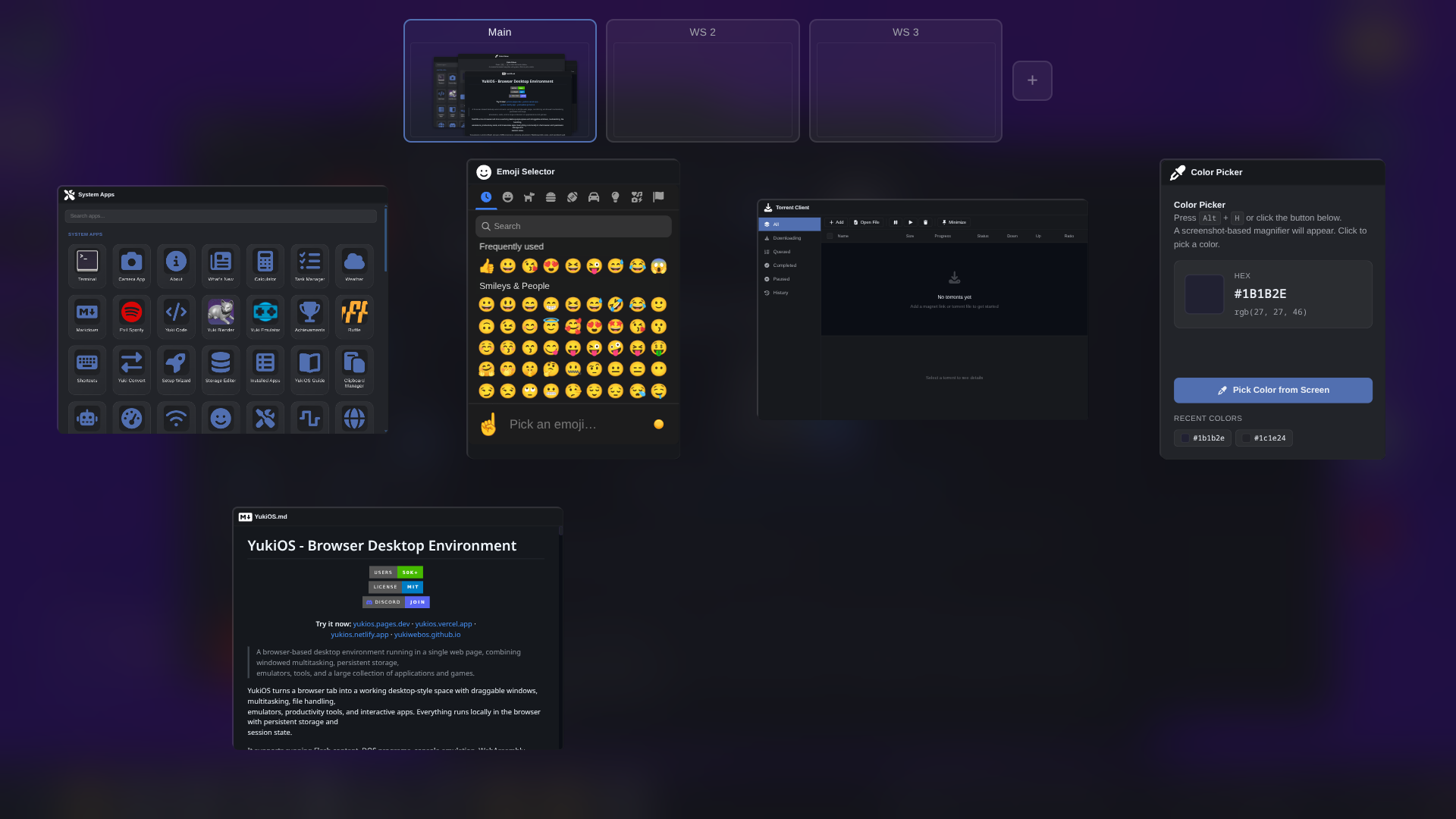
YukiOS provides a desktop-style interface inside a browser tab with draggable windows, multitasking, file handling, emulators, productivity tools, and web applications. Core functionality runs in the browser using client-side storage and session state.
It includes support for Flash content, DOS programs, console emulation, WebAssembly applications, and standard web applications running alongside each other.
Its built entirely in vanilla javascript without any frameworks.
 |
 |
 |
 |
 |
 |
 |
 |
 |
 |
 |
- Draggable, resizable, minimizable, maximizable windows
- Window snapping (half screen, quarter screen, fullscreen)
- Multiple workspaces with independent layouts
- Window switching and focus cycling (with alt+Q)
- Window context menus (snap, move, pin, workspace transfer)
- Window header context menus
- Window icons in title bar (double-click to close the window)
- Taskbar positioned on any edge of the screen
- Taskbar drag to reorder and click to minimize/restore
- Live taskbar window preview on hover
- System tray with background-running apps
- Tray icon scroll actions for audio, brightness, and workspace switching
- Tray context menus with per-item quick actions
- Desktop icon system with persistent shortcuts and image thumbnails
- Desktop drag-and-drop from host OS and icon rearrangement
- Desktop stretch scroll prevention toggle
- Alt+Left-Click window drag / Alt+Right-Click window resize
- Window animation system with 35+ effects
- Kde inspired physics-based wobbly windows when dragging
- Desktop peek button in system tray with click to minimize/restore all windows, hover to temporarily reveal the desktop
- Cursor launch effect when applications start
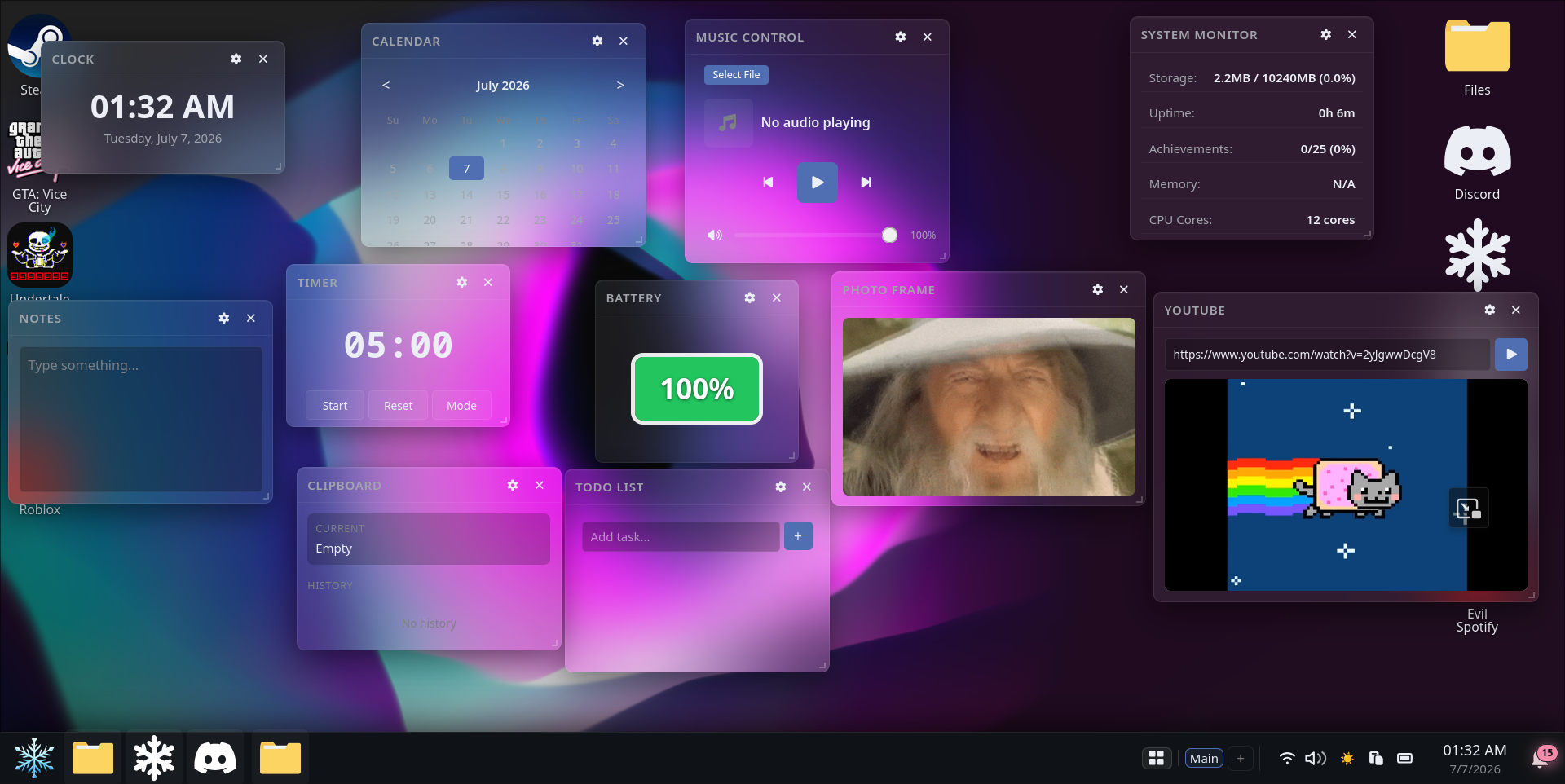
- Desktop widget system: clock, weather, notes, calendar, todo, music controls, system monitor, battery, clipboard, YouTube embed, photo frame slideshow, timer/stopwatch
- Automatically saves and restores open apps, window positions and sizes, workspace assignments, scroll positions, window states (minimized, fullscreen, snapped), focus order
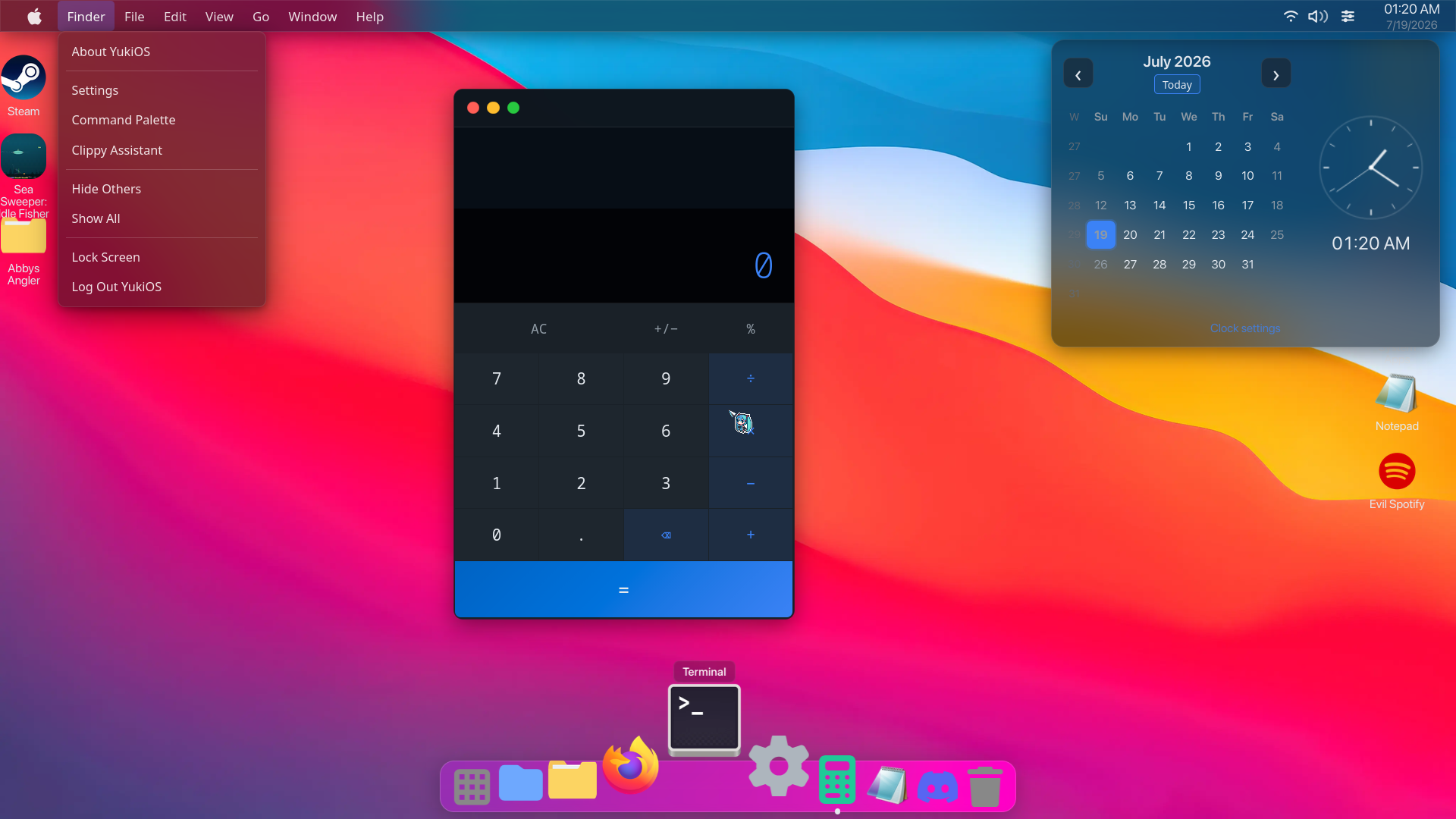
Switchable macOS-style desktop from the session picker with a top menu bar, animated dock, and Control Center tray.
- Top menu bar opening Start Menu and Finder through Help items and macos categories
- Animated fisheye dock where pinned apps scale and push neighbors on hover, open apps pin automatically, and items are draggable to reorder
- Control Center tray with brightness, volume, battery, power mode, dark mode, dock toggle, accent colors and lock screen
- macOS-style traffic light window buttons on all window headers
- Launchpad: fullscreen app grid with F4 keybind, glassmorphism backdrop, live search, slide-from-dock animation, and bigger icons on hover, pinned to the Dock in Mac Mode
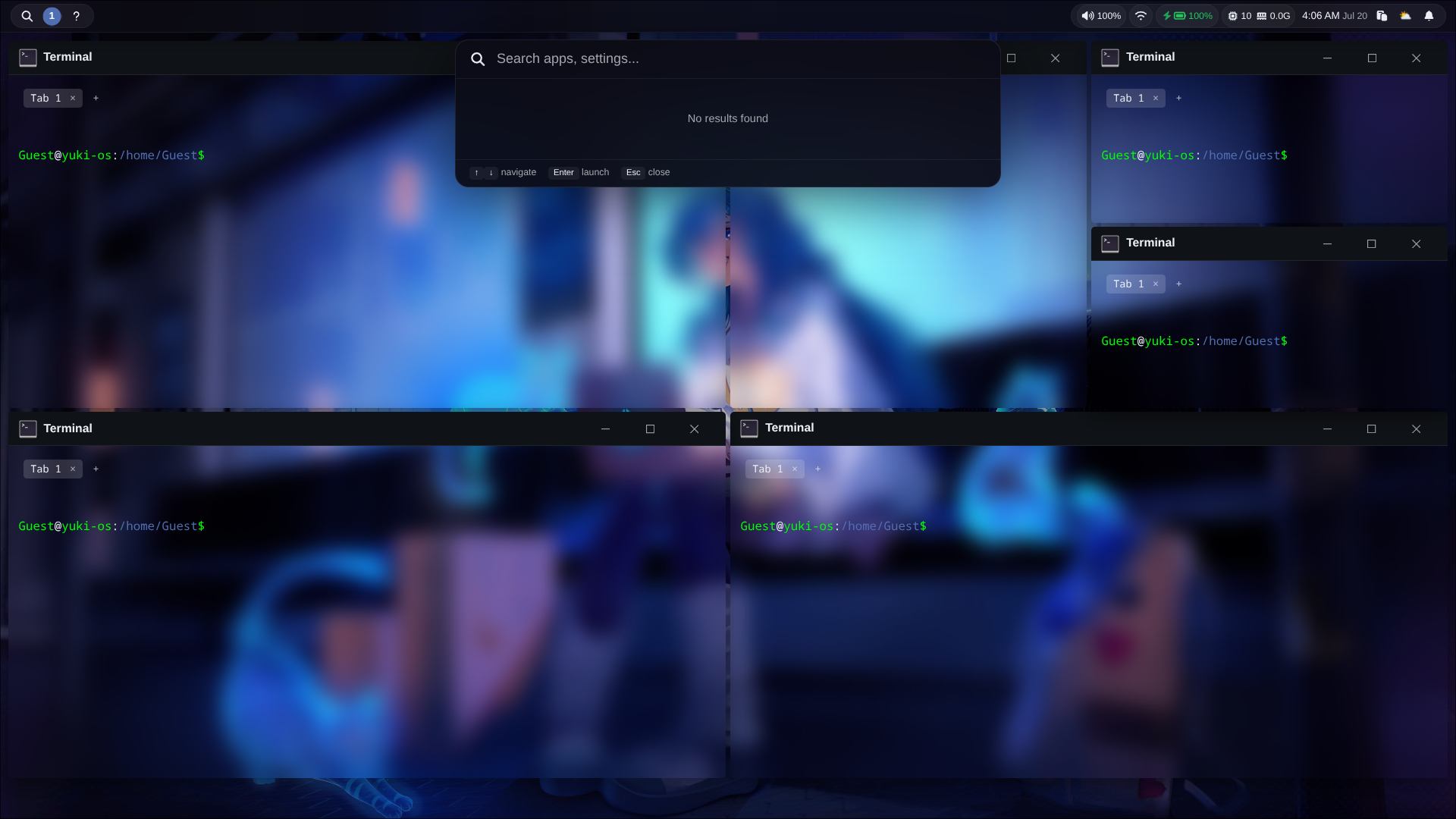
Hyprland-inspired BSP tiling window manager switchable from the session picker, with per-workspace tree layouts and live config editing.
- Alt+Space toggles tiling on and off; Alt+Arrow moves focus, Ctrl+Alt+Arrow resizes boundaries, Alt+Shift+Arrow swaps windows
- Alt+1-9 switches between 9 independent workspaces, each with its own BSP tree
- Alt+Q closes the focused window, Alt+F toggles floating, alt + 1-2-3-4-5 keys switch workspaces, alt+t spawns terminal etc.
- Drag a tiled window onto another to swap them in the tree
- Gap, border width, and split ratio adjustable from Settings > Tiling or by editing Config/yukiOs/tiling.conf
- hyprctl terminal command provides Hyprland-style CLI control
- Config file at
Config/yukiOs/tiling.conf(auto-created with defaults if missing) - Customizable: gaps (inner/outer), split ratio, border width/radius, resize step, animation duration/easing, mouse resize toggle, workspace switch delay, resize debounce
- Live-reload: edit and save with any text editor for updating config
-
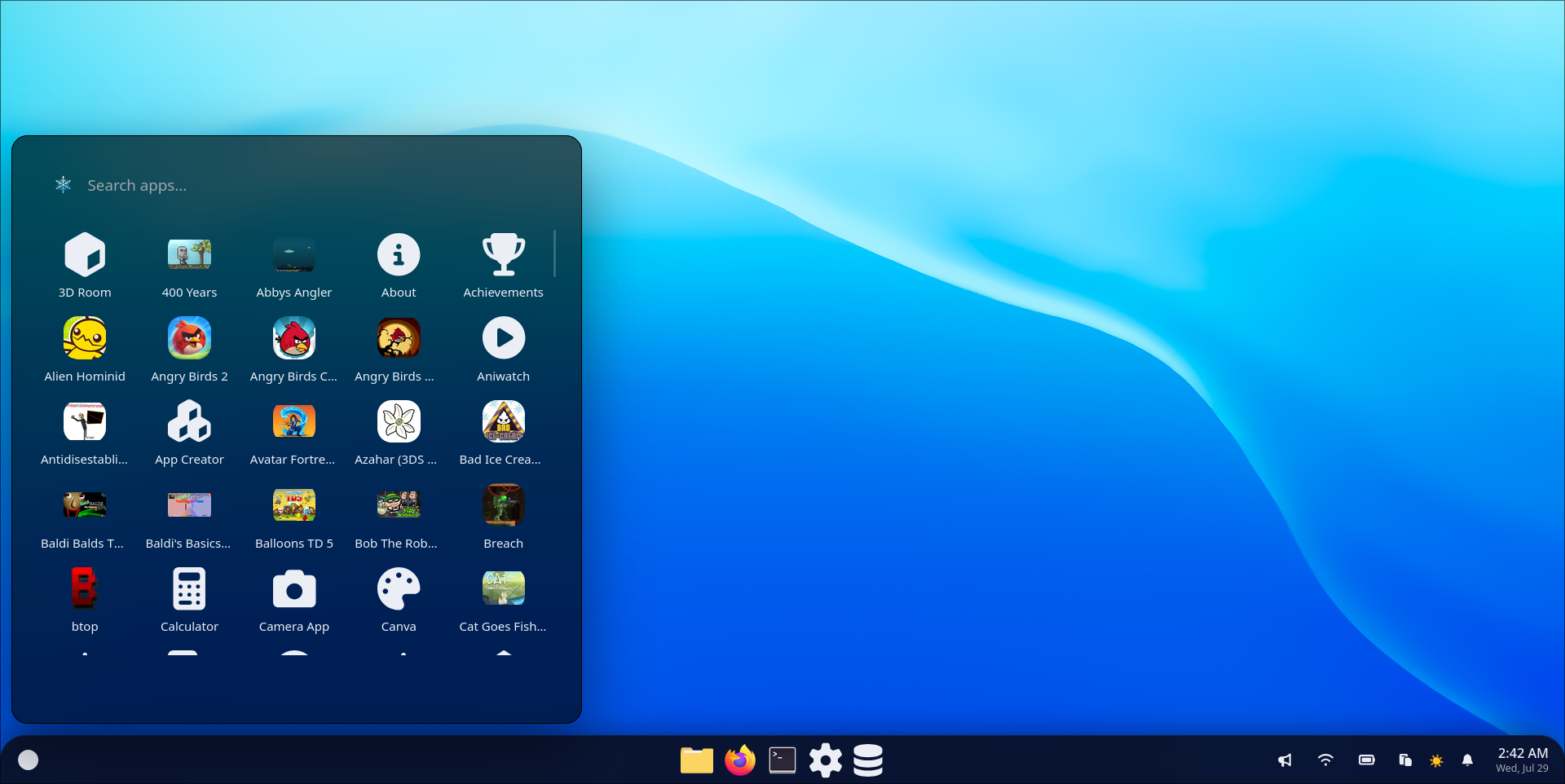
Start menu with:
- Fuzzy search (Levenshtein distance, word-boundary matching) across all apps and settings categories
- Favorites system: star/unstar apps with gold-tinted highlights and dedicated favorites page
- Customizable app grid: add/edit/remove items
- Category management: rename, delete/hide, restore categories via right-click context menu
- App grid organized into categories: Core, Web, Games, Files
- Desktop icon toggles: show/hide Games and System Apps independently
- User profile display with avatar, name, and hover tooltip
- Description tooltips on hover for all items
- Recent page tracking last-opened apps and files with clear button
- Full keyboard navigation with arrow keys between search/categories/apps, Launch with Enter/Space
- Clippy contextual tips on favorites and search events
- Persistent settings for width, height, and category visibility
-
Notification center with grouped messages
-
Do Not Disturb mode
-
Notification positioning controls
-
Desktop and file context menus: New Folder / Text Document, Add file(s) from OS, Download, Add to archive, Extract here, Set as wallpaper, Open Terminal Here, Screen Capture, Copy/Cut/Paste, Rename, Properties, Convert/Transform, Refresh, Background submenu (Vanta.js presets / video wallpapers) with keyboard navigation (arrow keys, Enter, Escape, submenu traversal)
-
Command palette (Ctrl+K/P/F1) for app, file, and command search with built-in calculator, terminal run support with > prefix, and unit converter
-
Run dialog (Ctrl+R-Windows+R): compact quick-launch window for opening apps, URLs, and terminal commands
-
Clippy contextual assistant with per-app tips
-
Animated UI components including start menu, wallpaper switcher, audio mixer, context menus, and notifications
-
Keyboard shortcuts app for customizing global hotkeys
Key Global Shortcuts:
- Ctrl+K / Ctrl+P / F1 - Open command palette
- Ctrl+R - Open Run dialog
- Ctrl+D - Show/hide desktop
- Alt+Q - Cycle through windows
- Ctrl+Shift+S - Full screenshot
- Ctrl+Alt+S - Area screenshot
- Ctrl+Shift+R - Screen recording
- Ctrl+Arrow keys - Snap window to half/quarter screen
- Ctrl+Alt+ArrowUp/Down - Adjust brightness
- Ctrl+Alt+ArrowLeft/Right - Adjust color temperature
- Alt+H - Open color picker
Command Palette Features:
- Search apps, files, and system commands
- Quick actions: wallpaper, themes, DND, mute, workspace switching, logout & more
- Terminal commands (prefix with
>) - Built-in calculator and unit converter
- Screenshot and screen recording controls
- Dynamic favicon updates based on current app
- IndexedDB-backed explorer with grid/list views, sortable columns, image thumbnails, inline rename, file properties, trash, and drag-select
- Sidebar with persistent Quick Access pin/unpin
- Archive support: extract
.zip/.7z/.tar/.gz/.bz2/.xz/.rar, create.zip/.7z/.tar/.tar.gz/.bz2with compression level and ZIP password support - Font file preview and viewer for TTF/OTF fonts with live sample text rendering
- Right-click "Set as System Font" on TTF/OTF files.
- Right-click file conversion for common images (PNG, JPEG, WebP, SVG), structured data (JSON, CSV, XML, YAML), text formats (TXT, Markdown, HTML), and common audio/video files
- Mount external folders as virtual drives, set images as wallpaper, or open any folder in Terminal
- Save As and file/directory picker dialog
- File associations: Default Apps app to set, change, or remove the default app per file type
- "Open with" context menu on files lists every compatible app, plus an app picker dialog
- storage usage indicator, thumbnail cache
- Explorer keyboard shortcuts: Ctrl+C copy, Ctrl+X cut, Ctrl+V paste Ctrl+F search, Ctrl+A select all, arrow keys navigate, Enter open, F5 refresh, F2 rename, Delete trash
- Notification system with app icons and actions
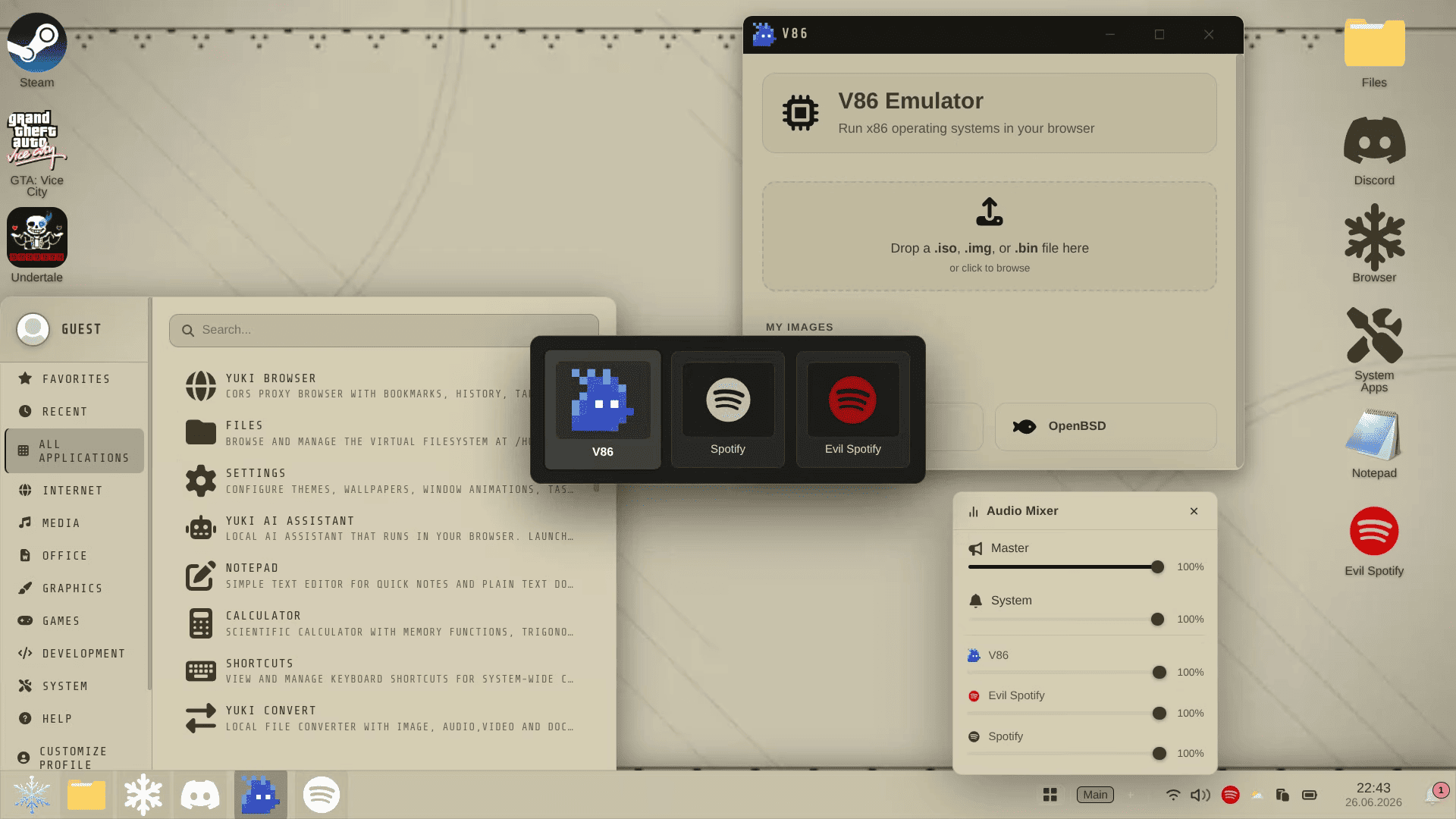
- Audio mixer with per-app volume sliders, live waveform intensity visualizer, master/system volume, mute toggle, and tray icon with scroll-to-adjust
- System sounds with interaction noises for common actions
- Achievement tracking and usage milestones
- Theme system with 40 presets and custom theme support, light/dark and transparency modes.
- Wallpaper customization with 400 animated wallpapers and customizable Vanta.js support in wallpaper engine app
- PWA install and offline caching support
- User accounts with multi-profile support
- Lock screen, session management, and idle timeout
- Power profiles (Turbo, Balanced, Quality) with tray controls
- Brightness, contrast, gamma, and color temperature sliders
- Custom cursor support (with miku by default)
- Custom font system: set any TTF/OTF file as system font
- Import/export system for backup and migration
- Transparent UI toggle with: glass effect on windows, taskbar, start menu.
- Clock system using OffscreenCanvas rendering and lightweight NTP offset sync with js worker
- Calendar popup from taskbar clock with monthly grid, keyboard navigation, and today button coding
80+ built-in applications and direct launch via URL parameters (?app= and ?game=)
- Explorer
- Installed Apps (rename, disable, uninstall apps)
- Default Apps (set the default app for any file type)
- Terminal: Unix-like shell with filesystem access, Python/Node REPLs, and Git
- Python REPL (Pyodide WASM), Node.js REPL (WebContainers)
- Full Git integration (clone, init, add, commit, push, pull, branch, stash, fetch, diff, remote, rm, checkout, log, status)
- Multiple independent tabs with Alt+T / Ctrl+Tab / Alt+1-9
filecommand with content-based magic byte detection for 10+ file formatsneofetchwith GPU/RAM/browser/engine detection- Pipeline (
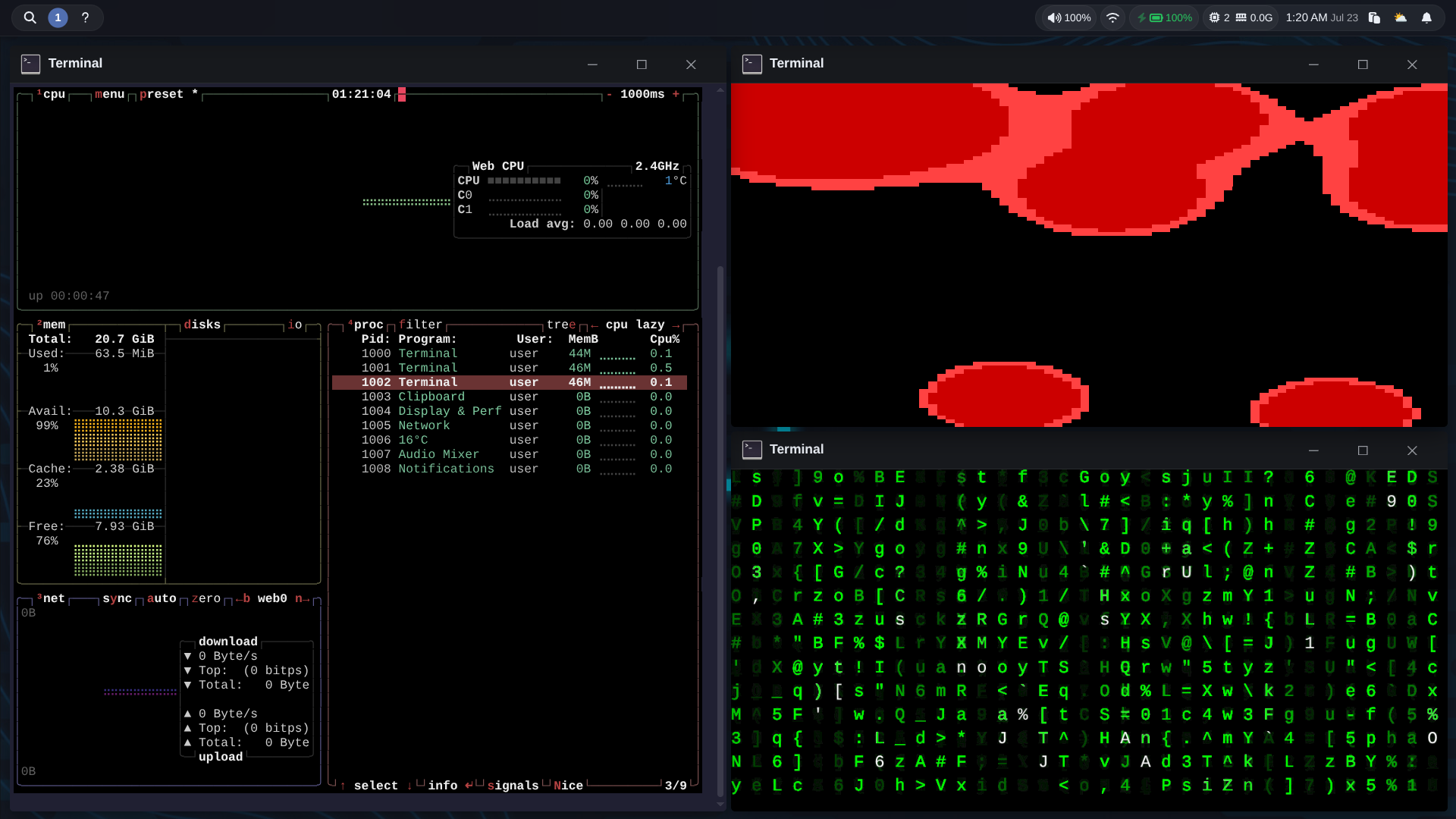
|), redirects (>/>>), command chaining (&&/||/;), Ctrl+R reverse search, andfilewith magic-byte content detection yukicommand for OS control: power mode, brightness, theme, wallpaper, workspaces, app management (list/uninstall/install/disable/enable), DND, notifications, storage report- lavat -- lava lamp simulation with customizable metaballs and gravity; Emscripten WASM port (by Reeyuki) of the original C program, runs fully client-side
- cmatrix -- Matrix rain animation with color, speed, and character modes; browser-native JS reimplementation (by Reeyuki)
- btop -- real-time resource monitor (CPU, memory, disks, network, processes); Emscripten WASM port (by Reeyuki) that feeds live host system data from yuki os into the emulated terminal
- Notepad
- Markdown Viewer
- Yuki Code
- VS Code
- Run (Ctrl+R quick-launch)
- Settings
- Task Manager with system diagnostics and startup app functionality
- Calculator
- Clock (alarms, stopwatch, timer)
- Shortcuts
- Setup Wizard
- Achievements
- Profile Customizer
- Yuki AI Assistant (WebLLM)
- Storage Editor
- Yuki Convert
- Clipboard Manager
- Emoji Selector
- YukiDevTools (IT - TOOLS)
- Dev Tools (Eruda)
- Weather
- News
- YukiOS Guide
- Display Performance
- Virtual Machine Manager
- Paint
- Mini Paint
- Photopea
- LibreSprite
- Pixlr
- Camera App
- Media Viewer
- Office Viewer
- Evil Spotify
- Yuki Blender
- Magnifier
- YouTube Utilities
- Rhythms (Cavalier-like audio visualizer)
- Screenshot (page capture, area selection, screen recording)
- Color Picker (screen color sampling with magnified preview)
- Font Viewer for TTF/OTF files
- Yuki Browser with bookmarks, proxy, tor, history, dark mode, tab system,screenshot
- WebTorrent Client
- Tor Manager - tor browsing via WASM-based Tor client with Snowflake transport
- VNC Client using novnc
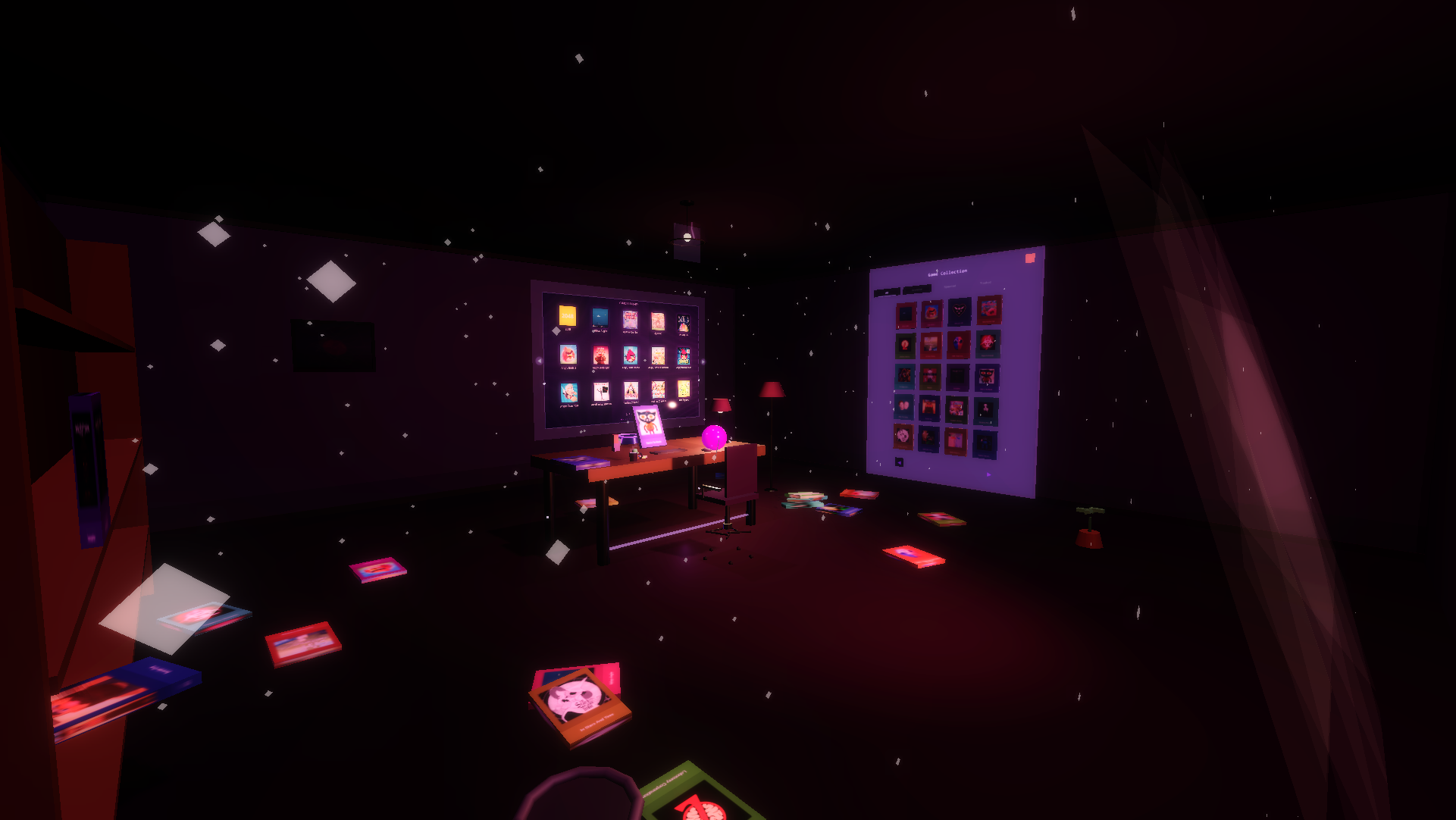
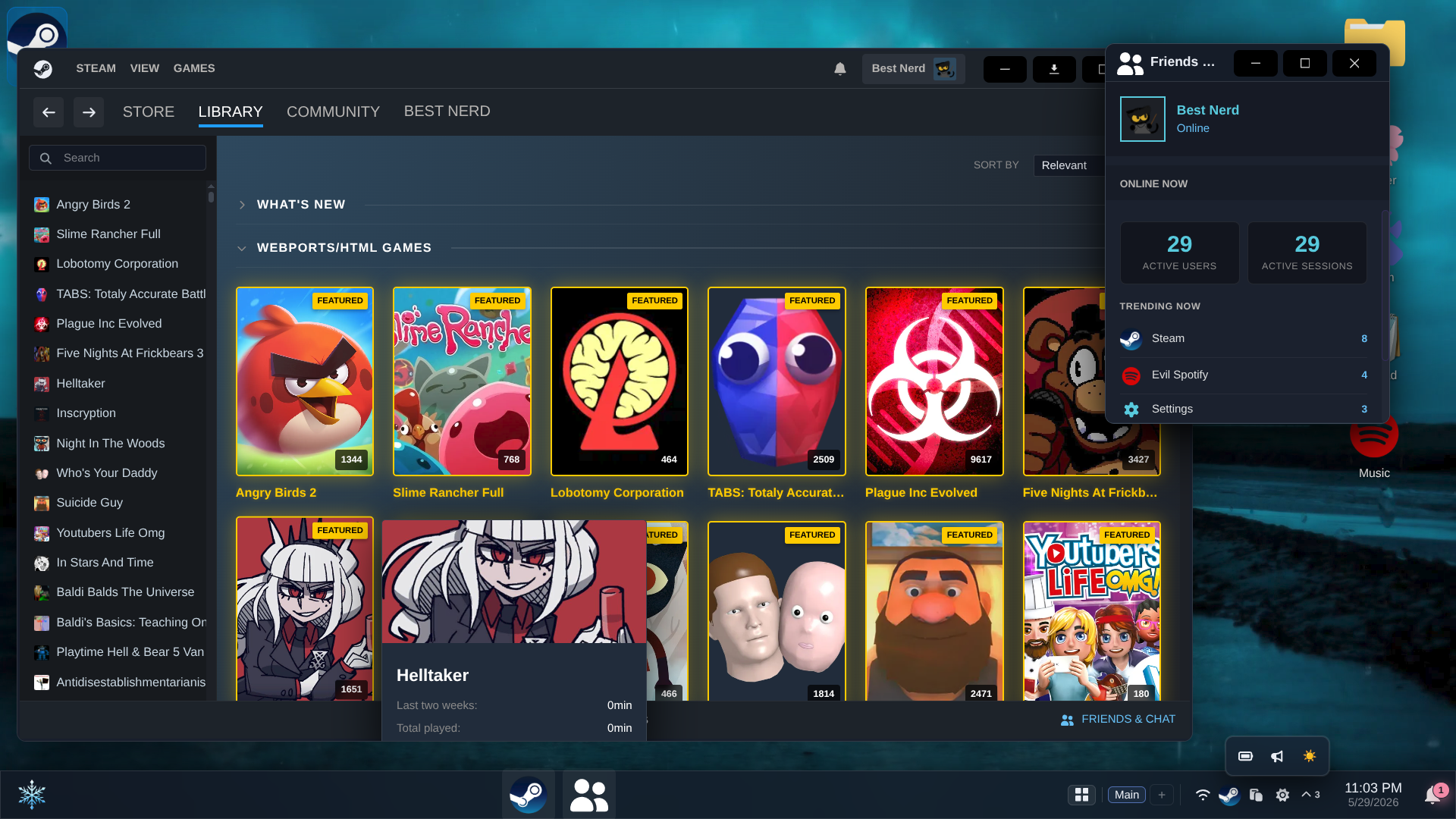
- Steam-like game launcher
- Discord
- Spotify
- ChatGPT
- Email providers (Gmail, Outlook, ProtonMail)
- kiwiIRC
- GeForce Now
- Scramjet Browser
- Yuki Emulator (EmulatorJS)
- Ruffle (Flash)
- JsDos (DOS)
- Virtual 86 (x86)
- Azahar (3DS Emulator)
- Flashpoint Database
- Steam app
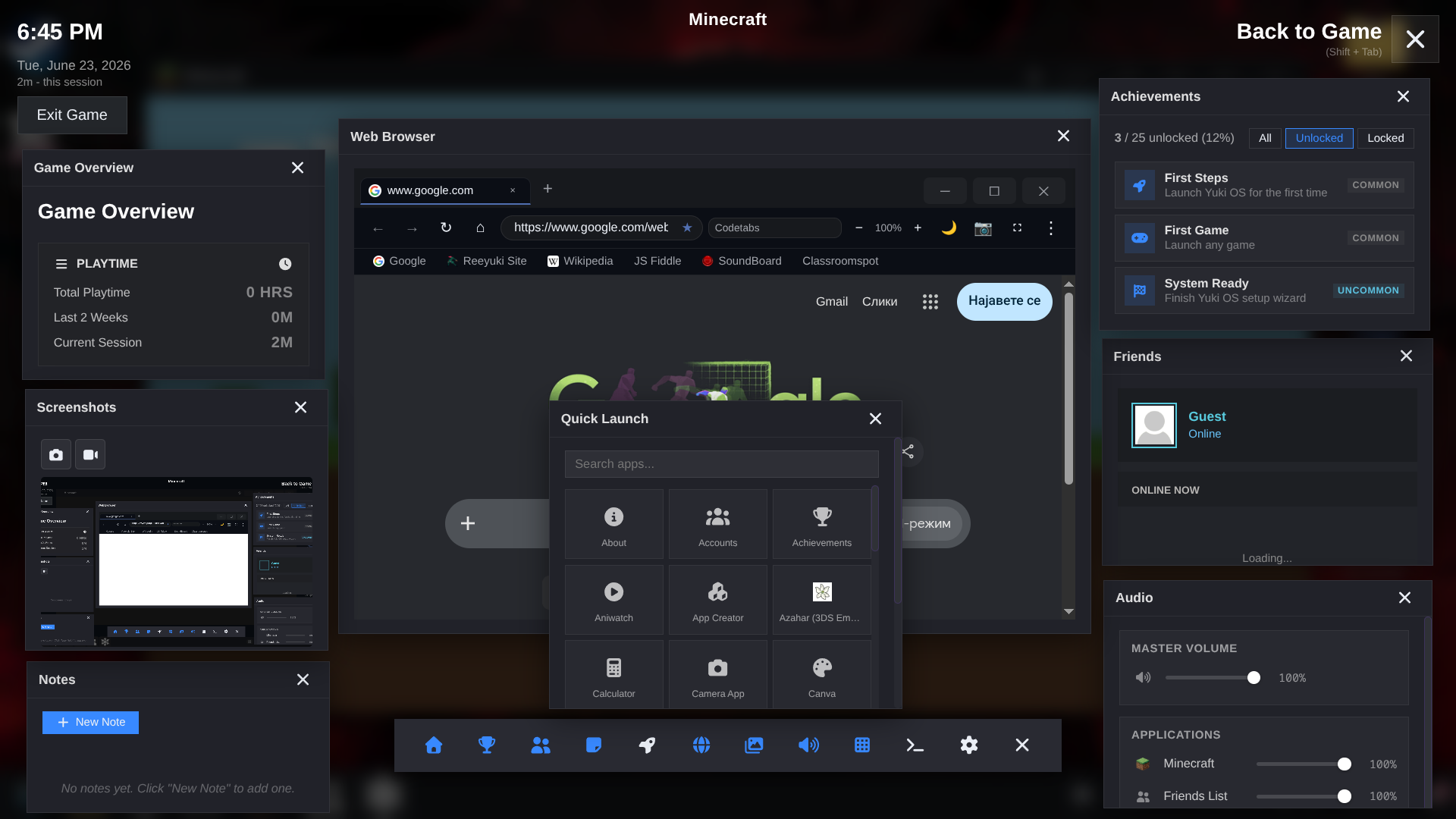
Shift+Tab overlay with draggable, resizable panels for any running game:
- Playtime overview (total, 2-week, and current session)
- Achievement browser with All/Unlocked/Locked filters
- Friends panel with live active user stats and persistent per-game sticky notes
- In-overlay web browser and Scramjet proxy panel
- Screenshot capture, gallery view, and video recording
- Performance monitor for fps/frame
- Overlay settings (toggle, perf monitor, rebindable shortcut key)
Custom App Creator for adding web shortcuts with auto-detected favicons and per-app CORS proxy.
pnpm run dev
pnpm run build:dev
pnpm run build
pnpm run previewSee the Development Guide.
A native Electron wrapper for an enhanced desktop experience:
- Native game windows that launch in their own OS-level window with auto-hide menu bar
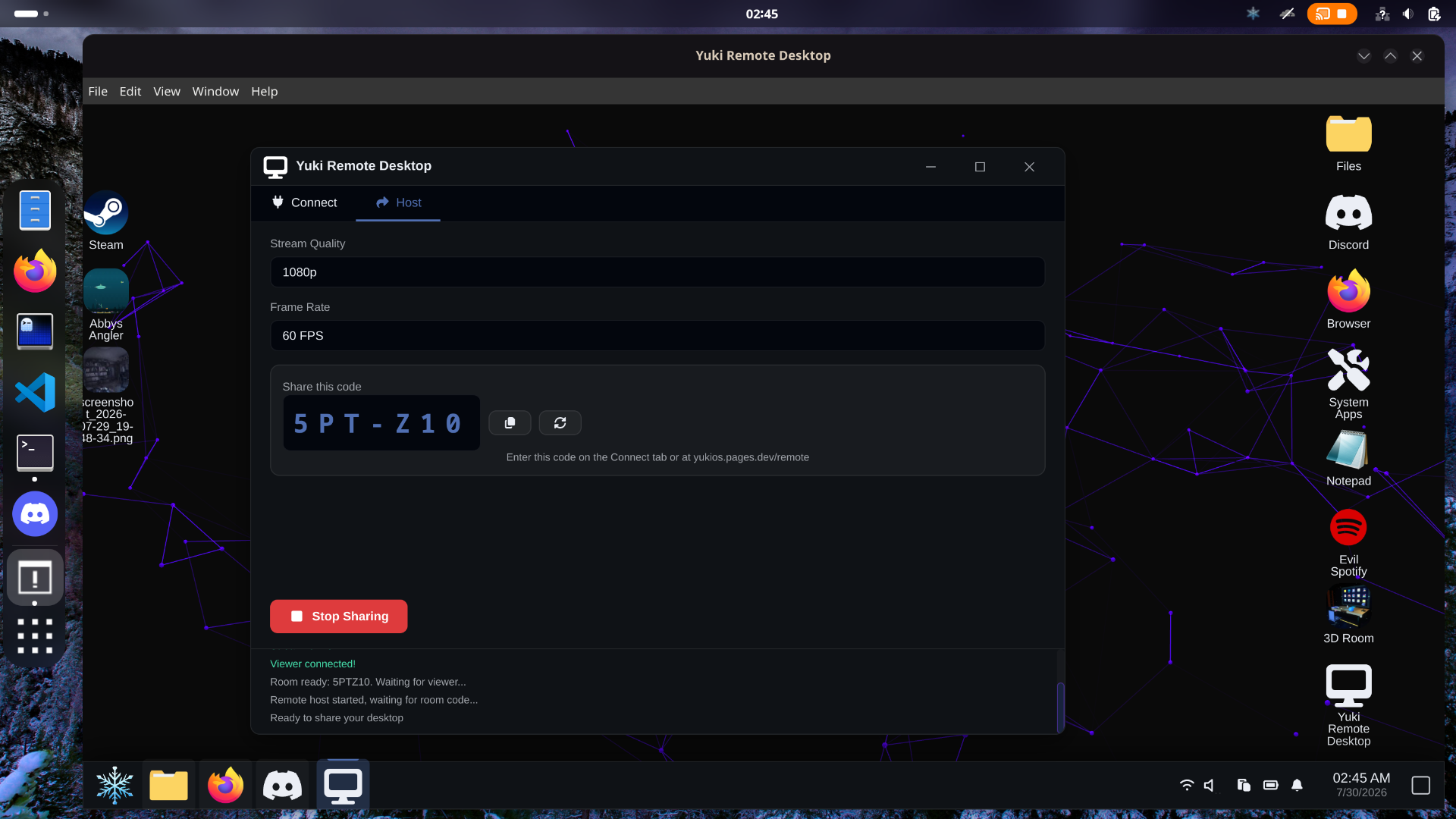
- Remote host to stream your real desktop with mouse and keyboard control from any device
- Autostart YukiOS on system startup via a settings toggle
- Browse your real files with your home directory appearing as a drive in Explorer
The web-only version runs in any browser with all core features intact; the Electron app adds native OS integration on top.
- Ruffle
- EmulatorJS
- Monaco Editor
- three.js
- PDF.js
- JSZip
- fflate
- archive-wasm (Spacedrive)
- 7z-wasm (use-strict)
- Handsontable
- Mammoth.js
- Font Awesome
- emoji-mart
- Vanta.js
- WebTorrent
- Eruda
- Novnc
- T-Rex Runner
- webtor-rs WASM Tor client (Arti + Snowflake)
- isomorphic-git (Git client via CORS proxy)
- Scramjet / BareMux / Epoxy Transport
- Pyodide (WASM Python runtime)
- WebContainers (WASM Node.js runtime)
- Vite
- ESLint
- Prettier
- vite-plugin-singlefile
YukiOS is licensed under the MIT License. While attribution isn't required, it would be greatly appreciated if you use this project.