Configuring_IDE_Features
[Home]
Illuminated Cloud extends many of the base JetBrains IDE features for Salesforce development, primarily to make the base IDE aware of Salesforce-specific languages such as Apex, SOQL, SOSL, Visualforce, and Lightning (both Aura and LWC). You can configure these features through the IDE's standard Settings/Preferences Dialog.
Use the configuration options offered by the base IDE to tune it to match your personal preferences and style. The following configurable IDE features are explicitly extended by Illuminated Cloud for Salesforce development:
- Code Folding
- Color Scheme
- Code Style
- Copyright
- File and Code Templates
- File Types
- Inspections
- Live Templates
- Parameter Name Hints
- Spelling
Note that the header for each feature is linked to the JetBrains documentation for the corresponding base IDE feature.
The following automatic Code Folding options are supported in Apex source files:
- File header comments
- ApexDoc comments
- Method bodies
- Inner classes
- Simple property accessors
- Constructor type parameters
- Custom label references in Apex, Visualforce, and Aura
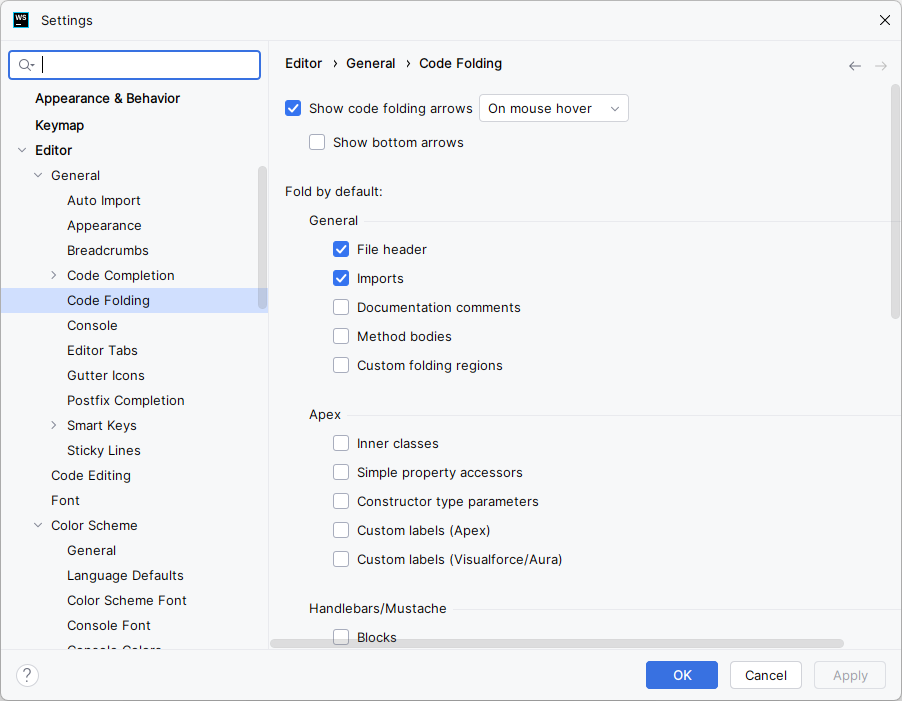
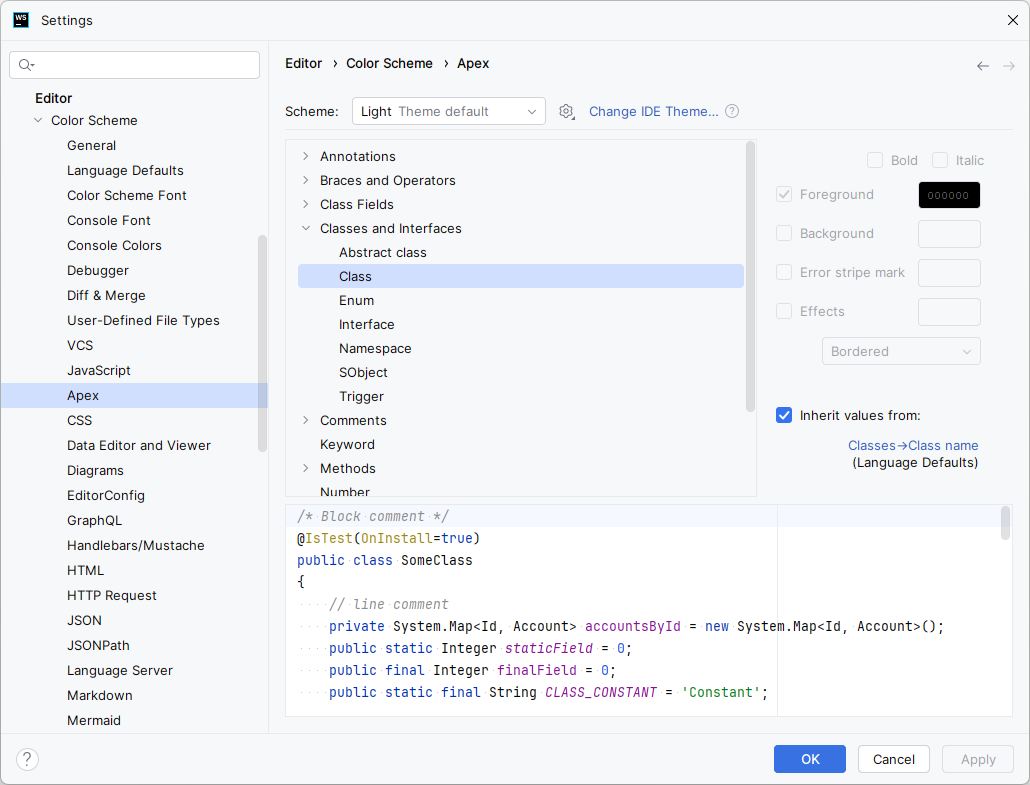
You can configure colors and fonts for languages used in Salesforce development including:
- Apex
- CSS
- GraphQL
- HTML
- JavaScript
- JSON
- Markdown
- RegExp
- TypeScript
- XML
- YAML
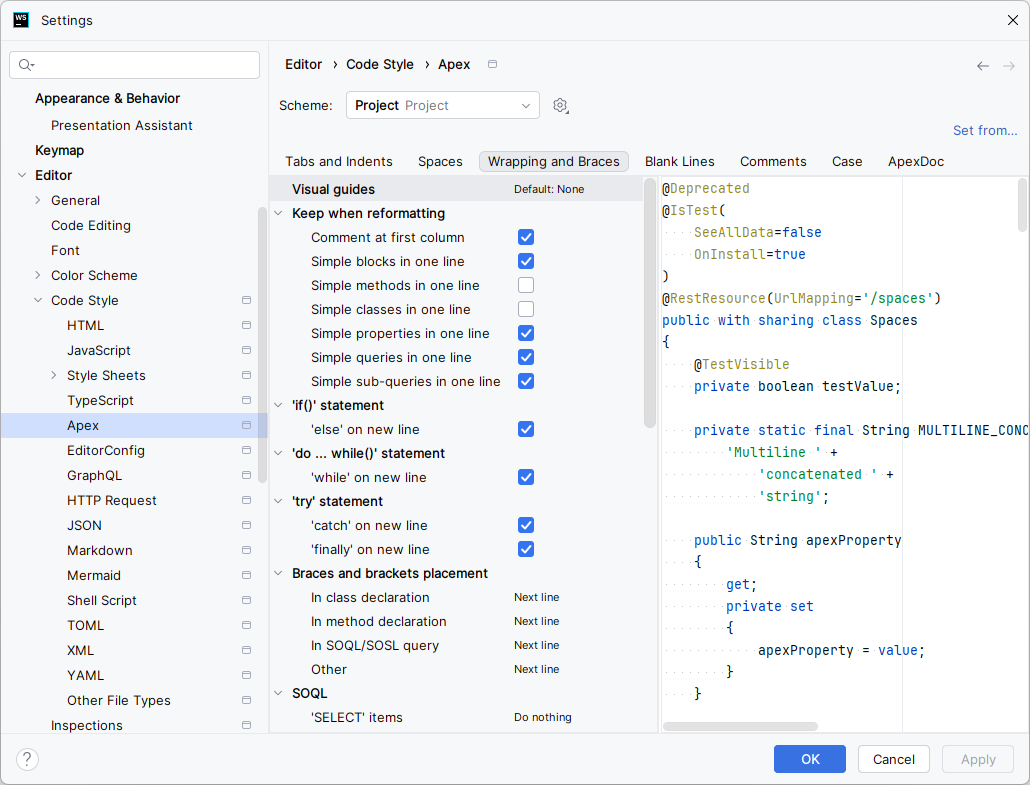
You can configure the code formatting style for languages used in Salesforce development including:
- Apex
- CSS
- GraphQL
- HTML
- JavaScript
- JSON
- Markdown
- TypeScript
- XML
- YAML
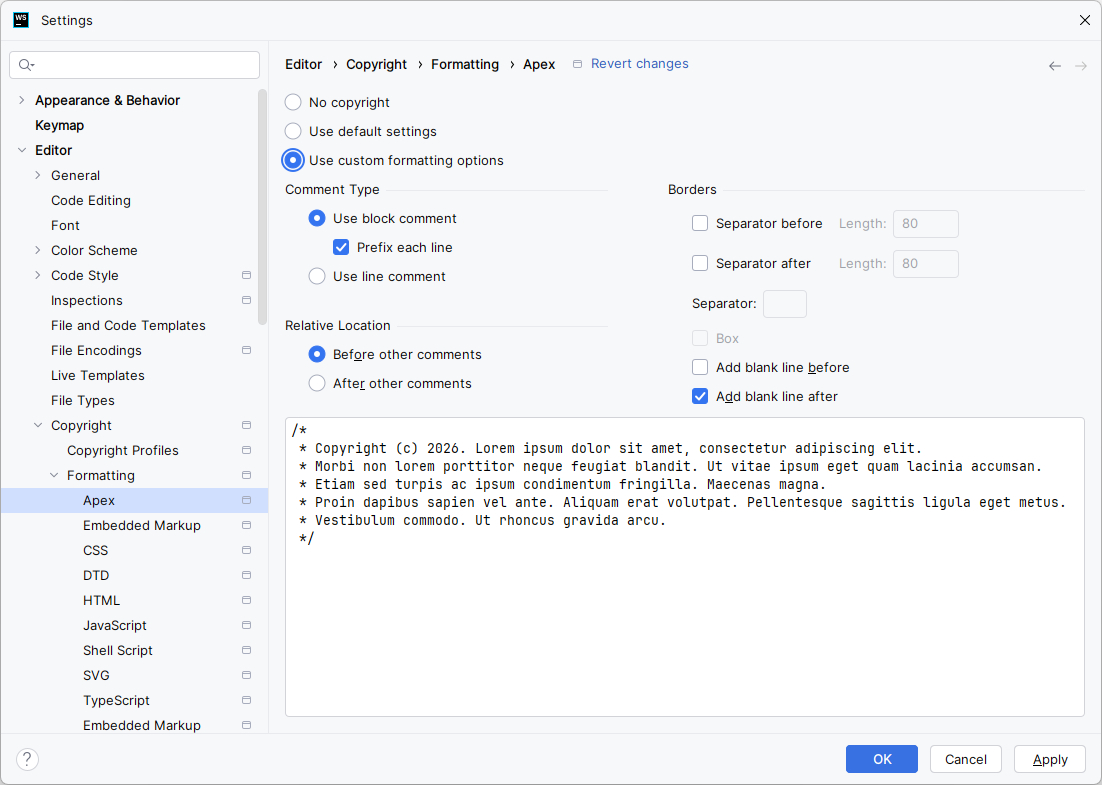
You can configure the formatting of copyright headers for languages used in Salesforce development including:
- Apex
- Aura (reperesented by the first
Embedded Markupentry in the list) - CSS
- HTML
- JavaScript
- TypeScript
- Visualforce (represented by the second
Embedded Markupentry in the list) - XML
NOTE: The appearance of two Embedded Markup entries is a known issue with the IDE's Copyright plugin.
Illuminated Cloud includes file templates for Apex, Visualforce, and Lightning source files created in the IDE. You can configure these templates and create new file templates as needed.
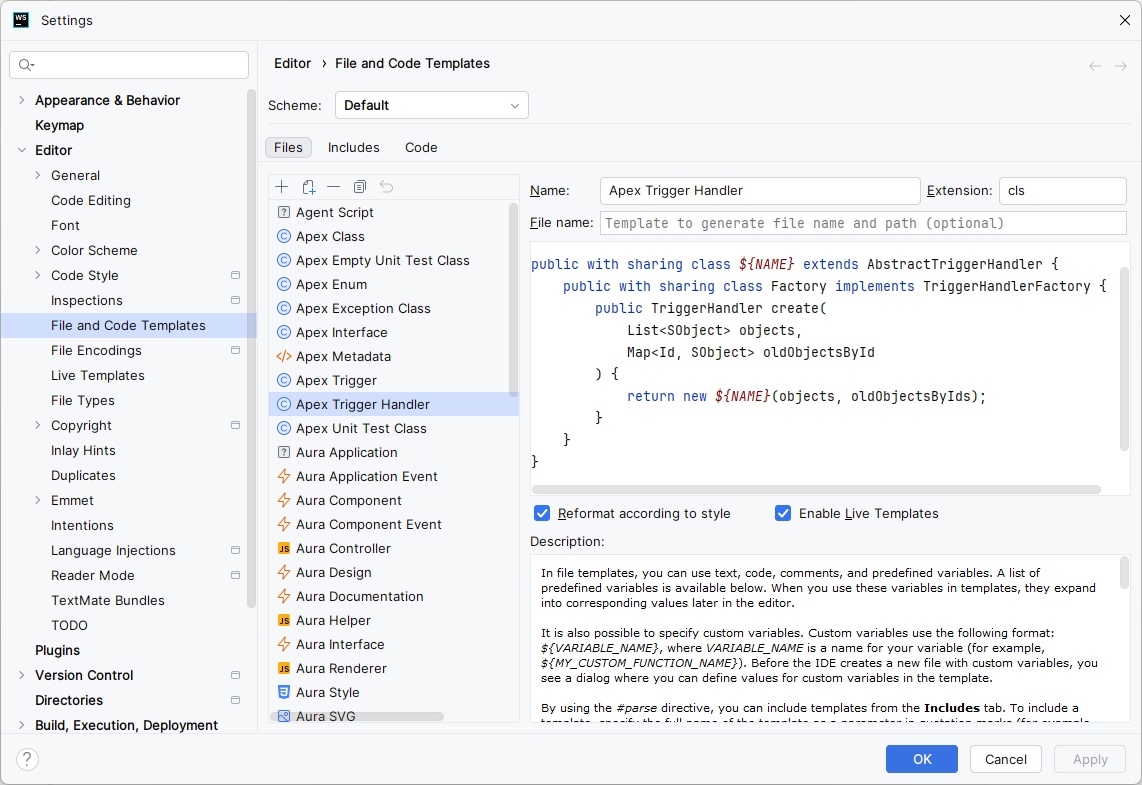
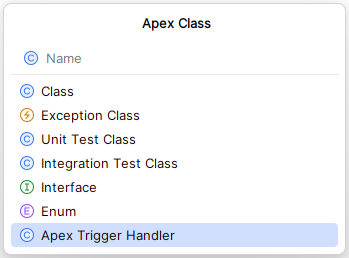
Custom Apex class file templates can be created and added to the list of available templates when creating a new Apex class from within the IDE:
For proper behavior, the file template must be configured as follows:
- Name - A descriptive name for the file template that will be displayed in the list of available templates when creating a new Apex class.
-
Extension - Must be
clsfor it to show up in the New | Apex Class template list. - File name - Can be left blank as the filename will be derived from the specified class name.
- Template body - A valid Apex class file body allowing for Velocity macros and custom variables as described here.
- Reformat according to style - If checked, files created using the template are formatted using the project's Apex code style before handing control to the user.
-
Enable Live Templates - If checked, additional variables of the form
#[[$VARIABLE_NAME$]]#may be specified and used in the template so that the user can customize the final file. The template can also include variable configuration comments to specify each variable's expression, default value, whether the caret should always stop at the variable even if only one candidate value is available, and evaluation order, e.g.:In the example above, comments of the form:// sobject.expression=apexSubtypes("SObject") // sobject.defaultValue=SObject // sobject.alwaysStopAt=true // newList.expression=apexSuggestVariableName("List", sobject, "new") // newList.defaultValue=objects // newList.alwaysStopAt=false // oldMap.expression=apexSuggestVariableName("Map", "Id", sobject, "old") // oldMap.defaultValue=oldObjectsById // oldMap.alwaysStopAt=false public with sharing class ${NAME} extends AbstractTriggerHandler { public with sharing class Factory implements TriggerHandlerFactory { public TriggerHandler create(List<SObject> objects, Map<Id, SObject> oldObjectsByIds) { return new ${NAME}(objects, oldObjectsByIds); } } private final List<#[[$sobject$]]#> #[[$newList$]]#; private final Map<Id, #[[$sobject$]]#> #[[$oldMap$]]#; private ${NAME}(List<SObject> #[[$newList$]]#, Map<Id, SObject> #[[$oldMap$]]#) { this.#[[$newList$]]# = #[[$newList$]]#; this.#[[$oldMap$]]# = (Map<Id, #[[$sobject$]]#>) #[[$oldMap$]]#; } }
provide configuration for each named value for the the respective settings. The order of the variables specified in these comments determines the order in which the variables will be evaluated when the live template executes, though if no configuration comments are provided, variables are evaluated in the order they are first used in the template. See the Live Templates documentation for more details.// <variableName>.[expression|defaultValue|alwaysStopAt]=<value>
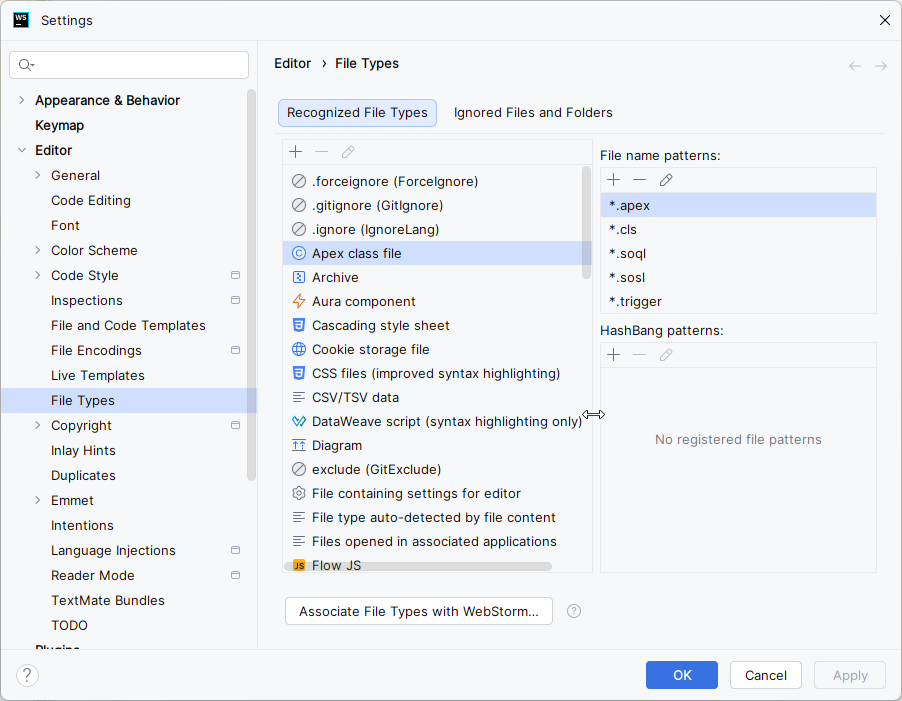
Illuminated Cloud registers and depends upon the following file type associations:
- .forceignore - associated with
*.forceignore - Apex class file - associated with
*.cls,*.trigger,*.apex,*.soql, and*.sosl - Aura component - associated with
*.cmp,*.evt,*.intf,*.tokens,*.design, and*.auradoc - DataWeave script - associated with
*.dwl - Meta.xml file - associated with
*-meta.xml - Permission set file - associated with
*.permissionset(metadata format only) - Profile file - associated with
*.profile(metadata format only) - SAQL - associated with
*.saql(metadata format only) - SObject type file - associated with
*.object(metadata format only) - Visualforce page - associated with
*.pageand*.cmp
Illuminated Cloud determines the file type for files with the following extension patterns dynamically. It is therefore important that these extension patterns are not explicitly included in any file type association.
- The file type of a
*.appfile is determined based on whether it represents custom application metadata or Aura application markup. - The file type of a
*.assetfile is determined based on the file extension of thepathOnClientelement value in the associatedmeta.xmlfile. - The file type of a
*.documentfile is determined based on the extension of the file with the.documentportion removed. - The file type of a
*.emailfile is determined based on the value of thetypeelement in the associatedmeta.xmlfile. - The file type of a
*.resourcefile is determined based on the value of thecontentTypeelement in the associatedmeta.xmlfile.
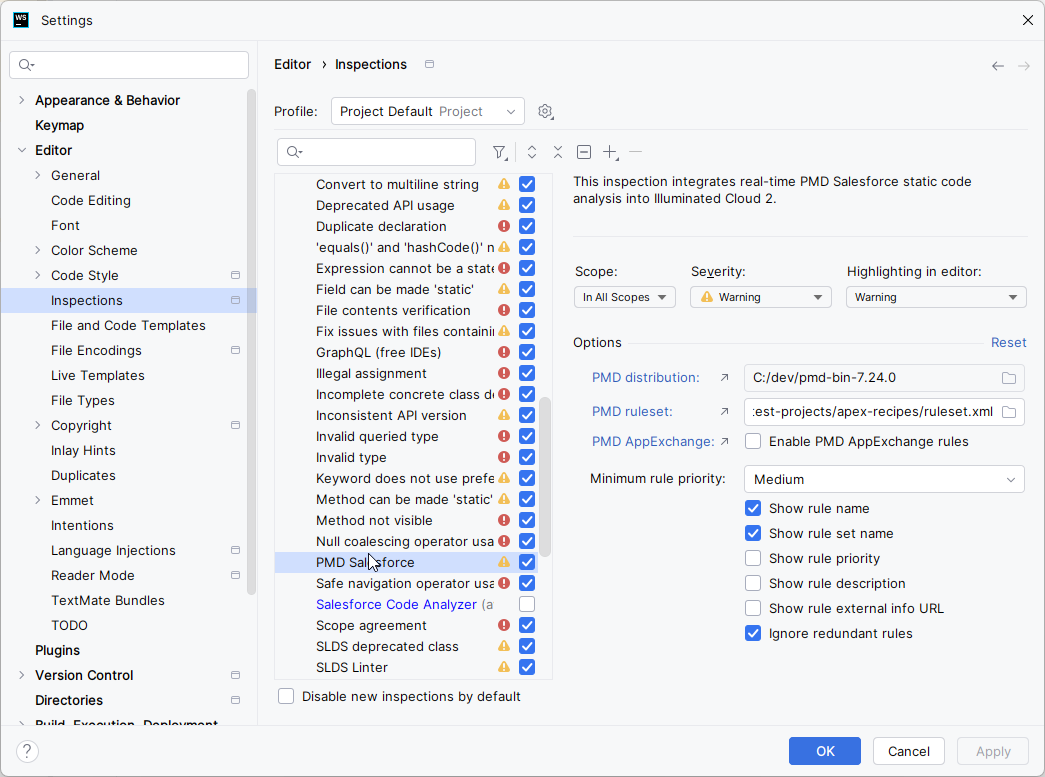
Illuminated Cloud includes a number of code inspections for Salesforce source and metadata file types. Code inspections help to identify invalid or inefficient code in real time and often include intentions to assist with correcting these issues via the Context Actions keyboard shortcut (Alt/Opt+Enter). Illuminated Cloud also provides integrations with many external static code analyzers including PMD, Salesforce Code Analyzer, SLDS Linter, and SLDS Validator.
The JetBrains IDE also includes extensive code inspections for other languages used in Salesforce development (e.g., HTML, JavaScript, TypeScript, CSS, XML, and JSON) and integrates industry standard external static code analyzers such as ESLint and Stylelint.
Illuminated Cloud provides bundled code inspection profiles:
- Illuminated Cloud - Pre-configured for rules for all common Salesforce development languages to provide a useful signal-to-noise ratio during development.
- Salesforce - Pre-configured for Salesforce-specific rules only.
These inspection profiles can be copied at the IDE or project level and customized as desired.
In addition to its contextually-aware code completion capabilities, Illuminated Cloud includes a number of useful live templates for Apex, SOQL, and LWC.
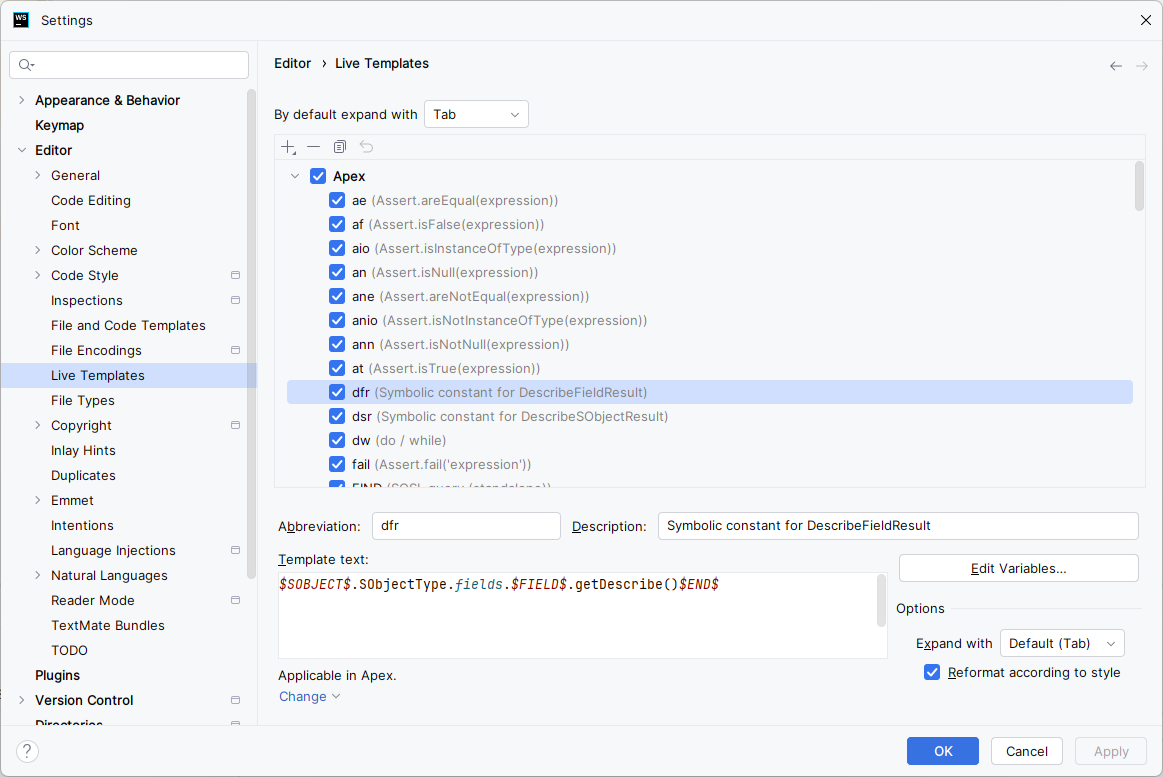
Live template expressions are described here and can include any of the language-agnostic macros listed there and any of the following Apex-specific macros:
-
apexCastToLeftSideType()- casts the expression to the type of the left-hand side of the current assignment -
apexClassName(qualified?)- the containing class name, optionally fully-qualified -
apexCurrentNamespace()- the current namespace -
apexIterableComponentType(variable, mayKeyOrValue?)- the parameter type of the specified array, list, set, or map; if a map is specified, whether the key or value type should be returned -
apexIterableVariable(type?)- all iterable variables resolvable from the current insertion point, optionally filtered by the iterable type, one of"ARRAY","LIST","SET", or"MAP" -
apexMethodName()- the containing method name -
apexMethodParameters()- the formal parameters of the containing method -
apexMethodReturnType()- the return type of the containing method -
apexRightSideType()- the type of the right-hand side of the current assignment -
apexSubtypes(type, includeBaseType?)- all types derived from the specified type, optionally including the specified type name -
apexSuggestVariableName(type, isList?, prefix?, suffix?)- variable name suggestions based on the specified type, optionally pluralized if the variable is a linear collection of that type, with an optional prefix and/or suffix applied to each name suggestion -
apexSuggestVariableName("List"|"Set", elementType, prefix?, suffix?)- variable name suggestions based on a linear collection of the specified type with an optional prefix and/or suffix applied to each name suggestion -
apexSuggestVariableName("Map", keyType, valueType, prefix?, suffix?)- variable name suggestions based on the specified map key and value types with an optional prefix and/or suffix applied to each name suggestion -
apexTypeOfVariable(variable)- the type of the named variable -
apexVariable(type?)- all variables resolvable from the current insertion point, optionally filtered by the specified type -
soqlFields(sobject, delimiter?)- all scalar fields of the specified SObject type joined using optional delimiter ("," by default)
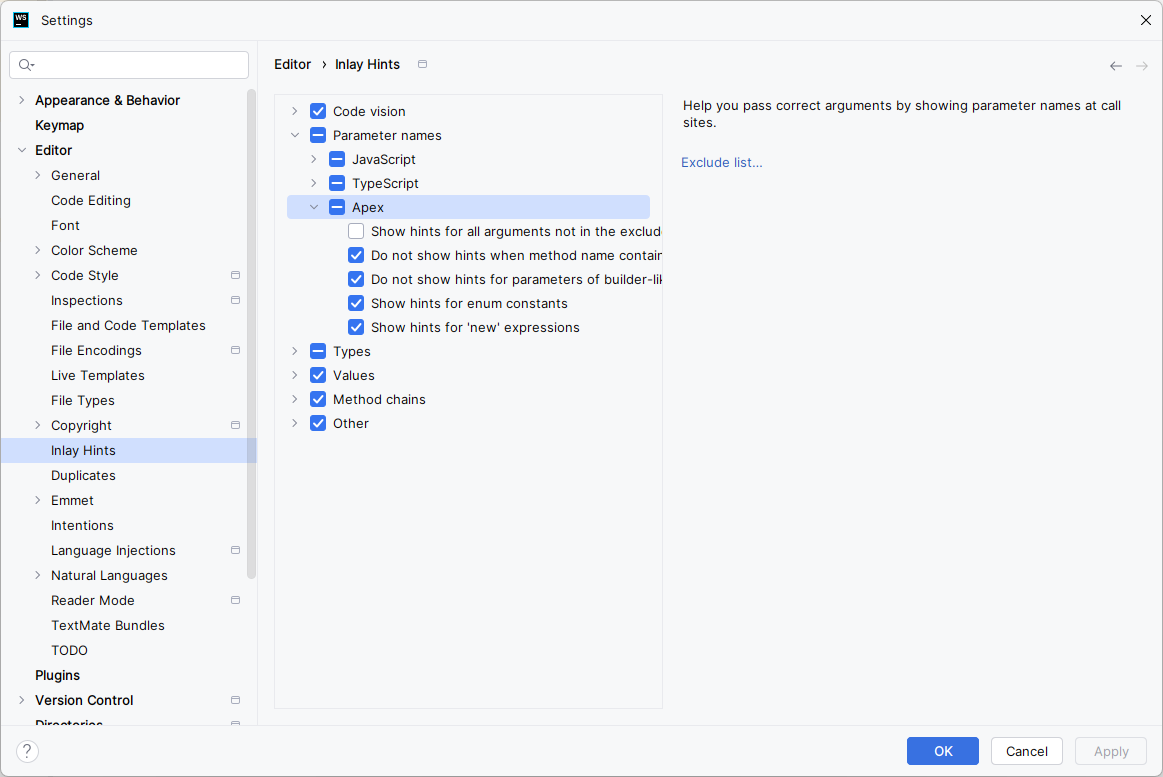
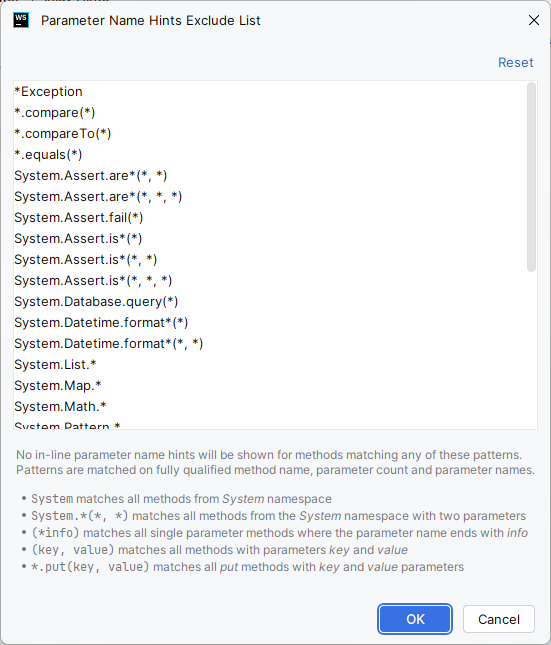
Illuminated Cloud can display parameter name hints for method and constructor invocations in Apex. JetBrains IDEs also provide parameter name hints for JavaScript and TypeScript function, method, and constructor invocations.
Configure parameter name hints for Apex in Settings | Editor | Inlay Hints | Apex.
Real-time spellchecking is supported in all Salesforce development languages. Illuminated Cloud includes a dictionary of common Salesforce development terms that would otherwise be flagged as misspellings.
[Home]