Architecture
- Languages: TypeScript, JavaScript, C#, HTML, CSS
- Frameworks: Angular (Web app) and .NET (Desktop app)
- Libraries:
- Services: FireBase (FireStore, Hosting Authentication)
- APIs: Angular Material, Notifications API, Angular Common
- Package/Build Manager: npm
- (link to UML goes here)
- Workload assignments:
- Store user data with FireStore: desmartw
- User login: zhiquan
- User add process through reactive form: kelli-alan
- Implement timer, determinate progress spinner: pattersonhowell
- Implement notification API: BranavanKalapathy
- Deploy Web app: desmartw
-
Deployment: Firebase Hosting
-
Single Page Application
-
Urls
-
- app/homepage: Sign In, Sign Up
-
- app/user/specificID: Add Process, View Analytics, Pause Process, etc
-
Image views:
-
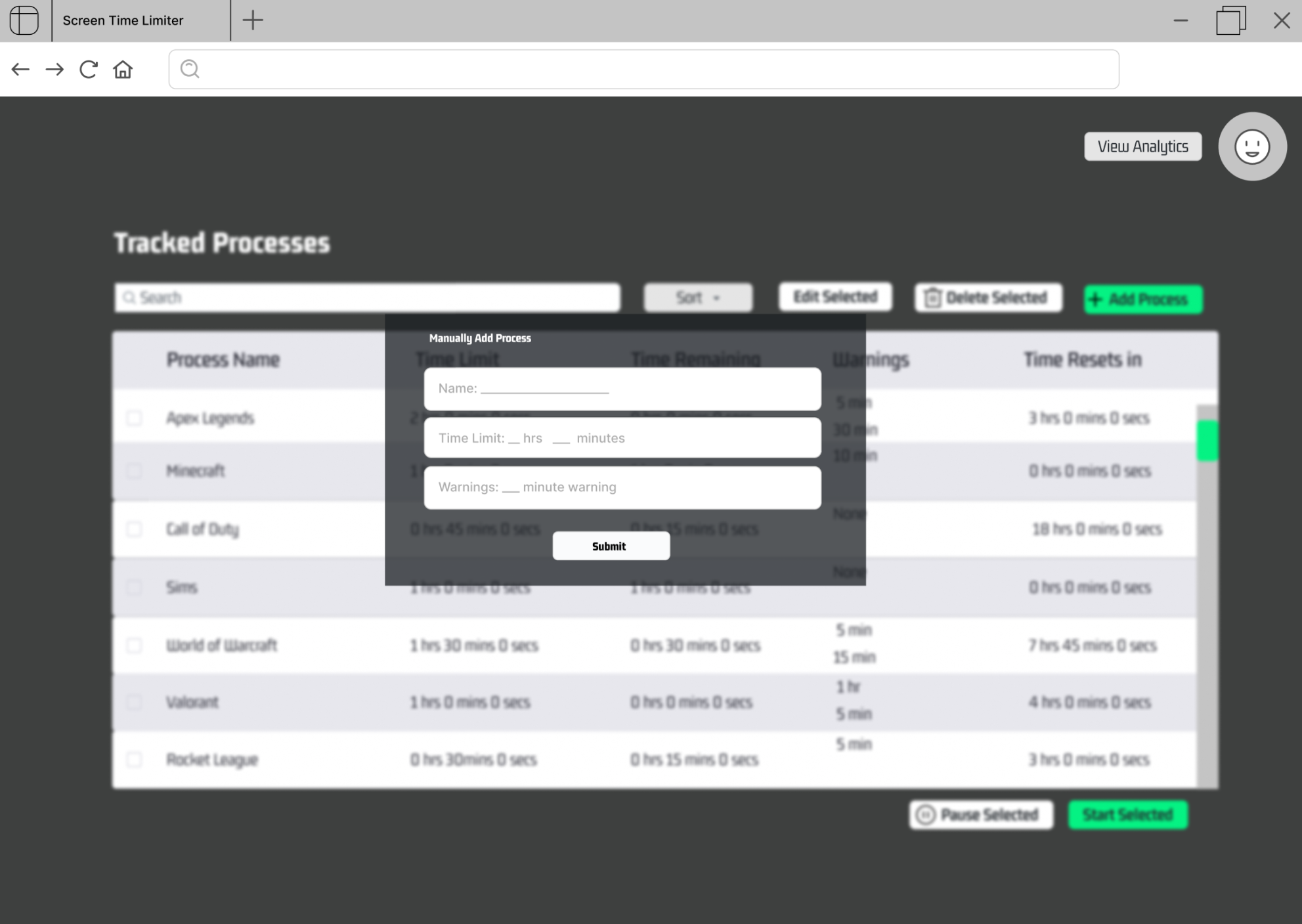
The user can manually add a process to track through a form including:
*process name
- time limit
*time remaining warning
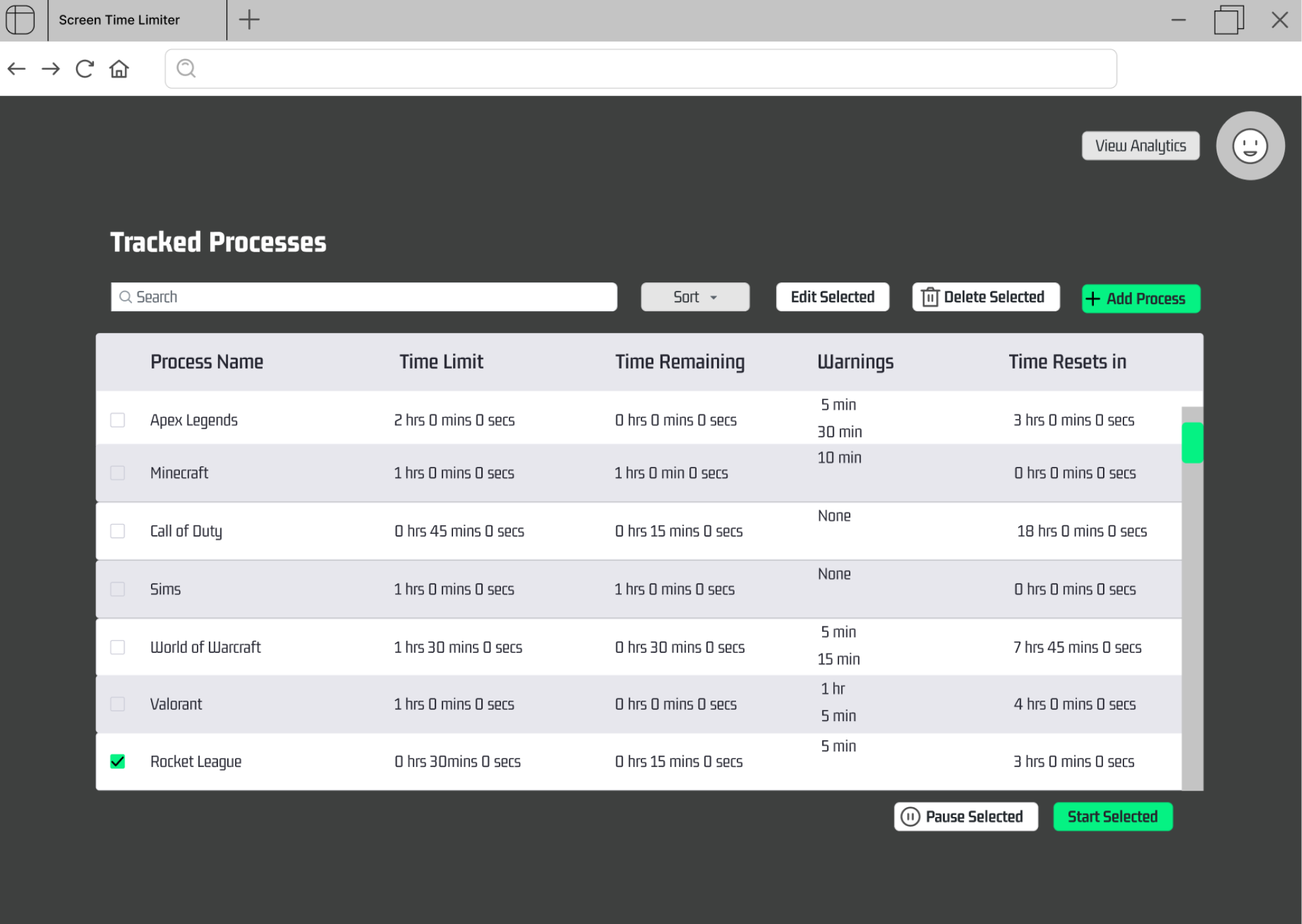
- The user can start a process' timer by selecting a process and clicking the start selected button.
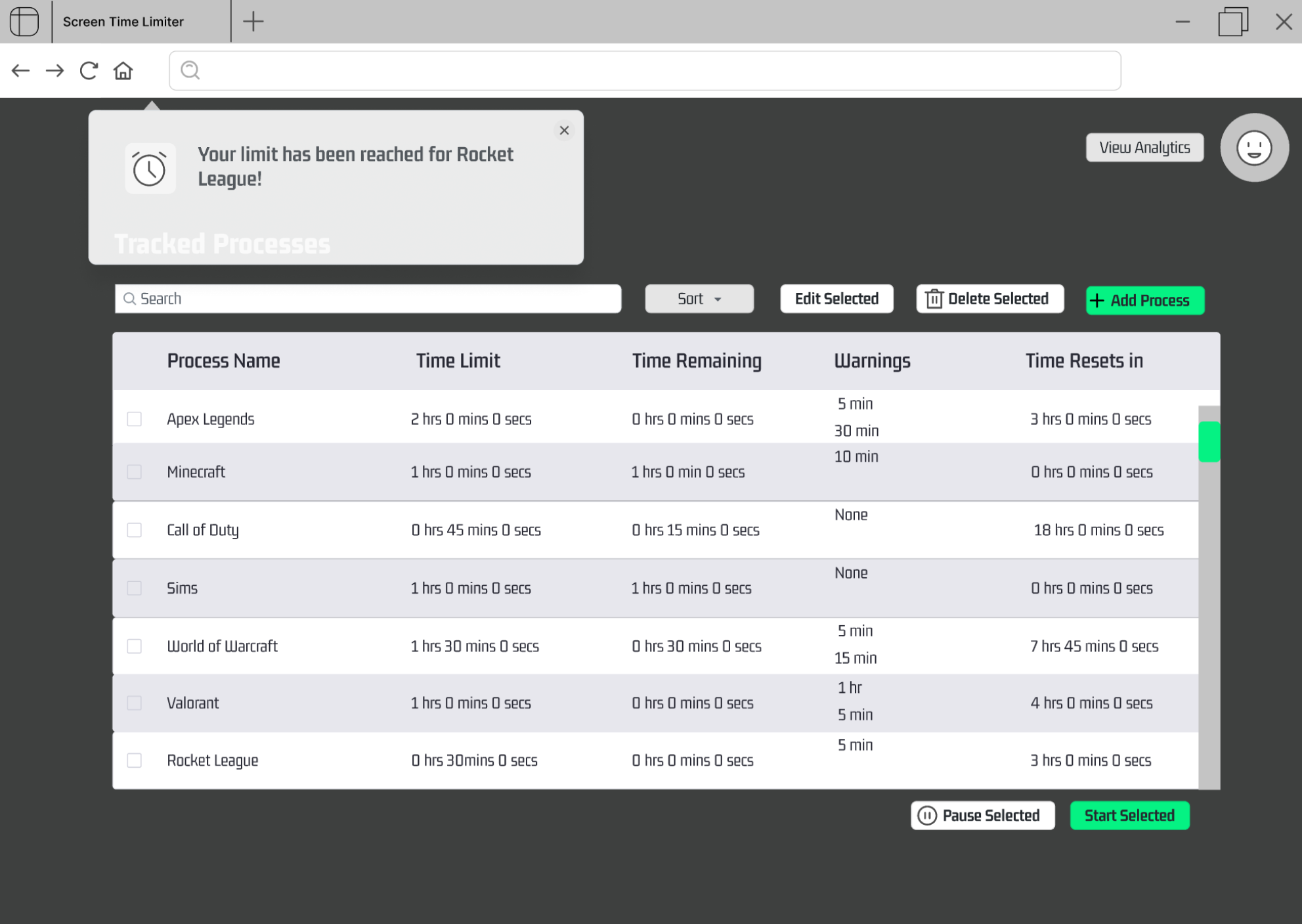
- The user can receive a notification when the process' timer ends.
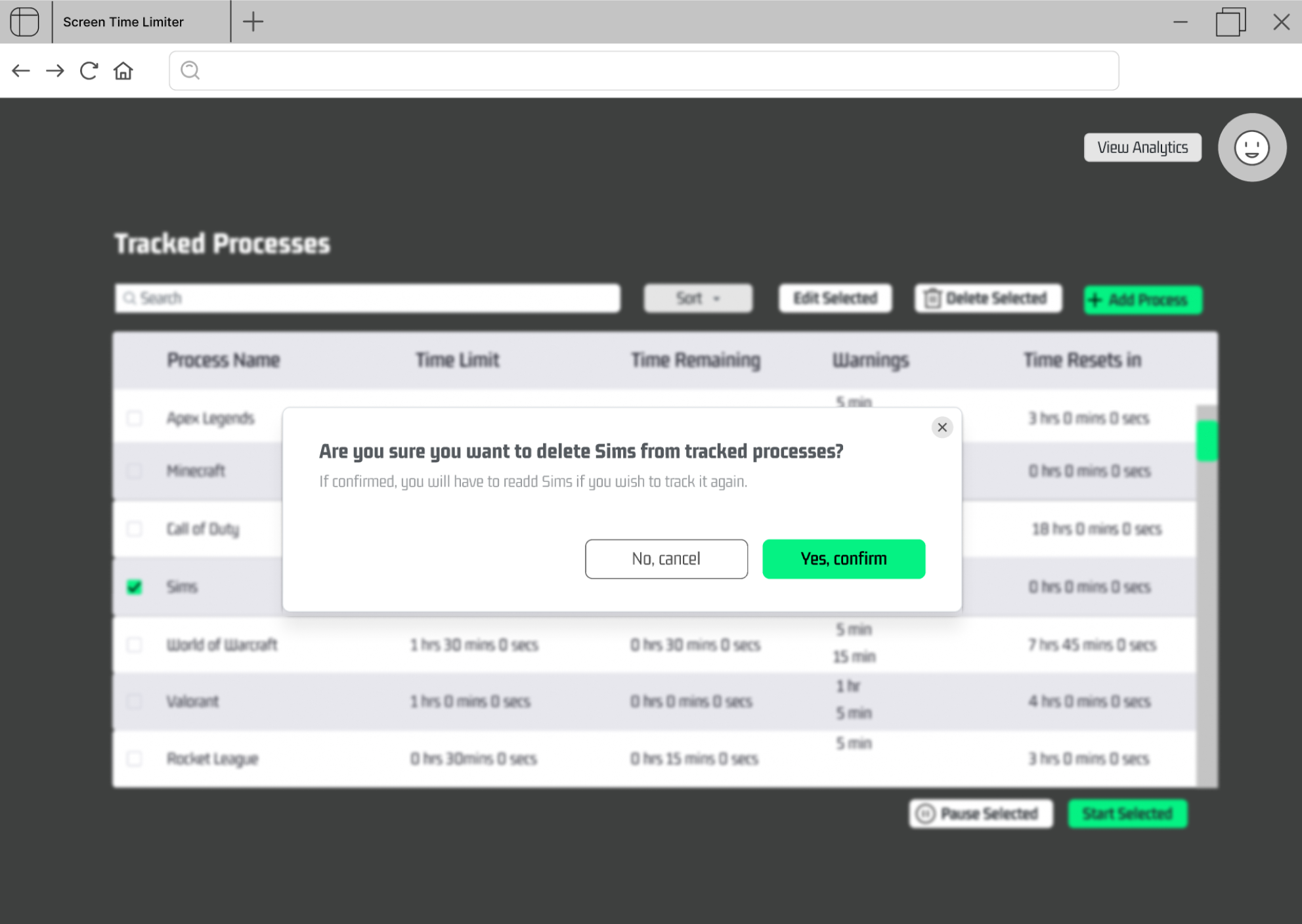
- The user can remove a process by selecting it and clicking "Delete Selected".
- The user can edit a process' time limit by selecting it and clicking "Edit Selected".
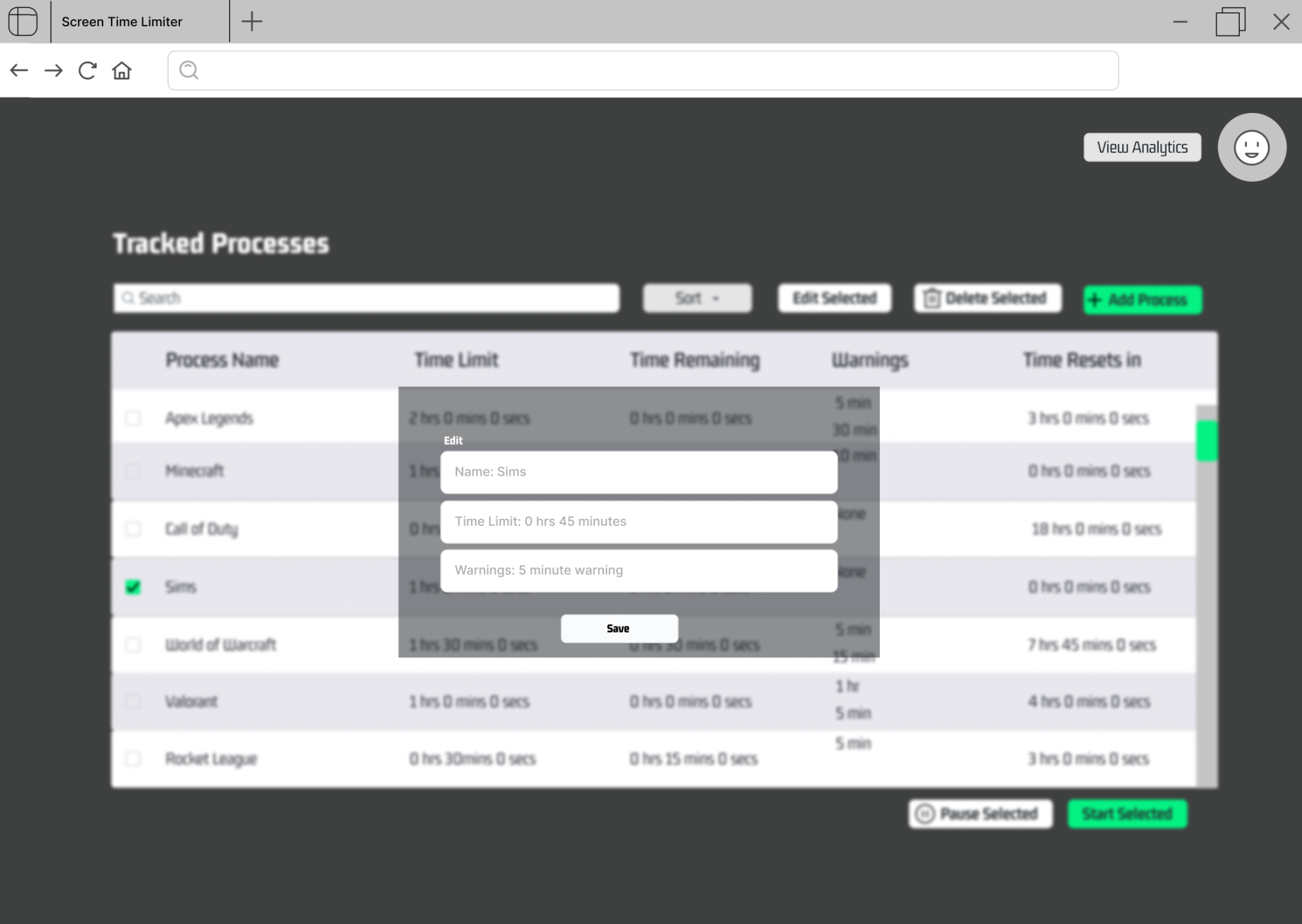
- The user can pause a process' timer (pause button).
- The user can receive notifications for specified time remaining.
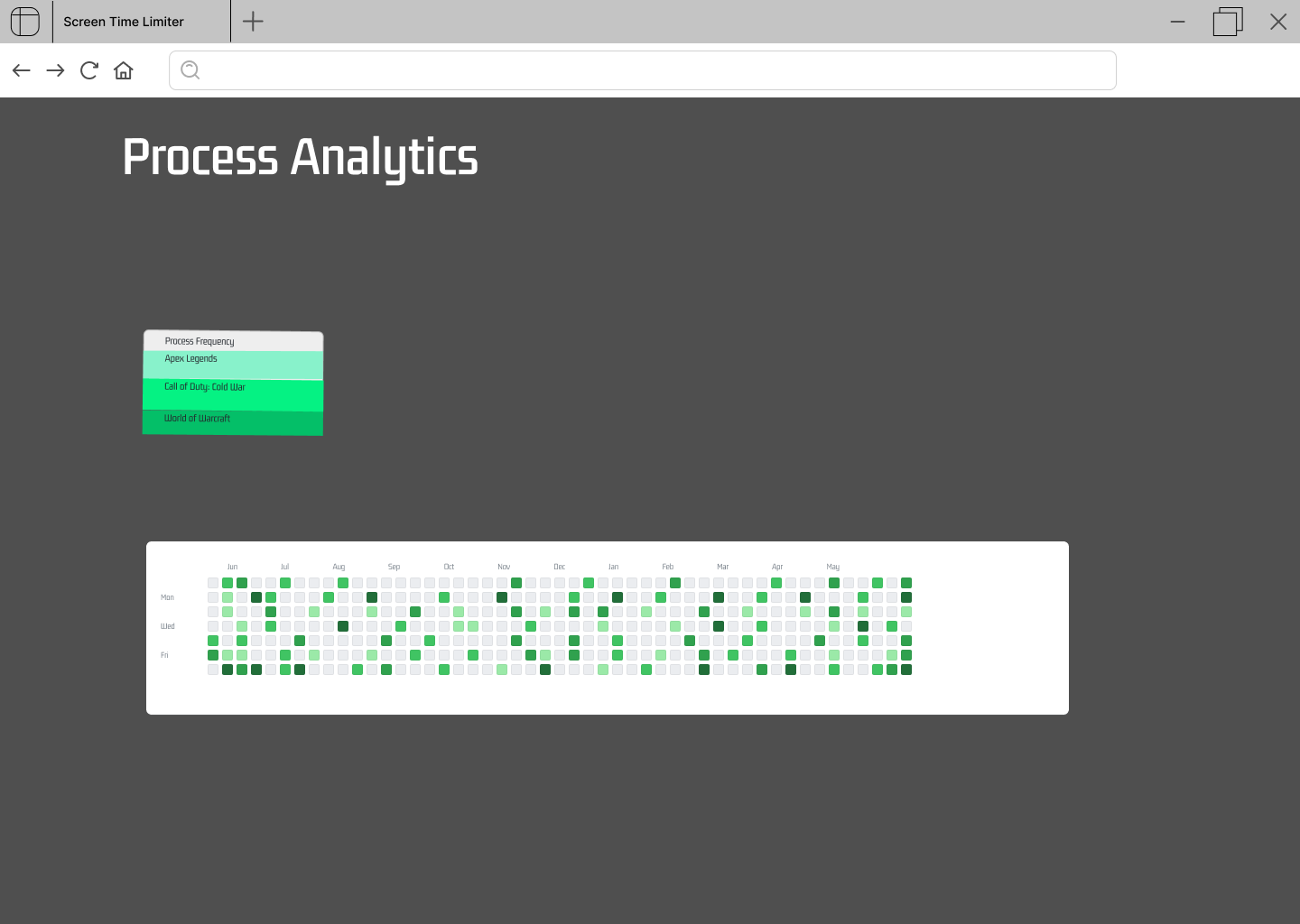
- The user can view time spent on each tracked process (analytics button).
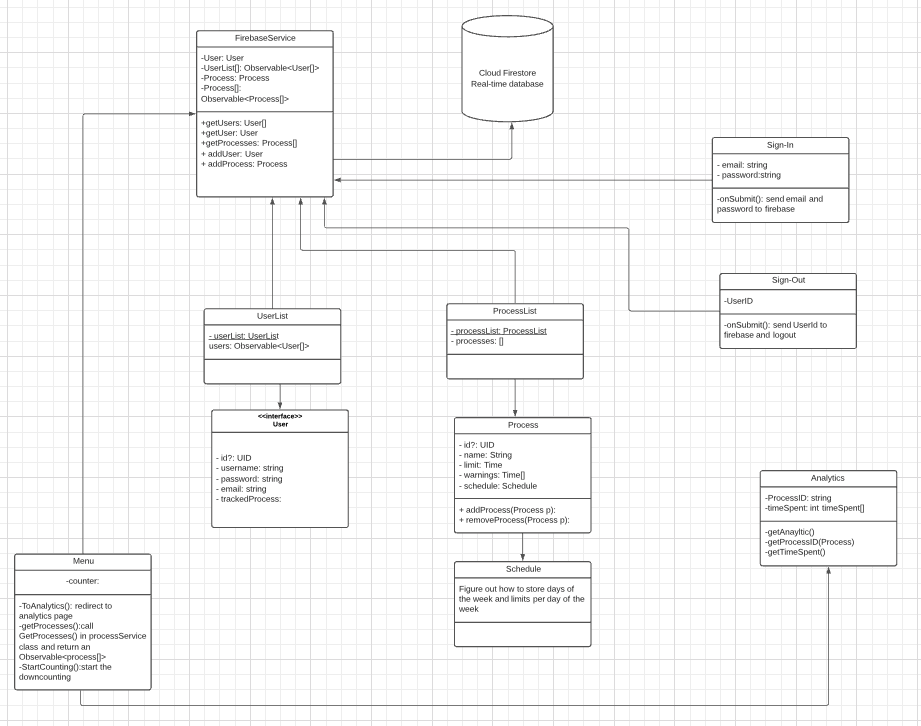
- UML diagram:
- Database1: Firebase Authentication contains:
-
- User email
-
- User password
-
- Table A
-
- User uid
-
- List of processes user selected
- Database2: ProcessDatabase contains:
-
- All processes known to system
- There will be an installer that users and tester can install
- no virtual machines or containers for development
-
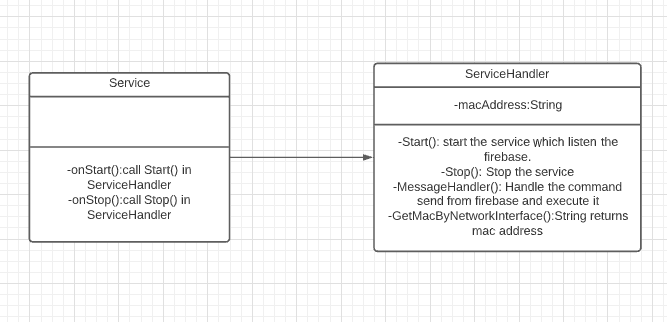
- both, the Windows service will get the mac address and stored it in memory. Other data will from and send to firebase.
- Same as the web app
- The windows service does not query the database but listen to the database, receiving commands and execute them.
- Windows serive works behind the scene so that there will be no user-interaction and no views