Design: User Home Pages
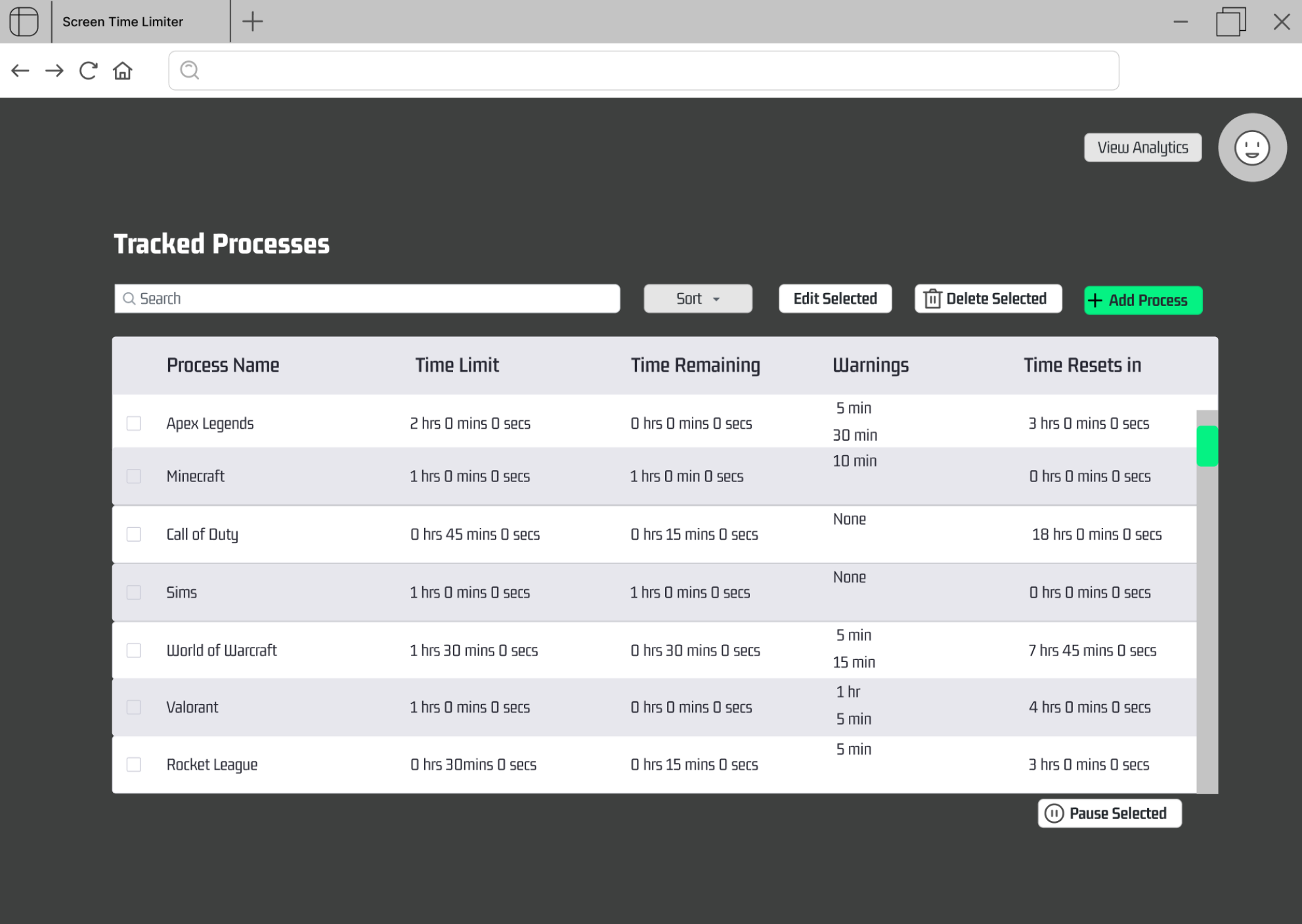
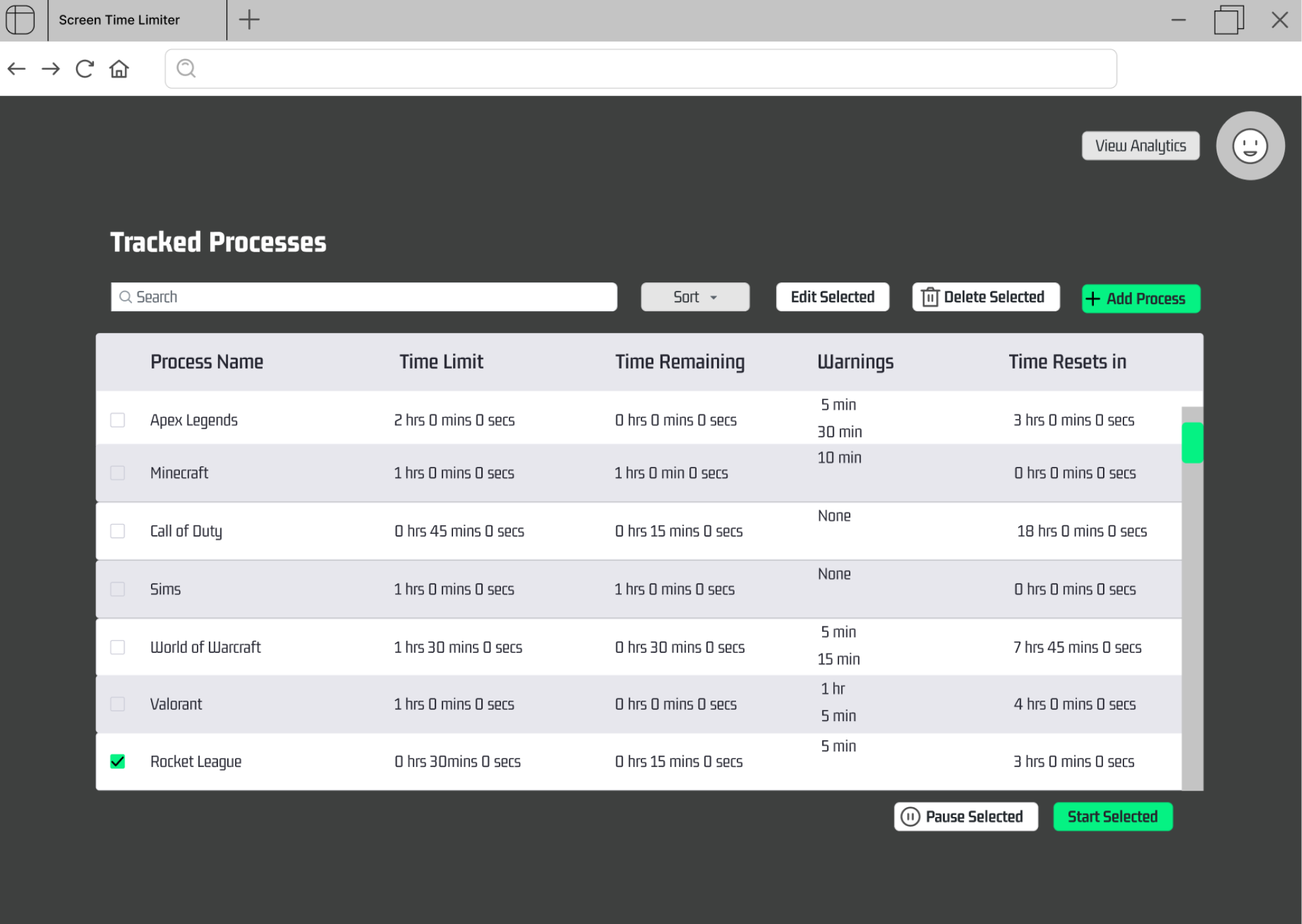
These are examples of the user home screens for both automatic and manual users. The only difference in design is the "Start Selected" button. Manual users need this button to start their timers, while automatic users do not because the native Windows app will alert the website when a tracked app is opened. All of the app's functionality is on the user homepage at just one click. The focal point is the table containing all the important timing information for a user's processes. They can search, sort, add, delete, and edit, by clicking the corresponding buttons or fields, located above the table. There is also the option to pause a process, which will stop their timer until they resume.