
Quick Start · Output · CLI Reference · GitHub Action · Rules · License


Most tools tell you a test failed. Scantrix tells you why your entire approach is failing and exactly how to fix it.
No test execution. No credentials. No file modifications. Just root causes.
Capability Traditional Reporters Scantrix Analysis Runtime (Post Failure) Static (Pre-emptive) Scope Single Test Result Repository wide Health Root Cause Stack Trace only Correlated Design Patterns Actionability "Test Failed" Step-by-step Fix Guidance CI Impact Log bloat CI Pipeline Optimization Security Requires Tokens Zero Footprint (Local Execution)
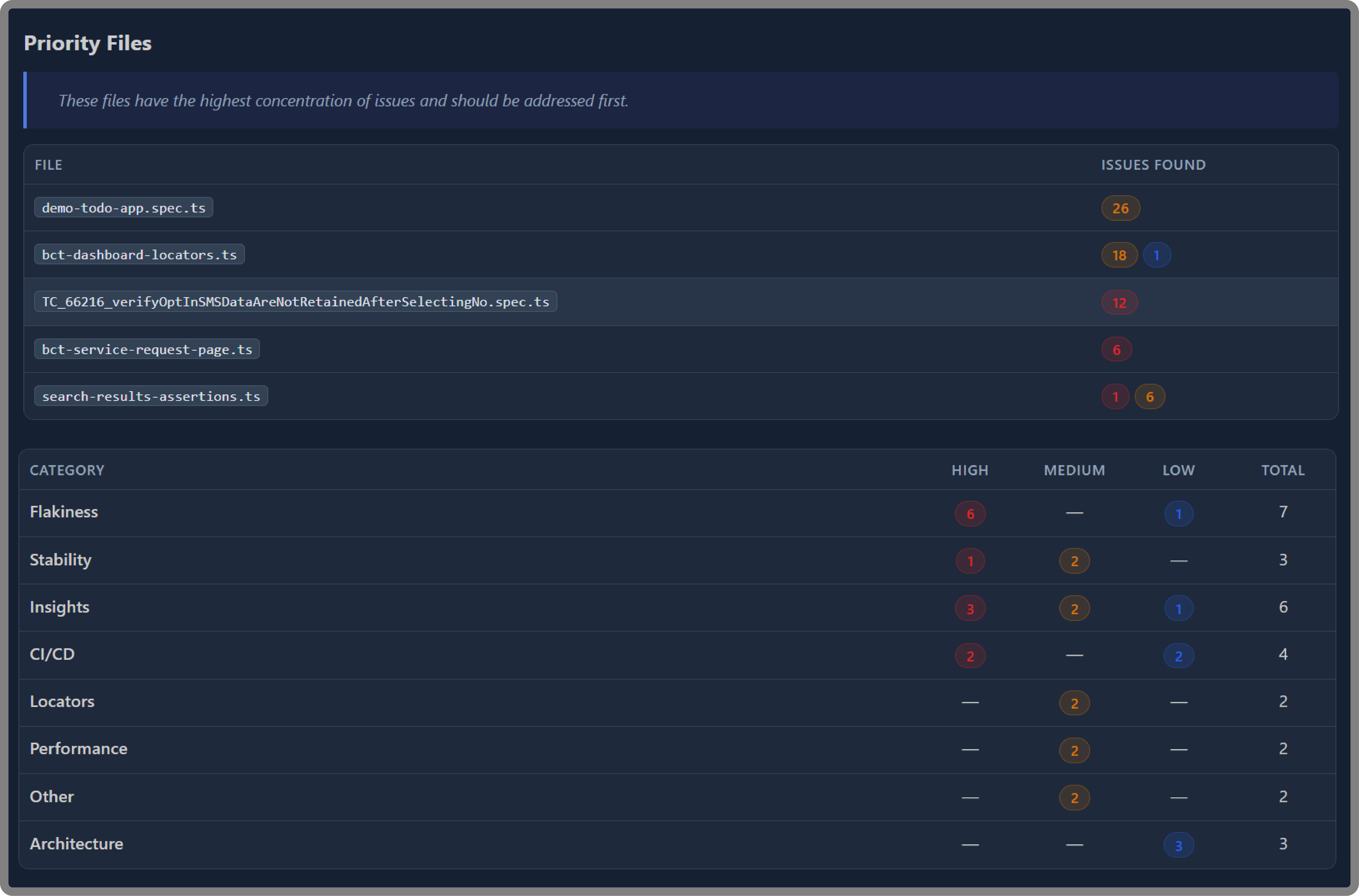
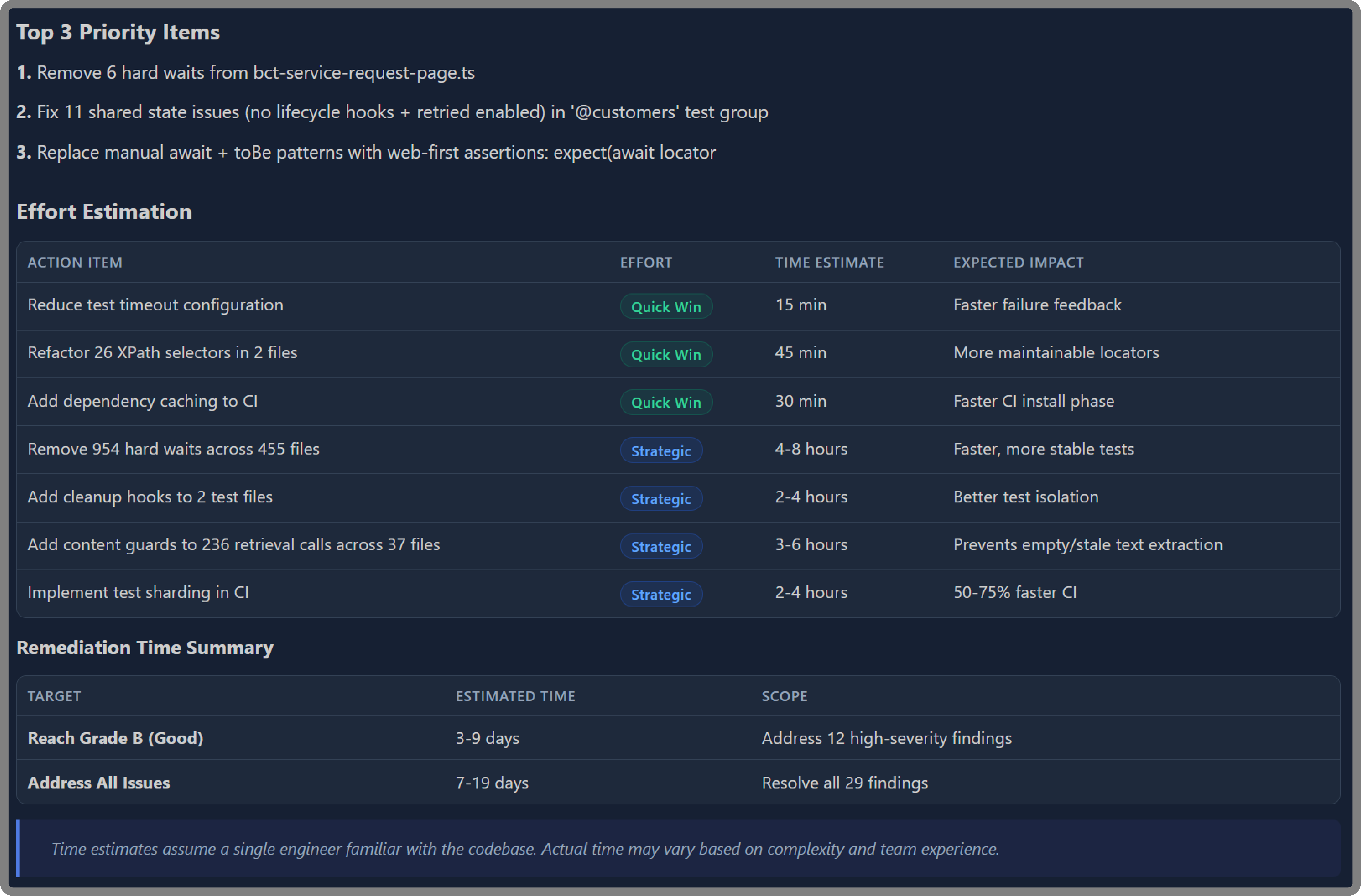
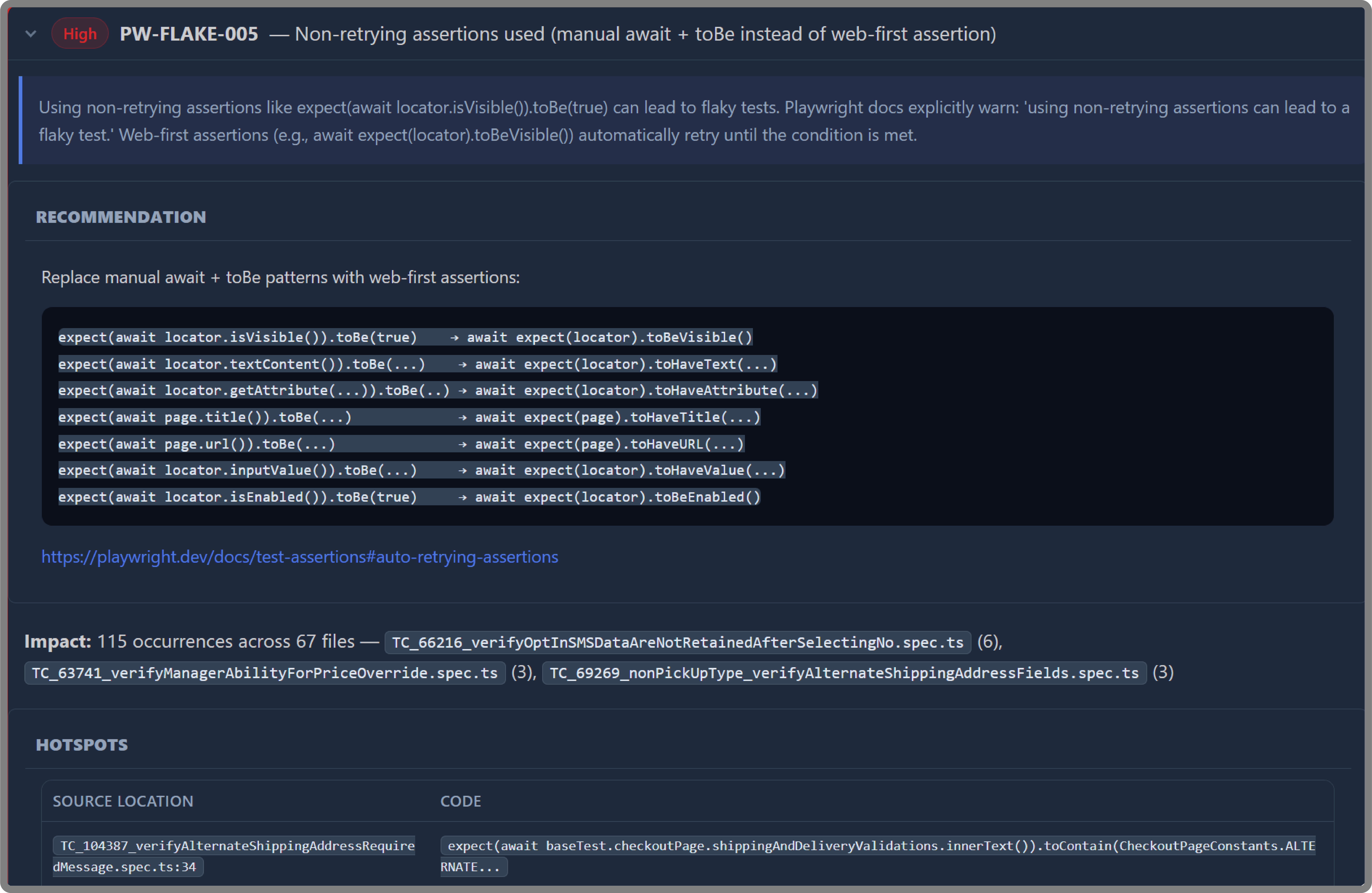
Flaky test root causes. Not just which tests fail, but exactly why they fail and what will actually fix them.
Framework-level design debt. Structural patterns that silently destabilize entire test suites before anyone realizes something is wrong.
CI configuration risks. The environmental factors making your pipeline unpredictable run to run.
Blast radius of bad patterns. One anti-pattern can affect hundreds of tests. Scantrix quantifies that exposure so you know where to act first.
Execution waste. Where time is being burned in your pipeline and the precise changes that recover it.
Scantrix operates as a zero-footprint, read-only analyzer, ensuring repository integrity while maintaining a strict security posture.
- It does not execute your tests
- It does not modify any files in the target repository
- It does not make network connections beyond the local filesystem
- It does not require credentials and access tokens of any kind
# Install dependencies
npm install

# Build
npm run build

# Scan a repository
node dist/cli.js /path/to/repo --out ./audit-out

# Or use the shorthand (builds + scans)
npm run audit -- /path/to/repo --out ./audit-outEvery scan produces an overall risk grade (A through F) alongside severity-bucketed findings.
| Format | File | Description |
|---|---|---|
| Markdown | audit_summary.md |
Primary report with executive-grade findings and hotspots |
| HTML | audit_summary.html |
Styled report for browser viewing |
| JSON | findings.json |
Machine-readable findings array |
| SARIF | audit.sarif |
Native GitHub Code Scanning and Azure DevOps support — findings appear directly in the Security tab |
audit_email.html |
Email-ready HTML summary |
Use --format to select specific formats:
node dist/cli.js /path/to/repo --out ./audit-out --format md,json,sarifscantrix <repoPath> [options]
scantrix init [dir]
| Flag | Description | Default |
|---|---|---|
--out <dir> |
Output directory for reports | ./audit-out |
--format <list> |
Comma-separated formats: md,html,json,sarif,email |
all |
--config <path> |
Path to .auditrc.json config file |
auto-detected |
--updates |
Check npm registry for outdated dependencies | off |
--diff <path> |
Explicit baseline findings.json for comparison |
auto |
--json-path <path> |
Write canonical ScanResult JSON to this path |
— |
| Variable | Description |
|---|---|
SCANTRIX_JSON_PATH |
Write canonical results JSON to this path |
# Create a starter .auditrc.json in the target repo
node dist/cli.js init /path/to/repoCreate an .auditrc.json in the target repository to customize behavior:
node dist/cli.js init /path/to/repoThe config file supports rule overrides (disable rules, adjust severity) and scan options. See CLI Architecture for details.
Use Scantrix in CI with the provided composite action:
- uses: Scantrix/scantrix@v1
  with:
    repo-path: "."
    output-dir: "./scantrix-out"
    format: "md,html,json,sarif"
    post-comment: "true"    # Post summary on PRs
fail-on-high: "true" # Block merges with high-severity findings| Input | Description | Default |
|---|---|---|
repo-path |
Path to repository to scan | . |
output-dir |
Directory for audit artifacts | ./scantrix-out |
config-path |
Path to .auditrc.json |
— |
format |
Output formats (comma-separated) | md,html,json,sarif |
check-updates |
Check for outdated dependencies | false |
post-comment |
Post summary comment on PRs | true |
fail-on-high |
Fail if high-severity findings exist | false |
| Output | Description |
|---|---|
findings-count |
Total number of findings |
high-count |
Number of high-severity findings |
medium-count |
Number of medium-severity findings |
low-count |
Number of low-severity findings |
risk-grade |
Overall risk grade (A through F) |
report-path |
Path to generated report directory |
- Rules Reference — all 87 finding rules with severity and description
- CI Integration — CI pipeline setup and quality gates
- CLI Architecture — module diagram and data flow
- Security — security model and threat considerations
- Finding Reference — complete finding ID catalog
Contributions are welcome. Please open an issue to discuss proposed changes before submitting a pull request.
# Run the test suite
npm test

# Run tests in watch mode
npm run test:watchMIT — See LICENSE file.