Target SharePoint environment
SharePoint Online
What SharePoint development model, framework, SDK or API is this about?
other (enter in the "Additional environment details" area below)
Developer environment
Windows
What browser(s) / client(s) have you tested
Additional environment details
-
browser version
-Microsoft Edge : 102.0.1245.44 (Official build) (64-bit)
-
Chrome-102.0.5005.115 (Official Build) (64-bit)
-
SPFx version : 1.14.0
-
Node.js version : 14.16.0
-
etc
Describe the bug / error
Uploaded the .sppkg file to SharePoint App Catalog and added the app to the SharePoint Pages.
The error is as shown in the Attached File:
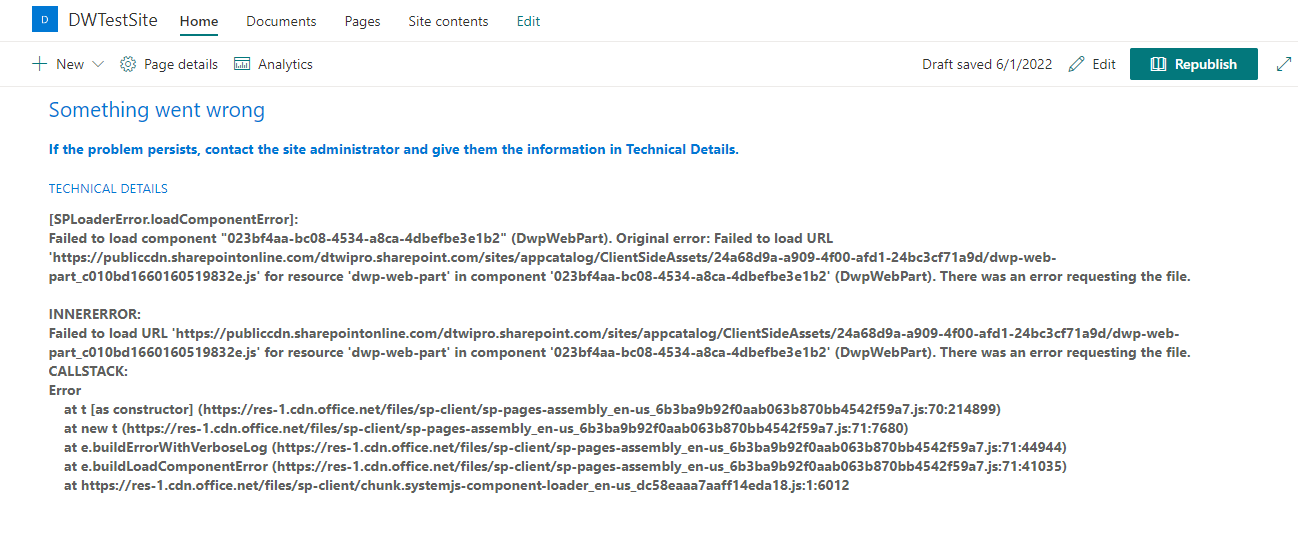
Error Message:
Something went wrong
If the problem persists, contact the site administrator and give them the information in Technical Details.
TECHNICAL DETAILS
[SPLoaderError.loadComponentError]:
Failed to load component "023bf4aa-bc08-4534-a8ca-4dbefbe3e1b2" (DwpWebPart). Original error: Failed to load URL 'https://publiccdn.sharepointonline.com/dtwipro.sharepoint.com/sites/appcatalog/ClientSideAssets/24a68d9a-a909-4f00-afd1-24bc3cf71a9d/dwp-web-part_c010bd1660160519832e.js' for resource 'dwp-web-part' in component '023bf4aa-bc08-4534-a8ca-4dbefbe3e1b2' (DwpWebPart). There was an error requesting the file.
INNERERROR:
Failed to load URL 'https://publiccdn.sharepointonline.com/dtwipro.sharepoint.com/sites/appcatalog/ClientSideAssets/24a68d9a-a909-4f00-afd1-24bc3cf71a9d/dwp-web-part_c010bd1660160519832e.js' for resource 'dwp-web-part' in component '023bf4aa-bc08-4534-a8ca-4dbefbe3e1b2' (DwpWebPart). There was an error requesting the file.
CALLSTACK:
Error
at t [as constructor] (https://res-1.cdn.office.net/files/sp-client/sp-pages-assembly_en-us_6b3ba9b92f0aab063b870bb4542f59a7.js:70:214899)
at new t (https://res-1.cdn.office.net/files/sp-client/sp-pages-assembly_en-us_6b3ba9b92f0aab063b870bb4542f59a7.js:71:7680)
at e.buildErrorWithVerboseLog (https://res-1.cdn.office.net/files/sp-client/sp-pages-assembly_en-us_6b3ba9b92f0aab063b870bb4542f59a7.js:71:44944)
at e.buildLoadComponentError (https://res-1.cdn.office.net/files/sp-client/sp-pages-assembly_en-us_6b3ba9b92f0aab063b870bb4542f59a7.js:71:41035)
at https://res-1.cdn.office.net/files/sp-client/chunk.systemjs-component-loader_en-us_dc58eaaa7aaff14eda18.js:1:6012
Steps to reproduce
Case 1:
- Generate a build using Teams Toolkit
- Upload the .sppkg file to the SharePoint App Catalog
- Add the app to any SharePoint Page
- The error message is shown : Something Went Wrong

Case 2:
-
Generate a build using Teams Toolkit
-
Upload the .sppkg file to the SharePoint App Catalog
-
Click on Sync To Teams Option
-
The Error Code : 400 is as shown in the screenshot below:
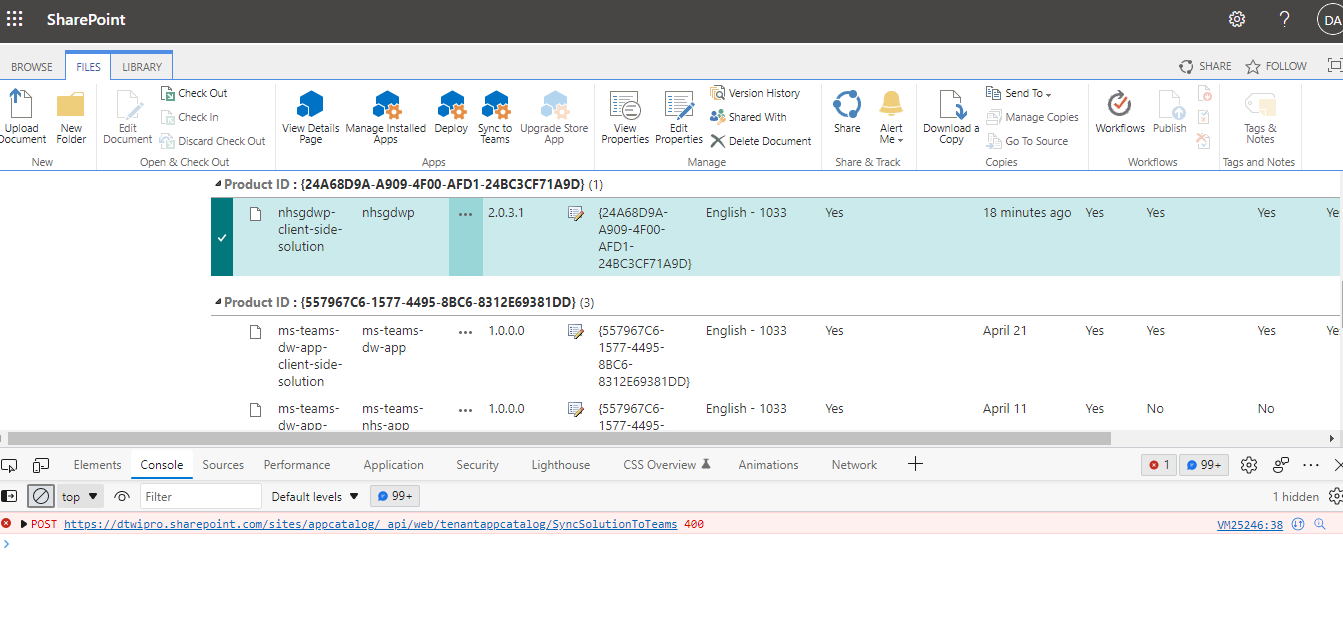
-
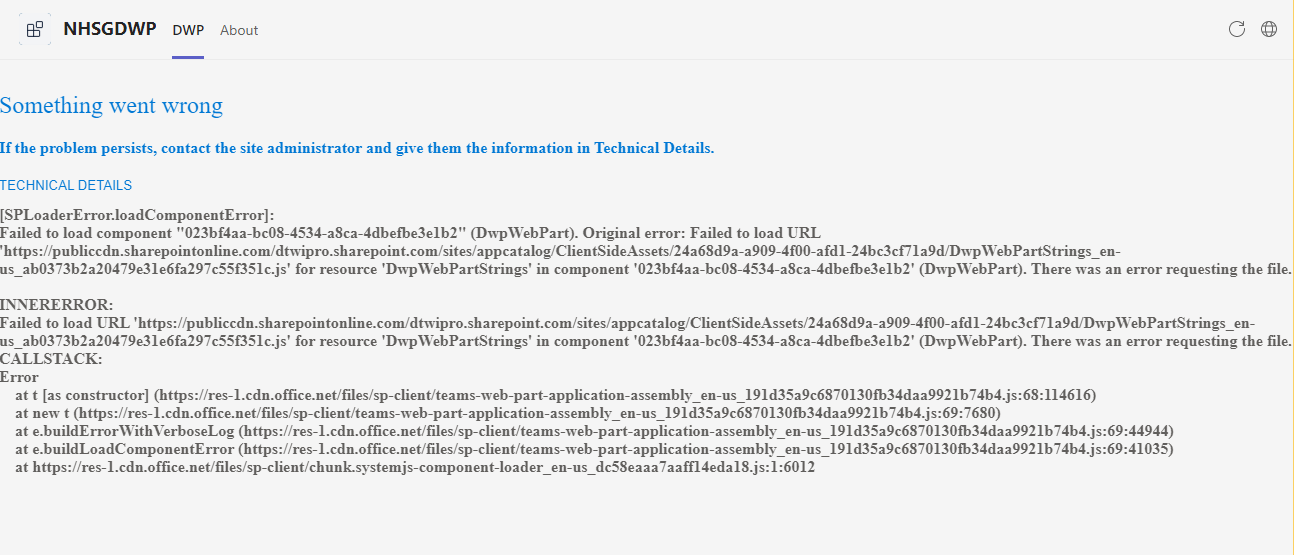
Also, Error is shown when trying to open the application on Microsoft Teams Application -
Expected behavior
The App should launch without any errors in both the SharePoint Pages and Microsoft Teams Custom Application
Target SharePoint environment
SharePoint Online
What SharePoint development model, framework, SDK or API is this about?
other (enter in the "Additional environment details" area below)
Developer environment
Windows
What browser(s) / client(s) have you tested
Additional environment details
browser version
-Microsoft Edge : 102.0.1245.44 (Official build) (64-bit)
Chrome-102.0.5005.115 (Official Build) (64-bit)
SPFx version : 1.14.0
Node.js version : 14.16.0
etc
Describe the bug / error
Uploaded the .sppkg file to SharePoint App Catalog and added the app to the SharePoint Pages.

The error is as shown in the Attached File:
Error Message:
Something went wrong
If the problem persists, contact the site administrator and give them the information in Technical Details.
TECHNICAL DETAILS
[SPLoaderError.loadComponentError]:
Failed to load component "023bf4aa-bc08-4534-a8ca-4dbefbe3e1b2" (DwpWebPart). Original error: Failed to load URL 'https://publiccdn.sharepointonline.com/dtwipro.sharepoint.com/sites/appcatalog/ClientSideAssets/24a68d9a-a909-4f00-afd1-24bc3cf71a9d/dwp-web-part_c010bd1660160519832e.js' for resource 'dwp-web-part' in component '023bf4aa-bc08-4534-a8ca-4dbefbe3e1b2' (DwpWebPart). There was an error requesting the file.
INNERERROR:
Failed to load URL 'https://publiccdn.sharepointonline.com/dtwipro.sharepoint.com/sites/appcatalog/ClientSideAssets/24a68d9a-a909-4f00-afd1-24bc3cf71a9d/dwp-web-part_c010bd1660160519832e.js' for resource 'dwp-web-part' in component '023bf4aa-bc08-4534-a8ca-4dbefbe3e1b2' (DwpWebPart). There was an error requesting the file.
CALLSTACK:
Error
at t [as constructor] (https://res-1.cdn.office.net/files/sp-client/sp-pages-assembly_en-us_6b3ba9b92f0aab063b870bb4542f59a7.js:70:214899)
at new t (https://res-1.cdn.office.net/files/sp-client/sp-pages-assembly_en-us_6b3ba9b92f0aab063b870bb4542f59a7.js:71:7680)
at e.buildErrorWithVerboseLog (https://res-1.cdn.office.net/files/sp-client/sp-pages-assembly_en-us_6b3ba9b92f0aab063b870bb4542f59a7.js:71:44944)
at e.buildLoadComponentError (https://res-1.cdn.office.net/files/sp-client/sp-pages-assembly_en-us_6b3ba9b92f0aab063b870bb4542f59a7.js:71:41035)
at https://res-1.cdn.office.net/files/sp-client/chunk.systemjs-component-loader_en-us_dc58eaaa7aaff14eda18.js:1:6012
Steps to reproduce
Case 1:
Case 2:
Generate a build using Teams Toolkit
Upload the .sppkg file to the SharePoint App Catalog
Click on Sync To Teams Option
The Error Code : 400 is as shown in the screenshot below:

Also, Error is shown when trying to open the application on Microsoft Teams Application -
Expected behavior
The App should launch without any errors in both the SharePoint Pages and Microsoft Teams Custom Application