AdminPanelManageCodes
The Staff Validator management interface can be accessed in the admin panel from Components -> Staff Validator.
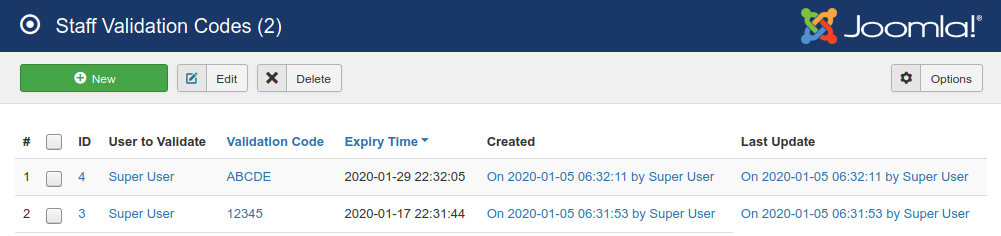
This is a pretty standard interface for management of records in Joomla. If you are an existing Joomla user it will look very familiar. To add a new validation code, use the big green button on the top left to be taken to the creation form.
To edit an existing code in the list, select its checkbox from the left of the list and click the "edit" button in the toolbar. This will take you to the editing form.
To delete one or more codes from the list, select their checkboxes from the left and click the delete button at the top. You'll be asked to confirm deletion before the codes are erased. Once a code has been deleted, it cannot be restored.