FrontEndManageCodes
After logging into Joomla and clicking the appropriate menu item, you will be able to manage your identity validation codes.

To create a new validation code for yourself, use the big green button on the top left to be taken to the creation form. If you cannot see this button, you have either not been granted that permission by your site's administrator, or you have reached the maximum number of validation codes that can be generated for a single site user. If you are at your validation code limit, you will see a message like this one at the top of the page.
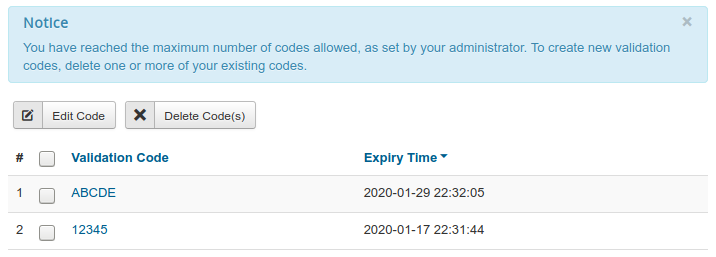
To edit an existing code in the list, select its checkbox from the left of the list and click the "edit" button in the toolbar. This will take you to the editing form. If you do not see this button, you have not been granted that permission by your site's administrator.
To delete one or more codes from the list, select their checkboxes from the left and click the delete button at the top. You'll be asked to confirm deletion before the codes are erased. Once a code has been deleted, it cannot be restored. If you cannot see the delete button, you have not been granted that permission by your site's administrator.