FrontEndCreateCodes
By clicking the "New" button at the top of the list of your validation codes, you access the code creation form.
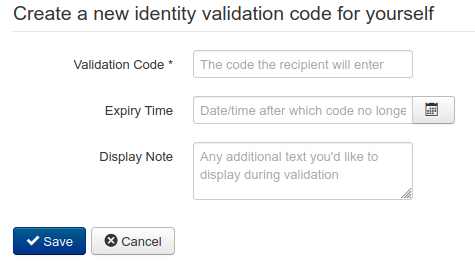
| Field Name | Required? | Description | Constraints |
|---|---|---|---|
| Validation Code | Yes | The code an external contact will enter into the website to validate your identity. | Validation codes must consist of only letters and/or numbers, and be a maximum of 10 characters in length. |
| Expiry Time | No | The date and time at which this validation code will cease to function. Any code without an expiry date will be valid indefinitely. We recommend always setting an expiry date for your validation codes. | |
| Display Note | No | A customised note that can be displayed to your external contact when they successfully enter your validation code. This is a good place to put any personalised messages, especially useful when using codes once per external contact. |