Download data from Globus
Globus is a software to share and download files to/from your computer, or, in this case, our cluster. Main documentation can be found here, but if you still have questions, here are the main steps to follow to successfully set it up on the cluster:
- Download the latest software version:
wget https://downloads.globus.org/globus-connect-personal/linux/stable/globusconnectpersonal-latest.tgz
- Once retrieved, extract the tarball files:
$ tar xzf globusconnectpersonal-latest.tgz
# this will produce a versioned globusconnectpersonal directory
# replace `x.y.z` in the line below with the version number you see
$ cd globusconnectpersonal-x.y.z
- After extraction, open the folder and setup the Endpoint. Run the setup command, click on login info, enter the auth code, setup endpoint name (for example: stergachislab):
cd globusconnectpersonal-3.1.6/
./globusconnectpersonal-3.1.6/globusconnectpersonal-setup
- Edit the config path, point to the folder where the data will be pulled from/pushed to:
nano ~/.globusonline/lta/config-paths
# then, add a line with the path, and save.
Example: /gscratch/stergachislab/user/data/globus/globus_data,0,1
- Start/stop the service, then open the link provided by the colleague to retrieve the data from in your browser:
./globusconnectpersonal -start &
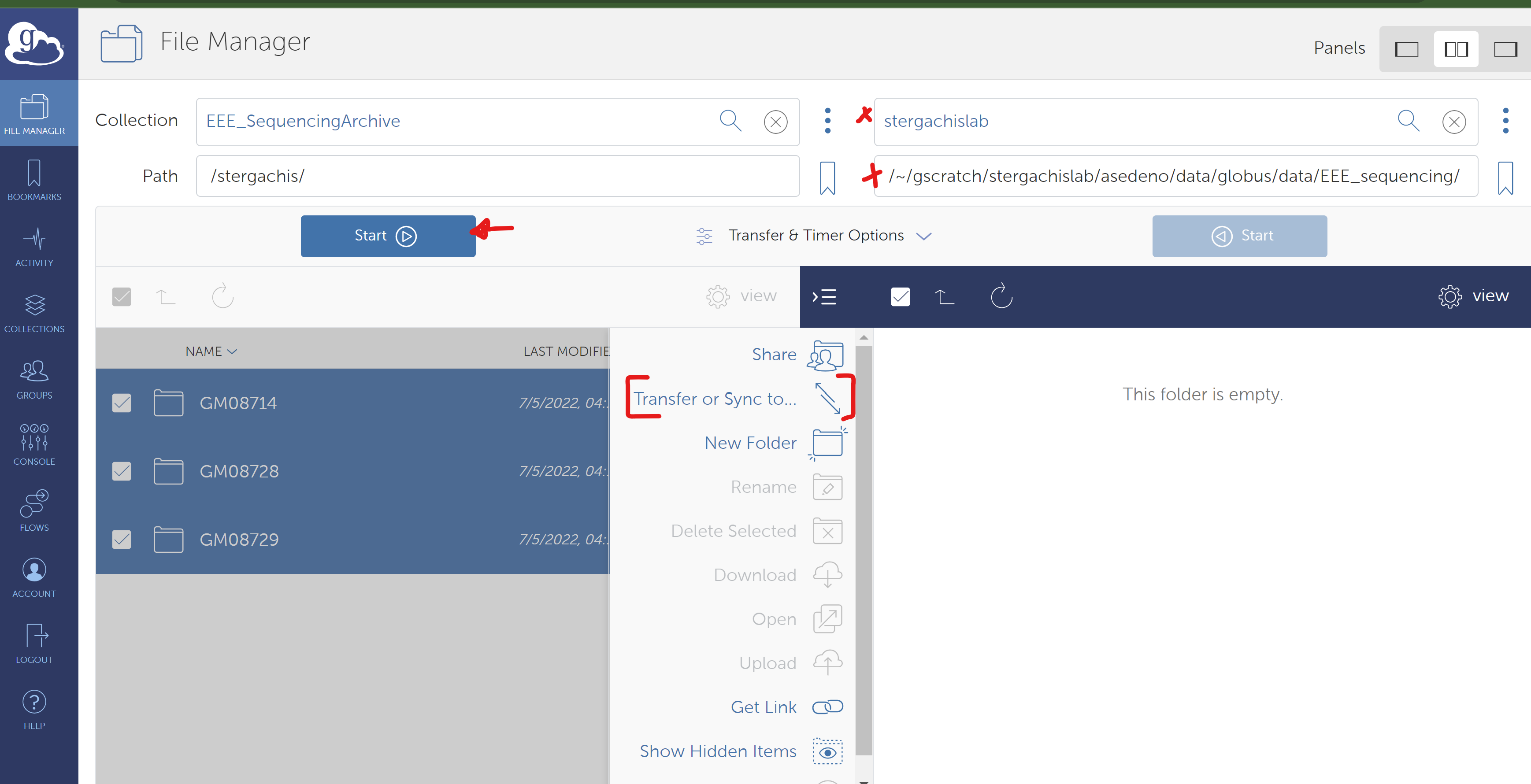
- Make sure to select the main folder (origin) and destination folders, then press Start to initiate the transfer. Files will start showing up in the path defined on the config-paths file.