Repository navigation
Smarthouse Owner Manual

Hello Smartcity member!
This is your user manual. Here you will learn how to manage your new Smarthouse.
- Installing the Smarthouse system
- Installing 3rd party applications on the Smarthouse
- Connecting to sensors
- Widgets Dashboard
- House Mapping
- User Information Management
- The Notifications Center
- Technical Support - Exception Handling
In order to install the Smarthouse system on your machine, just download System-1.01-jar-with-dependencies.jar, and run it with java -jar System-1.01-jar-with-dependencies.jar

3rd party developers can create their own applications for our system. If you are a developer that wants to create his own applications for the system, go to here.
As an owner, you can install the 3rd party applications by dragging and dropping them into the house:
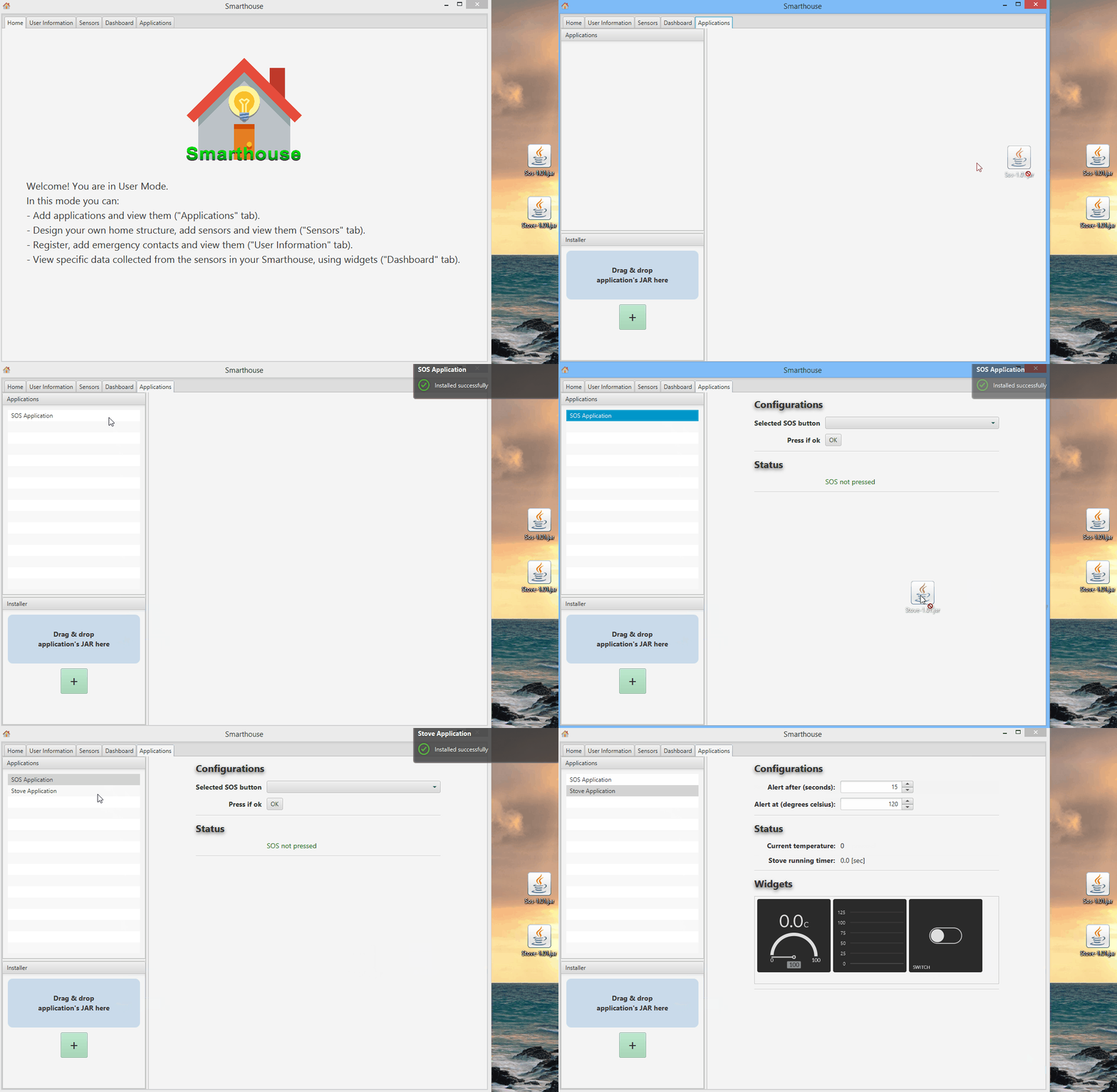

That is easy!
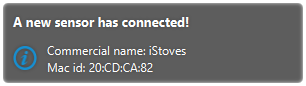
Turn on the device and wait for the following notification:

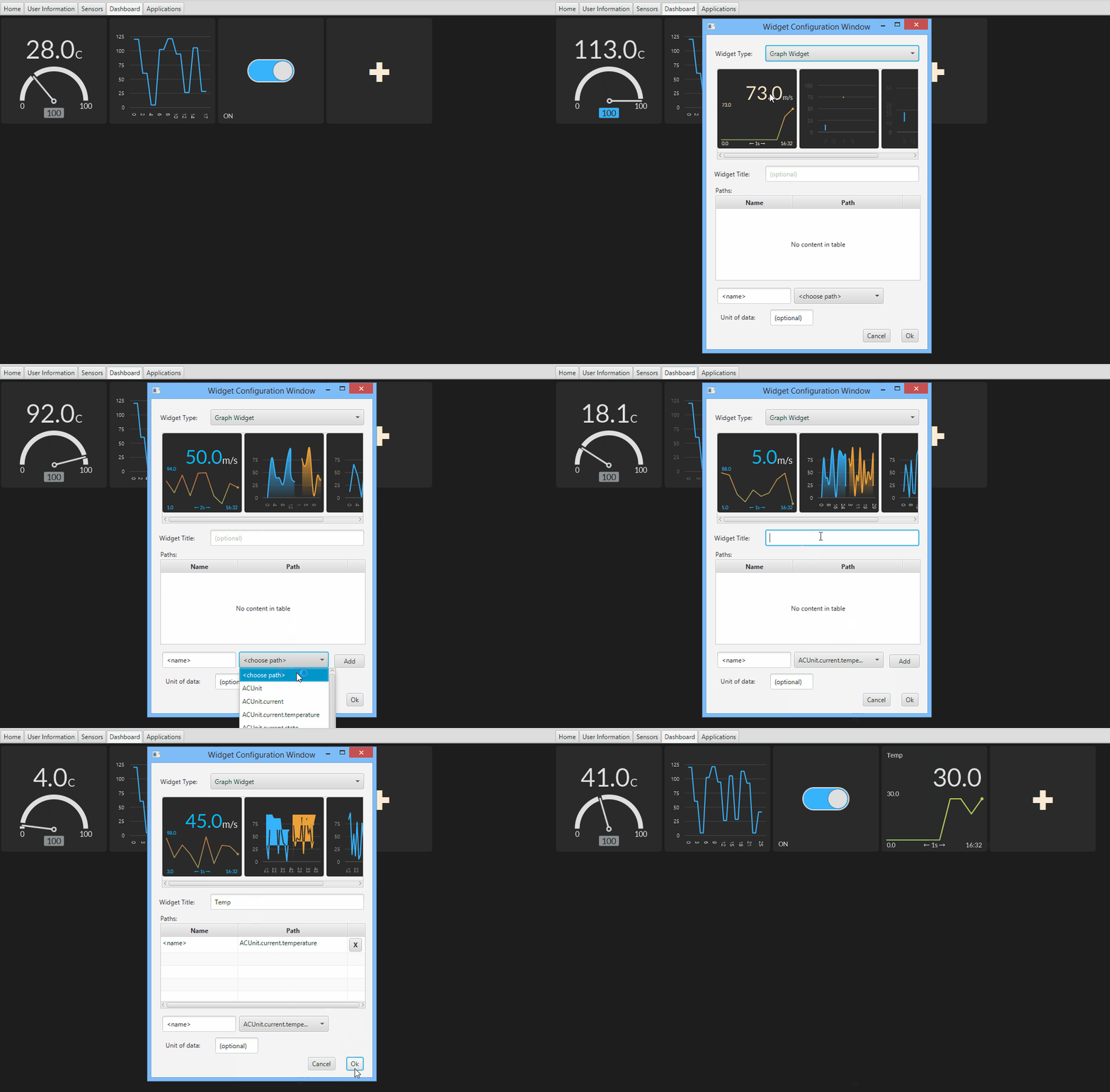
The Dashboard is the easy way to see all the information you want at once! You may decide which data form whichever sensor is important to you, and how do you want to visualize it - it may be a graph, a list or even a switch. All you have to do is few simple steps to configure your personal Dashboard.
You can add a widget simply by pressing on the "+" square from the grid. A pop-up will appear, in which you can choose which kind of widget you'd like to use, and on which paths of information (which are defined by the available sensors) you want your data to be taken from.

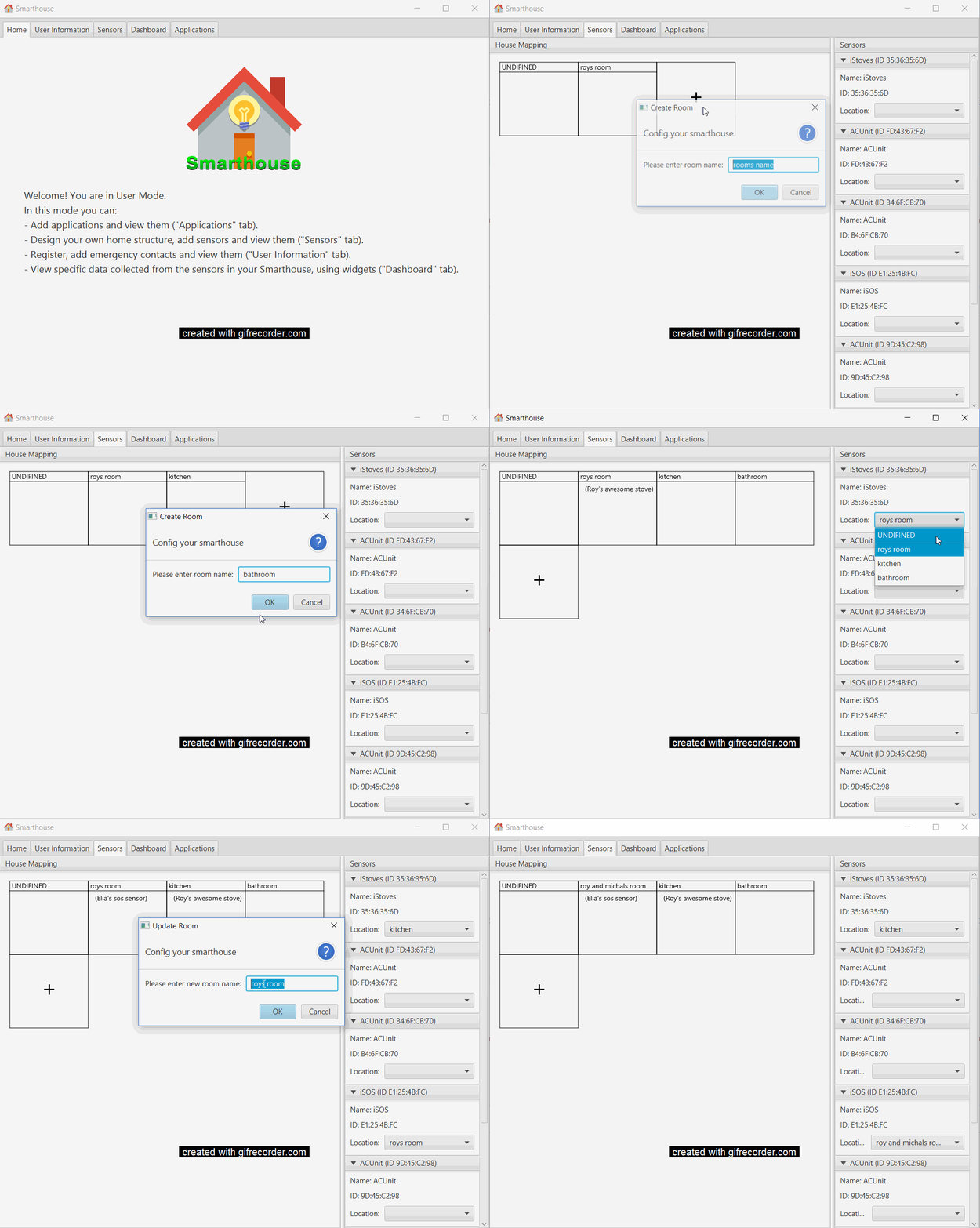
You can create a mapping of your home.
Create the rooms in your house and place the sensor in there respected room.

You can add your user information and setup a contact list that can be notified if an emergency occurs. Read more about this here.
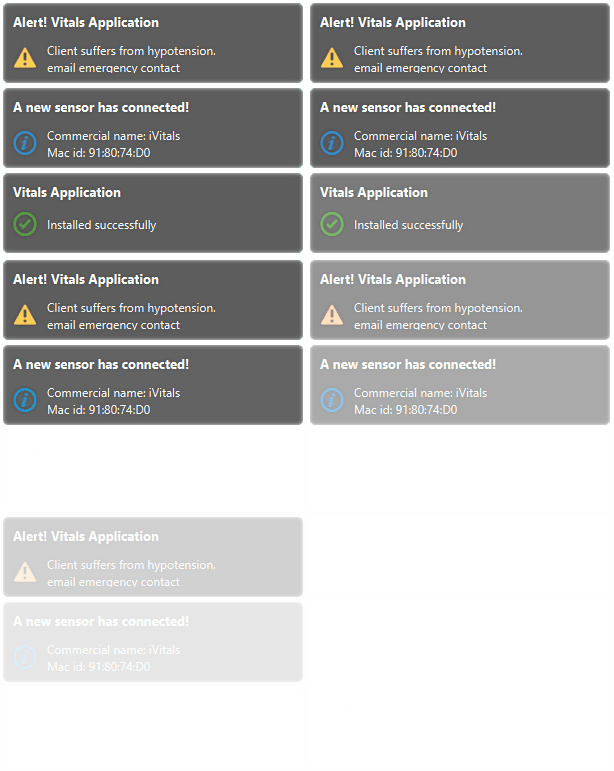
System notifications will popup in the top-right corner of your screen:

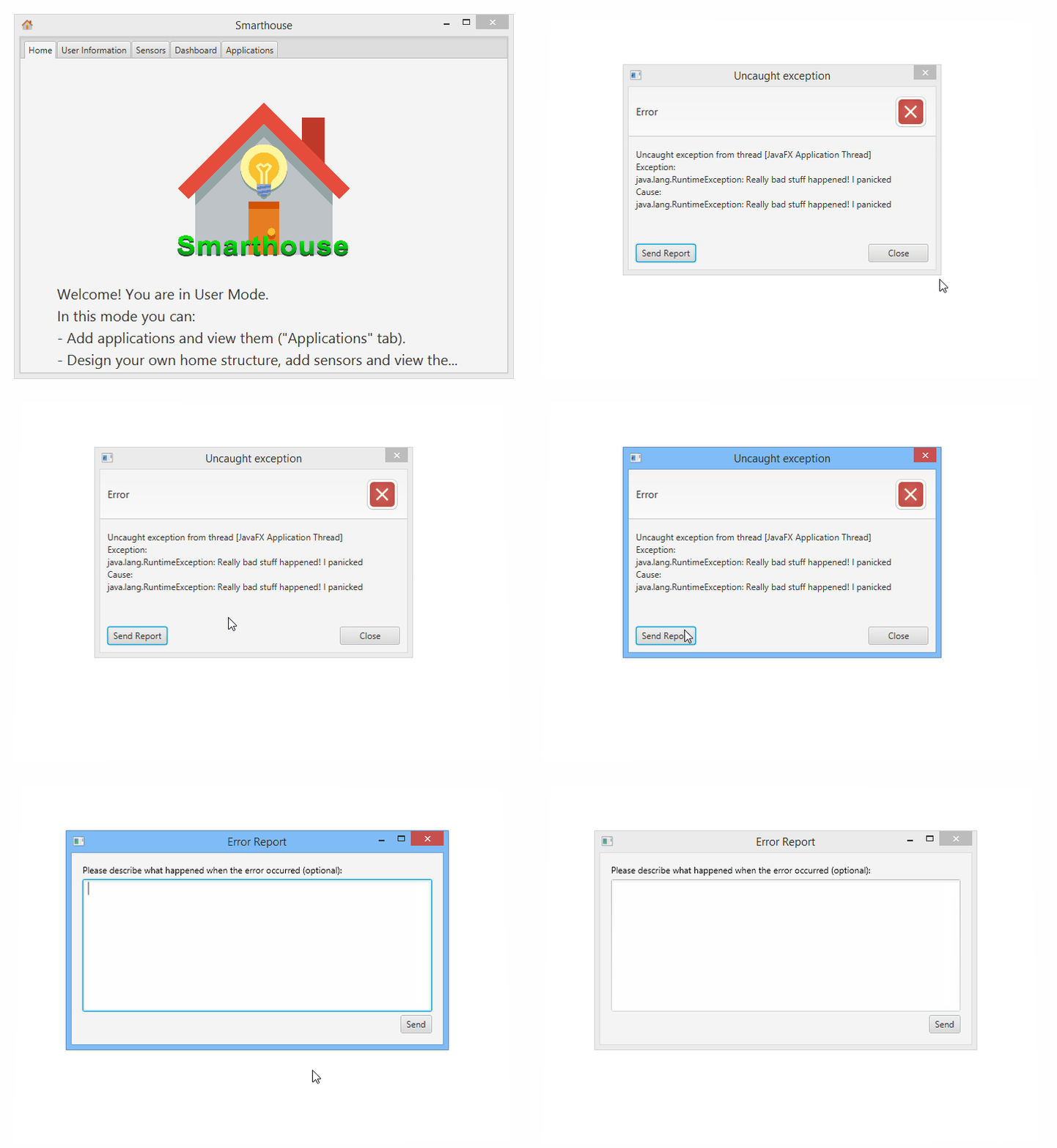
In case of a failure, don't panic!
Just send us the error report:
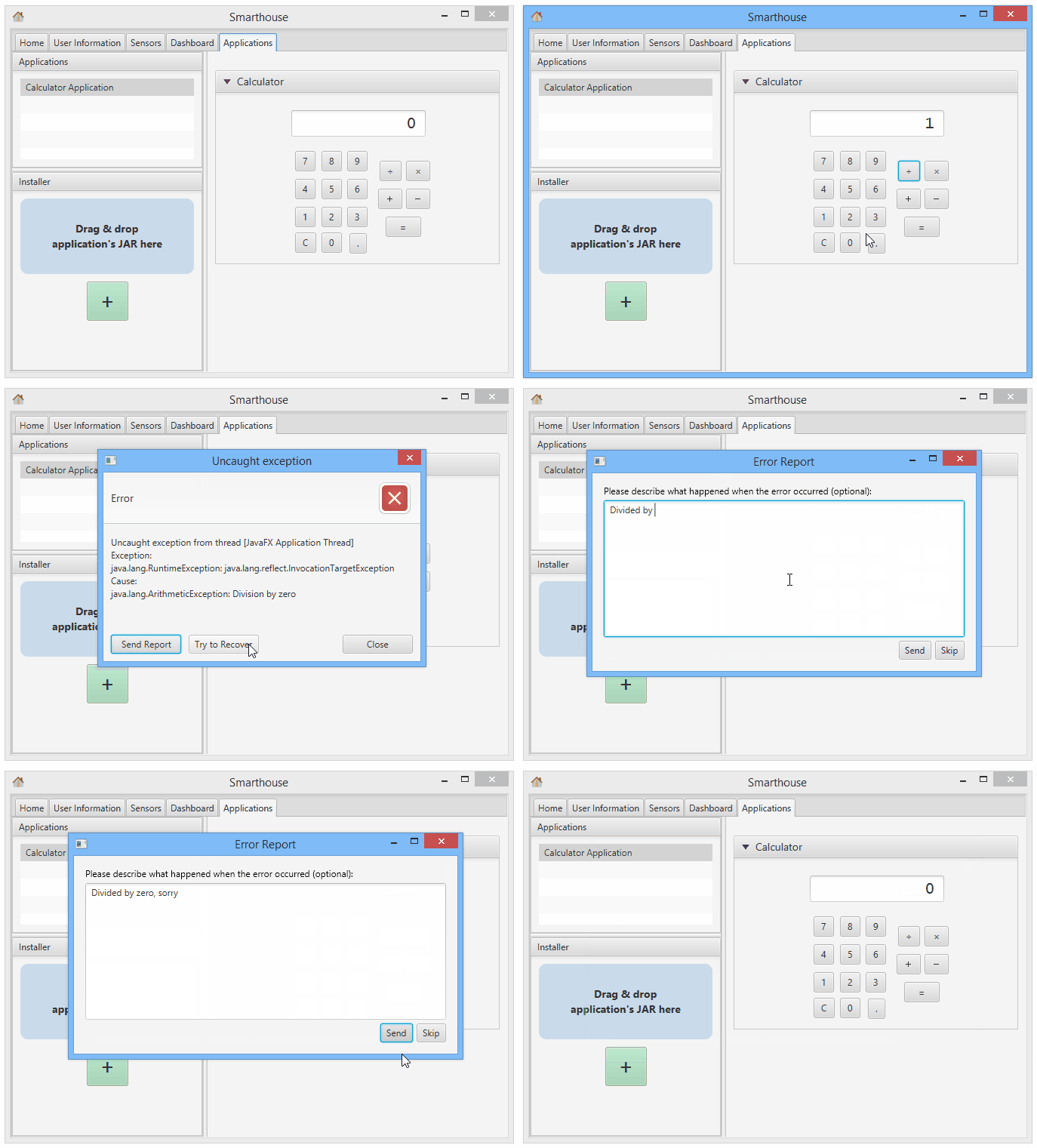
Note that sometimes you could try to recover from the error. If recovery is not possible, we will close all windows:

Overview
Quick Start
Smarthouse Usage for Owners
Development Manuals
Continuous Development
Misc.