00_Getting_Started
This section explains how to configure Arduino IDE for the UNIT Pulsar C6 development board, which is based on the ESP32 microcontroller.
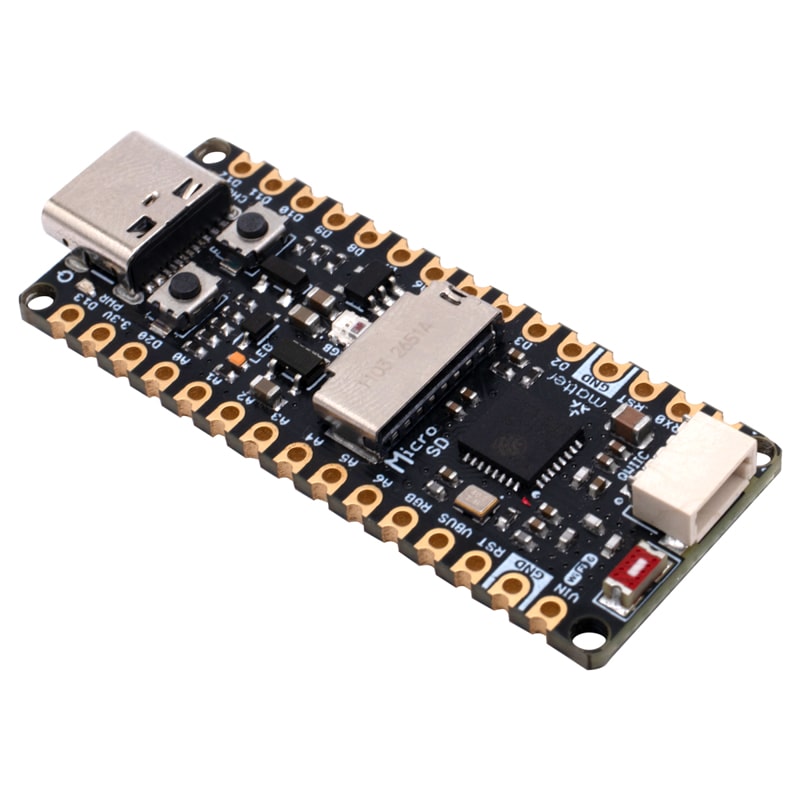
UNIT Pulsar C6 development board
Open the File > Preferences menu, or press Ctrl + comma.
In Additional Boards Manager URLs, copy and paste the following URL:
https://raw.githubusercontent.com/UNIT-Electronics/Uelectronics-ESP32-Arduino-Package/main/package_Uelectronics_esp32_index.json
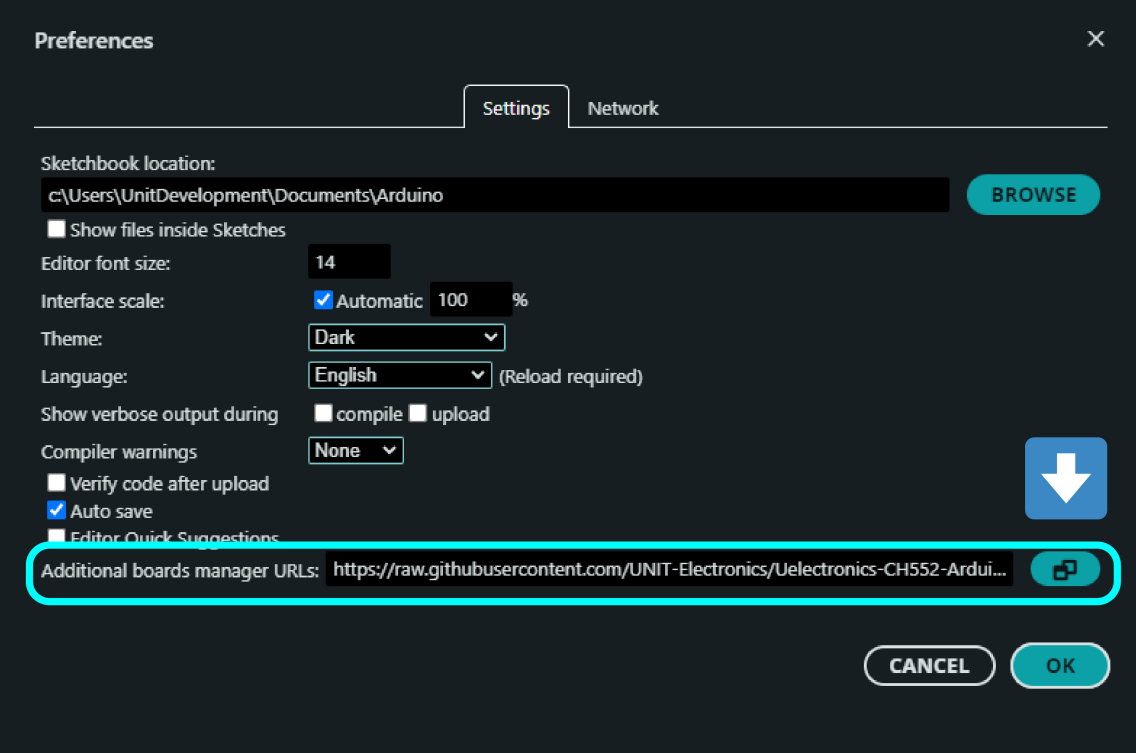
Additional Boards Manager URLs field
After adding the URL, press OK until all dialog windows are closed.
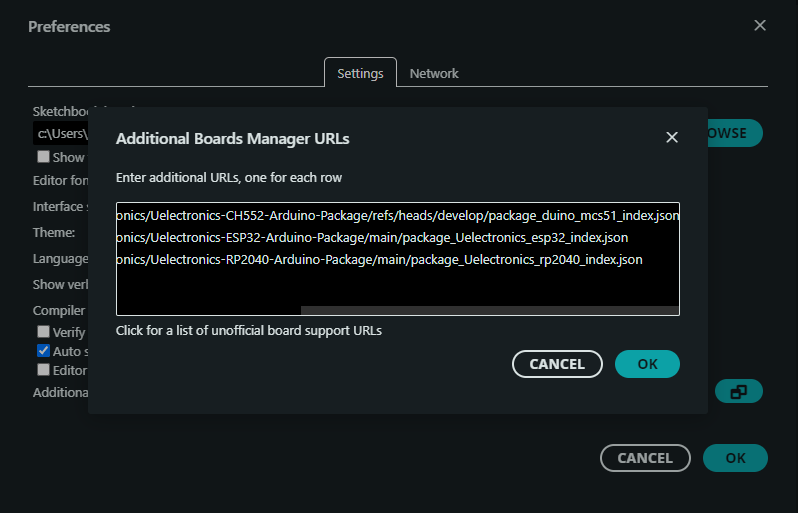
Additional Boards Manager URLs dialog
Open the Boards Manager, search for UNIT Electronics, and install the ESP32 package.
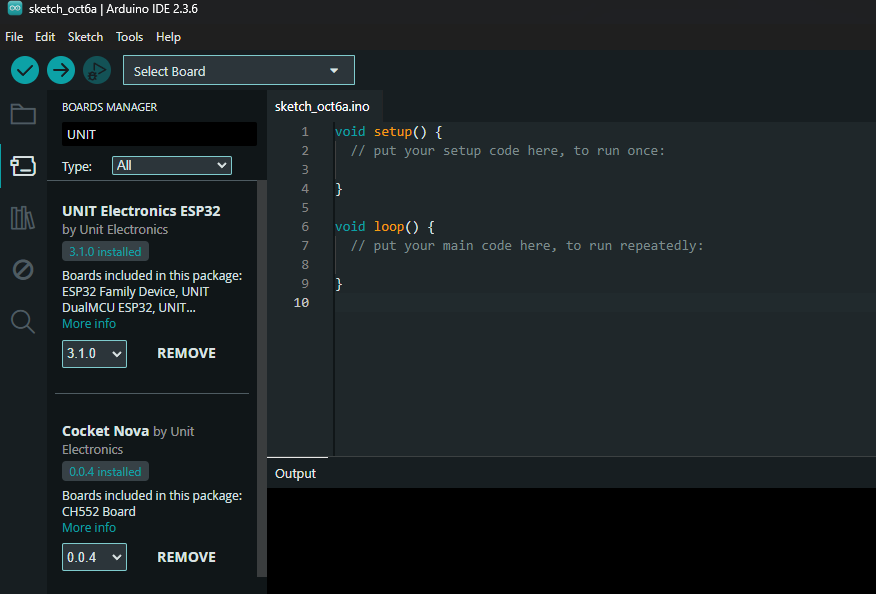
UNIT Electronics ESP32 package in Boards Manager
To select the development board, open Tools > Board > UNIT Electronics ESP32 and choose the UNIT Pulsar C6.
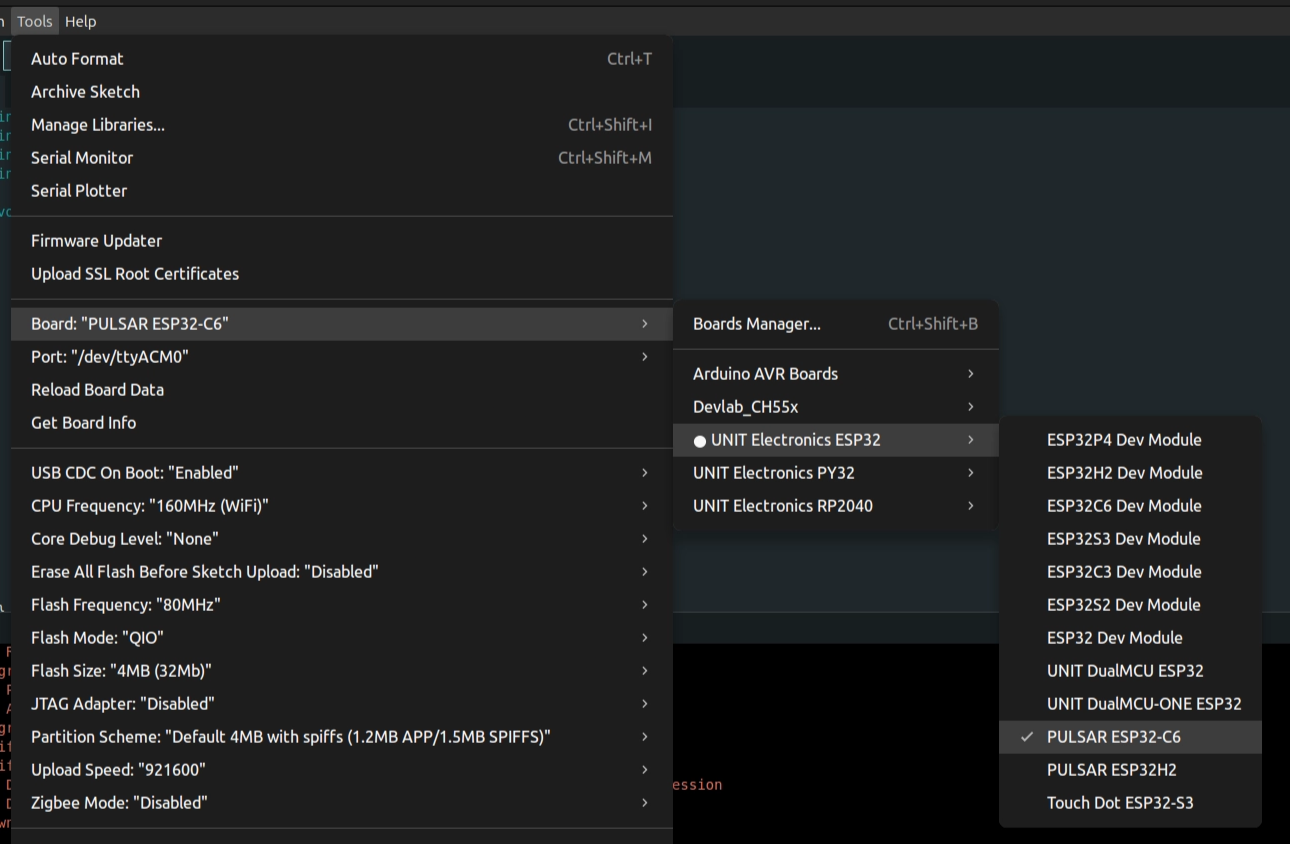
UNIT Electronics ESP32 board selection menu
The following test controls the onboard WS2812 RGB LED. Before uploading the sketch, install the Adafruit NeoPixel library.
Open the Library Manager with Ctrl + Shift + I, search for Adafruit NeoPixel, and install the library.
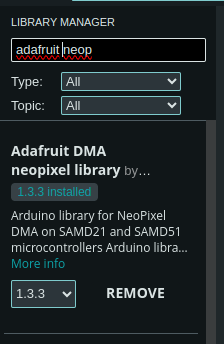
Adafruit NeoPixel library in Library Manager
Copy and paste the following code:
#include <Adafruit_NeoPixel.h>

#define PIN 8

Adafruit_NeoPixel strip(1, PIN, NEO_GRB + NEO_KHZ800);

void setup() {
  strip.begin();
  strip.setPixelColor(0, 133, 180, 199);
  strip.show();
}

void loop() {
}It is important to know the pin distribution on the UNIT Pulsar C6 development board. In the previous example, GPIO8 is used because it is connected to the onboard NeoPixel LED.
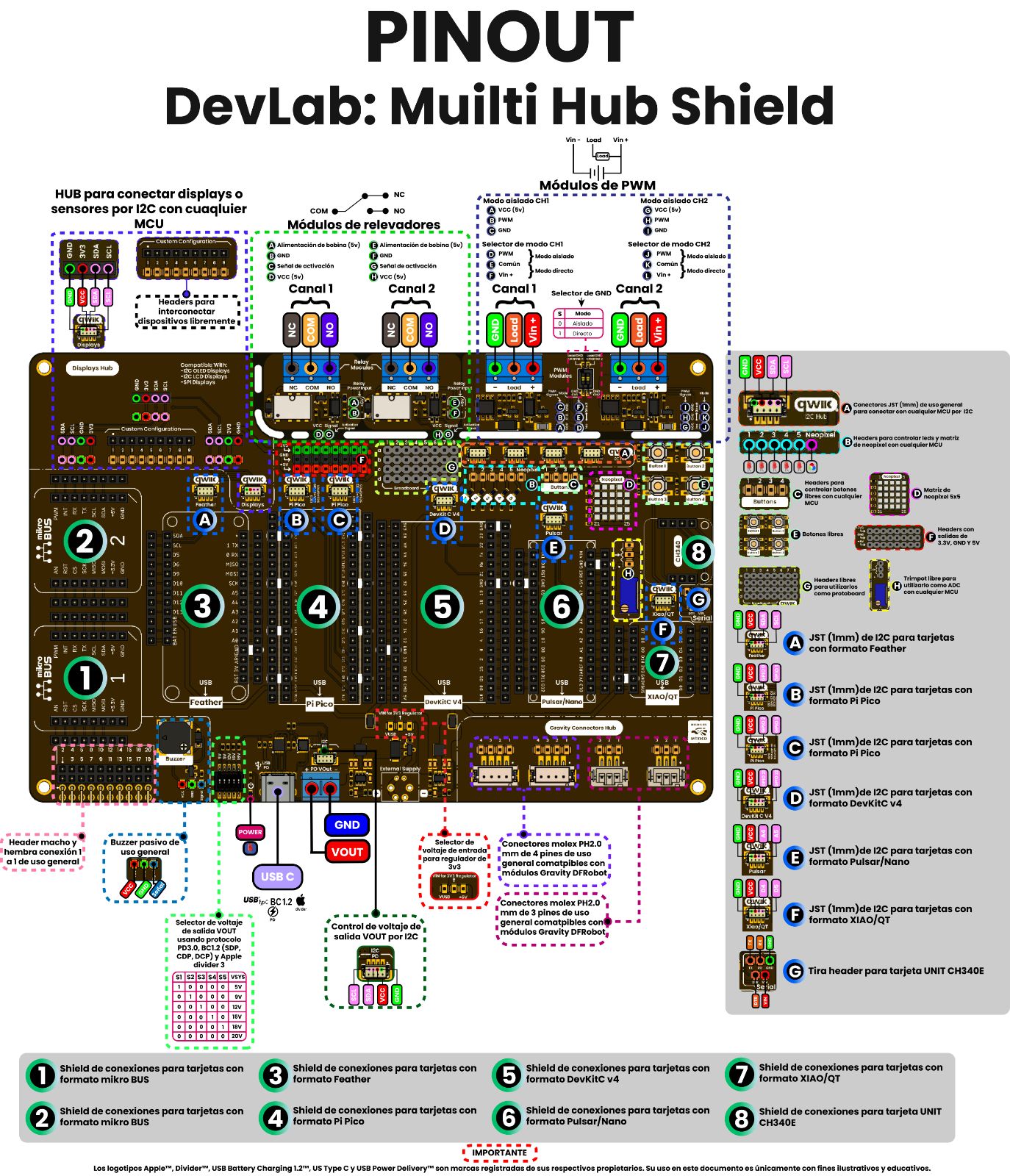
UNIT Pulsar C6 pinout diagram