
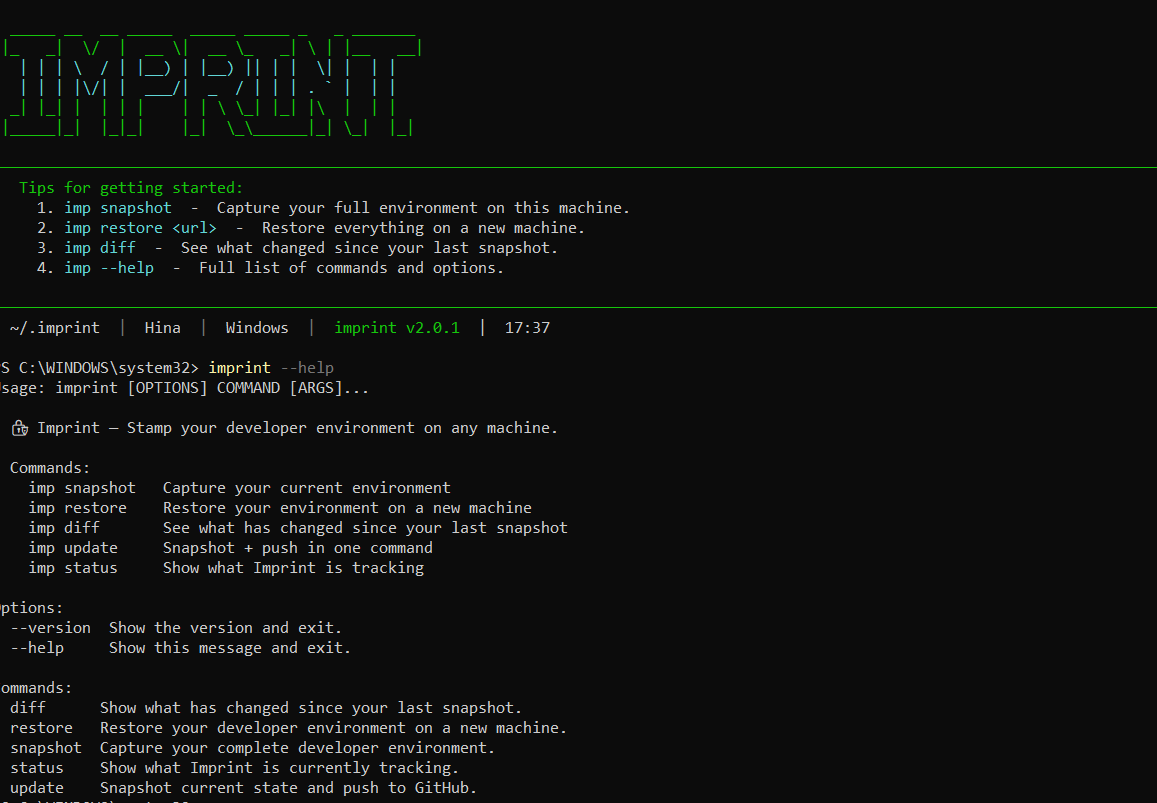
Stamp your developer environment on any machine.
Imprint is a premium CLI tool that snapshots your entire machine's developer setup — dotfiles, VS Code extensions, Neovim plugins, tmux config, global packages, shell settings — and restores it perfectly on a new machine in seconds. Now with named profiles, AES-256-GCM encryption, and multi-format export.
- 🧑💻 Named Profiles —
work,home,laptop— switch withimp profile use - 🔐 AES-256-GCM Encryption — encrypt dotfiles before pushing to GitHub
- 📤 Multi-Format Export — JSON, YAML, Markdown, or shell script
- 🔭 6 New Collectors — Neovim, Cursor IDE, tmux, SSH config, Cargo, uv
- 🩺 Doctor & Diagnostics —
imp doctorvalidates your entire setup - 📜 Snapshot History — browse past snapshots with
imp history - 🔄 Compare Snapshots — diff two snapshots with
imp compare - 👁️ Watch Mode — auto-snapshot on file changes
- 🎨 Nord Theme — premium UI with branded dashboard
pip install imprint-cli

# With encryption support
pip install imprint-cli[crypto]

# With watch mode
pip install imprint-cli[watch]

# Everything
pip install imprint-cli[full]imp initimp snapshotimp restore https://github.com/your-username/my-imprint-config.git| Command | Action |
|---|---|
imp |
Interactive dashboard with machine info |
imp init |
First-run setup wizard |
imp snapshot |
Capture full environment and push |
imp restore [url] |
Restore from local or GitHub source |
imp restore [url] --dry-run |
Preview what would be restored |
imp diff |
See what changed since last snapshot |
imp update |
Quick snapshot + push |
imp status |
Overview of tracked configuration |
imp doctor |
Health check & diagnostics |
imp history |
Browse past snapshots |
imp export --fmt md |
Export as Markdown report |
imp profile list |
List named profiles |
imp profile use work |
Switch to a named profile |
imp compare latest previous |
Diff two snapshots |
imp encrypt --init |
Generate encryption key |
imp watch |
Auto-snapshot on file changes |
| Category | Details |
|---|---|
| Dotfiles | .zshrc, .bashrc, .gitconfig, .vimrc, and more |
| VS Code | Complete extension manifest + settings.json |
| Neovim | lazy.nvim / packer plugins, init.lua |
| Cursor IDE | Extensions list |
| tmux | Config, prefix key, TPM plugins |
| Packages | pip, npm, apt/brew/winget, cargo, uv |
| Shell | Oh My Zsh theme, plugins, aliases, functions |
| SSH Config | Host aliases only (never keys or passwords) |
| Scripts | Everything in ~/bin |
| System | Python, Node.js, Git versions, OS info |
Imprint is designed to be secure by default. It never captures sensitive files. The .imprintignore system automatically blocks:
- 🔑 SSH Keys (
.ssh/id_*,*.pem,*.key) - 🎫 Tokens & Secrets (
*.token,*secret*,*api_key*) - 🌐 Environment files (
.env,.env.*) - ☁️ Cloud credentials (
.aws/credentials,.gcloud/,.kube/) - 📜 Shell history (
.bash_history,.zsh_history) - 🔒 GPG keys (
.gnupg/)
All subprocess calls use list arguments (no shell=True) to prevent shell injection.
imprint-cli uses GitHub Actions with a PYPI_API_TOKEN secret for automated publishing:
# Tag a release on main (after merging PR)
git tag v3.0.0
git push origin main --tags
# GitHub Actions automatically builds and publishes to PyPI
Setup: Add your PyPI API token as a repository secret named
PYPI_API_TOKENin Settings → Secrets → Actions.
See CONTRIBUTING.md for development setup, git workflow, and how to add new collectors.
See CODE_OF_CONDUCT.md.
MIT © Venkatesh-6921