Repository navigation
The Island
A small black pill with the Clayo mascot at the top centre of your screen. It tells you when a session needs you, has finished, or when a limit is past your reserve. Otherwise there is nothing there at all.
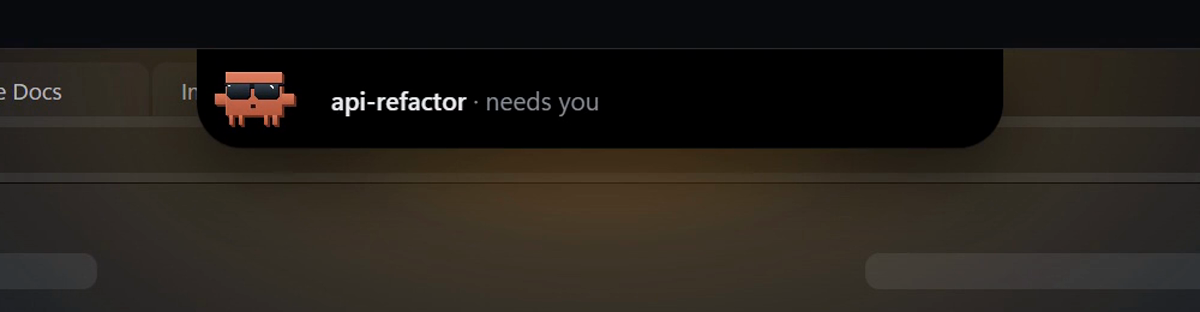
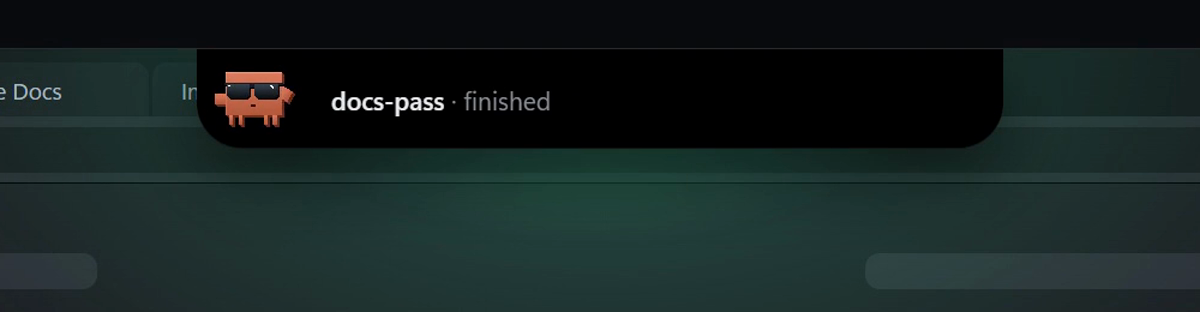
The code is in IslandWindow.xaml(.cs) (the window), IslandTrigger.cs (when to show what), IslandGlow.cs (the light under it) and ClayoMascot.cs (the mascot, drawn in WPF).
| Notice | Reads | Glow | Stays |
|---|---|---|---|
| Needs you | <session> · needs you |
Amber | Until the session moves on, or you click it or press Esc |
| API error | <session> · api error |
Amber | Until the session moves on, or you click it or press Esc |
| Finished | <session> · finished |
Green | 4 s. Hovering holds it; it leaves 400 ms after the cursor does |
| Near a limit |
5h at 82% · past your reserve (or 7d) |
Amber | Like Finished: 4 s, held while you hover |
- The session name is the one the sidebar shows.
- A session finishing counts only after it worked. A session that just reached its prompt on start-up doesn't raise one.
- One notice per session: a newer one from the same session replaces the older one. Needs you and API error come before Finished, then the newest first.
- When the session moves on (back to work, exited, closed), its notice is dropped, so the island never sends you to a session that no longer needs you.
- Near a limit shows once per limit window. It needs Warn near a limit turned on in Settings (it is off by default). See Status Bar and Limits.
- Clayo is in front. The sidebar already shows every session. Needs-you and api-error notices wait until Clayo goes behind; Finished and near-a-limit notices are dropped.
-
Fullscreen, presentations, Do Not Disturb. Windows reports these (
SHQueryUserNotificationState), checked once a second. Notices wait and show when you're back. A Finished notice gets its full 4 s from when it actually shows.
Rest the cursor on the very top edge of the screen, in the centre, and the island slides out after 600 ms. A thin light fills in under the edge while you wait.
| Rule | Value |
|---|---|
| Zone | The top 2 rows of pixels, 240 px wide (logical), centred on the monitor the cursor is on |
| Dwell | 600 ms |
| Leaves | 400 ms after the cursor leaves the zone and the pill |
| Not while | A mouse button is held (dragging a window to snap or maximize), or a window is being moved or sized |
A peek shows clayo and how many sessions are open in Clayo. Passing over a browser tab doesn't count: the zone is narrow and only the top two rows.
After you send the island away (Esc or a click), it doesn't come back until the cursor has left the edge once.
- When a session starts working, a small pill (mascot and a blue dot) comes out by itself, at most once every 3 minutes. It leaves after 10 s or when no session is working. Clicks pass through it to the tabs underneath. Rest on it for 600 ms to open the full island.
- At login, if Clayo started hidden, the small pill waves once with a warm dot for 2.5 s. If a fullscreen app or Do Not Disturb holds it back for more than a minute, it skips the hello.
| Colour | Means |
|---|---|
| Blue | A session is working (the small pill) |
| Amber | Needs you, API error, or past your reserve |
| Green | Finished |
| Warm | A peek, the login hello, or the drop target |
The island's colours are not the sidebar's: in the sidebar amber means running and blue means needs you. See Sessions and Branching.
Click the pill and the Clayo window comes forward, on the session the notice was about. Without a notice it just shows the window. This is also how you bring back a window you closed.
Right-click for Start at login and Quit Clayo. Because closing the window only hides it, this menu and the gear menu in the sidebar are where Clayo ends.
Drag a file or folder from Explorer to the top centre of the screen. After 250 ms the island opens a Drop here target: "A file to ask about it · a folder to open it in Clayo".
-
A folder opens a new session in it, the same as typing
clayoin Explorer there. -
A file opens a new session in its folder with
@<file name>typed into Claude's input, unsent, for you to ask about it. A name with a space is written@"<file name>". - Only the first item of a multi-item drop is used.
The drag zone is larger than the peek zone (480 × 40 logical px) and only a real file drag counts, so dragging a browser tab along the strip never opens it. If the drag wanders off, you have 1.5 s to come back.
The island window is WS_EX_NOACTIVATE and WS_EX_TOOLWINDOW: typing keeps going to the app you're in, even when you click the island, and it never shows in Alt+Tab or the taskbar. Esc is read without taking focus, so the key still reaches the app you're in.
While hidden there is no window at the top edge at all: Clayo polls the cursor every 50 ms instead, so nothing sits over a maximized browser's tab bar. The transparent parts of the island window let clicks through.
The island appears at the top of the monitor the cursor is on, and its zones scale with that monitor's DPI. A notice that replaces another stays on the island's monitor.