Community
Community part is a space where users share anxiety they have experienced and their own solutions that have overcome it.
-
You can see posts written by others in each category by cause of anxiety, and you can also write your own posts.
-
You can also view other people's chatbot reports and your own chatbot reports.
-
This is part of the collective intelligence function of our project.
Data management works with Firebase linked to Android. All posts of Community are stored in the Firebase(Realtime Database) in the following structure:
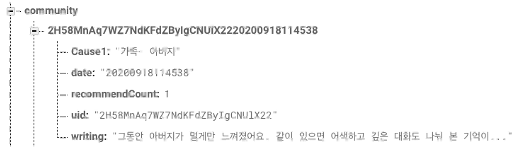
[Uses's UID] -
[Cause of anxiety / Written date / Number of "Like" / User's UID / Written contents]
-
Main Page - List of all posts
(relevant to community.java)
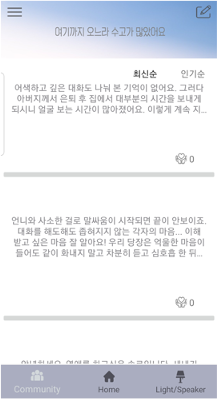
-
Click hamburger button in the upper left -> 4 Post category (Family/Gender/Relationship/Ego)
(relevant to category_contents folder)
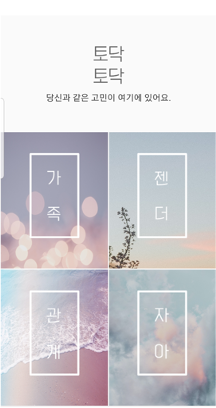
If select one of them, can see posts belonging to that category.
-
Click image button in the upper right -> To see my reports or write posts
(relevant to reportFragment.java)
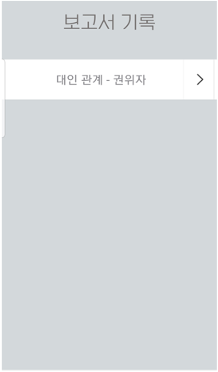
Here are the Todack chatbot reports you received.
-
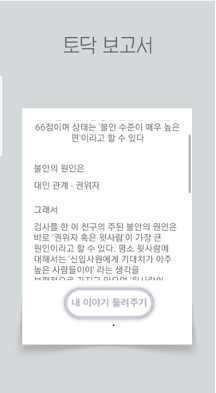
Click one of the reports -> Can see detailed analysis of reports
(relevant to report folder)
-
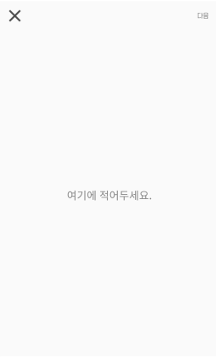
Click '내 이야기 들려주기'button -> To write my own solution about that psychological problem
(relevant to writingSolution.java in the report folder)
-
Back on the main page, click on one of the posts -> Can see detailed of the post / Can press "Like" / Can see the writer's report.
(relevant to community_detail.java)
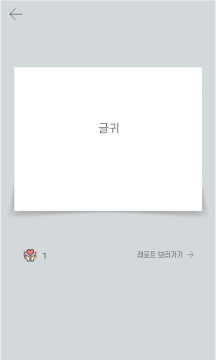
If click '레포트 보러가기'button, can see the writer's report.