Repository navigation
What You Can Ask
Talk to your AI the way you'd talk to a helpful colleague who knows Linux. A few ideas:
- "Is everything okay on web?"
- "How much disk space is left on all my servers?"
- "Which process is using the most memory on database?"
- "When was web last restarted?"
- "My website is slow. Can you find out why?"
- "Show me the last errors in the nginx log."
- "Why did the backup job fail last night?"
- "Is the database container running?"
- "Restart the web service and confirm it's healthy."
- "Clean up old log files in /var/log/myapp, but show me what you'll delete first."
- "Update the packages on staging."
- "Change the upload limit in the nginx config to 50 MB."
- "Show me what's in /etc/nginx/sites-enabled."
- "Upload this config file to /srv/app/config.yml."
- "Download the latest 200 lines of the app log."
- "Rename backup.tar.gz to backup-2026-10-19.tar.gz."
-
"Open a tunnel to the database on db so I can connect from my laptop."
(Turn this on per server with
"allowPortForwarding": truein the Settings File.)
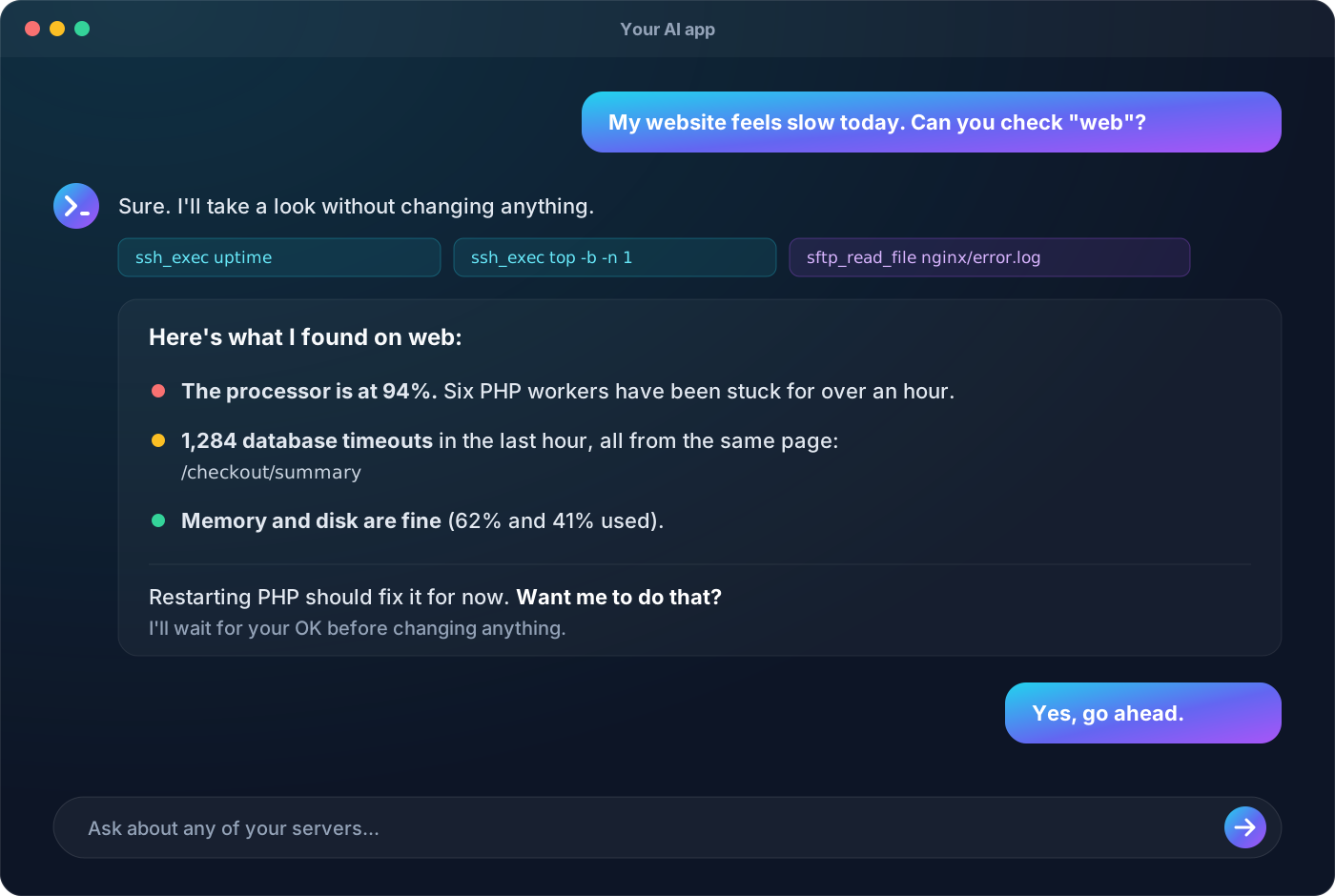
Behind the scenes, your AI gets these abilities:
| Ability | In plain words |
|---|---|
| List servers | See which servers you've set up and what's allowed on each |
| Run a command | Run one command and see its output (with a time limit) |
| Browse files | List folders and see file details |
| Read a file | Read text files, even large ones, a piece at a time |
| Write a file | Create or replace a file |
| Make a folder, rename, delete | Everyday file tidying (deletes one file or empty folder at a time) |
| Tunnels | Reach a service that only the server can see, from your computer |
- Each request starts fresh. The AI doesn't stay "inside" a folder between commands; it uses full paths.
-
No interactive programs. Things that wait for typing (like
vimortopwithout options) don't work; the AI knows to use non-interactive versions. - Long jobs time out after a minute by default. You can raise the limit per server.
- Look-only servers refuse anything that isn't a status or log command, and that's by design.