Auto updated character presets
Simple way for handling multiple account presets is to create a preset that stores all of your RuneLite configurations to each character and then enablind the auto updater to them.
Right click the green + icon and then select "Create new preset with all settings" to each of your accounts and then modify your settings to match some character and then update that preset to each of those created presets. Finally toggle auto updater to the preset and then the preset will get automatically updated when you change your RuneLite settings!
When switching between charaters just load the corresponding preset to use your account specific settings.
Downloading plugins from the plugin hub will not get added to the presets automatically so you have to edit corresponding preset and add the added plugin to it if its relevant to the character preset.
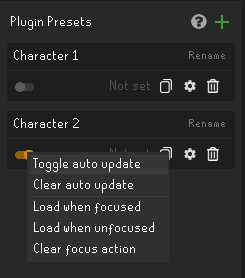
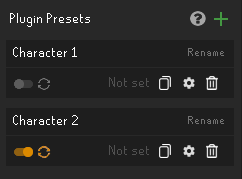
Please note that Plugin Presets might not be the best mean to handle per account RuneLite configurations e.g. for having different loot trackers on each account. Prefer to use RuneLites means of handling profiles. Character presets work best if you only need to change RuneLite settings between characters.