Repository navigation
Home
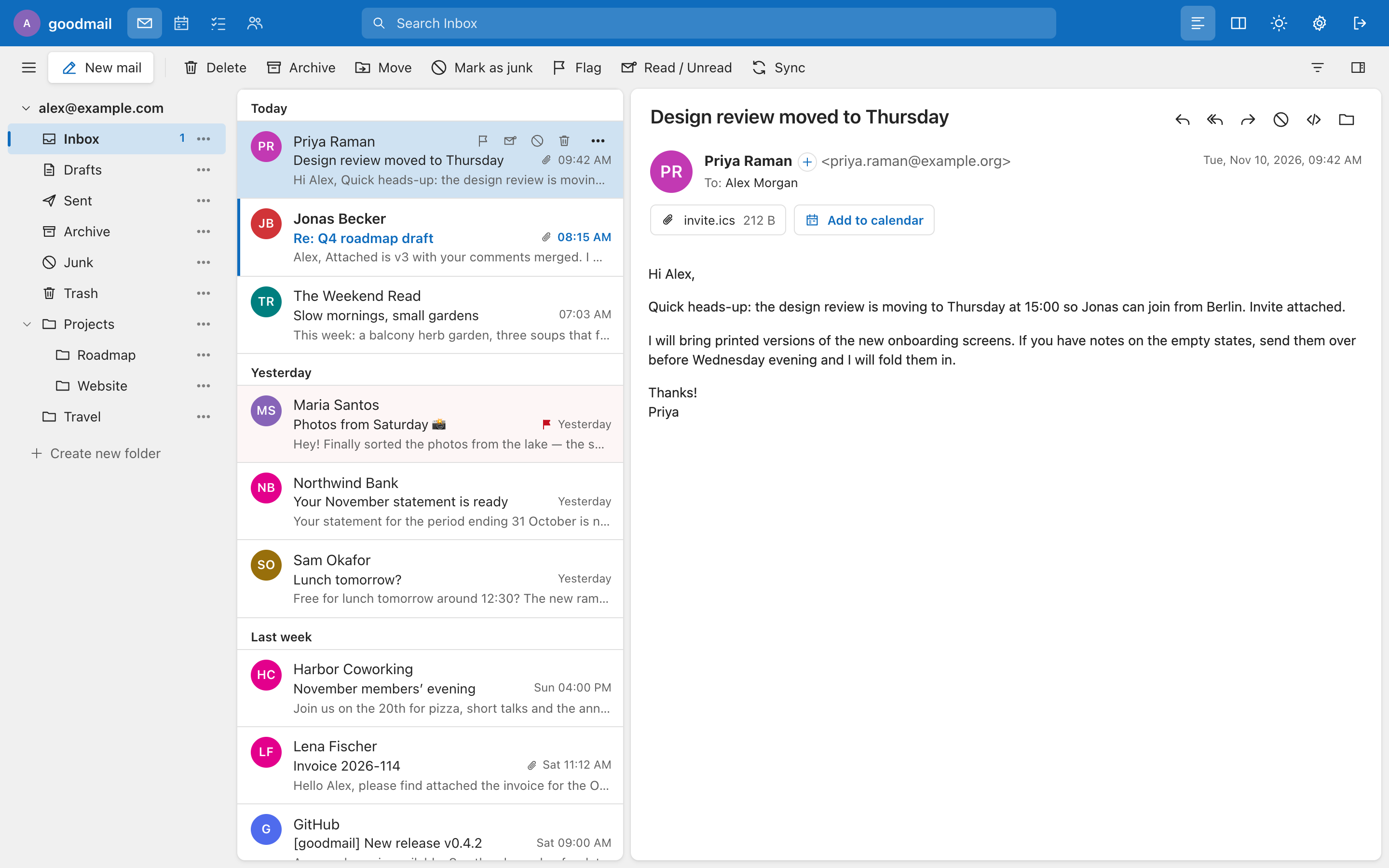
A webmail client that talks plain IMAP + SMTP to any mail server, with an Outlook-style three-pane interface: folder tree, date-grouped message list with previews, reading pane and an inline composer. Self-hosted, one small Node.js process, no database.
| I want to… | Read |
|---|---|
| install goodmail | Getting Started |
| point it at my mail servers | Configuration |
| serve several domains from one install | Several Domains |
| learn the interface and the shortcuts | Using goodmail |
| use the calendar and the to-do list | Calendar and To-Do |
| set up mail rules (filters) | Mail Rules |
| turn on two-step sign-in and passkeys | Two-Step Sign-In |
| let users change or reset their password | Passwords |
| let domain administrators manage mailboxes | Administration |
| sign and encrypt mail | S-MIME |
| run it behind a reverse proxy | Deployment |
| back it up | Data and Backups |
| understand what it protects and how | Security Model |
| fix a problem | Troubleshooting |
| hack on it or add a language | Development |
- Sign in with just an e-mail address and password; a config file maps the domain to its servers.
- "Keep me signed in" for a year: a sealed cookie, no session database, your mail password is never stored in readable form.
- Reading pane renders HTML mail sanitised in a sandboxed iframe; remote images and trackers are blocked until you allow them.
- Extra accounts (iCloud, Gmail, Yahoo, GMX, WEB.DE, Fastmail or any IMAP mailbox) with combined views like "All inboxes".
- Address book, calendar, to-do list, signatures and templates, mail rules (Sieve), S/MIME, two-step sign-in, passkeys.
- Seven languages, light/dark themes with eight accent colours, works down to phone width.
Source: https://github.com/antongpopov/goodmail · License: AGPL-3.0-or-later.