Repository navigation
Mail Rules
Rules run on the mail server, so they also work while you are signed out. They are turned on by giving the domain a ManageSieve host in goodmail.conf (sieveN=host[:port], default port 4190, STARTTLS). With Dovecot that means Pigeonhole and protocols = … sieve.
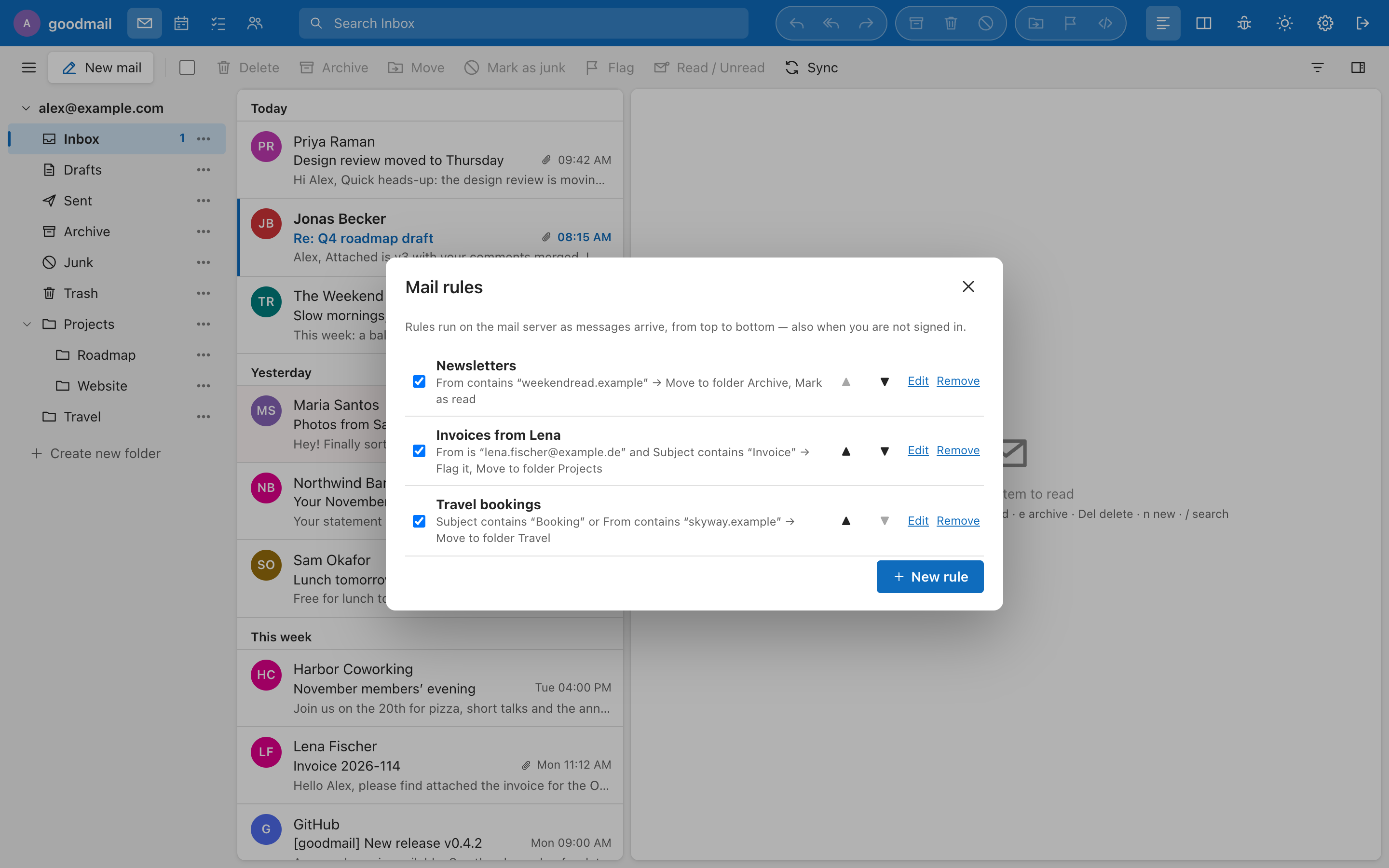
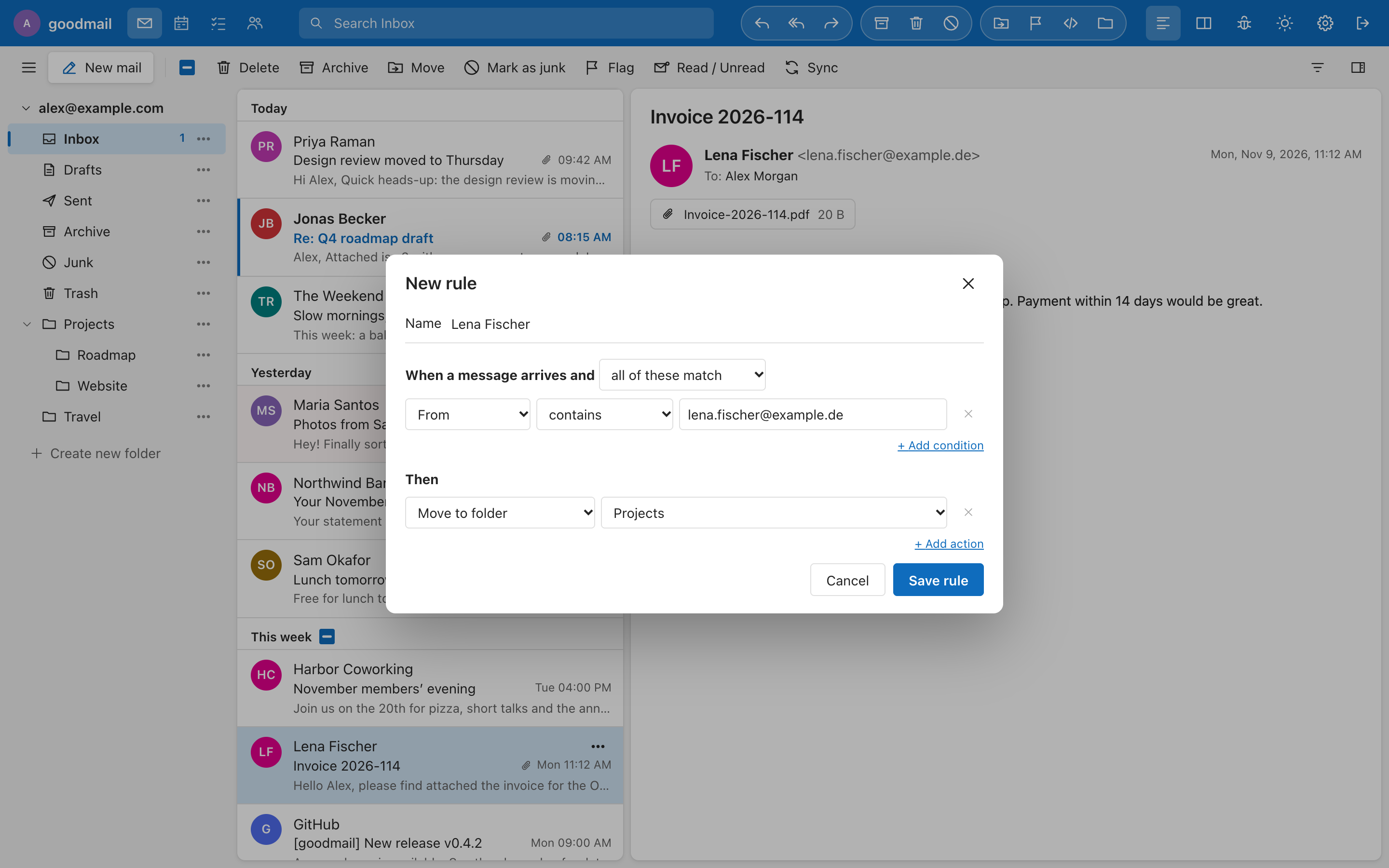
"When a message arrives and all / any of these match → move to a folder, mark read, flag, forward a copy, delete, stop." Conditions look at the sender, recipient, subject and more with is, contains and similar operators. Folder names are used exactly as the IMAP server lists them.
Every message has a ⋯ button, a right-click menu and a button in the reading pane with Create rule from this message…: the editor opens with the sender (or, in Sent, the recipient) already filled in.
goodmail signs in to ManageSieve with the user's own mailbox password, keeps the rules in a script called goodmail (the editable model is stored in a comment on the script's first line) and activates it. If the mailbox already has an active script that goodmail did not write, the editor says so and replaces it only after the user ticks Replace the existing filter; a copy is kept as goodmail-previous. User text that ends up in a Sieve script is validated and escaped.