Repository navigation
S MIME
Sign, encrypt and verify. smime=true turns it on. It needs the openssl command (OpenSSL ≥ 1.1.1 with cms); macOS's built-in LibreSSL is not enough, so set GOODMAIL_OPENSSL=/opt/homebrew/bin/openssl. Cryptography is done by openssl cms because that is what real-world S/MIME needs (RSA PKCS#1 v1.5 key transport, which browsers no longer provide).
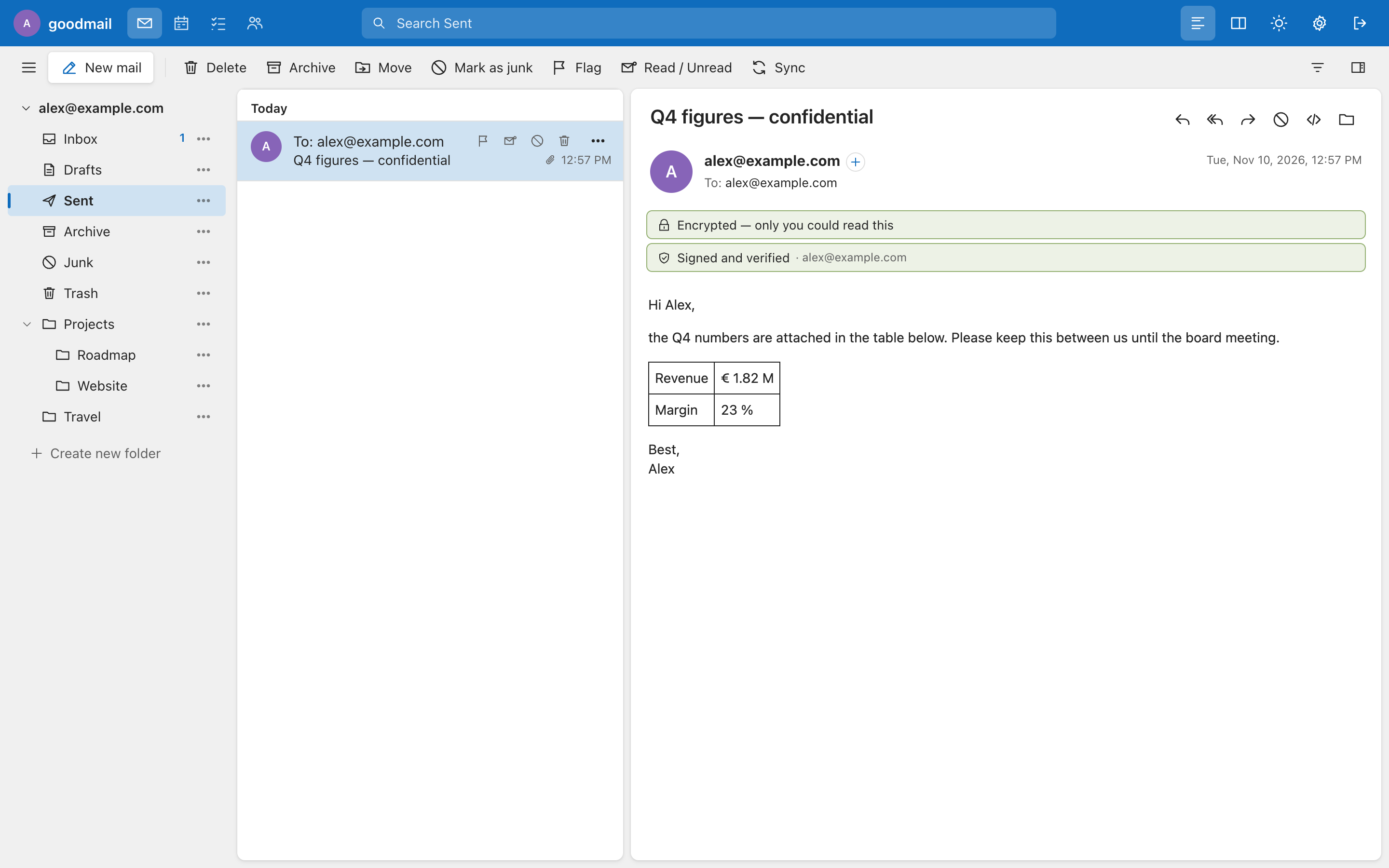
- Messages from people who sign their mail show Signed and verified (or why not). Encrypted mail is decrypted for you, signed or not.
- In the composer there are Sign and Encrypt buttons.
- Under ⚙ → Secure mail each user gets a certificate from goodmail's own little certificate authority with one click, or imports a
.p12from a real CA, and can download it as.p12for Apple Mail, Outlook or Thunderbird. - Certificates of correspondents are collected from signed mail, added by hand, or found automatically for colleagues on the same install.
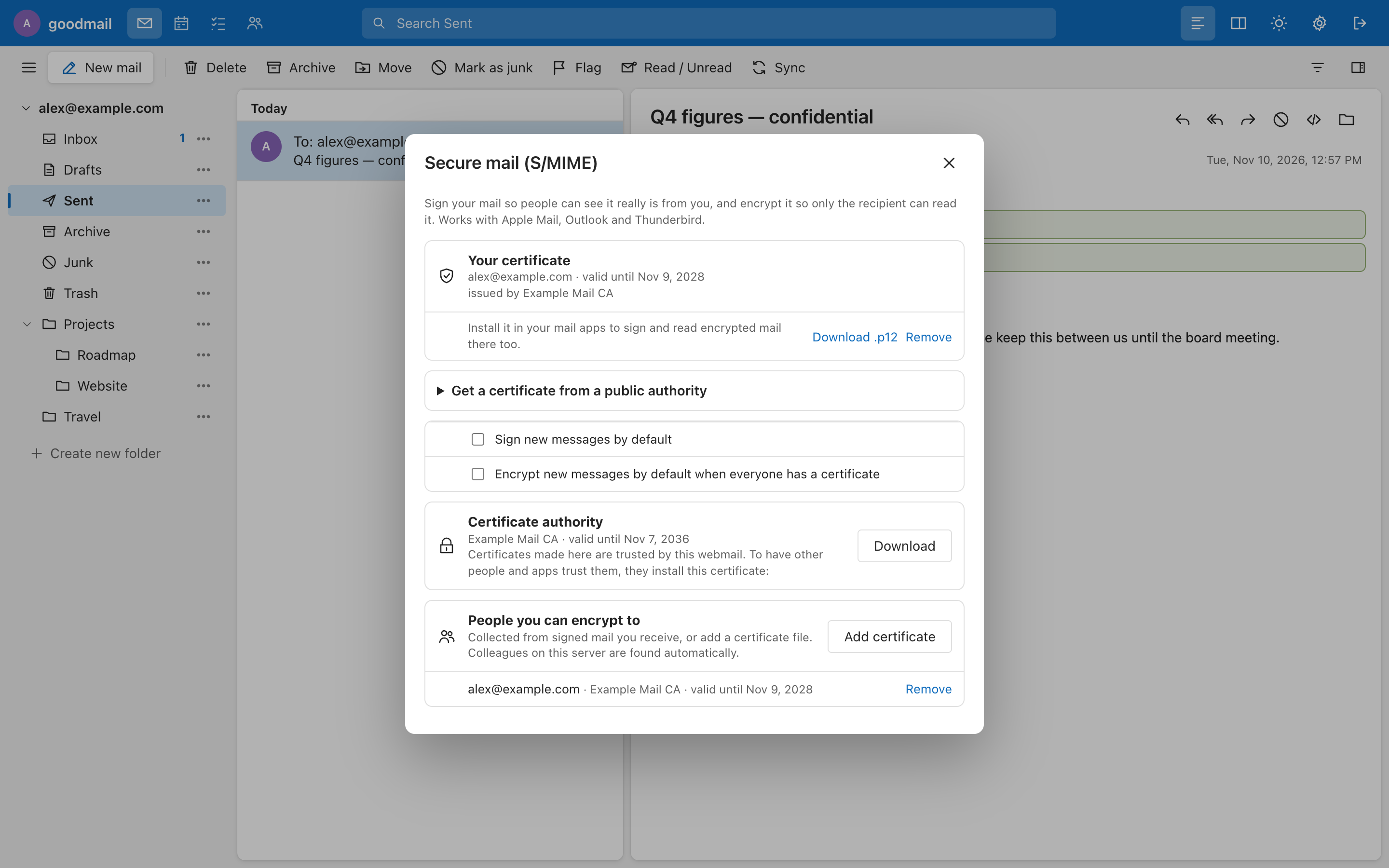
smimeca=auto (default) creates a CA (smimecaname=, 10 years) on first use under GOODMAIL_DATA/smime/ and issues 2048-bit RSA certificates (smimedays=, default 730) with the emailProtection usage and the address in the certificate. smimeca=off means users import certificates they already have. The CA certificate is public at /api/smime/ca.crt and listed under ⚙ → Secure mail. People who install it trust your users' signatures. Back up GOODMAIL_DATA/smime/ca.json and secret.key together; losing either means issuing new certificates.
A signature is "verified" when it chains to your CA, to smimetrust= (a PEM file of extra roots) or to a public root (Node's bundled Mozilla list), and the certificate's address matches the From address. Otherwise the message says why: untrusted, expired, different address, altered.
Needs a certificate for every recipient (remembered from signed mail they sent you, added by hand, or a colleague on the same install) and your own, so you can read your Sent copy. Sign-then-encrypt is used when both are on.
Under ⚙ → Secure mail, Get a certificate from a public authority explains how to obtain one and import the .p12 / .pfx. Those are trusted by everyone's mail app without installing your CA. Importing replaces a certificate that came from goodmail's own CA. Gmail only does S/MIME in Google Workspace; Apple Mail, Outlook and Thunderbird do it natively.
Private keys never leave the server and are stored encrypted: a user's key under a key derived from the server key and their mail password, the CA key under the server key. They exist in plain form only in a private temp directory for the length of one openssl call. Decrypted S/MIME mail is never cached.
Checked with Apple Mail on iPhone (signature shown as verified once the CA is trusted); Outlook and Thunderbird interoperability is expected but not yet tested. Not covered yet: PGP, certificate revocation checking, S/MIME for the extra accounts a user adds, and signing drafts. A webmail cannot protect against its own server being compromised: the server holds the keys while you are signed in.