Repository navigation
Calendar and To Do
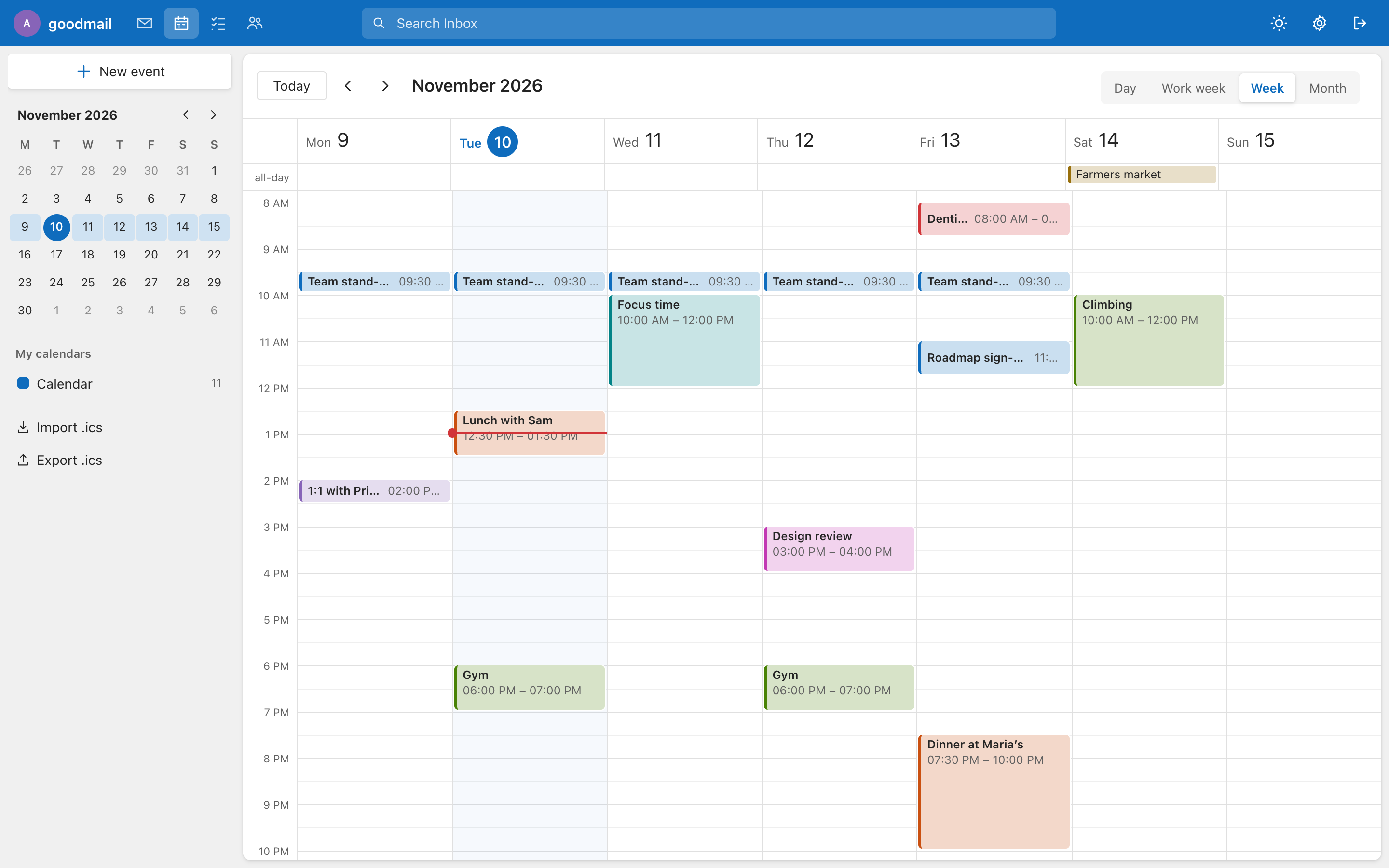
Outlook-style day, work week, week and month views with a mini month, recurring events (daily, weekly with weekdays, monthly, yearly; with end date or count), colours, locations and notes. .ics import and export are in the side column, and invitations in mail get an Add to calendar button (Outlook and Teams time zones are understood). Events are stored per account as a small JSON file on the server.
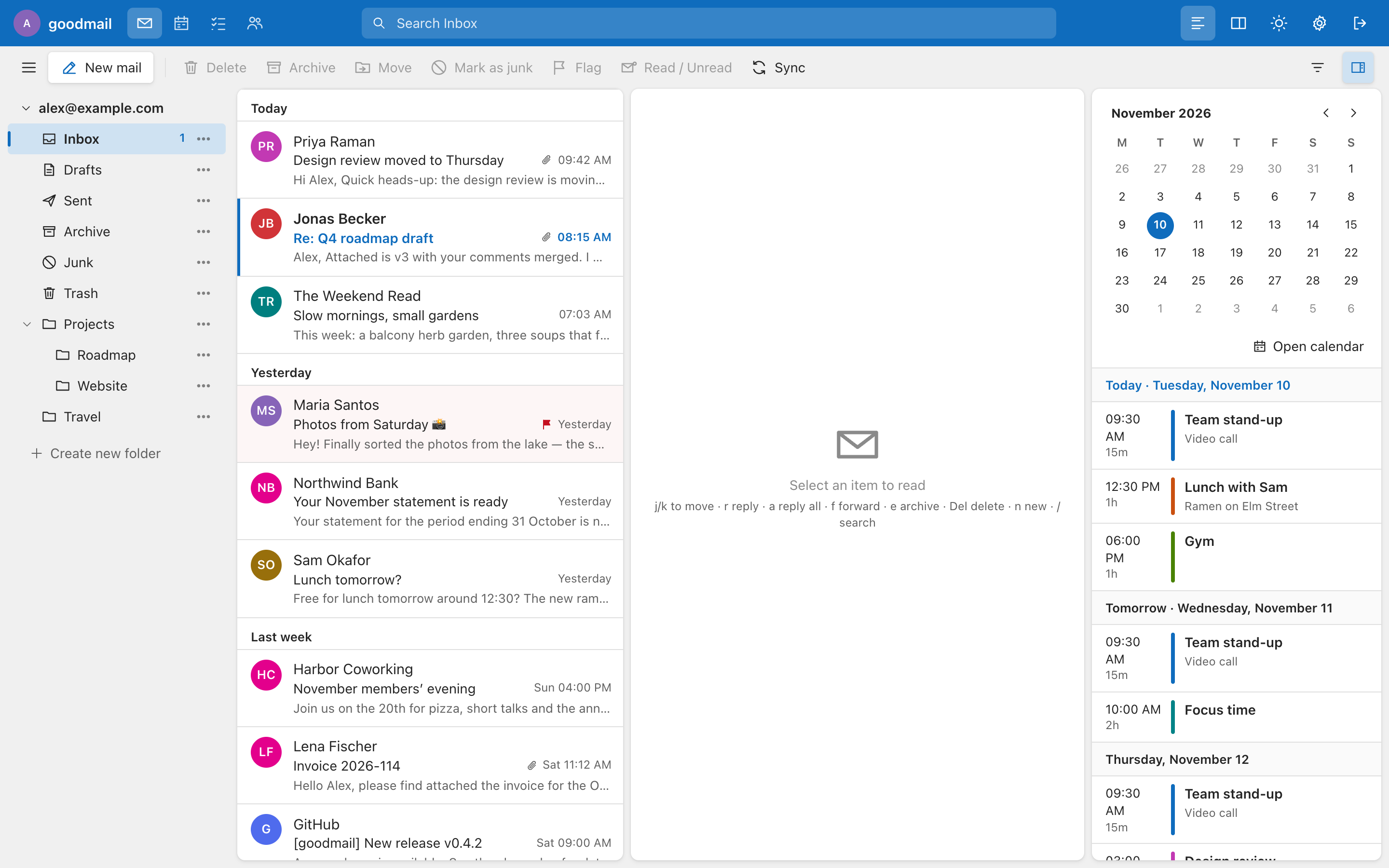
In the mail view the calendar-panel toggle (toolbar, far right) shows a month and your upcoming events (the next 14 days, grouped "Today", "Tomorrow", then by day) next to the mail. Click a day to jump the agenda; Open calendar switches to the full calendar. The panel needs a window at least about 1100 px wide and is hidden on phones.
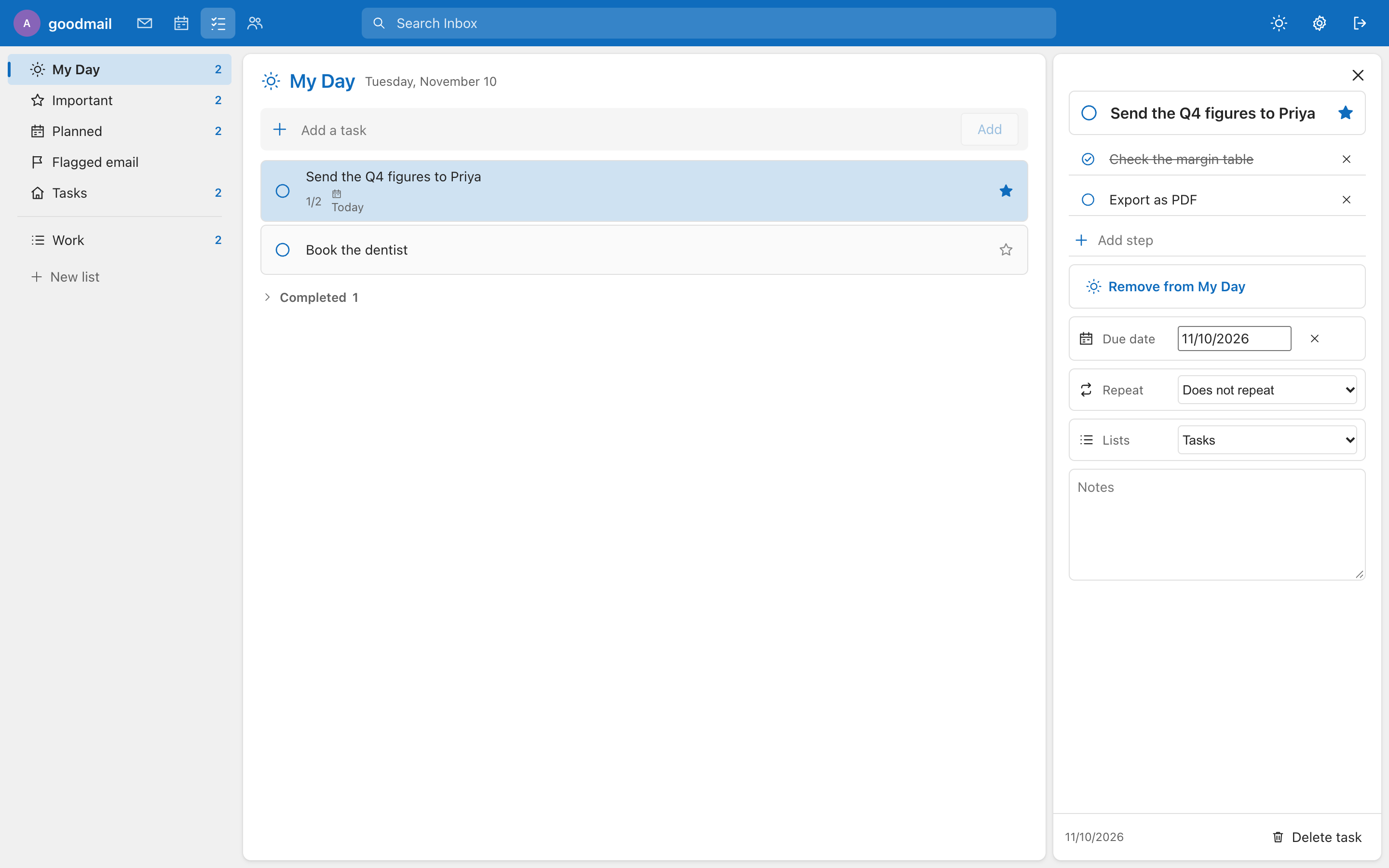
An Outlook-style task list:
- My Day (tasks you picked for today), Important, Planned (tasks with a due date) and Tasks, plus your own lists.
- Each task has steps, a due date, repeat (daily, weekly, monthly, yearly: completing it adds the next one), notes, a star for important and Add to My Day.
- Flagged email jumps to your flagged mail.
- Stored per account as a small JSON file (
tasks/in the data folder), so it follows you to every device. It is not synchronised with Outlook or any CalDAV server.