Repository navigation
Passwords
Mail servers store passwords in very different places, so goodmail does not guess: it runs a command you provide and hands it the request as one JSON line on stdin.
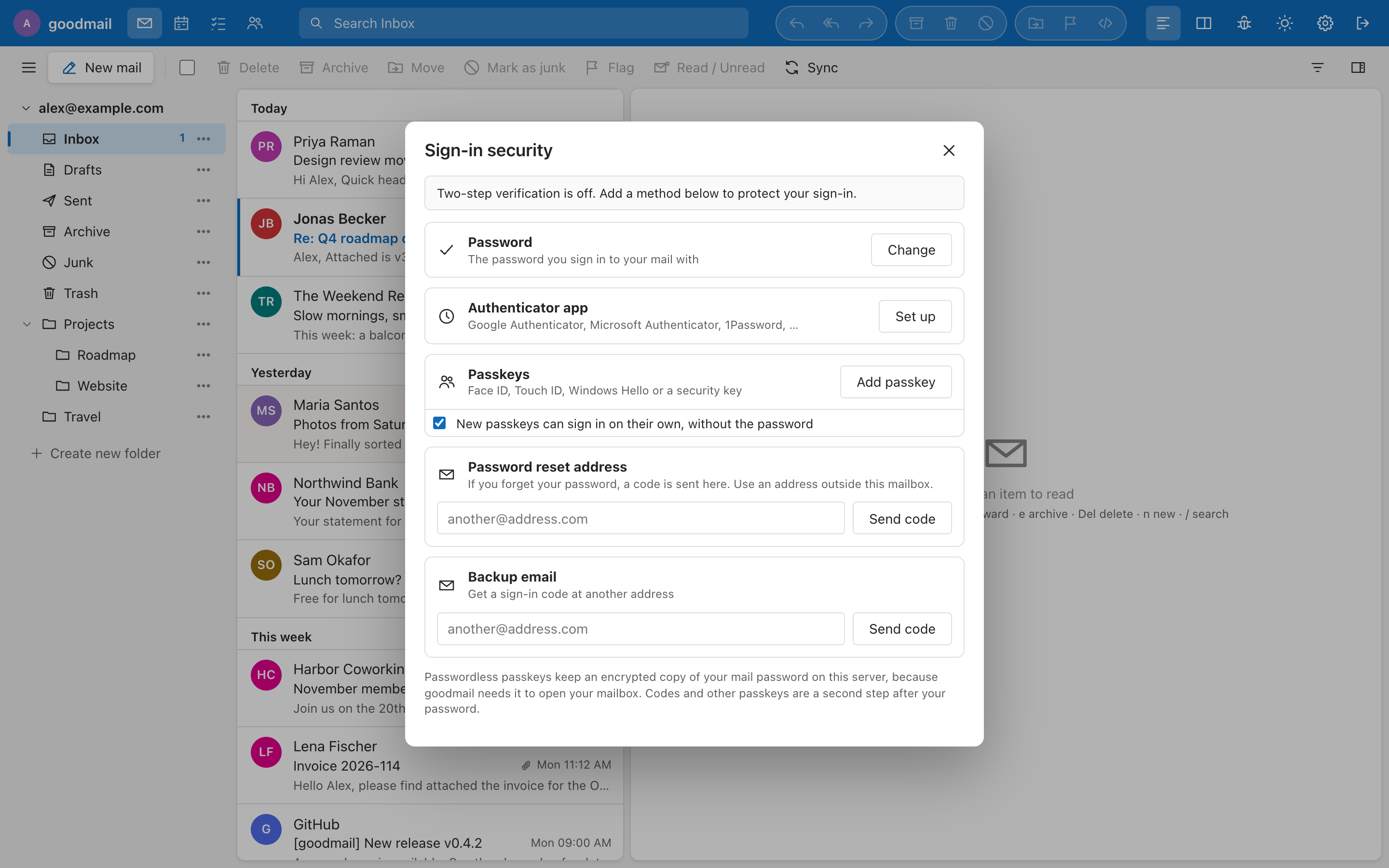
Turned on by passwordcmdN= in goodmail.conf (⚙ → Sign-in security). The command is split into arguments and never run through a shell. It receives:
{"login":"user@example.com","user":"<imap username>","old":"…","new":"…"}Exit status 0 means the password is now changed. Any other status is a failure, and the first line the command printed on stdout (if any) is shown to the user (for example Password is too weak); stderr is only logged. goodmail has already checked the current password and the new one's length (passwordminN, default 10) and characters.
Afterwards goodmail confirms that the new password opens the mailbox, re-encrypts the user's saved extra accounts and passwordless passkeys under it, and signs the browser in again. Other devices have to sign in again.
A typical command is ssh to the mail server with a key locked to one forced command. The repository's ops/goodmail-setpw is such a helper for Postfix + Dovecot + PostfixAdmin (BLF-CRYPT into the mailbox table): install it as root on the mail server, add command="sudo -n /usr/local/sbin/goodmail-setpw",from="<web server IP>",no-pty,no-port-forwarding <public key> to the forced-command user's authorized_keys, and allow just that script in sudoers.
Needs passwordcmdN plus resetfrom= and resetsmtp=. Each user saves a second address outside their own mailbox under ⚙ → Sign-in security → Password reset address (confirmed with a code). From the sign-in page, Forgot your password? mails a one-time code to that address, then the user picks a new password.
- The page answers the same for unknown addresses; codes last 15 minutes with 5 tries; requests are rate-limited; the mailbox itself gets a notice afterwards.
- Nobody is signed in at that moment, so the code cannot go out through the user's own mailbox:
resetfrom=is a dedicated sender,resetsmtp=host[:port]its server (465 = TLS, 587 = STARTTLS) withresetuser=/resetpass=as its login (resetinsecure=trueaccepts a self-signed certificate). - The reset runs the same
passwordcmdNcommand with"reset": trueand an empty"old". - A reset leaves the user's saved extra accounts locked until they enter their previous password once. Passwordless passkeys work again after the next password sign-in. Two-step sign-in still applies after a reset.