2.2.21 Backend: ik_llama.cpp
Handle:
ikllamacpp
URL: http://localhost:33832
ik_llama.cpp is a llama.cpp fork focused on local inference performance, additional quantization formats, Bitnet support, and CPU/CUDA execution paths.
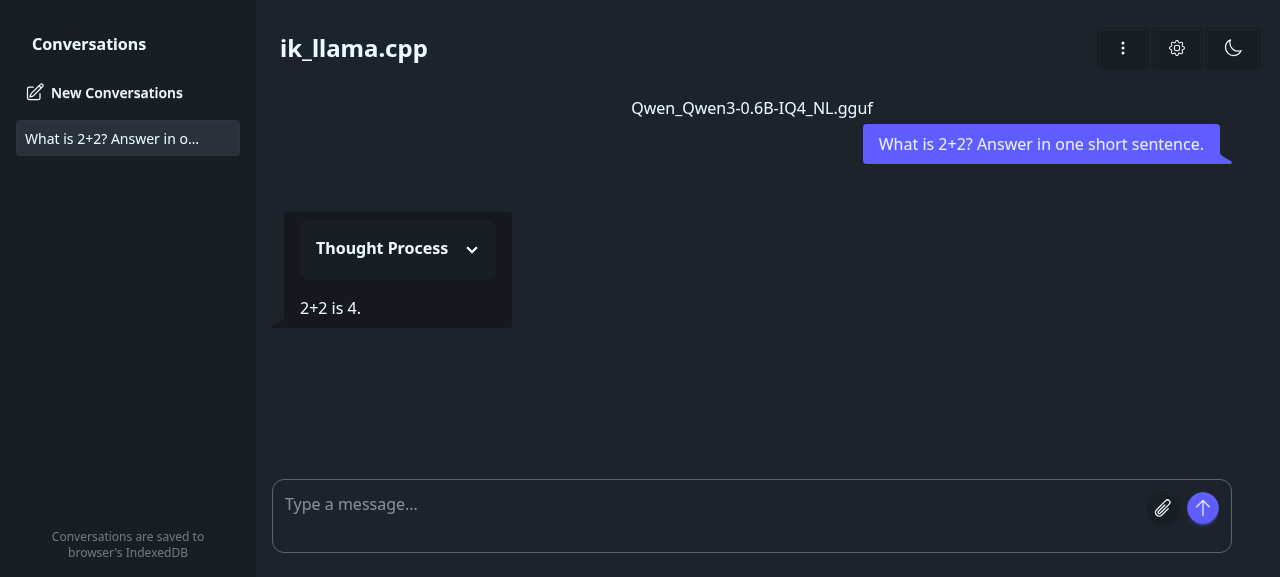
The pre-built images are published by the upstream project. CPU and CUDA image variants are available; Harbor selects the NVIDIA image automatically when NVIDIA capabilities are enabled.
# Pull the selected image
harbor pull ikllamacpp

# Start the ik_llama.cpp server
harbor up ikllamacpp

# Open the built-in server UI
harbor open ikllamacpp
ikllamacpp runs in router mode by default, matching Harbor's llamacpp service. With no fixed model specifier, the server can discover models from the mounted Hugging Face and llama.cpp caches.
You can use the same GGUF model workflow as the llamacpp service.
# Set model via Hugging Face URL
harbor ikllamacpp model https://huggingface.co/user/repo/blob/main/file.gguf

# Or set a local GGUF file path
harbor ikllamacpp gguf /path/to/model.gguf

# Add server flags
harbor ikllamacpp args '--ctx-size 4096 -ngl 99'
The configured model is translated into the server model specifier and applied when the container starts. Restart ikllamacpp after changing the configured model or arguments.
The service exposes the llama-server UI and OpenAI-compatible API:
# List models
curl http://localhost:33832/v1/models

# Chat completion
curl http://localhost:33832/v1/chat/completions \
  -H "Content-Type: application/json" \
  -d '{"model":"your-model","messages":[{"role":"user","content":"Say hello"}]}'
When webui and ikllamacpp run together, Harbor mounts an Open WebUI provider config pointing at http://ikllamacpp:8080/v1 with API key sk-ikllamacpp.
harbor up webui ikllamacpp --openFollowing options are available via harbor config:
# The port on the host machine where ik_llama.cpp is available
HARBOR_IKLLAMACPP_HOST_PORT      33832

# Docker images for CPU and NVIDIA capability targets
HARBOR_IKLLAMACPP_IMAGE_CPU      ghcr.io/ikawrakow/ik-llama-cpp:cpu-server
HARBOR_IKLLAMACPP_IMAGE_NVIDIA   ghcr.io/ikawrakow/ik-llama-cpp:cu12-server

# Model selection; managed by harbor ikllamacpp model/gguf
HARBOR_IKLLAMACPP_MODEL
HARBOR_IKLLAMACPP_GGUF
HARBOR_IKLLAMACPP_MODEL_SPECIFIER

# Additional llama-server arguments
HARBOR_IKLLAMACPP_EXTRA_ARGS

# Source build controls
HARBOR_IKLLAMACPP_BUILD_REF
HARBOR_IKLLAMACPP_BUILD_CUDA_ARCHUse build mode when you need a specific upstream commit or want to rebuild locally for your CPU/GPU target.
# Enable build mode
harbor ikllamacpp build on

# Optional: pin a branch, tag, or commit
harbor ikllamacpp build ref main

# Build and start
harbor build ikllamacpp
harbor up ikllamacpp
Harbor uses docker/ik_llama-cpu.Containerfile for CPU builds and overlays docker/ik_llama-cuda.Containerfile for NVIDIA builds.
-
HARBOR_HF_CACHEis mounted at/root/.cache/huggingface. -
HARBOR_LLAMACPP_CACHEis mounted at/root/.cache/llama.cpp. -
./services/ikllamacpp/datais mounted at/app/datafor local GGUF files, presets, and other service data.
harbor logs ikllamacpp- If the service starts but no models appear, download a GGUF model or set
HARBOR_IKLLAMACPP_MODEL_SPECIFIERthroughharbor ikllamacpp modelorharbor ikllamacpp gguf. - If CUDA is unavailable, confirm Harbor detects NVIDIA capability and that the NVIDIA Container Toolkit is installed on the host.
- Upstream currently documents CPU and CUDA as the fully functional compute backends for ik_llama.cpp; use the CPU image on non-NVIDIA systems.