8.7 Run Hermes Agent with Harbor
Harbor can run Hermes Agent with local LLMs as part of a Docker Compose local AI stack. Use this guide when you want a Hermes Agent Harbor setup, a local AI agent backed by Ollama or llama.cpp, or a self-hosted agent workflow that can use Harbor's OpenAI-compatible local backends.
Hermes Agent is an autonomous AI agent from Nous Research. In Harbor, Hermes can be used in two user-selectable ways:
- Run an installed host
hermesCLI throughharbor launch, with Harbor supplying the backend URL, API key, and model. - Run the containerized Hermes Agent service with
harbor up hermes, then useharbor hermes ...or the service's OpenAI-compatible API server.
Both paths are useful. Choose the one that matches how you want to run Hermes.
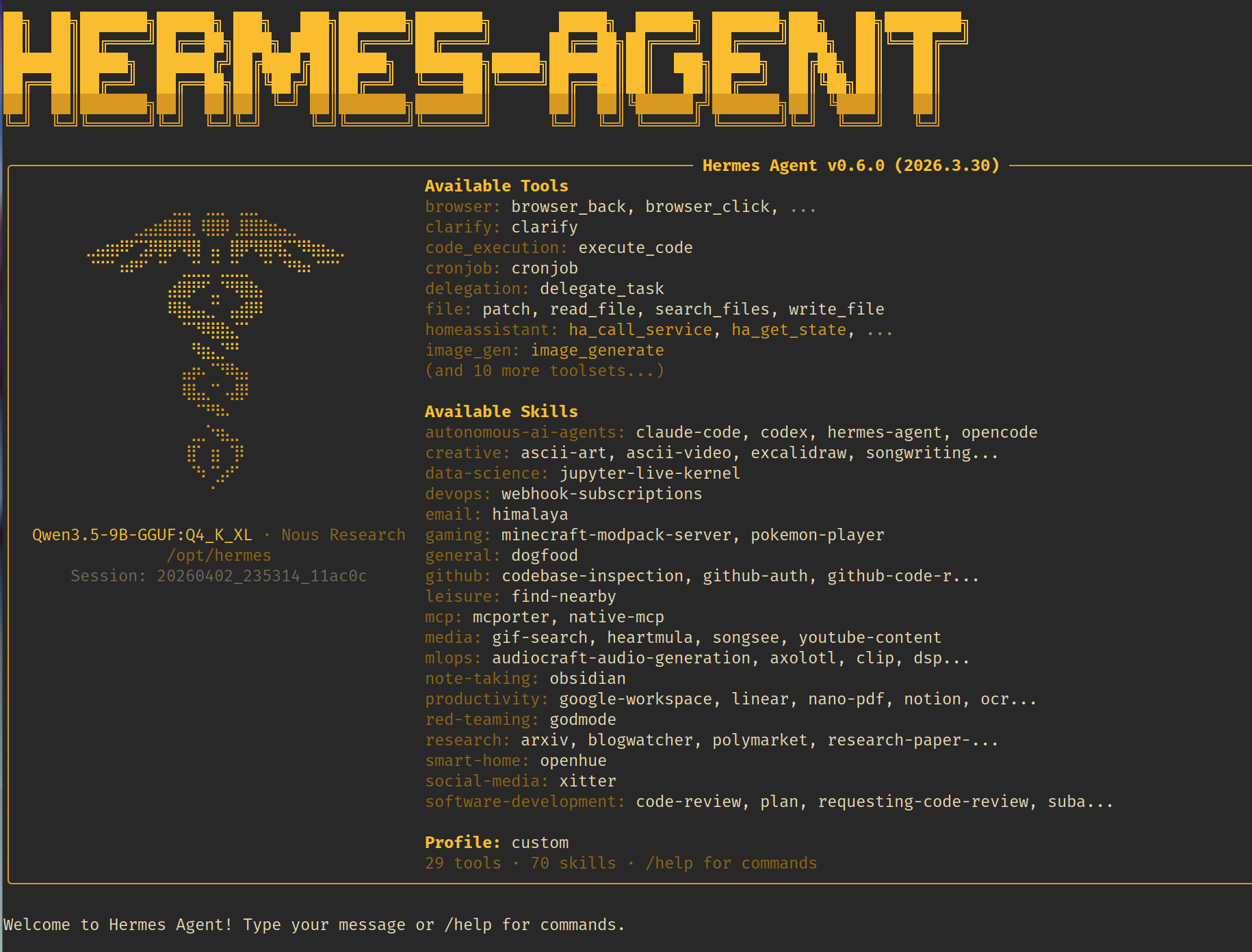 Hermes Agent running through Harbor.
A practical Hermes Agent Harbor stack usually has these pieces:
- A local LLM backend such as Ollama, llama.cpp, or another OpenAI-compatible backend.
- Hermes Agent as a host CLI launched by Harbor, or as the
hermesHarbor service. - Optional web search through Harbor Boost and SearXNG when using
harbor launch --web. - Optional service integrations such as Unsloth Studio, Traefik, and Harbor CLI mounts when those handles are selected.
Harbor keeps the wiring in Docker Compose files and launch adapters. That is the difference between a manual Hermes Agent Docker Compose setup and a Harbor local AI toolkit workflow: you use service handles and launch options instead of hand-editing provider URLs for each run.
Use harbor launch when you already have the host hermes CLI installed and want Harbor to point it at a selected backend:
harbor launch --backend ollama --model qwen3.5:4b hermesFor Hermes, Harbor sets:
-
OPENAI_BASE_URLto the selected Harbor backend's/v1endpoint. -
OPENAI_API_KEYto the key expected by that backend path. -
HERMES_MODELto the selected model.
If you do not pass Hermes arguments, Harbor launches Hermes with chat. Arguments after hermes are passed through to the host tool:
harbor launch --backend ollama --model qwen3.5:4b hermes chatPrint the launch environment without starting Hermes:
harbor launch --config --backend ollama --model qwen3.5:4b hermesThis path is useful for searches like run Hermes Agent with local LLMs, Hermes Agent Ollama, and local AI agent with OpenAI-compatible backend.
Hermes is one of Harbor's OpenAI-compatible host launch targets, so it can use the same --web path as other compatible host tools:
harbor launch --web --backend ollama --model qwen3.5:4b hermes--web starts SearXNG and Harbor Boost web tools, then routes Hermes to a generated Boost workflow model with web_search and read_url available. Use this when the agent should search documentation, read URLs, or gather current context while still using a Harbor-managed local backend.
For the broader host-tool pattern, read Run Coding Agents with Local LLMs.
Use the Harbor service path when you want the containerized Hermes Agent service:
harbor up hermesHermes has no web UI in Harbor. It is a CLI agent with an OpenAI-compatible API server. Harbor exposes the API at:
http://localhost:34801/v1
The API is gated by an API key, defaulting to sk-hermes. Pass it as the bearer token, and change it with harbor hermes api_key <key>.
Run Hermes CLI commands through the container:
harbor hermes chat
harbor hermes version
harbor hermes api_key
The service stores Hermes data under HARBOR_HERMES_WORKSPACE, mounted into the container at /opt/data. Configure the API server port, image, version, workspace, and API key through Harbor config; configure provider keys or gateway tokens through harbor env hermes.
See the Hermes Agent service docs for the full config surface.
For a Hermes Agent Ollama stack, run Hermes with Ollama selected:
harbor up hermes ollamaThe Hermes/Ollama cross-service Compose file points OPENAI_BASE_URL at Harbor's internal Ollama /v1 endpoint. This gives the Hermes service an OpenAI-compatible local backend without manually editing the Hermes container environment.
For the host CLI version of the same idea, use:
harbor launch --backend ollama --model qwen3.5:4b hermesThis is the simplest Harbor path for a local Hermes Agent setup backed by Ollama.
Use llama.cpp when your model workflow is GGUF-focused or when you want to test Hermes against a llama.cpp OpenAI-compatible server:
harbor up hermes llamacppThe Hermes/llama.cpp cross-service Compose file points OPENAI_BASE_URL at http://llamacpp:8080/v1 inside the Harbor network.
The host launch equivalent is:
harbor launch --backend llamacpp --model Qwen3.5-4B hermesHarbor Launch also works with other compatible backends listed in OpenAI-Compatible Local LLM Backends, as long as the selected backend exposes a reachable OpenAI-style endpoint and model list or you pass --model explicitly.
Harbor's Hermes service is still a Docker Compose service. The main service file exposes the Hermes API server on port 8642 inside the container and maps it to HARBOR_HERMES_HOST_PORT on the host.
Selected service combinations add integration files:
-
hermes + ollamasetsOPENAI_BASE_URLto the internal Ollama/v1endpoint. -
hermes + llamacppsetsOPENAI_BASE_URLto the internal llama.cpp/v1endpoint. -
hermes + unsloth-studiopoints Hermes at Unsloth Studio and reads the generated API key at runtime. -
hermes + traefikexposes the Hermes API through the configured Traefik domain. -
hermes + harbor-climounts Harbor CLI support into the container.
This is the Harbor advantage over a one-off Hermes Agent Docker Compose file: the same hermes handle can participate in different local AI stack shapes without copying environment blocks between Compose files.
# Host Hermes CLI with a Harbor Ollama backend
harbor launch --backend ollama --model qwen3.5:4b hermes

# Host Hermes CLI with web search and URL reading
harbor launch --web --backend ollama --model qwen3.5:4b hermes

# Containerized Hermes Agent service
harbor up hermes

# Hermes service connected to Ollama
harbor up hermes ollama

# Hermes service connected to llama.cpp
harbor up hermes llamacpp

# Run Hermes CLI inside the service container
harbor hermes chat
Start with the smallest path that matches your workflow. Use harbor launch for an installed host Hermes CLI, or use harbor up hermes for the Harbor service and API server.
- Read the Hermes Agent service docs.
- Review
harbor launchfor host tool launch behavior. - Build the base stack with Local LLM Stack with Docker Compose.
- Compare host tool launch patterns in Run Coding Agents with Local LLMs.
- Choose inference engines with OpenAI-Compatible Local LLM Backends.
- Return to Harbor Guides for the full guide index.