Repository navigation
Configuration and Customization
GridLock stores global preferences in ~/.config/gridlock/config.toml and ~/.config/gridlock/debugger.conf (QSettings), and per-workspace project and session state in <workspace>/.gridlock/settings.toml and <workspace>/.gridlock/workspace.toml.
PreferencesDialog is organized into 8 pages along its left sidebar:
-
Color Theme: Live-switching dropdown across all 12 built-in dark and light themes (ThemeManager), paired with 5 luminance-checked swatch chips (Canvas,Header,Border,Accent,Text). -
Memory Map Color Scheme: Default palette forMemoryProfilerWidget:Category & Library Distinct(Distinct),Viridis Scientific(Viridis),Plasma Thermal(Plasma),Ocean Cool-Warm(Ocean), orHigh-Contrast Accessible(HighContrast, Okabe-Ito). -
File Tree Style(Compact,Comfortable,Large) andEnable Colorful File Icons. -
UI Font Family&UI Font Size:Inter(default),Cantarell,Ubuntu,JetBrains Mono, orMonospace,7..32 pt(default11 pt). -
Code Font Family&Code Font Size: Seeded with 16 monospace families (JetBrains Mono,Fira Code,FiraCode Nerd Font,Hack,Source Code Pro,Cascadia Code,Iosevka,IBM Plex Mono,DejaVu Sans Mono,Liberation Mono,Ubuntu Mono,Noto Sans Mono,Inconsolata,Victor Mono,Terminus,Monospace) plus system fixed-pitch fonts,7..48 pt(default11 pt).
-
Tab Width(1..16, default4),Indent With(SpacesorTabs),Whitespace(HiddenorVisible). -
Enable Word Wrap(defaultfalse),Show Edge Column Line(defaulttrue),Edge Column(1..300, default80). -
Enable Rainbow Brackets(5-level cyclic depth coloring on(),{},[], defaulttrue). -
Enable Syntax Highlighting for Config & Docs(TOML,YAML,Markdown,CSV/TSV, defaulttrue). -
Show Inline Variable Values in Editor when Paused(defaulttrue).
-
Restore Breakpoints:Always(default),Ask, orNever. -
Confirm Quit:Yes(default) orNo. -
Focus on Stop:Yes(default) orNo. -
Status Bar Resource Format:GB / Total GB + CPU %(gb),Percentage (%) Only(percent), orBoth (GB / Total GB + %)(both).
-
Debugger Engine:GNU GDB (gdb),LLVM LLDB-DAP (lldb-dap),NVIDIA CUDA-GDB (cuda-gdb), orAMD ROCm GDB (rocgdb). -
Default Disassembly View:Control Flow Graph (Map)(cfg, default),Linear Assembly List(linear), orSplit CFG + Decompiler(split). -
Clangd Path,DAP Adapter Path,GDB Path: Executable names or absolute paths withBrowse...pickers. -
MPI Executable(defaultmpiexec),MPI Args(default--oversubscribe),Default Rank Count(1..256, default2). -
Trap FPE (NaN/Overflow): Sendscatch signal SIGFPEacross GDB ranks on session start. -
Show Pseudo-C Decompiler when Source Editor is visible: Keeps the decompiler split open even when DWARF C/C++ source is already displayed.
-
MPI Hosts File(--hostfile),MPI Env Vars(multi-lineKEY=VALUE), andStrict Node Affinity(--map-by node).
-
Remote SSH Connection:SSH Host,SSH User, andSSH Key Path. -
SLURM Batch Configuration:"Load & Auto-Detect .sbatch Script...","Sync Fields -> Script Preview", 16#SBATCHform controls (--job-name,--account,--partition,--qos,--time,--mem,--nodes,--ntasks-per-node,--cpus-per-task,--constraint,--gres,MPI Launcher,module load,--output,--mail-type,--mail-user), and editableScript Template({FILE}placeholder). -
Spack Install Path: Default/opt/spack.
-
Shell Path(defaults to$SHELLor/bin/bash),Font Family(defaultFiraCode Nerd Font), andFont Size(6..72 pt, default12 pt).
-
Docset Directory,Auto-Detect Zeal Docsets(scans~/.local/share/Zeal/Zeal/docsets,~/.config/Zeal/Zeal.conf, Flatpakorg.zealdocs.Zeal, and/usr/share/zeal/docsets, attaching up to 10 SQLite.docsetindices), andAuto-Detect Needs(scans workspace#includeheaders for<mpi.h>and C++ STL usage).
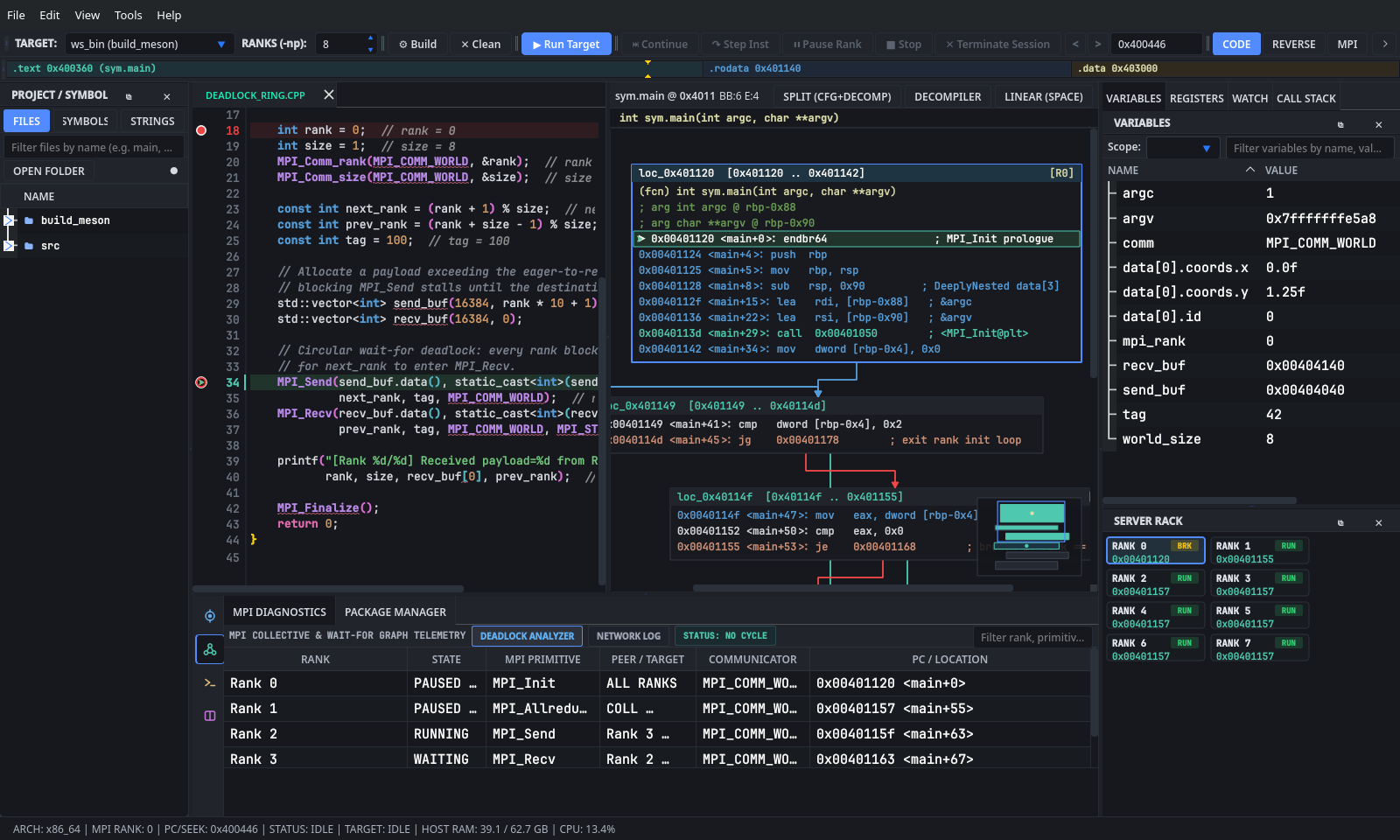
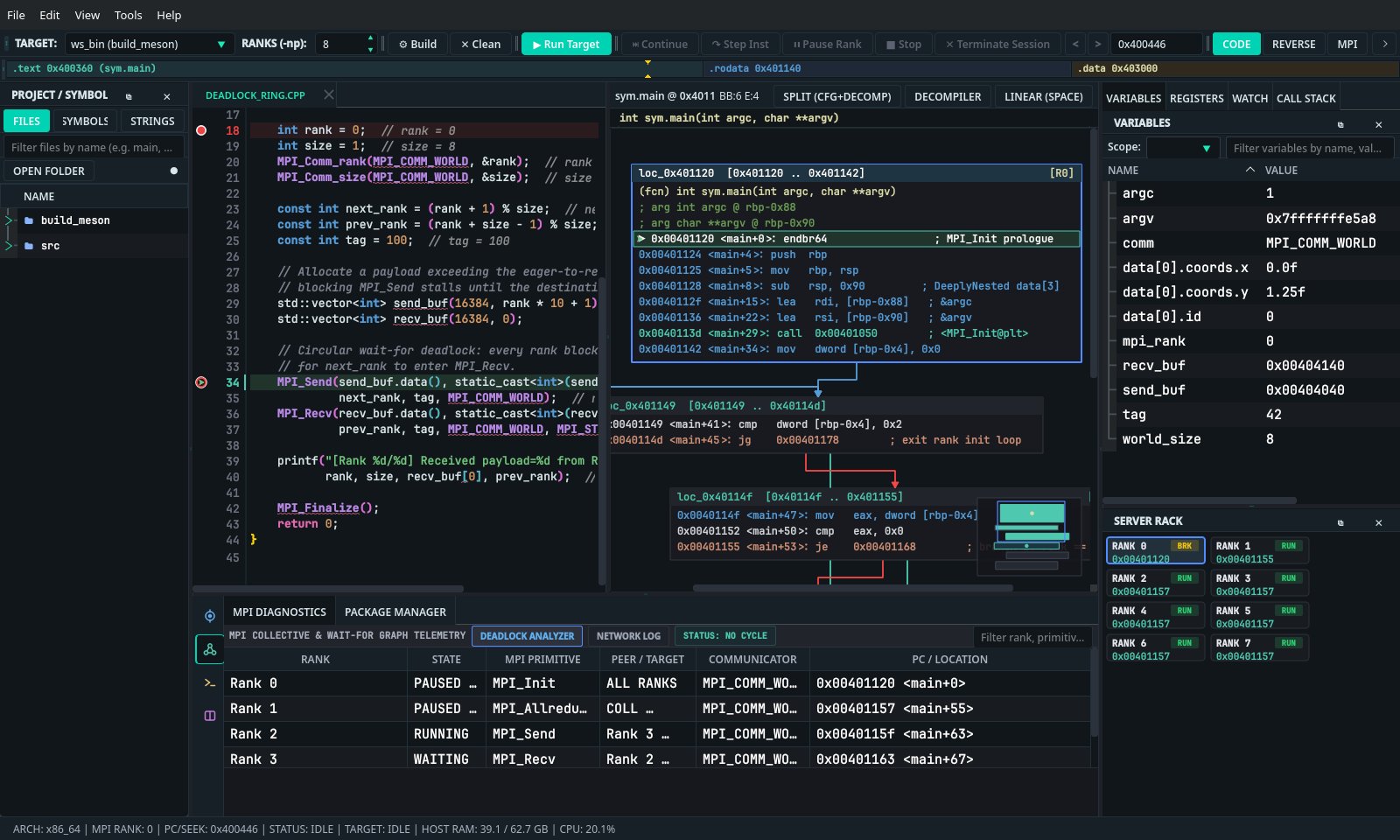
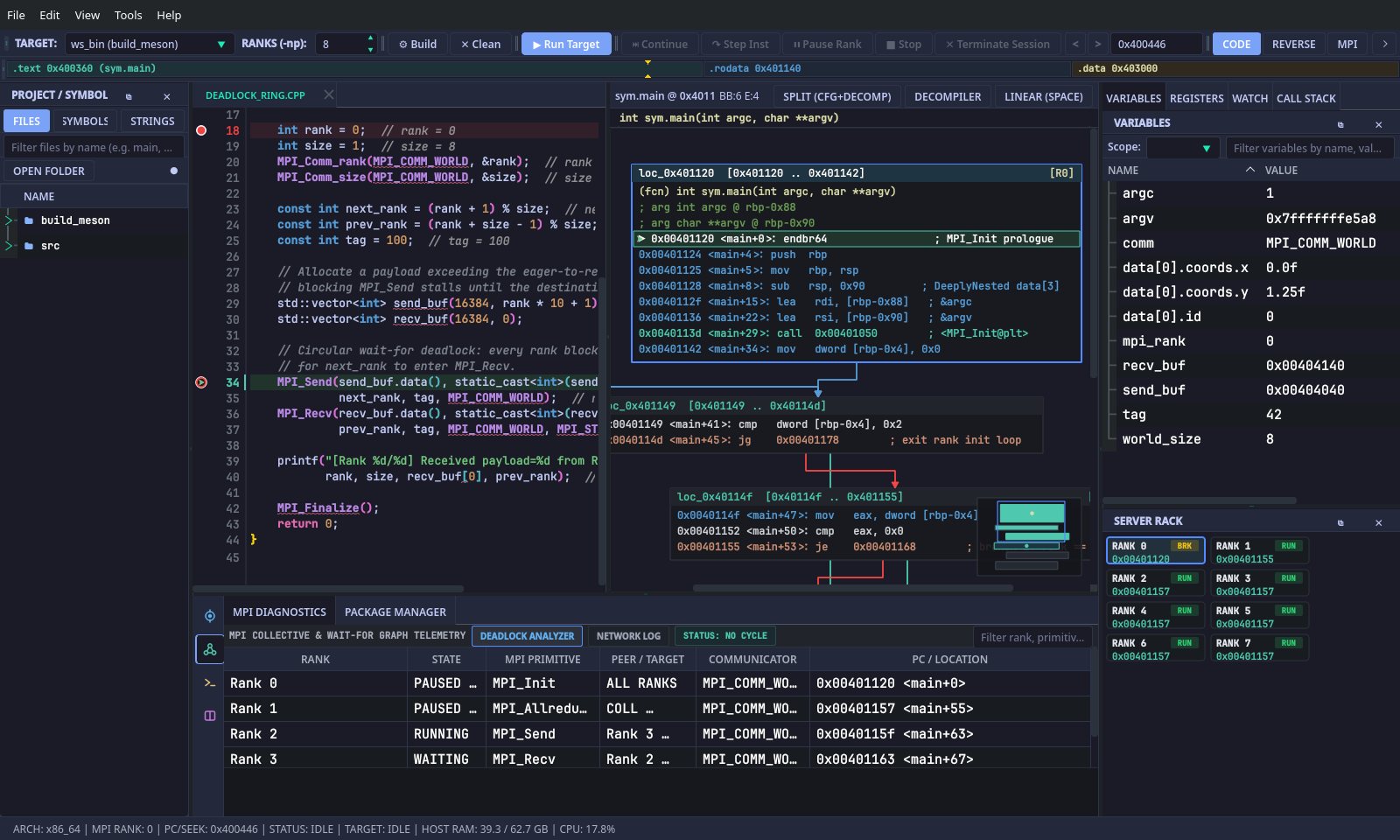
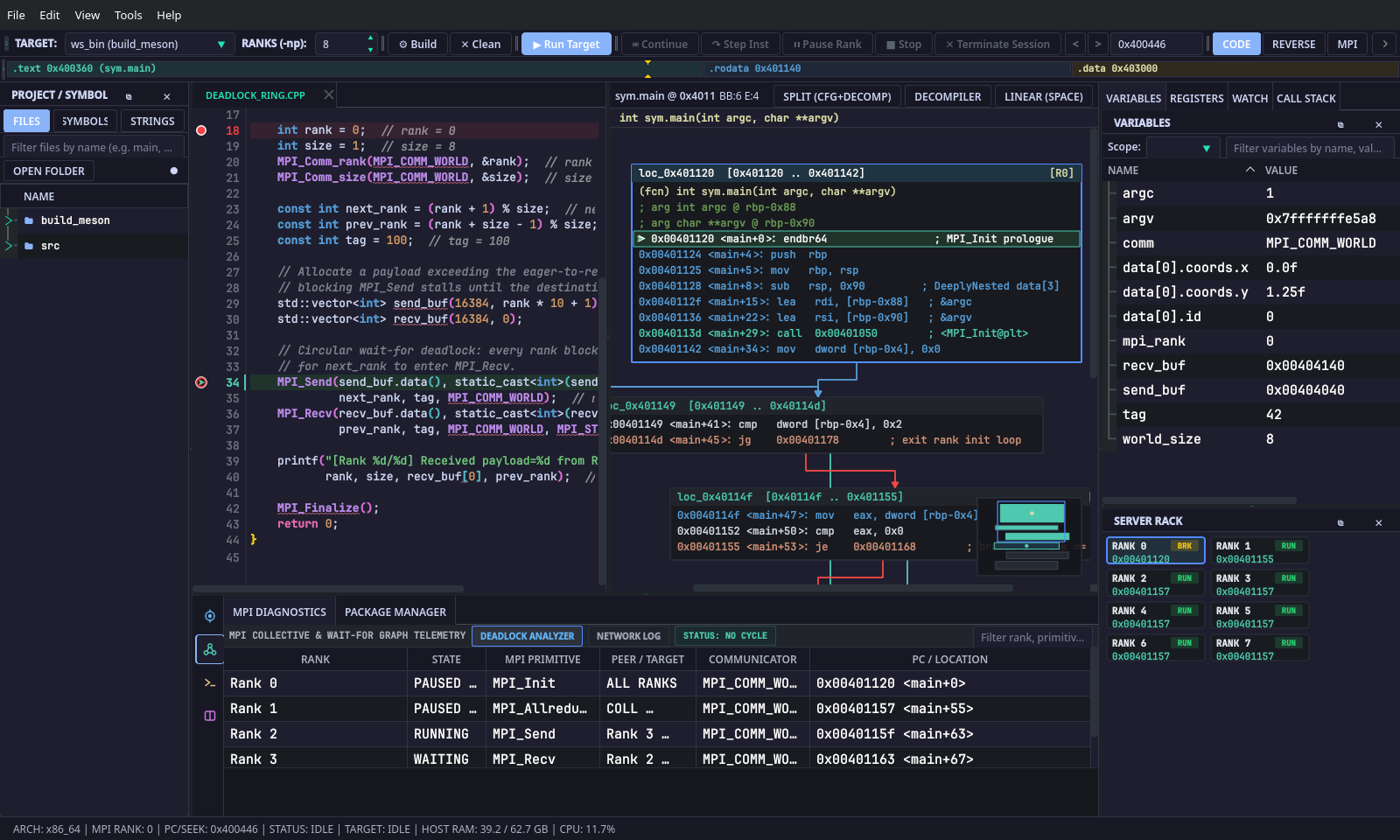
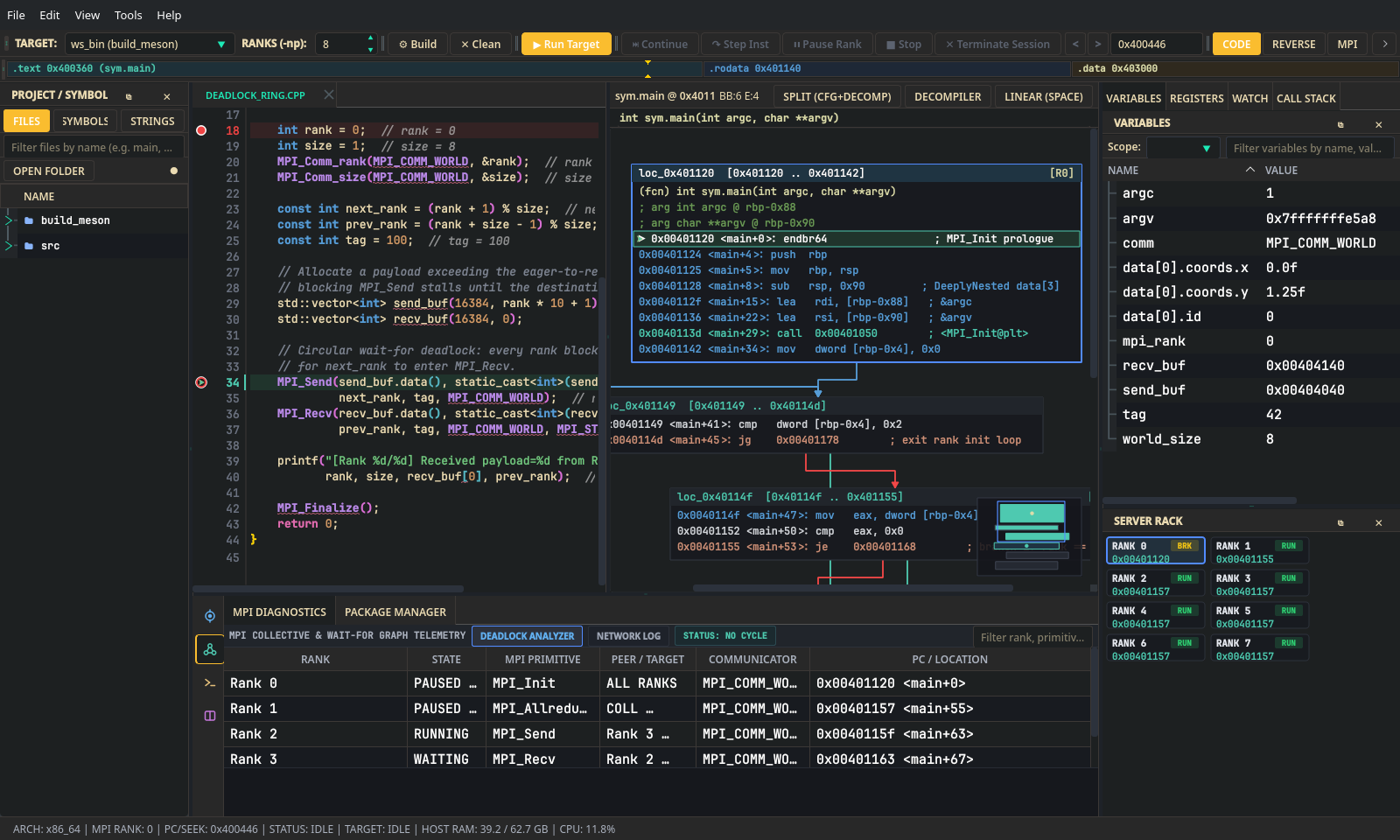
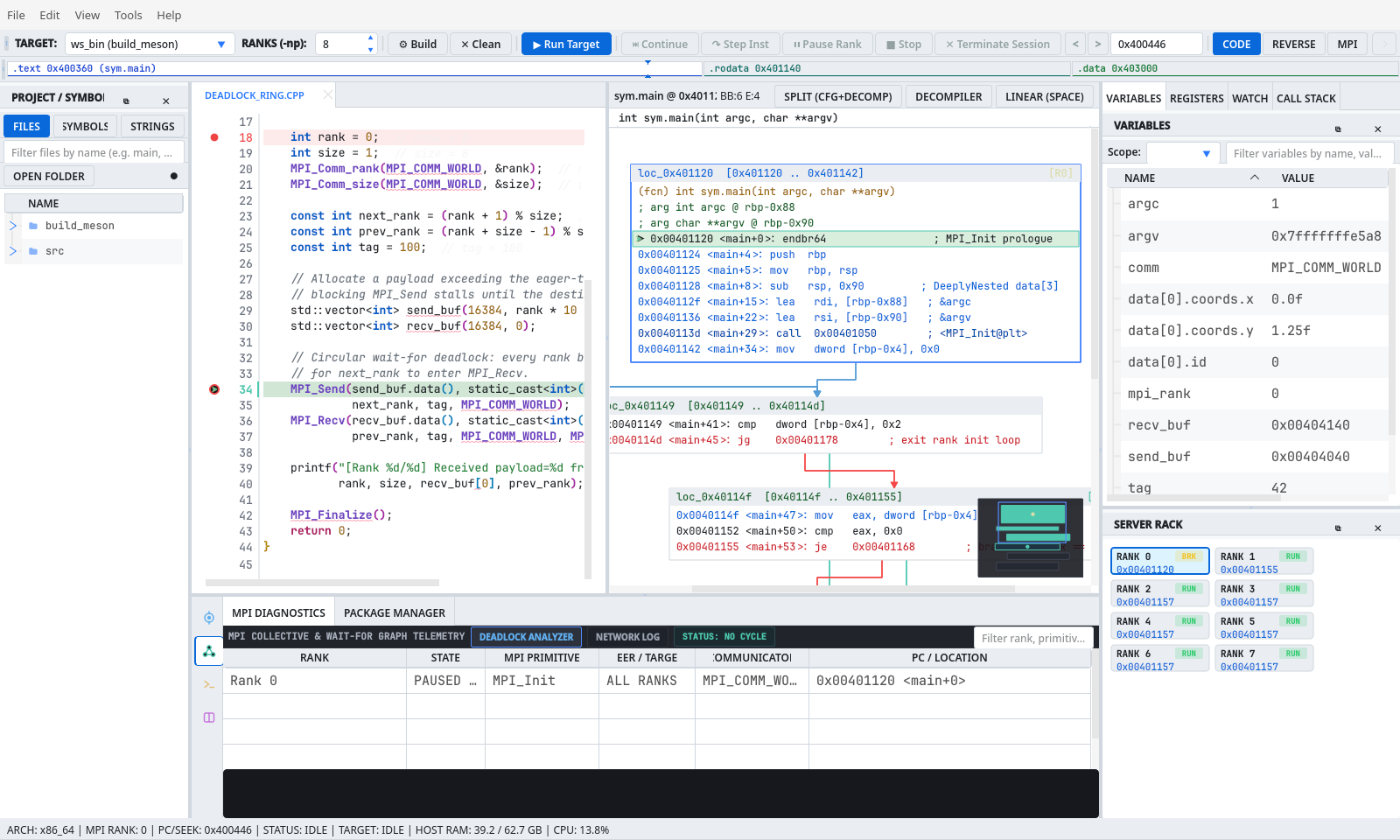
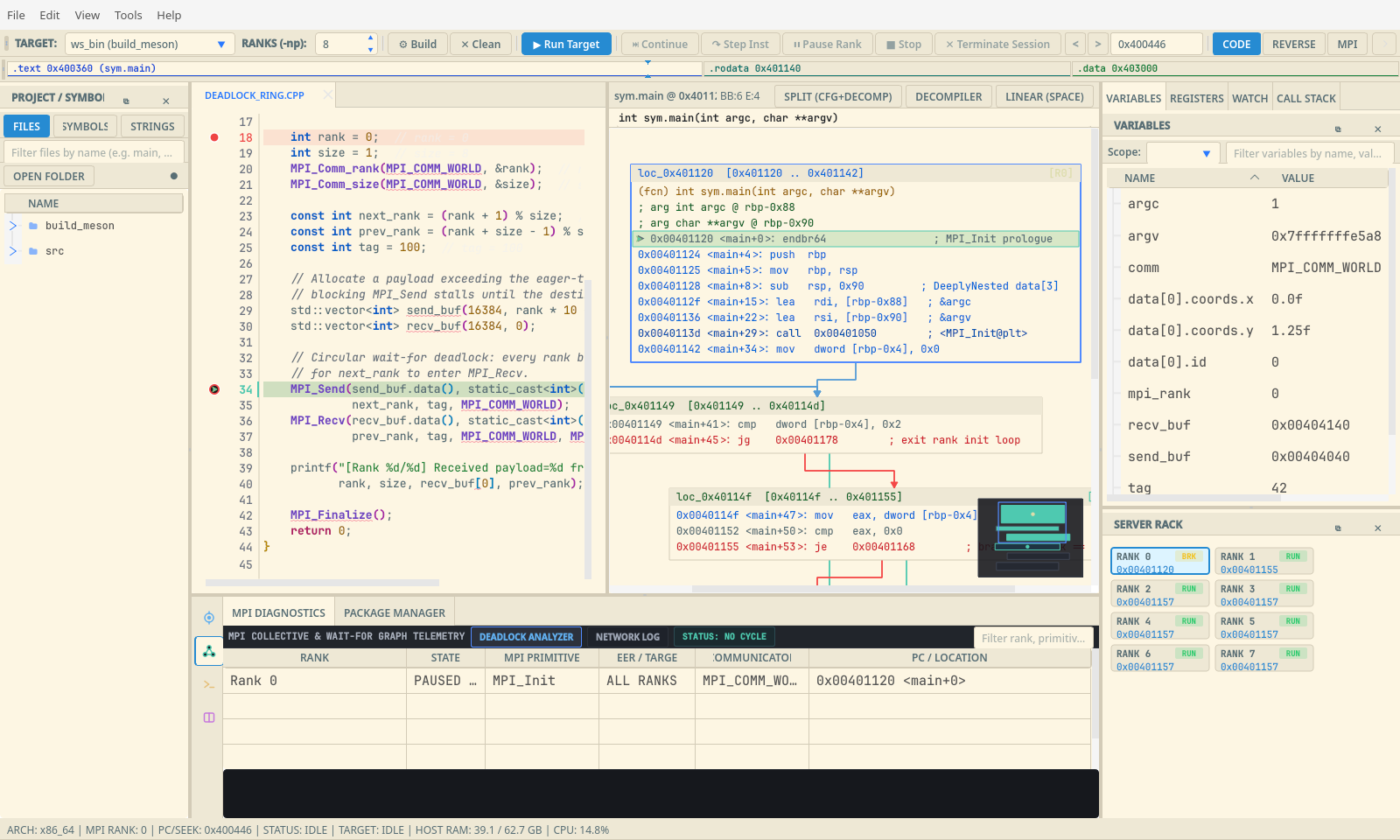
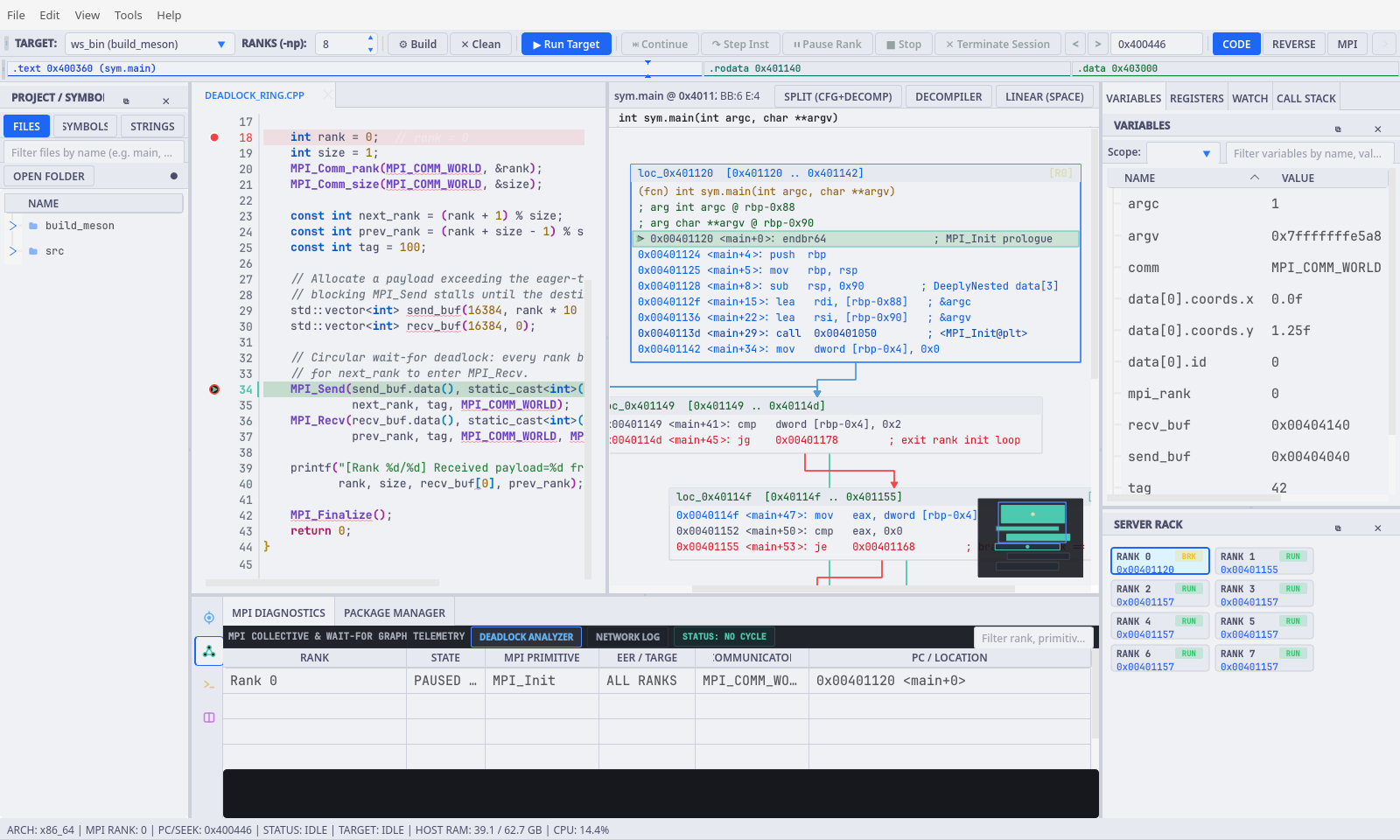
All 12 theme palettes in src/core/managers/ThemeManager.cpp propagate across QtAdvancedStylesheet, QSS chrome, SourceCodeView, DisassemblyView (CFG cards, branch arcs, decompiler), MemView, MemoryProfilerWidget, ServerRackView, and dialogs:
| Theme ID | Display Name | Polarity | Canvas | Header | Border | Accent | Text |
|---|---|---|---|---|---|---|---|
gridlock_slate |
GridLock Slate (default) | Dark | #16181d |
#21252b |
#282c34 |
#528bff |
#d7dae0 |
dark_teal |
Obsidian Teal | Dark | #11161a |
#172026 |
#22303a |
#00d2b4 |
#d8e6eb |
tokyo_night |
Tokyo Night | Dark | #1a1b26 |
#24283b |
#2f3549 |
#7aa2f7 |
#c0caf5 |
catppuccin_mocha |
Catppuccin Mocha | Dark | #1e1e2e |
#181825 |
#313244 |
#89b4fa |
#cdd6f4 |
gruvbox_dark |
Gruvbox Industrial | Dark | #1d2021 |
#282828 |
#3c3836 |
#fabd2f |
#ebdbb2 |
nord_dark |
Nord | Dark | #2e3440 |
#3b4252 |
#4c566a |
#88c0d0 |
#eceff4 |
one_dark_pro |
One Dark Pro | Dark | #282c34 |
#21252b |
#3e4451 |
#61afef |
#abb2bf |
dracula_dark |
Dracula | Dark | #282a36 |
#21222c |
#44475a |
#bd93f9 |
#f8f8f2 |
daylight_light |
Daylight Paper (Light) | Light | #ffffff |
#eaeef2 |
#d0d7de |
#0969da |
#1f2328 |
solarized_light |
Solarized Warm (Light) | Light | #fdf6e3 |
#eee8d5 |
#d3cbb7 |
#268bd2 |
#586e75 |
catppuccin_latte |
Catppuccin Latte (Light) | Light | #eff1f5 |
#e6e9ef |
#ccd0da |
#1e66f5 |
#4c4f69 |
one_light |
One Light (Light) | Light | #fafafa |
#f0f0f1 |
#d3d4d8 |
#4078f2 |
#383a42 |
GridLock Slate (gridlock_slate) |
Obsidian Teal (dark_teal) |
|---|---|
 |
 |
Tokyo Night (tokyo_night) |
Catppuccin Mocha (catppuccin_mocha) |
|---|---|
 |
 |
Gruvbox Industrial (gruvbox_dark) |
Daylight Paper (daylight_light) |
|---|---|
 |
 |
Solarized Warm (solarized_light) |
Catppuccin Latte (catppuccin_latte) |
|---|---|
 |
 |
[global]
clangd_path = "clangd"
dap_adapter_path = "lldb-dap"
gdb_path = "gdb"
mpi_launch_args = "--oversubscribe"

[debugger]
default_ranks = 2
gdb_path = "gdb"

[ui]
preferred_monitor = ""
open_unfocused = false

[appearance]
memory_map_color_scheme = "Distinct"

[editing]
rainbow_brackets = true
data_doc_highlighting = true

[editor]
inline_variable_values = true

[terminal]
shell_path = "/bin/bash"
font_family = "FiraCode Nerd Font"
font_size = 12-
<workspace>/.gridlock/settings.toml(ProjectSettingsDialog/ProjectWizard):[project] targetBinary = "builddir/solver" programArguments = "--grid 256" workingDirectory = "/path/to/workspace" customGdbPath = "gdb" mpiRanks = 4 mpiArgs = "--oversubscribe"
-
<workspace>/.gridlock/workspace.toml(SessionManager/ConfigManager):-
File -> Save SessionandFile -> Save Session As...write[workspace](watched_variables,active_breakpoints,selected_ranks). -
ConfigManageralso reads per-workspace[appearance] theme_id,[debugger] engine,[debugger] default_disassembly_mode,[debugger] show_decompiler_with_source, and[ui] telemetry_display_format. - Note that
.gridlock/is listed in.gitignoreso local debugger state is not committed into git repositories by default.
-
MainWindow::detectBuildSystem checks the active target directory and workspace root in strict priority order:
-
Meson (
meson.build): Uses existingbuild_meson/,builddir/, orbuild/(ninja -C "<dir>/<bdir>"), or runsmeson setup "<dir>/builddir" "<dir>" && ninja -C "<dir>/builddir". -
CMake (
CMakeLists.txt): Runscmake -S "<dir>" -B "<dir>/build" -DCMAKE_BUILD_TYPE=Debug && cmake --build "<dir>/build" -j(prefersbuild_cmake/if present). -
GNU Make (
MakefileorGNUmakefile): Runsmake -C "<dir>" -j. -
Single C/C++ MPI File: Runs
mpicxx -g -O0 "<src>" -o "<bin>"(ormpiccfor.c, falling back tog++/gcc).