Repository navigation
Getting Started
With a mod manager (recommended): find SignLink in r2modman or the Thunderstore Mod Manager and install it, or press Install with Mod Manager on its Thunderstore page. BepInExPack Valheim comes with it.
With Vortex: Mod Manager Download on the Nexus Mods page.
By hand: install BepInExPack Valheim, then
unpack SignLink-1.1.0-nexus.zip (from Nexus Mods or Releases)
into the Valheim folder. The mod ends up in BepInEx/plugins/SignLink/.
Your pictures go into SignLink/images in the game's data folder, next to your worlds (on Windows
%USERPROFILE%\AppData\LocalLow\IronGate\Valheim\SignLink\images); the Open folder button takes you there.
Folders inside it work too: the Picture list shows them (→ opens one, ← goes back up). A sign remembers its picture's
folder, so friends who want your GIF to move should put the file in the same folder of their own.
All settings are on the window's Settings tab (see Settings); the file is BepInEx/config/PetyusPolisz.SignLink.cfg.
Uninstall: remove it in the mod manager, or delete BepInEx/plugins/SignLink/. Your pictures stay as ordinary
signs. If you like, also delete the SignLink folder in the game's data folder (your images), BepInEx/cache/SignLink/
(thumbnails) and BepInEx/config/PetyusPolisz.SignLink.cfg.
Build a sign where you want the picture, then press Page Up (or type /signlink in the chat). The window takes
you through three steps:
- 1 Sign: press Select sign and click your sign, or pick it from Signs nearby.
- 2 Content: choose an art piece or one of your pictures, or write a text. You see it on the sign straight away (only you, for now), and the Summary tells you how big it is and, on a server, whether it fits.
- 3 Place: set its size and place, stand it up, lay it down or tilt it. A highlight in the world shows where it goes: green where it will show, red where a wall or a floor would hide it. Press the button at the bottom and it's up for everyone. Until then nothing changes, and Undo changes throws your edits away.
Every slider also takes a typed number, Shift + mouse wheel moves it in fine steps, and the arrow keys nudge the sign itself. You can walk around with the window open, and hold the right mouse button to look around.
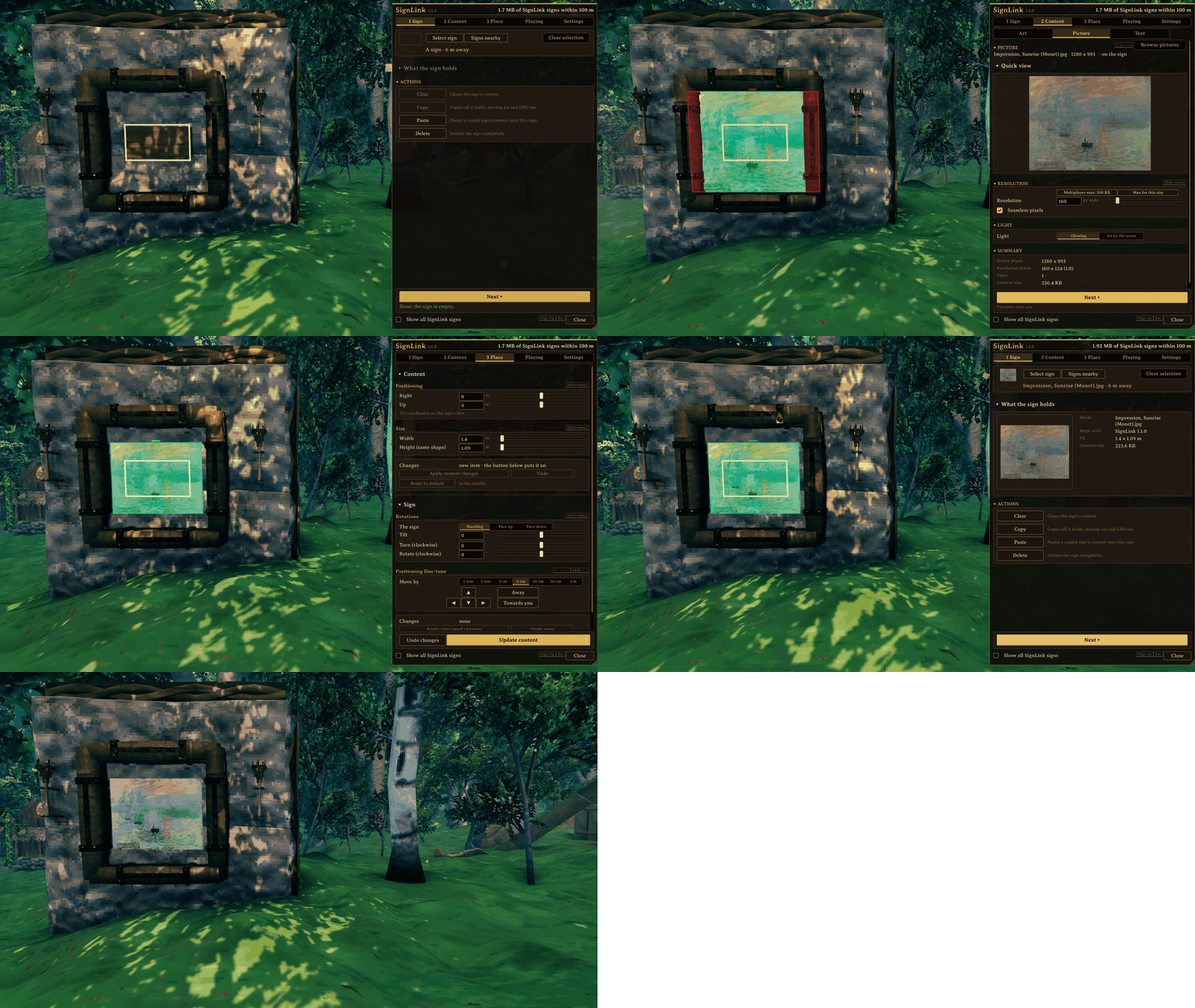
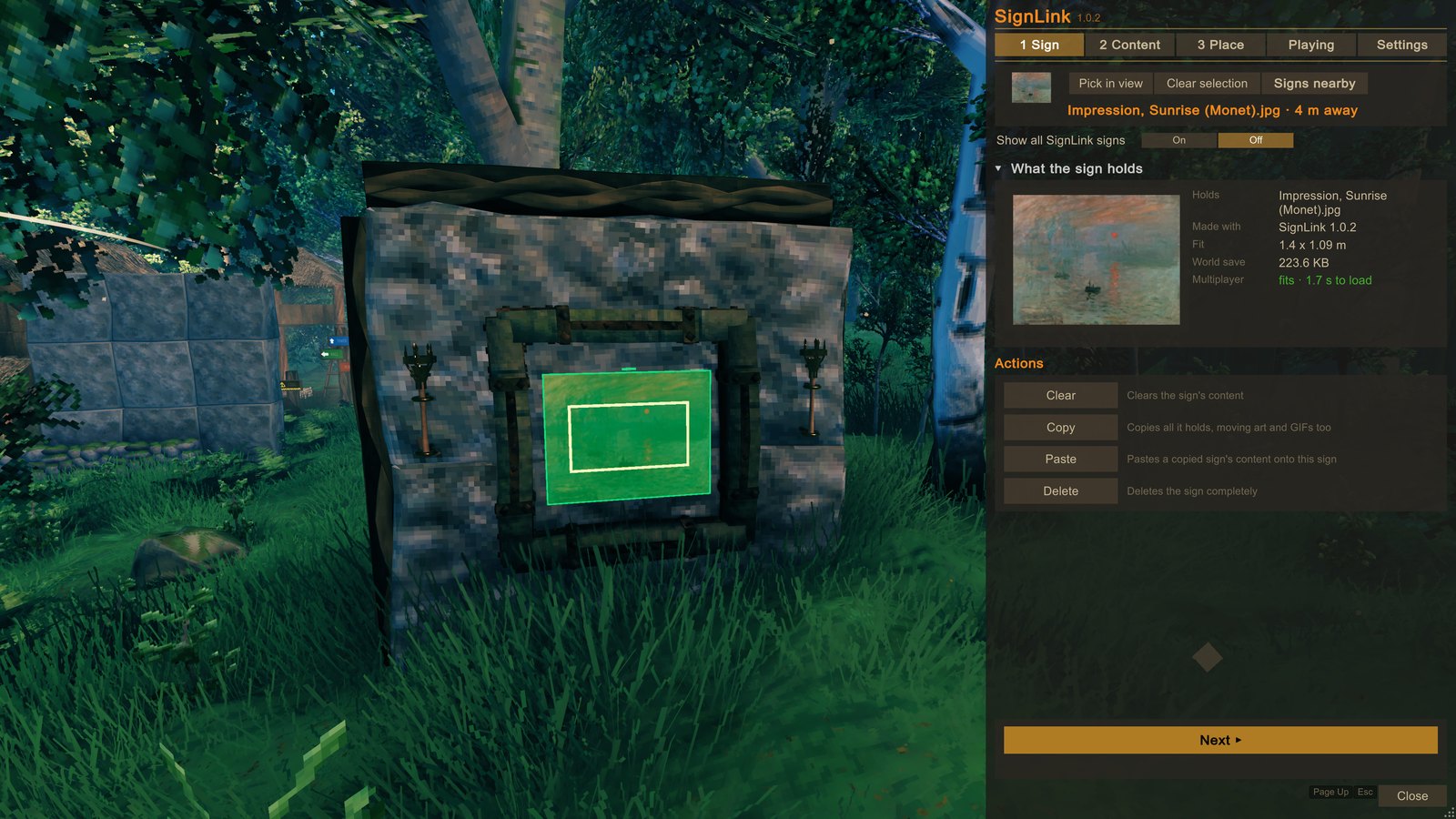 1 Sign: what the sign holds; Clear, Copy, Paste and Delete. |
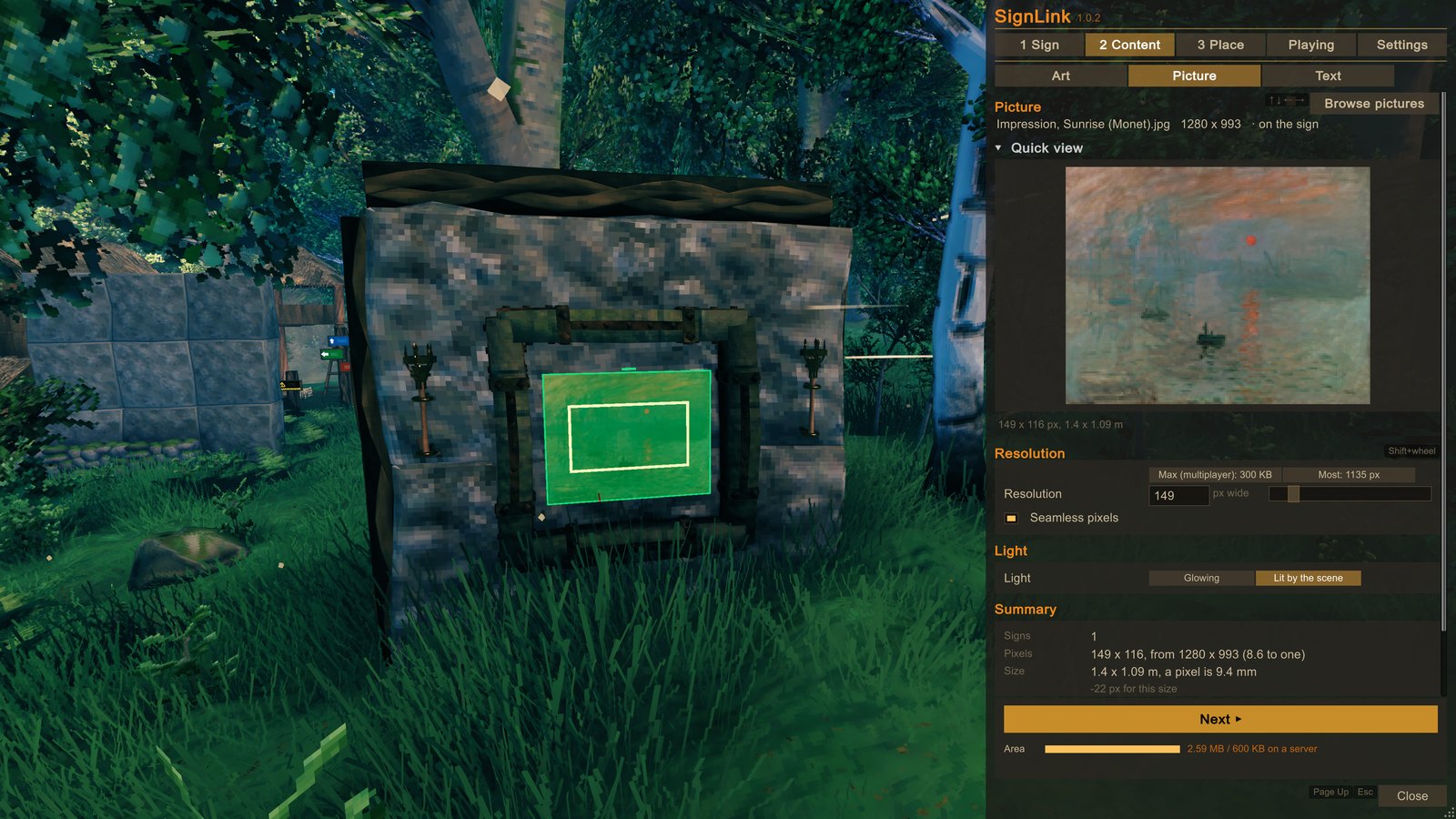 2 Content: the picture, its resolution, its light and the Summary. |
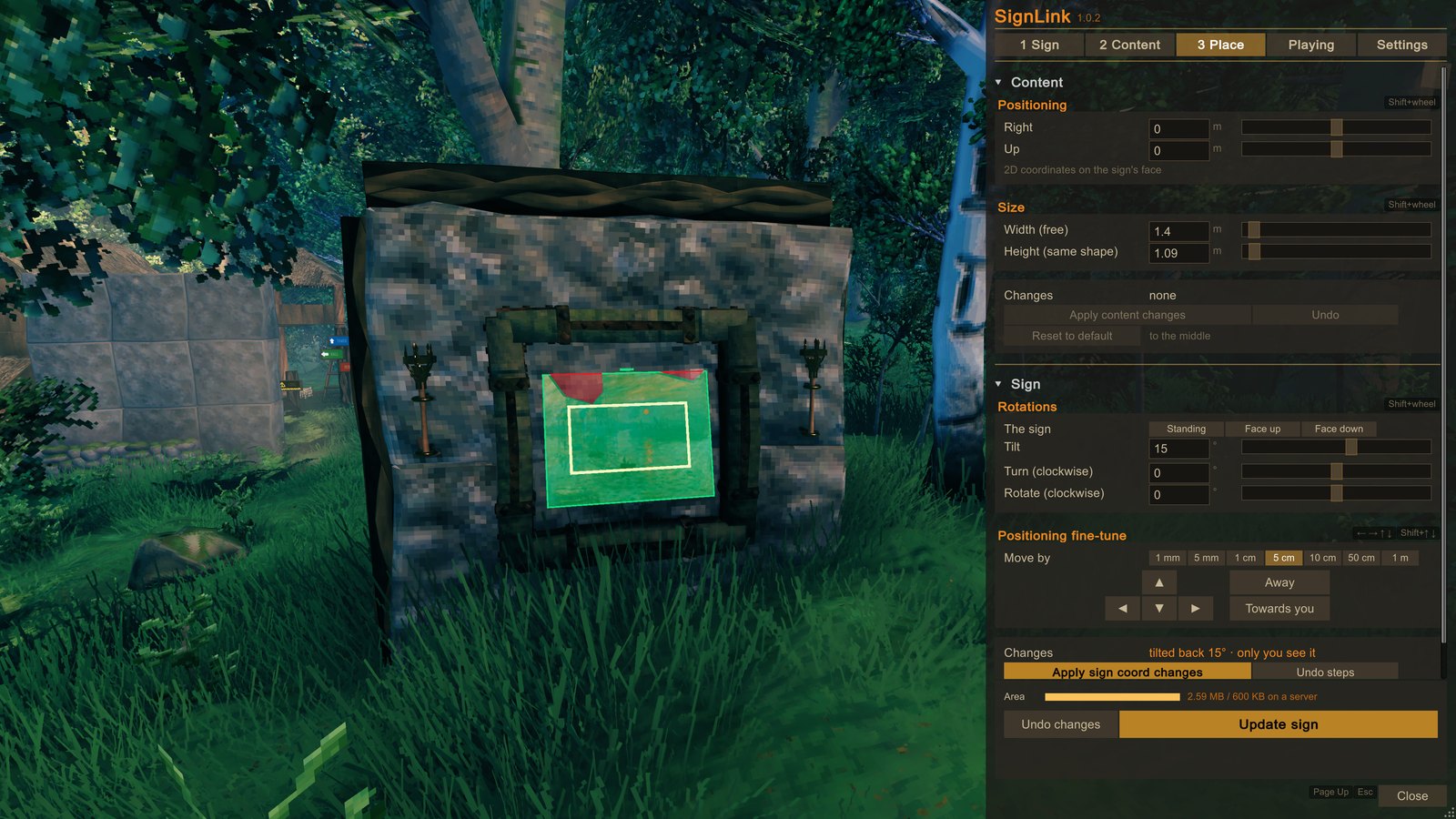 3 Place: size, place and tilt, with the highlight in the world. |
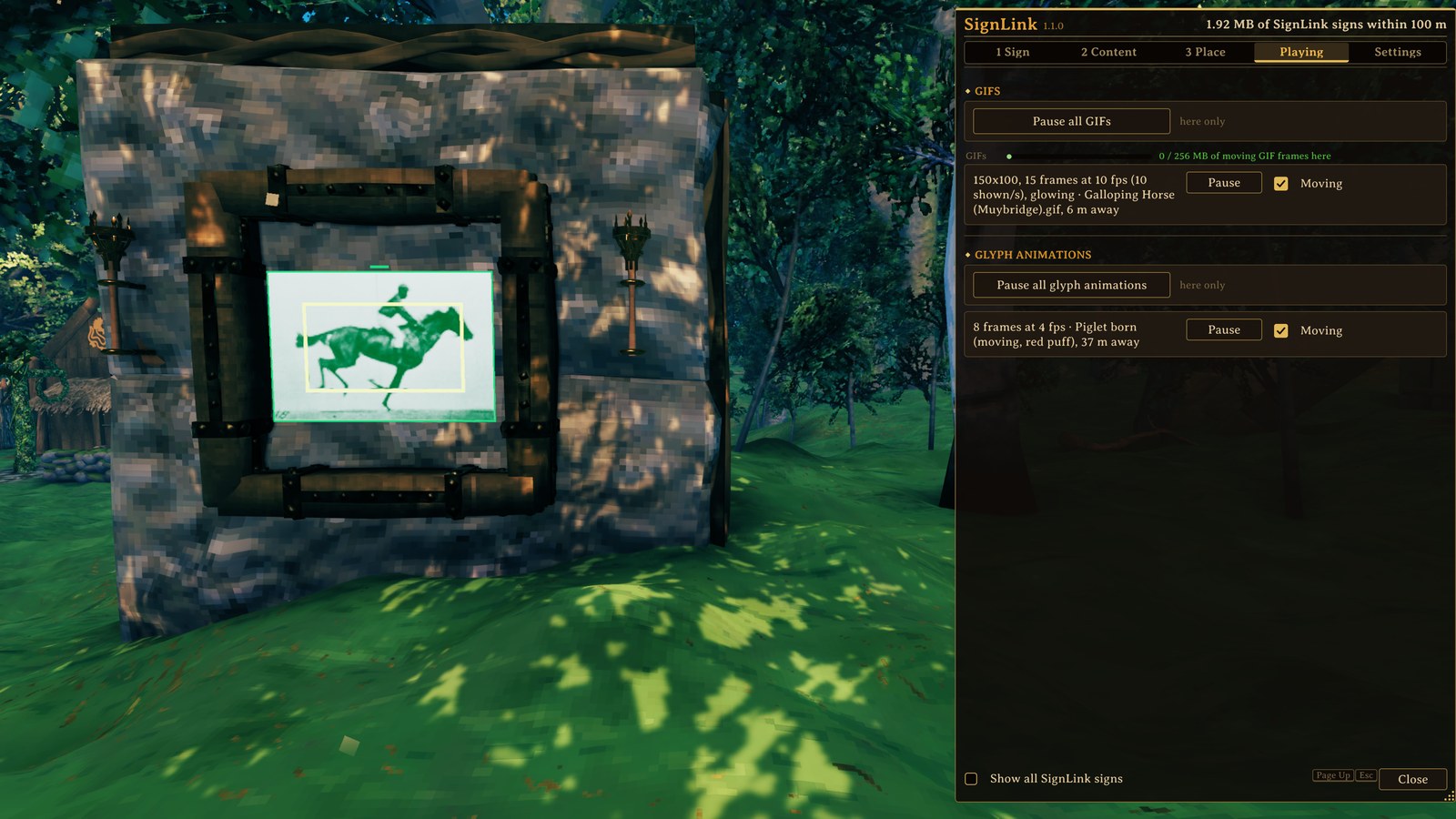 Playing: the moving pictures around you, each with Pause. |
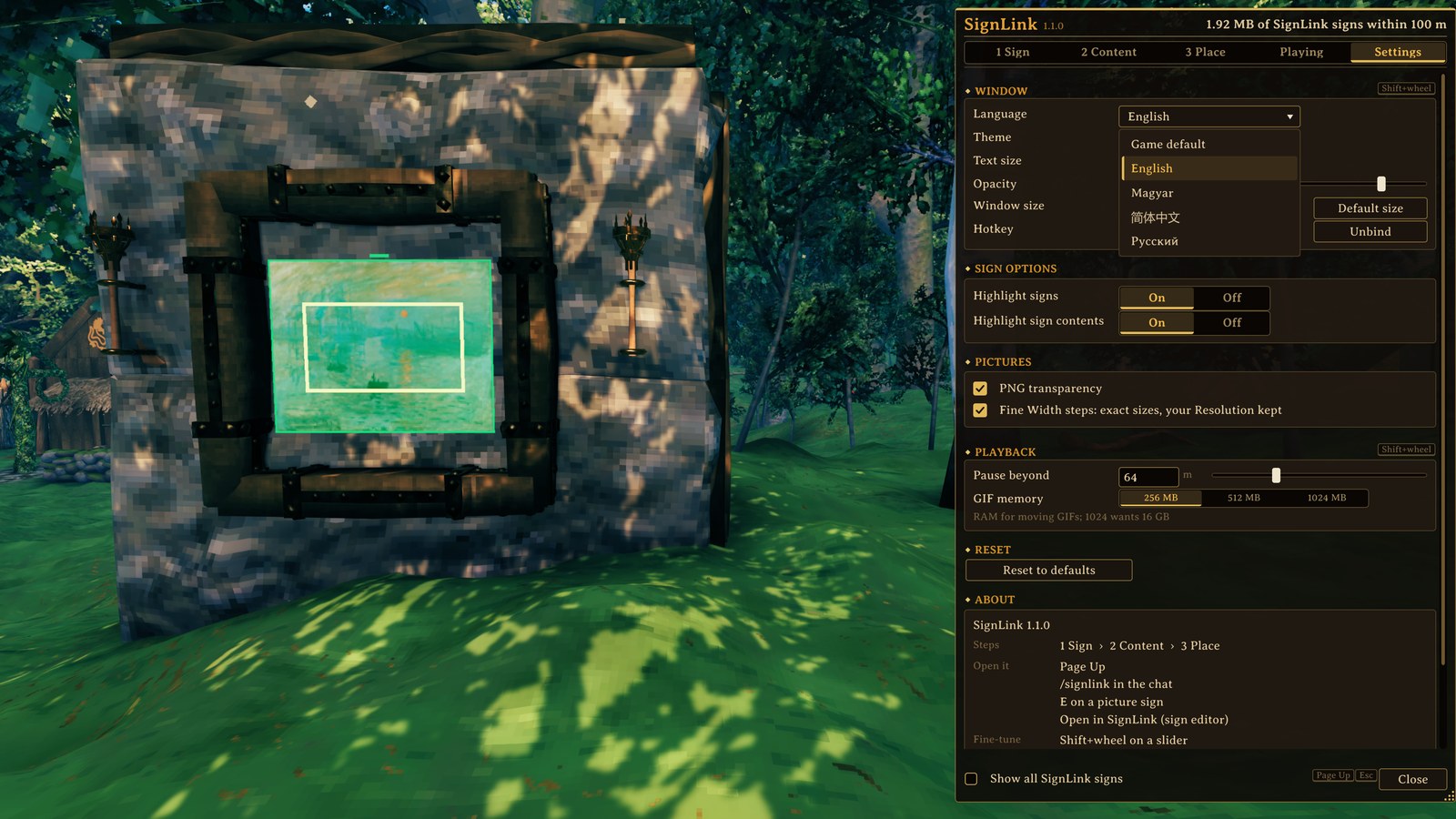 Settings: language, look, text size, hotkey and more. |
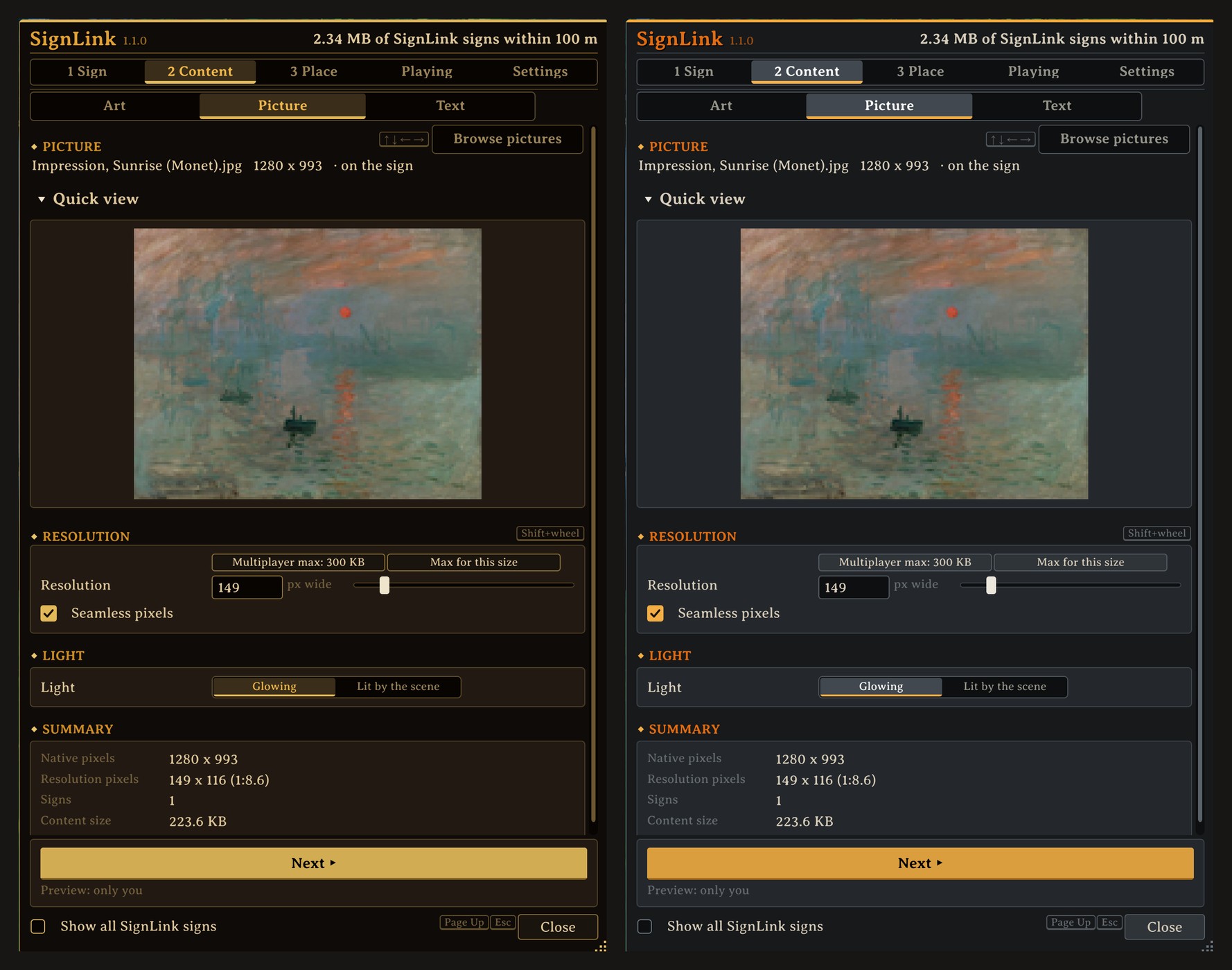 Two looks: Classic and Nordic. |
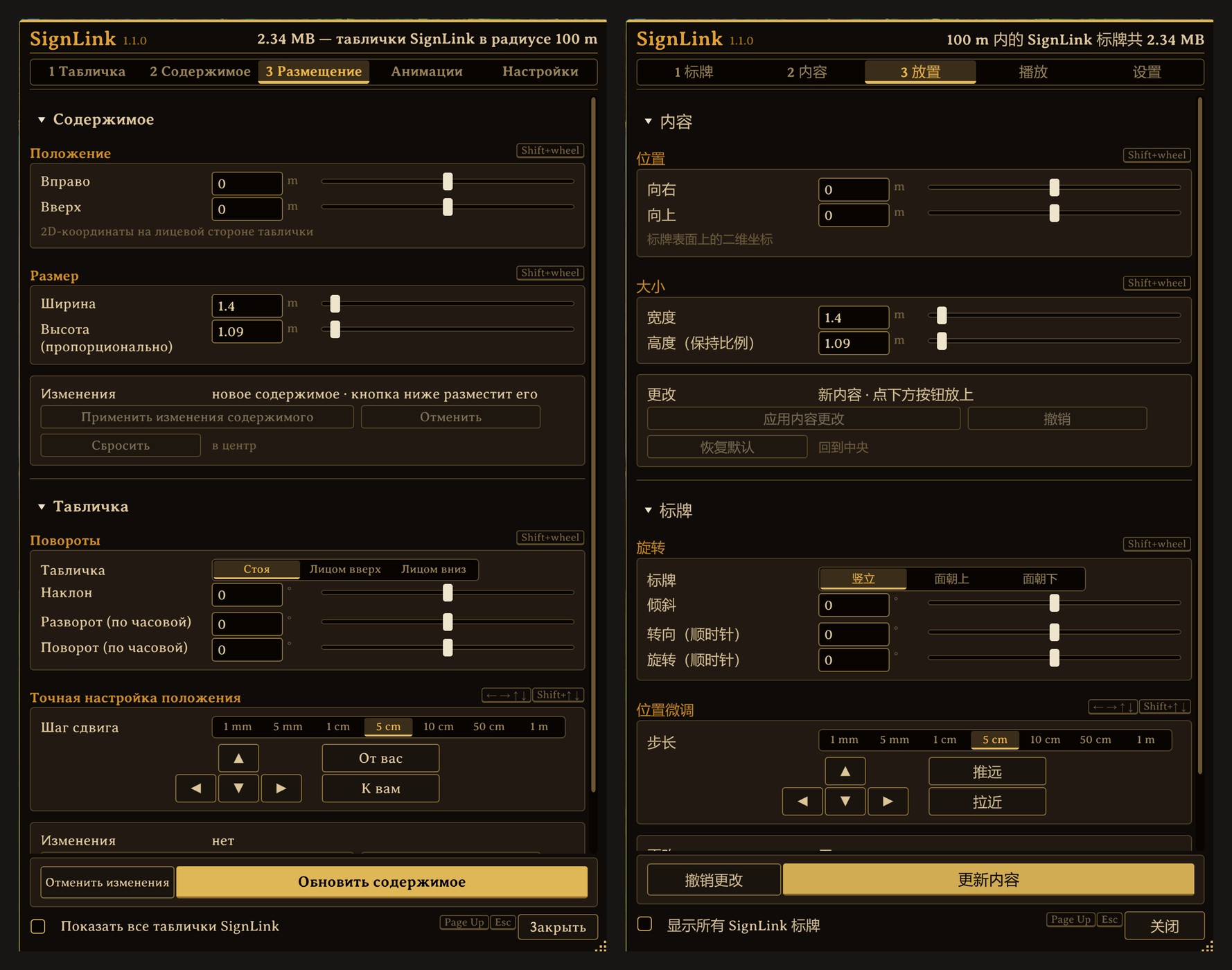 Your language: Русский and 简体中文 shown here. |
Everything is on the window's Settings tab, and changes take effect at once:
- Window: language, look (Classic or Nordic), text size, how see-through the window is, its size, and the key that opens it (Page Up; click it to choose another).
- Sign options: whether signs and the place a picture goes are outlined in the world while the window is open.
- Pictures: keep a PNG's see-through parts empty, and fine size steps for the Width.
- Playback: how far away moving pictures keep playing, and how much memory moving GIFs may use (256, 512 or 1024 MB).
- Reset to defaults puts everything back.
Next: the Player guide walks through every step and setting.