Add and Edit Feed
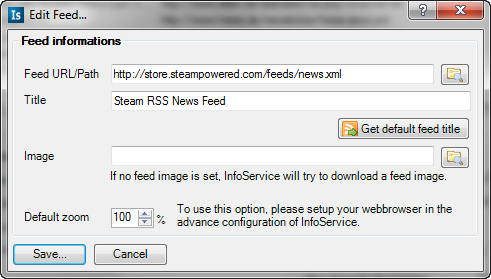
The feed URL and Title are need options.
Attention: InfoService will check the selected feed if it is valid after pressing the "Add" Button. So if you have a slow Internet connection, this could take a while because InfoService downloads the feed for checking.
If you don't want so set a feed title on your own, then press this button and InfoService will try to download the feed title from the feed url. Also this is a good check, if the feed is a valid feed.
If the feed has no own image, then you can set here your own image which InfoService will use in the InfoService MediaPortal GUI. If the feed has no image and you set here no image, then InfoService will use it's default image.
This will work with some other webbrowser plugins if they use the interface of InfoService. Please have a look into the Advanced Configuration of InfoService. The webbrowser will use this value and zooms automatically into the webpage.