Record Keeping
English · 한국어
Add live coffee widgets to your notes and keep every brew close to the rest of your vault.
Add this block to a dashboard note. One bean inventory block per vault is usually enough.
```beans
```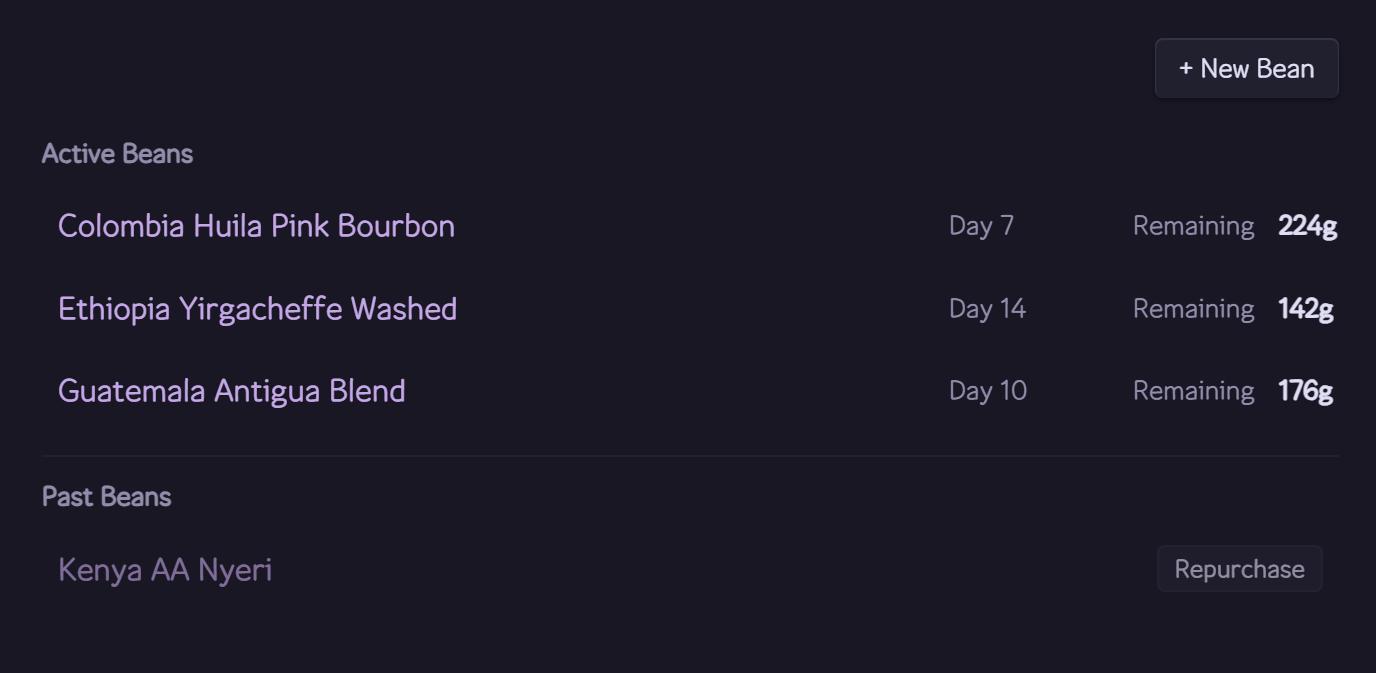
The beans block shows roast age, remaining weight, status, and a shortcut for adding beans.
Select + New Bean to create a bean note in your configured Bean Folder. Click a bean's remaining weight to edit it in place — handy when you top up or correct the amount. A depleted bean moves to Past Beans. Select Repurchase to start a new bag — its remaining weight shows N/A until you enter the new roast date and weight.
Add this block to a bean note to show every saved brew for that bean.
```brews
```
The note must include type: bean frontmatter. New bean notes receive the block automatically.
---
type: bean
roaster: My Roaster
status: active
roast_date: 2026-03-01
weight: 200
---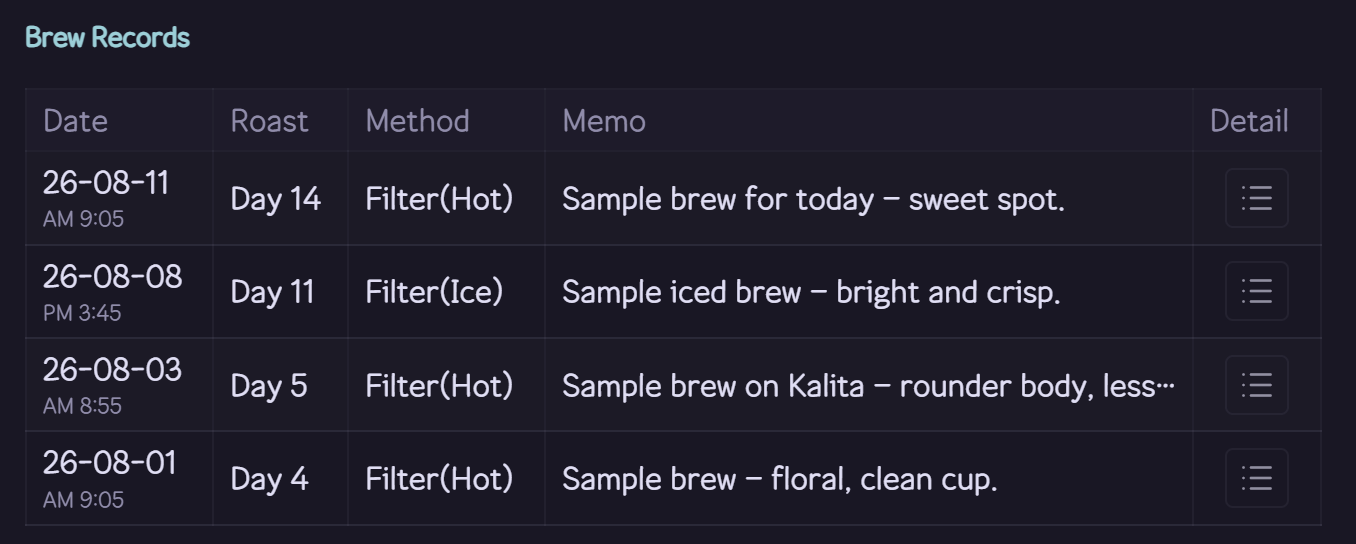
The brews block keeps each bean's saved brew history inside its note.
Select the pencil icon on a record's memo to edit it inline, right in the table.
Add this block to a daily note named exactly YYYY-MM-DD.md.
```brew-day
```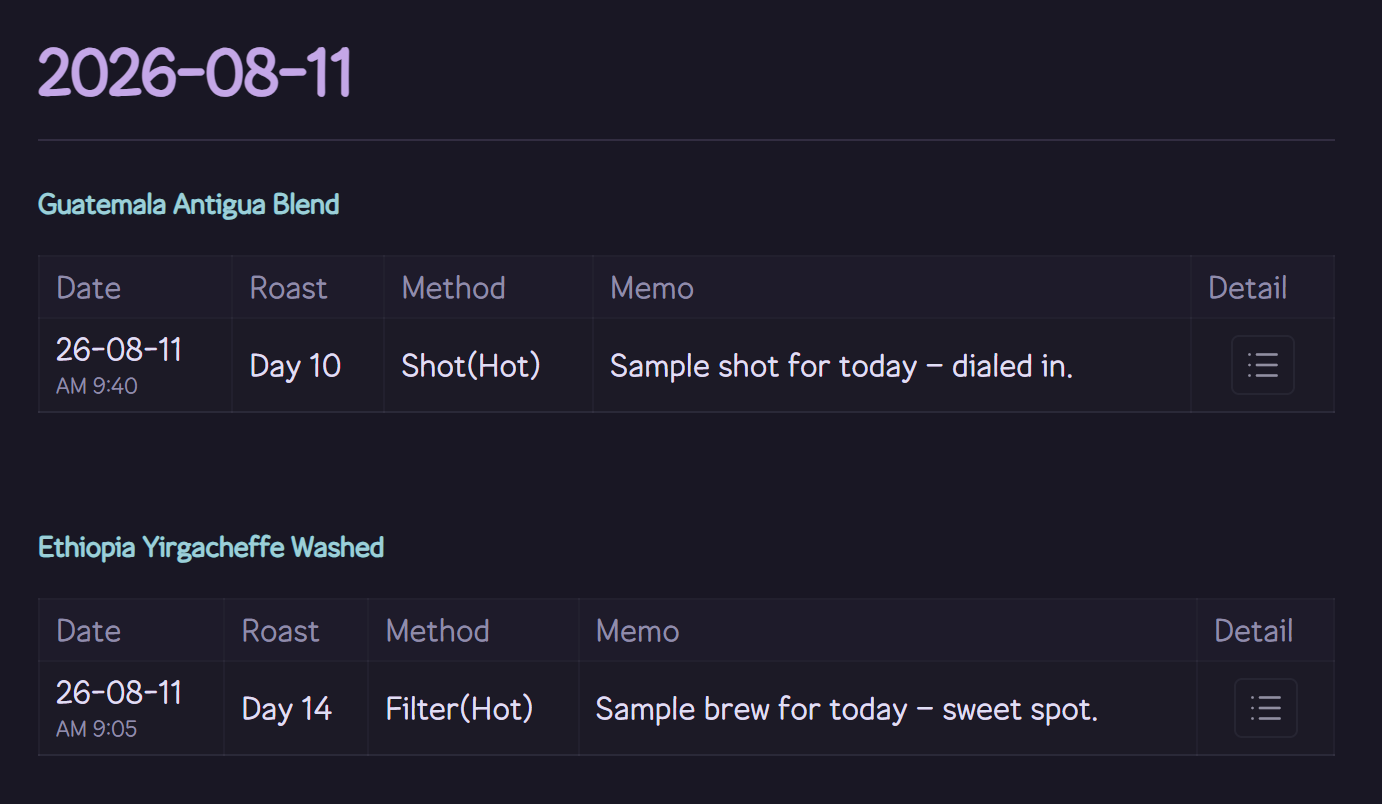
The brew-day block gathers every brew saved for the date in the note name.
Select a saved brew in a history or daily table to open its details.
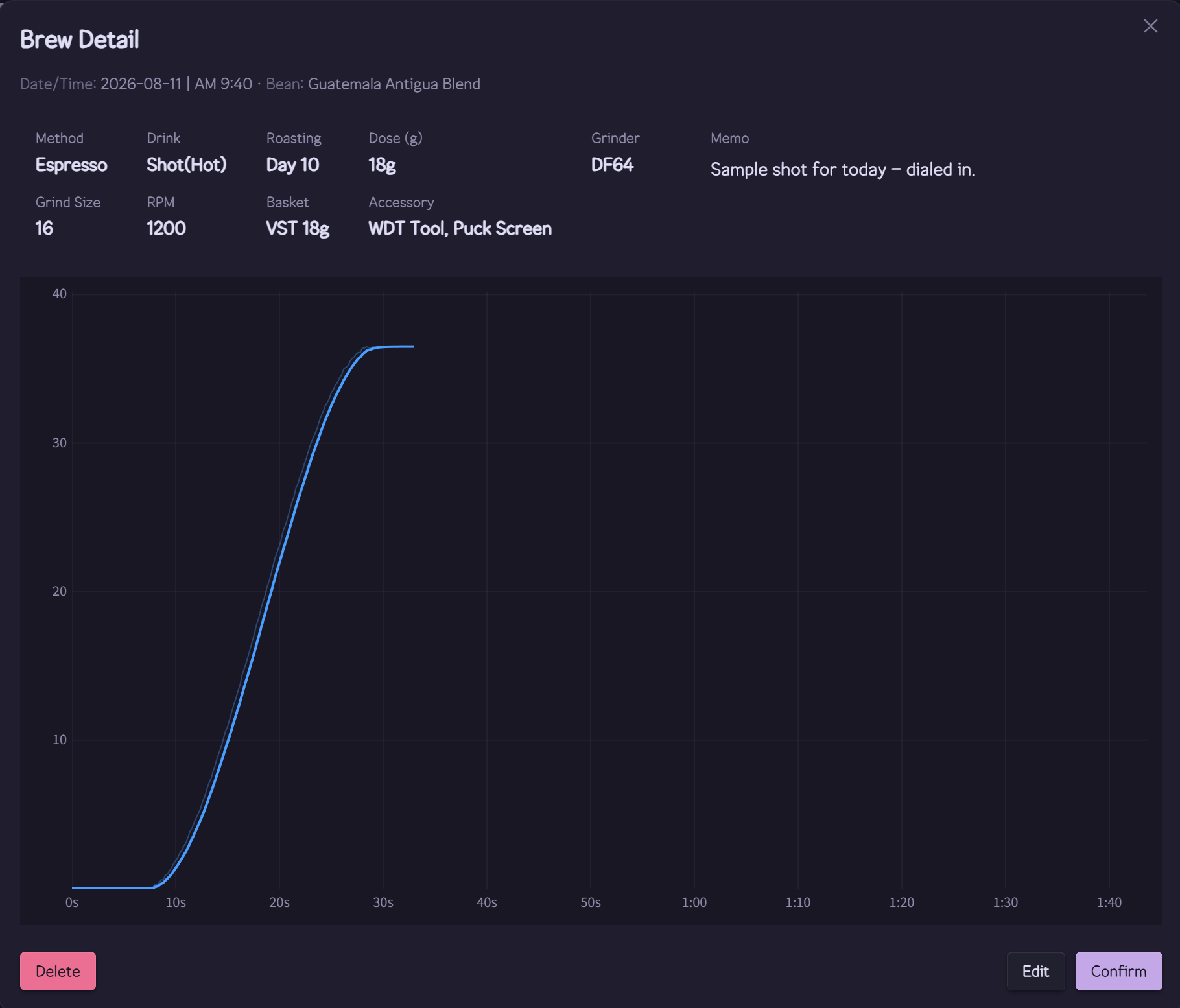
The Brew Detail modal brings the recipe, memo, and recorded profile chart together.
Everything is stored as plain files inside your vault, so Obsidian Sync and backups can include it.
| Data | Location |
|---|---|
| Bean notes | Your configured Bean Folder |
| Brew records | cubicj-brewing/brew-records.json |
| Brew profiles (weight curves) | cubicj-brewing/brew-profiles/*.json |
| Equipment | cubicj-brewing/equipment.json |
| Plugin settings | .obsidian/plugins/cubicj-brewing/data.json |
Next: Settings & Equipment