Repository navigation
Getting Started
You need Python 3.10 or newer, but neither Django nor your project's virtualenv.
uvx django-upgrade-report                      # with uv, nothing to install
pipx run django-upgrade-report                 # with pipx
pip install django-upgrade-report              # or install it
Run it in your project directory, or pass the directory or a single file:
django-upgrade-report                          # the current directory
django-upgrade-report path/to/project
django-upgrade-report requirements/production.txtBy default (--target auto) it checks the next sensible step: the newest LTS above the Django you run, or the newest release when no LTS is above it. A project on 4.2 gets a report for 5.2, a project on 5.2 one for 6.1.
django-upgrade-report --target 6.1             # a feature version
django-upgrade-report --target lts             # the newest x.2 release
django-upgrade-report --target latest          # the newest release
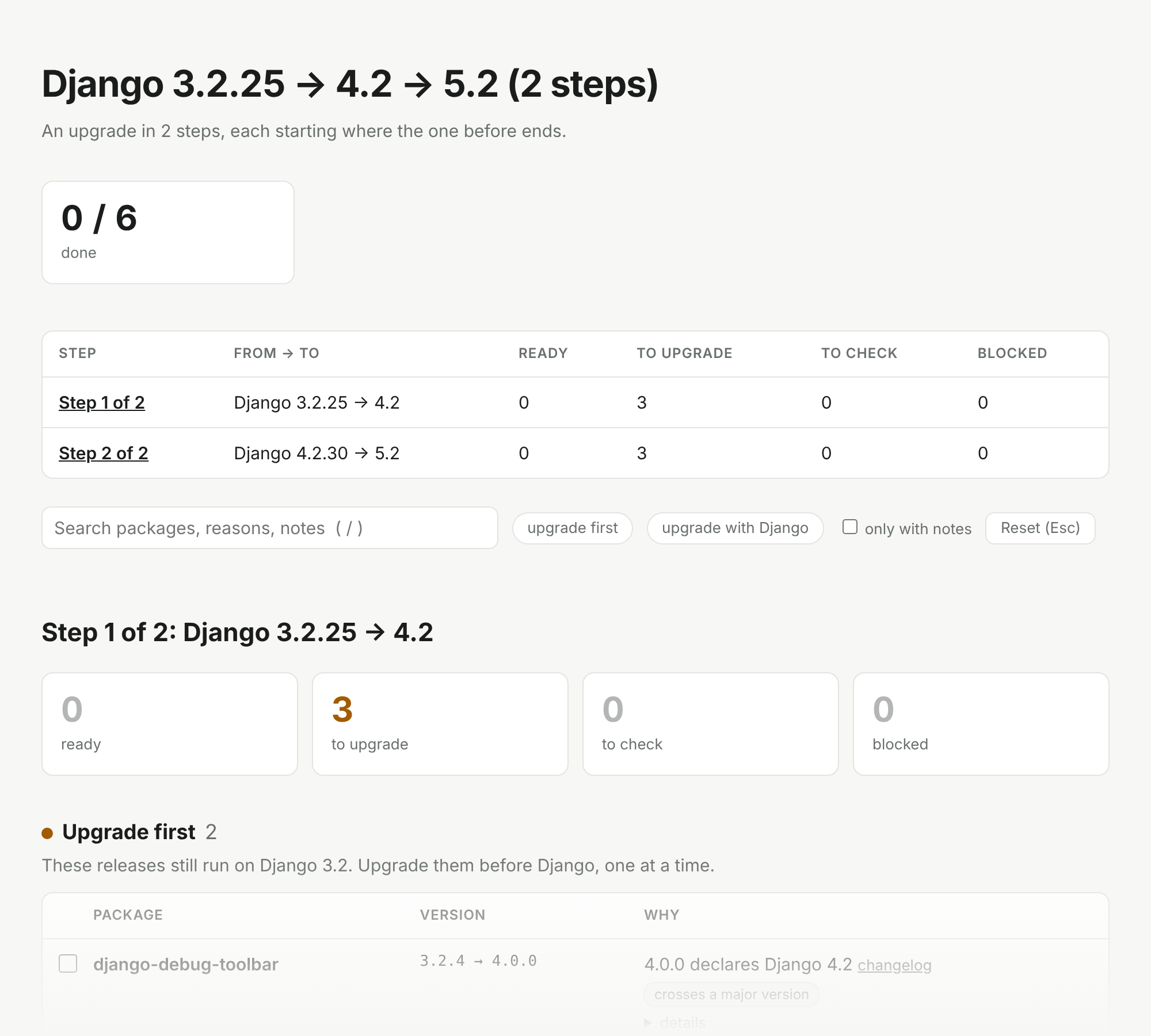
When the target skips an LTS, the report warns and suggests a smaller first step. Upgrading one LTS at a time is easier. --via lts shows the whole way at once: one report per LTS, each starting where the one before ends. In HTML, the steps come on one page under an overview:
The more precise the source, the more precise the report. A lockfile (uv.lock, poetry.lock, pdm.lock, Pipfile.lock) is best. Without one, point it at your environment:
django-upgrade-report --python .venv/bin/pythonIf Django itself is only given as a range, say which version you run with --from 4.2.16. At a terminal the tool asks for it instead, and for your Python when no file names it; --no-input turns the questions off.

Work from the top: deal with the blockers, upgrade the "first" packages one at a time, then bump Django together with the "together" packages. Reading the report explains every section and note.
-i opens the report in the terminal: the sections and packages on the left, the chosen package on the right with its notes, signs of support, the command to upgrade it and its links. The keys:
| Key | What it does |
|---|---|
↑ ↓
|
Choose a package. |
/ |
Search names, reasons and notes. |
f |
Show one status at a time: blocked, to upgrade, to check, ready, then everything again. |
space |
Tick the package off, or tick it on again. |
e |
Copy the command that upgrades it (through the terminal, so over SSH too, where the terminal allows it). |
o |
Open its changelog, else its repository, else its page on PyPI. |
t |
Check against another target, such as 6.0 or latest. The cache makes it quick. |
w |
Write the report to a file; the name says the format: .html, .md, .json, else text. |
Esc |
Clear the search and the filter. |
?, q
|
Show the keys, quit. |
Ticks are kept per package and target in .django-upgrade-report/state.json in the project, not in the cache: add it to .gitignore, or commit it so the team sees them. It needs the tui extra, which brings Textual; the tool itself does not depend on it:

uvx --with textual django-upgrade-report -i
pip install 'django-upgrade-report[tui]'django-upgrade-report --format markdown # for pull requests and job summaries
django-upgrade-report --format html -o report.html # one self-contained file to share
django-upgrade-report --format json -o report.json # for scripts, see the JSON referencedjango-upgrade-report --explain wagtailshows every rule and every release the tool looked at for that package. See How it decides.