Repository navigation
Write Firmware For Your SoC
Build the demo against the headers of your SoC, load it over the serial port, talk to it. Then
the other boot methods (TFTP, SD card, flash, ROM) and how interrupts reach your code. The demo
is litex/soc/software/demo/: a console with help, reboot, helloc and a spinning donut,
and the template of your own firmware. Ten minutes.
python3 -m litex_boards.targets.digilent_arty --build --load   # the SoC: gateware and BIOS
litex_bare_metal_demo --build-path=build/digilent_arty          # the demo: demo/ and demo.bin
litex_term /dev/ttyUSB1 --kernel=demo.bin                       # boot it over the serial port
No board? The same in simulation, with a main RAM for the application and the UART on a PTY:
litex_sim --integrated-main-ram-size=0x40000 --uart-pty   # terminal 1: the SoC, its UART on /tmp/litex_pty0
litex_bare_metal_demo --build-path=build/sim               # terminal 2, once the SoC is built
litex_term /tmp/litex_pty0 --kernel=demo.bin
The BIOS asks for a serial boot at every start; litex_term answers with the file and the CPU
jumps to it. If the BIOS is already at its prompt when you connect, type reboot:
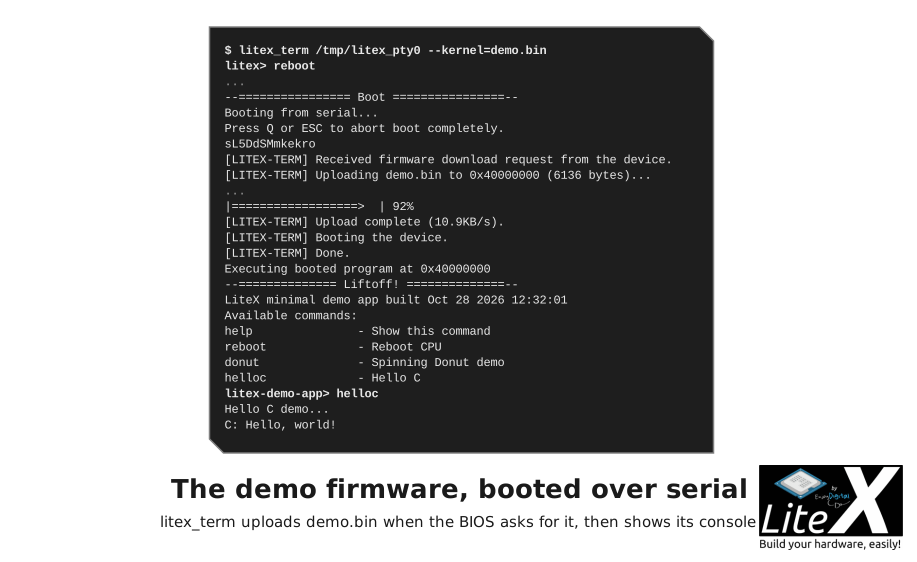
Type donut and it spins. What litex_bare_metal_demo did: it copied the template to
./demo/, adapted the linker script and ran make with the SoC's build/<board>/ as
BUILD_DIR: the generated headers, the
libraries (libbase, libc, liblitedram...) and the compiler flags of the CPU come from
there, so the application always matches the SoC. --with-cxx enables C++ (hellocpp.cpp),
--mem picks the region where the code runs (main_ram by default; rom or spiflash for
execute in place), --runtime-mem the region of .data, .bss and the stack (sram;
main_ram for a big application).
Copy the directory to start your own firmware, rename the objects in the Makefile, keep
BUILD_DIR pointing at the SoC build, add your sources:
| File | Role |
|---|---|
Makefile |
Includes variables.mak and common.mak from the build, links crt0.o and the libraries. |
linker.ld |
Includes generated/regions.ld: code in main_ram, .data, .bss and the stack in sram. |
main.c |
uart_init(), the console loop (readstr, get_token), the commands, the interrupt setup. |
helloc.c, hellocpp.cpp, donut.c
|
The example commands. |
demo.fbi |
The flash boot image: demo.bin with a length and CRC header for the BIOS flashboot. |
crt0.o is the start-up code of the CPU (litex/soc/cores/cpu/<cpu>/crt0.S), and the regions
of regions.ld are the ones the SoC builder printed. The headers you include:
#include <generated/csr.h>     // <core>_<register>_read()/_write(), CSR_<CORE>_<REG>_ADDR, the fields
#include <generated/soc.h>     // CONFIG_CLOCK_FREQUENCY, CONFIG_CPU_*, <CORE>_INTERRUPT, the constants
#include <generated/mem.h>     // <REGION>_BASE / <REGION>_SIZE
#include <irq.h>               // irq_setmask(), irq_setie(), irq_getmask(), irq_pending()
#include <libbase/uart.h>      // uart_init(), uart_isr(), readchar(), readchar_nonblock()
#include <libbase/console.h>   // readstr helpers; printf goes to the UART through picolibc
#include <libbase/i2c.h>, <liblitedram/sdram.h>, <libliteeth/udp.h>, <liblitesdcard/sdcard.h>, ...
printf and the libc come from picolibc (--libc-mode full for the complete printf,
--bios-format float when you print floats); timer0 gives busy_wait(), busy_wait_us()
and the uptime (--timer-uptime).
#include <irq.h>
#include <generated/csr.h>

void isr(void)
{
    unsigned int irqs = irq_pending() & irq_getmask();
#ifdef CSR_UART_BASE
    if (irqs & (1 << UART_INTERRUPT))
        uart_isr();
#endif
    if (irqs & (1 << PWM_INTERRUPT)) {
        pwm_ev_pending_write(pwm_ev_pending_read());   // acknowledge
        ...
    }
}
The CPU's crt0.S calls isr(). The line numbers are the <CORE>_INTERRUPT constants of
soc.h, and the ev_enable and ev_pending registers of each core select and acknowledge its
events (irq.h of each CPU implements the mask and enable with its CSRs). CPUs without
interrupt support define UART_POLLING in soc.h and are polled.
Serial is the method of step 1 and the right one while you develop; the others are for bigger binaries, or for boards that run on their own:
| Method | Command or file | When |
|---|---|---|
| Serial | litex_term /dev/ttyUSB1 --kernel=demo.bin |
Development: a few seconds for a small binary. |
| Network (TFTP) |
boot.bin or boot.json in the TFTP root (--with-ethernet) |
Big binaries, Linux images. |
| SD card, SATA |
boot.bin or boot.json on a FAT partition |
Boards running on their own. |
| SPI flash |
demo.fbi at FLASH_BOOT_ADDRESS, python3 target.py --flash
|
Production, copied to RAM or run in place. |
| ROM |
--integrated-rom-init=demo.bin (replaces the BIOS, link with --mem rom) |
Small SoCs without main RAM. |
| Main RAM at reset |
--integrated-main-ram-init=demo.bin, litex_sim --ram-init=demo.bin
|
Simulation, self-contained test SoCs. |
The BIOS tries them in this order: serial, flash, ROM, SD card, SATA, network; the
<X>_BOOT_PRIORITY and <X>_BOOT_DISABLE constants change or disable them, and the console
commands serialboot, netboot [file], flashboot, romboot, sdcardboot [file] and
sataboot [file] run one again (BIOS).
litex_term /dev/ttyUSB1 --kernel=demo.bin [--kernel-adr=0x40000000]   # one binary, main_ram by default
litex_term /dev/ttyUSB1 --images=boot.json                             # several, with their addresses
litex_term /dev/ttyUSB1 --kernel=demo.bin --serial-boot                 # start the upload without waiting for the prompt
The speed is the baudrate: --uart-baudrate=1000000 gives about 80 KB/s, 3 Mbaud about
250 KB/s when the USB-UART follows; --uart-name=usb_fifo (FT245), usb_acm (the LUNA USB
device, no USB-UART chip) and jtag_uart (litex_term jtag --jtag-config=...) are the same
protocol on other transports. --safe disables the upload optimizations on an unreliable link.
boot.json lists the files and their addresses, the last one is where the CPU jumps:
{
    "Image":        "0x40000000",
    "rv32.dtb":     "0x40ef0000",
    "opensbi.bin":  "0x40f00000"
}
A bootargs block (r1, r2, r3, addr) sets the registers and the jump address for the
TFTP, SD card and SATA boots; litex_term --images only loads the pairs.
The BIOS fetches boot.json, or boot.bin when there is none, from a TFTP server. The SoC is
192.168.1.50 and the server 192.168.1.100 by default: --eth-ip, --remote-ip and
--eth-dhcp on the targets, or the REMOTEIP1..4 constants in a SoC:
self.add_constant("REMOTEIP1", 192)
self.add_constant("REMOTEIP2", 168)
self.add_constant("REMOTEIP3", 1)
self.add_constant("REMOTEIP4", 100)
Booting from network...
Local IP : 192.168.1.50
Remote IP: 192.168.1.100
Booting from boot.json...
Copying Image to 0x40000000... (4545524 bytes)
Copying rv32.dtb to 0x41000000... (2167 bytes)
Copying opensbi.bin to 0x40f00000... (53640 bytes)
Executing booted program at 0x40f00000
--============= Liftoff! ===============--
A Linux image loads in a few seconds this way (Run Linux), here on an Arty A7:

The bitstream rarely fills the flash; the application goes in the free part, with a header the BIOS checks:
python3 -m litex.soc.software.crcfbigen demo.bin -o demo.fbi --fbi --little # length and CRC headerWith the flash mapped at 0x30000000 and the image written at offset 0x40000, the SoC
declares where to look, and the BIOS copies the image to RAM at boot (or runs it in place when
it was linked with --mem spiflash):
self.add_constant("FLASH_BOOT_ADDRESS", 0x30040000)The BIOS flash_write and flash_from_sdcard commands and python3 target.py --flash write
the flash (Load and flash).
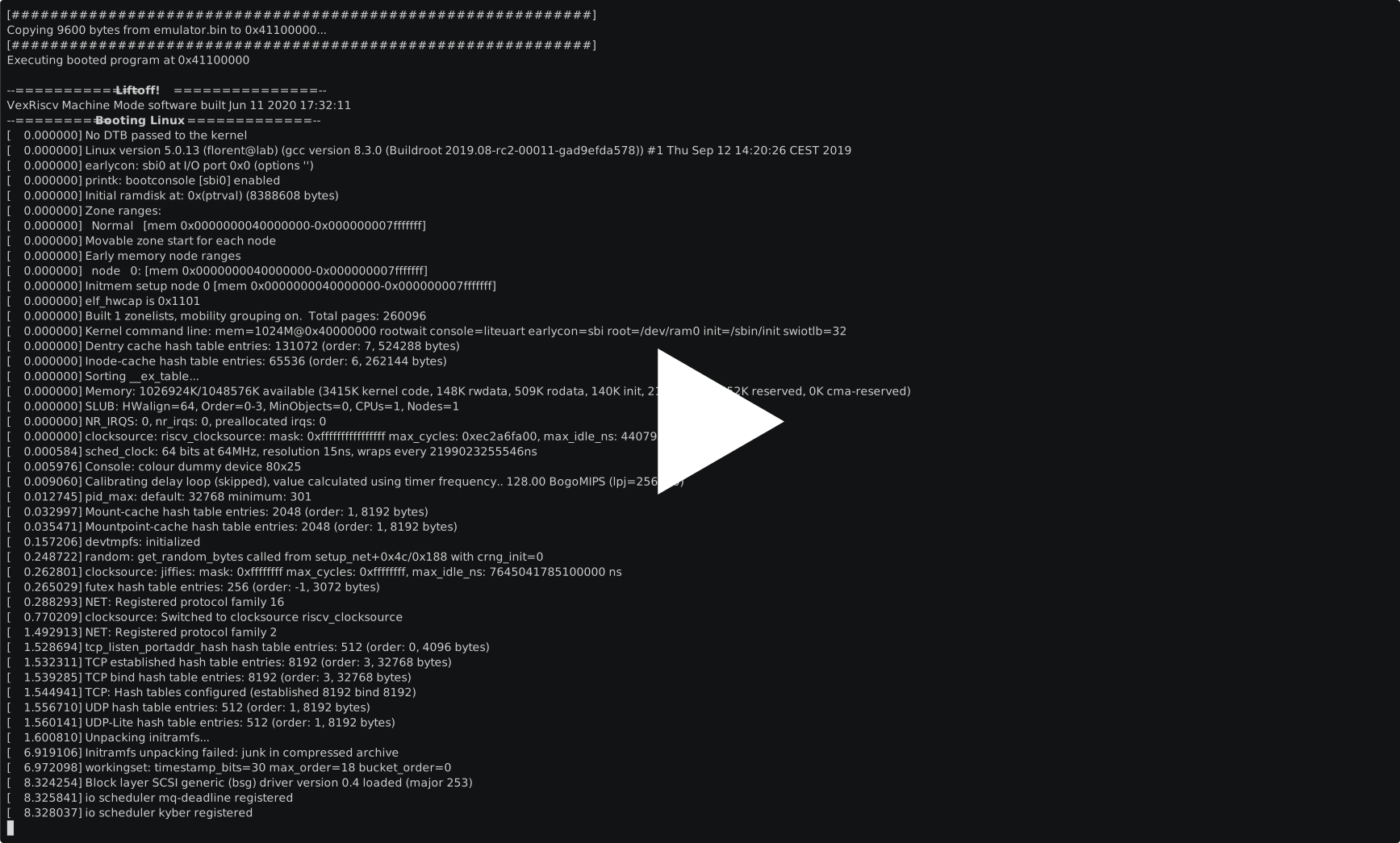
The BIOS reads FAT16 and FAT32 partitions: boot.json first, boot.bin when there is none,
with the same format as the network boot. It is the usual way to run Linux on a board without a
host:

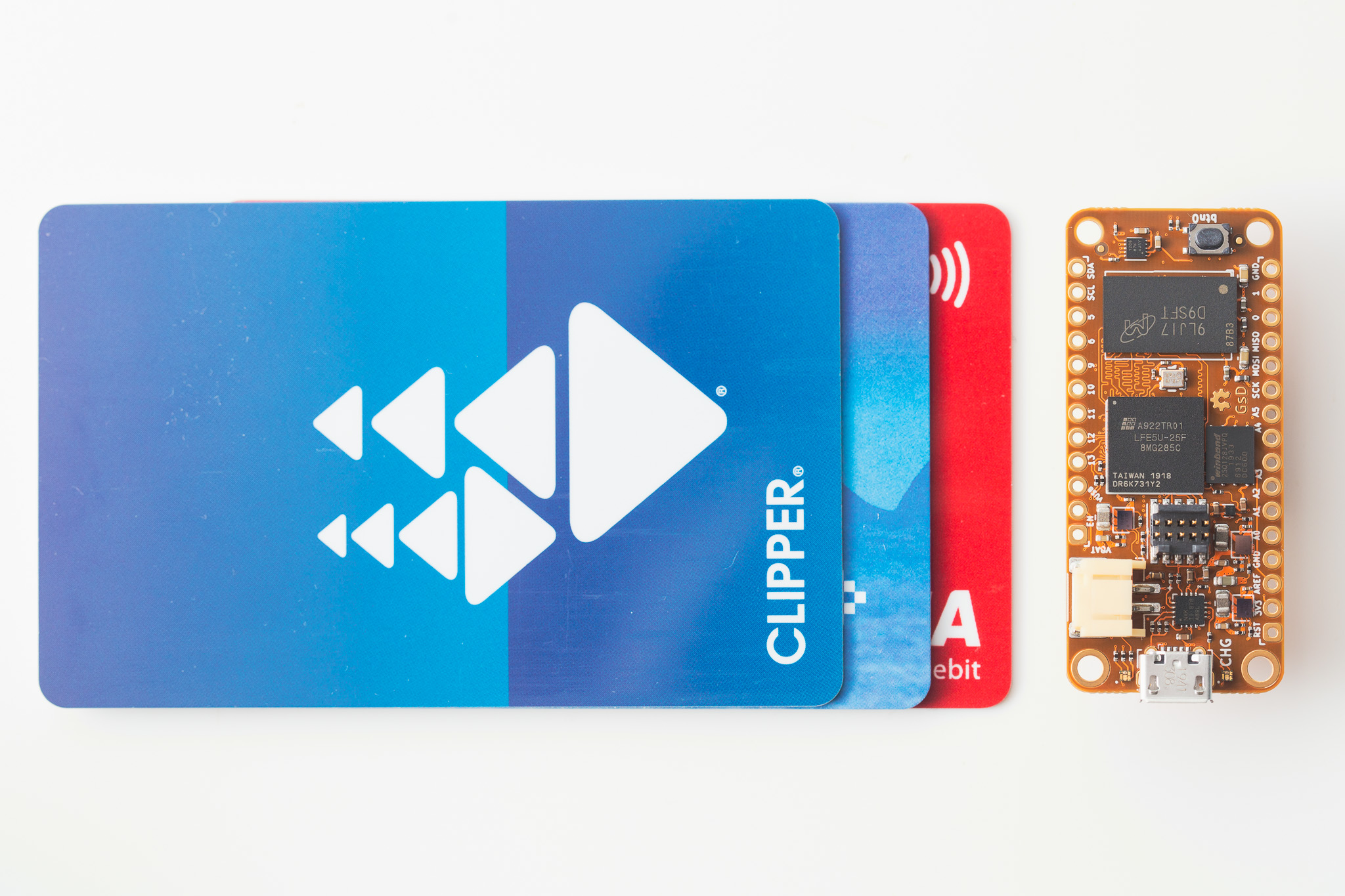
As on the OrangeCrab, whose SD card slot boots Linux this way:
A ROM with the application, at an address the BIOS jumps to when the methods before it found
nothing (get_mem_data reads the file with the endianness of the CPU):
self.add_rom("bootrom", 0x20000000, 2**10, contents=get_mem_data("bootrom.bin", endianness="little"))
self.add_constant("ROM_BOOT_ADDRESS", 0x20000000)-
Rust:
--memory-x memory.xand--soc-svd soc.svdgive the linker regions and the peripheral description (svd2rust); rust-litex-hal implementsembedded-halon the LiteX cores. - RTOS and OSes: Zephyr, FreeRTOS, NuttX, MicroPython and Linux take the SoC description through the generated device trees (OSes ecosystem).
-
Debugging:
printfover the UART, the BIOSmem_*commands, the registers read from the host withlitex_cliwhile the firmware runs (Host bridges), and GDB on the CPU.
- Control it from the host: drive the SoC from your computer, firmware or not.
- BIOS: what runs before your program, the boot order, the console commands.
- OSes ecosystem: when C on bare metal is not enough.
- Debug the CPU with GDB: breakpoints in this firmware.