Repository navigation

PIC — Personal Image Catalogue — Release Candidate 4
Inspired by Picasa and classic iPhoto
RC4 is the final release candidate. The next planned release is PIC v1.0.
This page covers changes since the rc3 tag. RC4 focuses on importing and browsing large collections, making damaged or unavailable originals easier to understand, and preparing the Linux packages for v1.0.
PIC indexes photos where they already live. Normal browsing, albums, ratings and editing recipes do not alter the originals; exporting an edit creates a new file.
What’s new since RC3
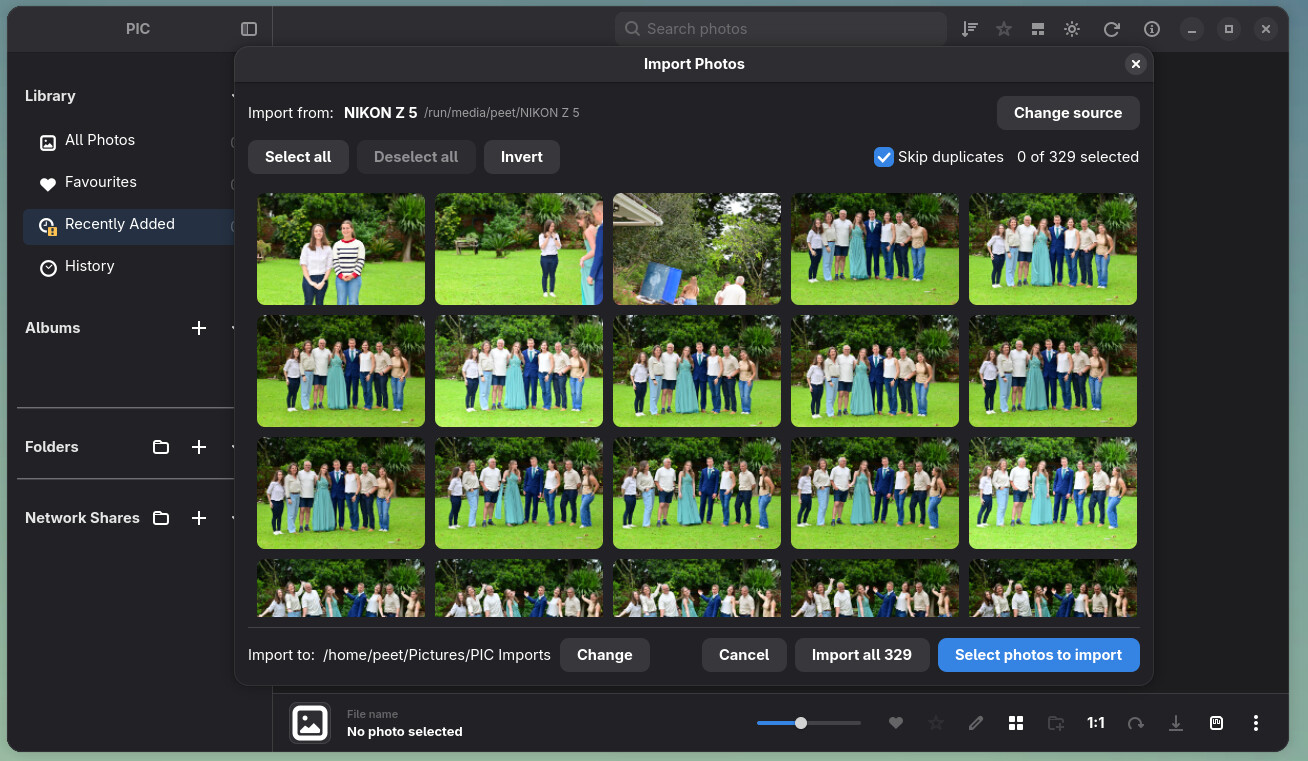
Import from a camera or SD card
The new camera and SD card import window detects mounted devices and shows a compact selection grid. You can select or deselect photos before importing, see copy progress in the main header, and continue using PIC while the copy hands off to the normal library scan. Stop remains available during that handoff.
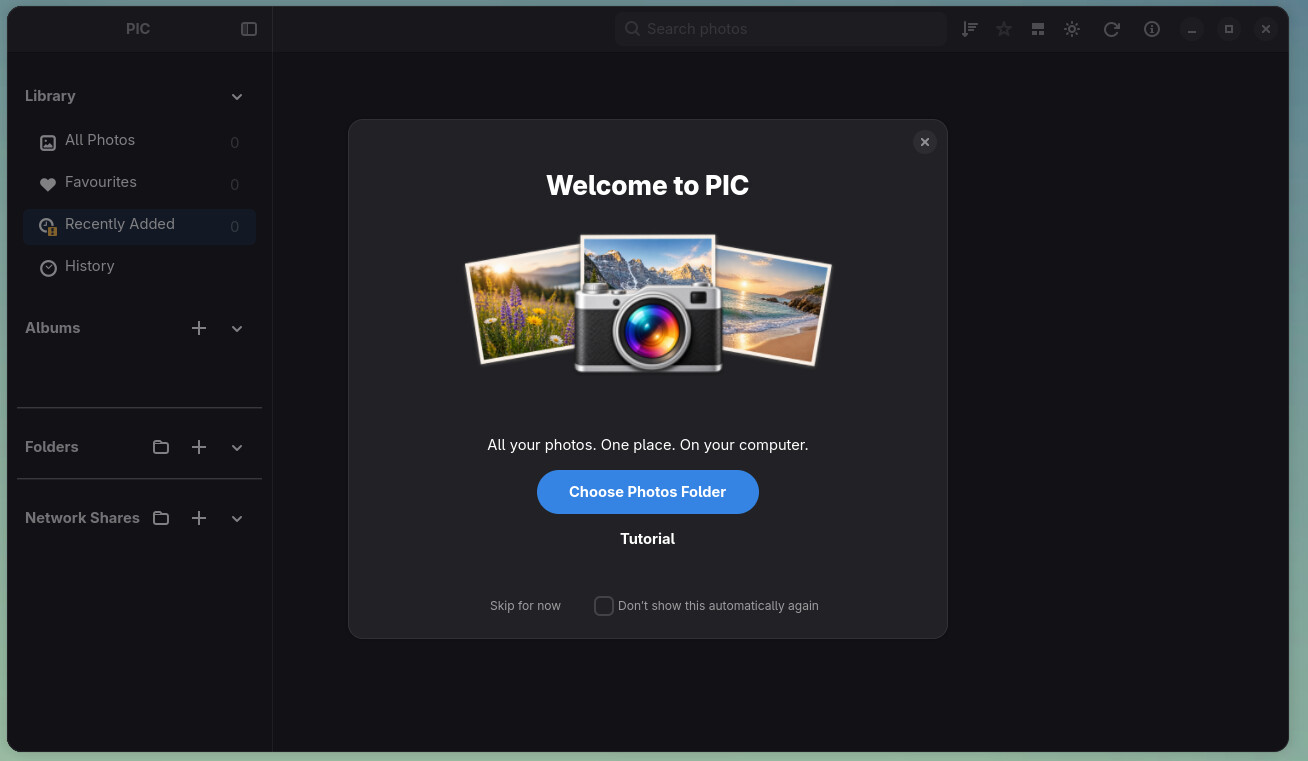
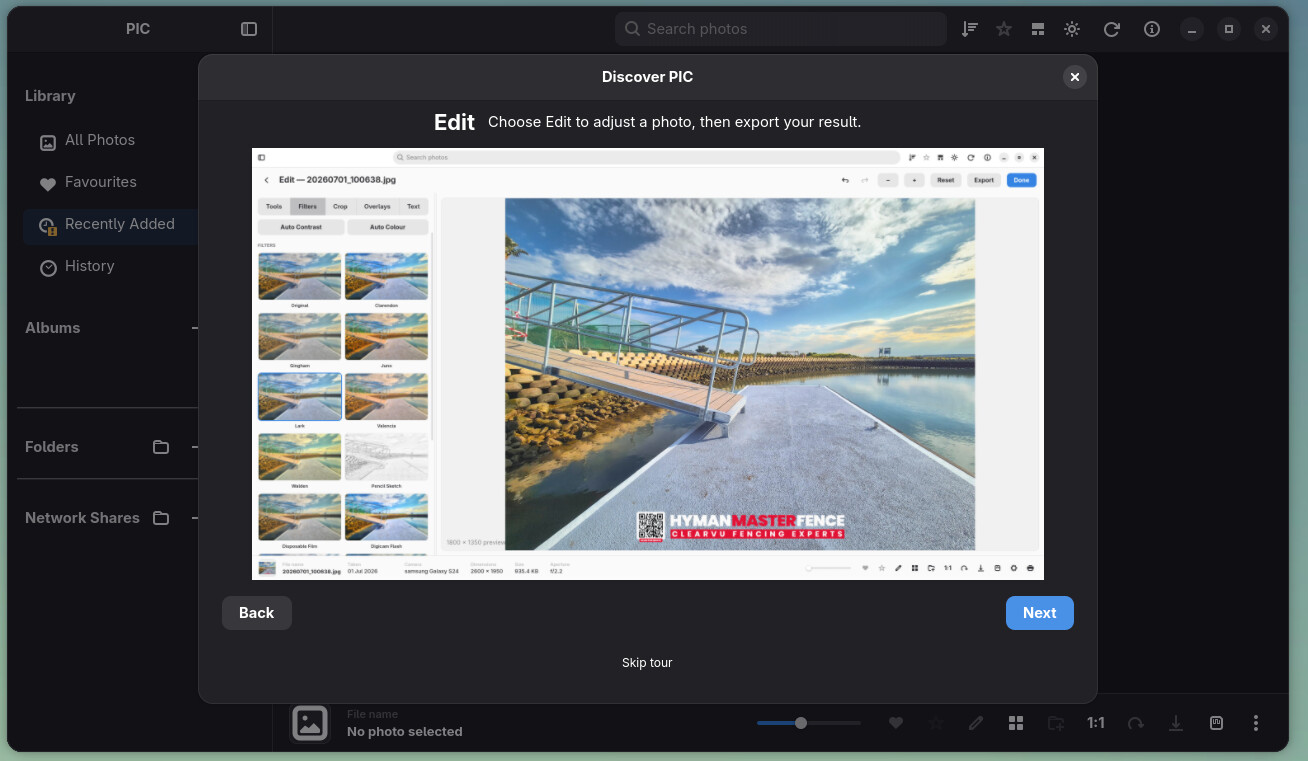
A guided first start
A welcome flow introduces the library and its main controls. It helps new users add photos and shows import progress without losing an active or resumable import. The welcome screen can be skipped or reopened from Help.
Large network libraries remain usable while importing
SMB and NFS imports now index progressively and can resume after interruption. Gallery rows and metadata arrive in batches while work continues, so a large share does not have to finish before it can be browsed. Startup and gallery updates have been tuned for large remote collections, and Stop is passed through to network reads more promptly.
Network RAW support has also grown: DNG previews can be generated from shares, other supported RAW files can use embedded previews, and the lightbox can request full-quality DNG pixels when needed. Availability still depends on the share and camera format.
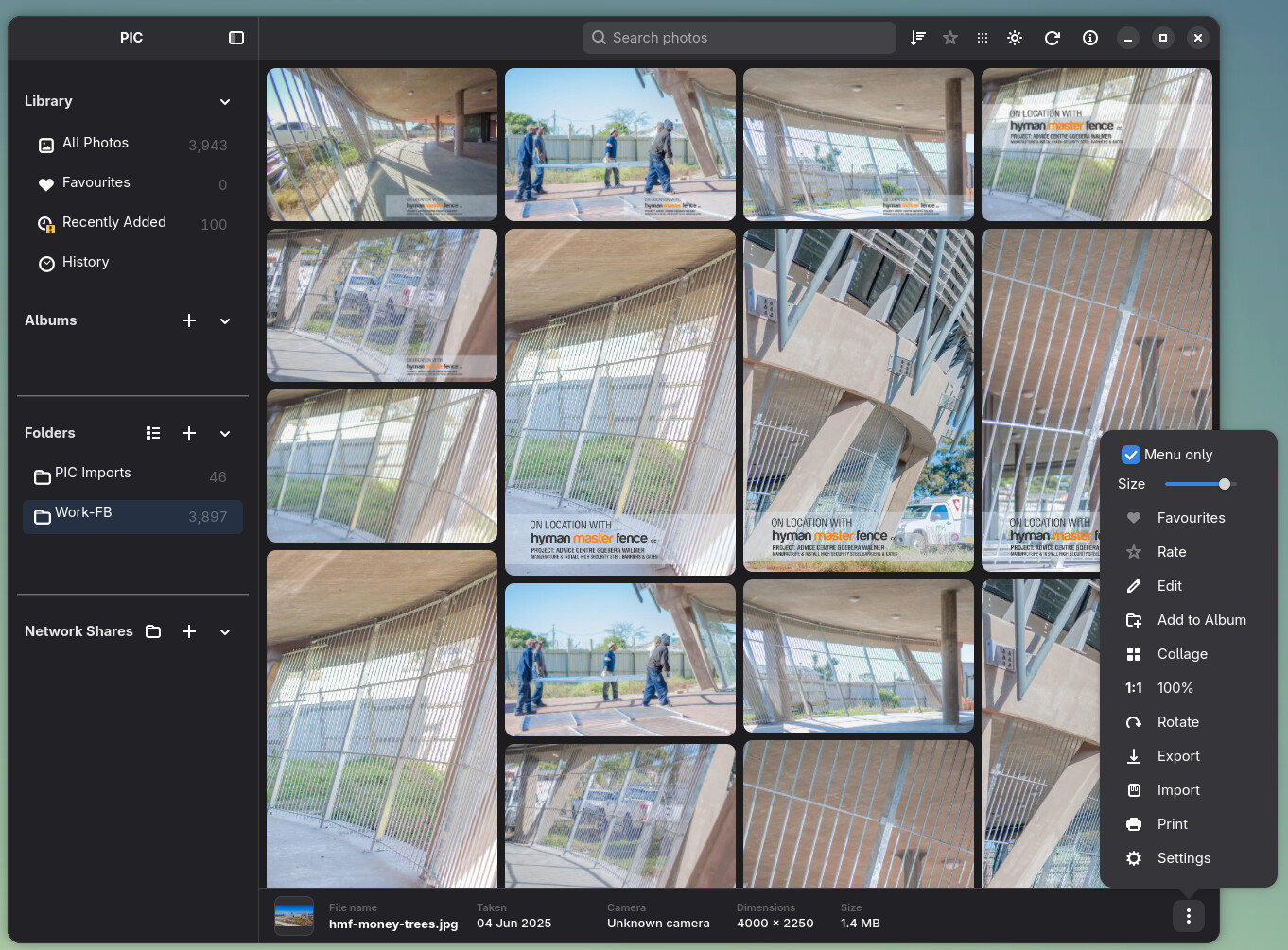
More gallery layout choices
Masonry joins the regular Grid and Photo Wall layouts. It arranges photos at their natural proportions in staggered columns. PIC remembers the chosen layout separately for All Photos, Favourites, folders, albums and the other library sections. Resizing and returning from the viewer preserve the gallery position more reliably.
Clearer photo viewing and file problems
Viewer panning, Ctrl + wheel zoom, 1:1 geometry and small-photo presentation have been refined. If an original is offline, the lightbox can show a cached image with an availability notice. If a readable original cannot be decoded, the lightbox clears the previous photo and shows an error instead of leaving a blank or misleading image.
Local JPEGs with missing dimensions and unrecognized file contents now get a Corrupt badge. Corrupt is also the last option in the photo filter menu, making those files easier to find. The thumbnail issue report at /tmp/pic-thumbnail-issues.log records confirmed decode failures; it does not treat offline files or missing thumbnails as corrupt.
Local scans now recognize a mounted filesystem by its mount identity, including its UUID where available, so a changed Linux device number after a reboot does not stop a healthy scan. The scan still stops when the saved storage is actually missing or changed.
Interface, editing and packaging polish
Search and progress notifications share a compact header area. Photo actions, the sidebar, InfoBar and Edit Mode have received sizing and interaction fixes for narrow windows. The photo context menu and album actions have also been refined. Themes including Aqua, iDark, Purple and Retro have been added or updated.
The Linux packaging work adopts the permanent Flatpak application ID io.github.froggy744.PIC, migrates existing application paths, targets current runtimes and embeds a build revision. AppImage packaging and launcher behavior have received fixes as well.
Testing RC4
RC4 is the last candidate before v1.0, so reports about import completion, network availability, damaged originals, gallery navigation and package installation are especially useful. Please include the storage type, the action that failed, a file path when relevant, and a short log excerpt or screenshot.
Keep backups of both your original photos and the PIC library database. A database backup preserves the catalogue, not the image files.
See the getting started guide and Linux build guide for installation and usage details. Earlier changes are recorded in the RC3 notes.
PIC is an independent project and is not affiliated with Google or Apple.