Repository navigation
Home
EDI Integration Studio turns visible gameplay into authored EDI scenes and can generate Unity/BepInEx integrations around those scenes.
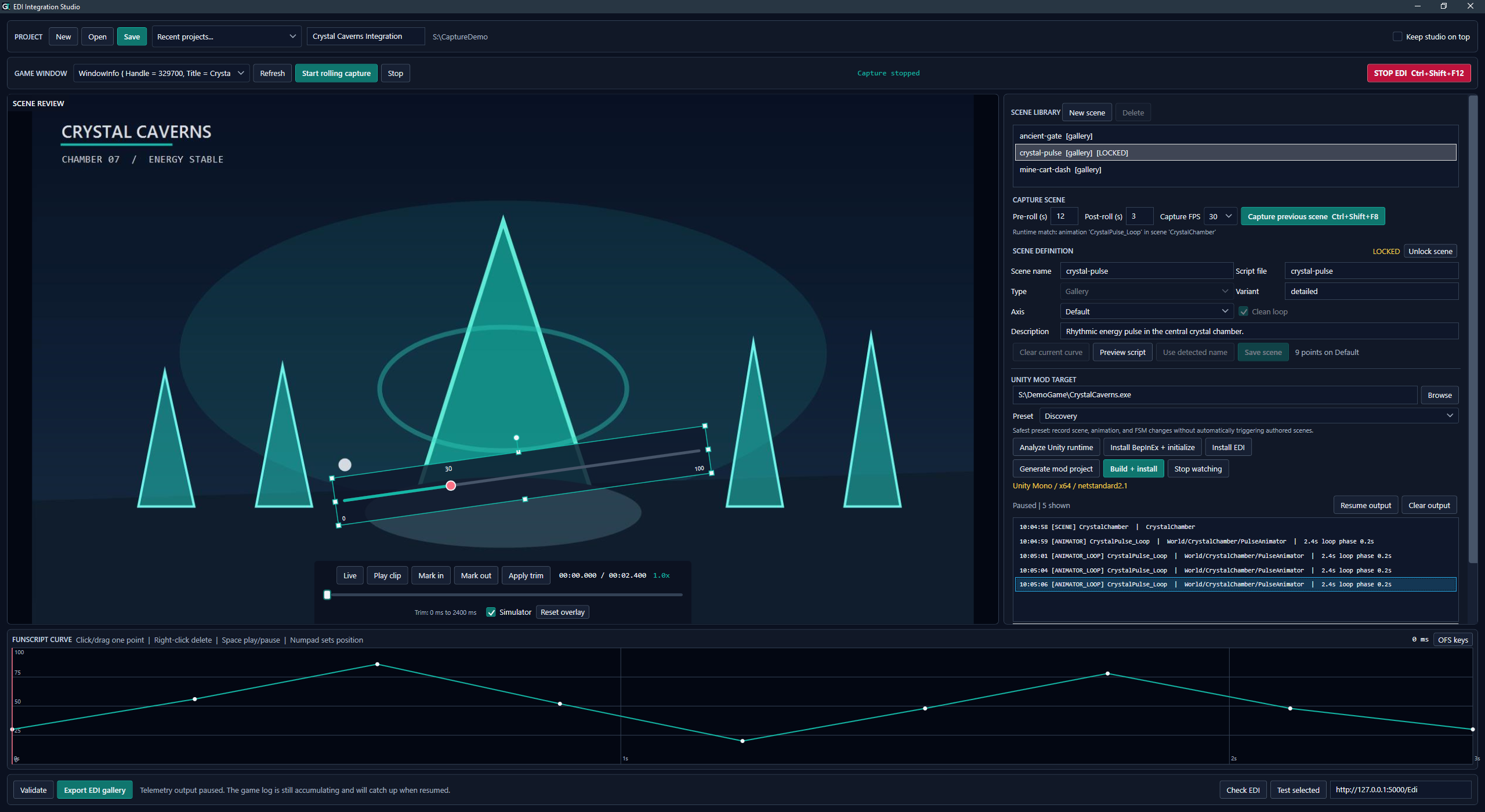
A synthetic demo project showing scene review, the simulator overlay, runtime discovery, and a funscript curve.
When the generated observer reports timed Animator/Mecanim, Legacy Animation, Timeline, or Mono Spine events, use Capture cycle as the primary authoring workflow:
- Create a project, analyze the game, install BepInEx, generate the mod project, and build/install it.
- Start EDI and the game, start rolling capture, and click Watch discovery.
- Navigate to a target scene and let at least a couple of clean loops play.
- Select the newest matching timed event from the current playback and click Capture cycle while its frames remain in the rolling buffer.
- Pause telemetry output, script the automatically trimmed cycle, and click Save + lock.
- Resume output, move to the next scene, and repeat.
- Close the game, rebuild/install the saved mappings, then validate and export the Gallery.
This path avoids repetitive manual trimming and also prepares an explicit candidate/path/duration mapping. Use Ctrl+Shift+F8 pre/post-roll capture and manual trim only when the game does not expose usable timed telemetry.
- Installation and Prerequisites
- Projects and Recovery
- Authoring Scenes
- Controls and Hotkeys
- EDI Gallery Export
- Unity Mod Workflow
- Runtime Discovery and Mapping
- Framework Support
- Troubleshooting
- Privacy and Data
The Studio targets Windows x64. Capture works with visible windowed or borderless content through DXGI Desktop Duplication. EDI remains responsible for hardware, devices, channels, and actual playback.
The generic Unity integration observes common public runtime surfaces. It does not promise semantic understanding of every game. Explicit mapping and small game-specific patches remain valid escape hatches when names and public events are insufficient.
The software is under active development. The repository does not yet declare a project-wide software license. Packaged BepInEx files retain their separate notice in the source tree.