CLI
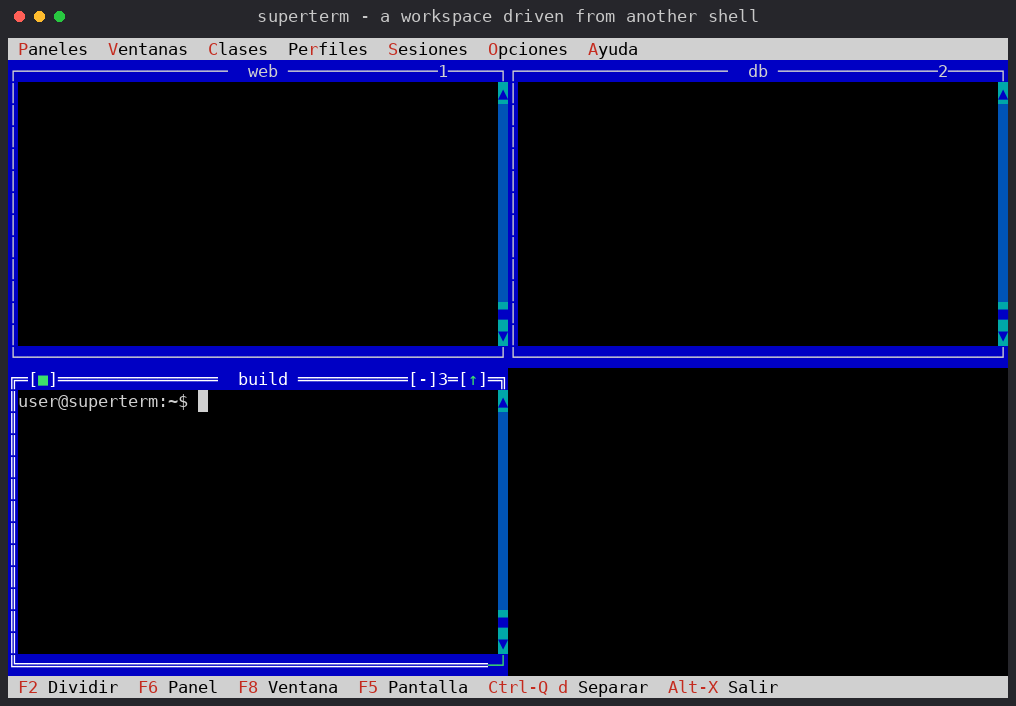
superterm 3.0 turns every session into a server from the moment it starts:
the visible terminal is just the first attached client. This document
describes the command-line interface that drives those sessions from any
other shell. Every command and option is accepted in English and in
Spanish, case-insensitively and ignoring accents; messages follow the
[ui] language setting (or LANG when no configuration exists yet).
La versión en español está en la segunda mitad de este documento.
SESSION            a session by name (exact, sanitized, case-insensitive
                   or unique prefix)
SESSION:PANE       one pane: 1-based index (the number in the window
                   title) or a unique title substring
.                  the only live session (its focused pane by default)
.:2  or  .:Logs    pane of the only session
kill always requires the session name. send, capture and the window
commands always require an explicit target (. counts as explicit).
superterm list [SESSION]         sessions table, or pane details of one
superterm attach [SESSION]       attach the interactive terminal
superterm kill SESSION           terminate a session and its programs
superterm --session NAME         name the session created at launch
list prints NAME, PROFILE, PANES, CLIENTS and CREATED. With a session
argument it prints per pane: index, title, type (local/ssh/command),
target (user@host), the live running command, terminal size, scrollback
lines and flags (* focused, M minimized, Z zoomed, ! dead).
superterm send TARGET TEXT...    type into a pane (appends Enter)
  -n, --no-enter                 do not append Enter
  -k, --key NAME                 send a named key (repeatable):
                                 Enter Esc Tab Space Up Down Left Right
                                 Home End PgUp PgDn F1..F12 C-a..C-z M-x
  -                              read raw stdin (no Enter appended)
superterm capture TARGET         print the visible screen as UTF-8 text
  -H, --history                  the whole scrollback plus the screen
  -l, --lines N                  only the last N lines
  -o, --output FILE              write to a file instead of stdout
These work with or without clients attached; attached clients see every change live.
superterm new SESSION[:PANE]     open (split) a new pane
  -c, --class NAME               window class from your configuration
  --cmd COMMAND                  run an ad-hoc command
  --cwd DIR                      starting directory
  -t, --title NAME               pane title
  -d, --down | -r, --right       split direction (default: down)
superterm close TARGET           close a pane
superterm focus TARGET           set the focused pane ('.' then points here)
superterm rename TARGET NAME     set a pane title (survives reattach/save)
superterm resize TARGET WxH      resize the pane terminal, e.g. 100x30
superterm minimize TARGET        minimize the window
superterm restore TARGET         undo minimize and zoom
superterm zoom TARGET            maximize the window
superterm organize SESSION [grid|tile|cascade]
0 success · 1 not found or ambiguous · 2 usage error ·
3 cannot connect (or the session daemon predates the control protocol).
superterm send prod:2 tail -f /var/log/syslog
superterm capture prod:2 --history | grep ERROR
cat script.sh | superterm send prod:1 -
superterm new prod --cmd "htop" -t Monitor --right
superterm focus prod:Monitor && superterm send . q -n
superterm organize prod grid
superterm list prod
Up to 8 clients can attach to one session (superterm attach from several
terminals). Output is broadcast to everyone; window changes propagate as
live events; each pane runs at the smallest size requested among the
attached clients (tmux-style). A stalled client pauses output briefly and
is disconnected after a grace period so it can never block the session.
Legacy (pre-3.0) clients still attach exclusively, exactly as before.
SESION             una sesión por nombre (exacto, saneado, sin distinguir
                   mayúsculas, o prefijo único)
SESION:PANEL       un panel: índice desde 1 (el número del título de la
                   ventana) o una subcadena única del título
.                  la única sesión viva (su panel enfocado por defecto)
.:2  o  .:Logs     panel de la única sesión
matar exige siempre el nombre de la sesión. enviar, capturar y las
órdenes de ventanas exigen siempre destino explícito (. cuenta como
explícito).
superterm listar [SESION]        tabla de sesiones, o detalle de una
superterm conectar [SESION]      conecta el terminal interactivo
superterm matar SESION           termina una sesión y sus programas
superterm --sesion NOMBRE        nombra la sesión creada al arrancar
listar imprime NOMBRE, PERFIL, PANELES, CLIENTES y CREADA. Con una
sesión, imprime por panel: índice, título, tipo (local/ssh/command),
destino (usuario@host), el comando vivo, tamaño del terminal, líneas de
historial y estado (* foco, M minimizada, Z zoom, ! muerto).
superterm enviar DESTINO TEXTO...  escribe en un panel (añade Intro)
  -n, --sin-intro                  no añadir Intro
  -k, --tecla NOMBRE               envía una tecla con nombre (repetible):
                                   Intro Esc Tab Espacio Arriba Abajo
                                   Izquierda Derecha F1..F12 C-a..C-z M-x
  -                                lee stdin en crudo (sin Intro)
superterm capturar DESTINO         vuelca la pantalla visible como UTF-8
  -H, --historico                  todo el historial más la pantalla
  -l, --lineas N                   solo las últimas N líneas
  -o, --salida FICHERO             escribe a fichero en vez de stdout
Funcionan con o sin clientes conectados; los conectados ven cada cambio en vivo.
superterm nueva SESION[:PANEL]   abre (divide) un panel nuevo
  -c, --clase NOMBRE             clase de ventana de tu configuración
  --comando ORDEN                ejecuta una orden ad-hoc
  --cwd DIR                      directorio inicial
  -t, --titulo NOMBRE            título del panel
  -d, --abajo | -r, --derecha    dirección de la división (por defecto: abajo)
superterm cerrar DESTINO         cierra un panel
superterm foco DESTINO           fija el panel enfocado ('.' apunta a él)
superterm renombrar DESTINO NOMBRE  fija el título (sobrevive al reattach)
superterm tamano DESTINO WxH     redimensiona el terminal, ej. 100x30
superterm minimizar DESTINO      minimiza la ventana
superterm restaurar DESTINO      deshace minimizar y zoom
superterm ampliar DESTINO        maximiza la ventana
superterm organizar SESION [rejilla|mosaico|cascada]
0 éxito · 1 no encontrado o ambiguo · 2 error de uso ·
3 sin conexión (o el daemon es anterior al protocolo de control).
superterm enviar prod:2 tail -f /var/log/syslog
superterm capturar prod:2 --historico | grep ERROR
cat script.sh | superterm enviar prod:1 -
superterm nueva prod --comando "htop" -t Monitor --derecha
superterm foco prod:Monitor && superterm enviar . q -n
superterm organizar prod rejilla
superterm listar prod
Hasta 8 clientes pueden conectarse a una misma sesión (superterm conectar desde varios terminales). La salida se difunde a todos; los
cambios de ventanas se propagan como eventos en vivo; cada panel corre al
menor tamaño pedido entre los clientes conectados (estilo tmux). Un
cliente atascado pausa la salida brevemente y se desconecta pasado un
periodo de gracia, de modo que nunca bloquea la sesión. Los clientes
antiguos (anteriores a 3.0) siguen conectando en exclusiva, igual que
siempre.