Cellar and Inventory
Two connected areas: The Cellar (where your finished mead physically lives and ages) and Supplies (what you have to brew with).
Model your real-world storage and place your mead in it.
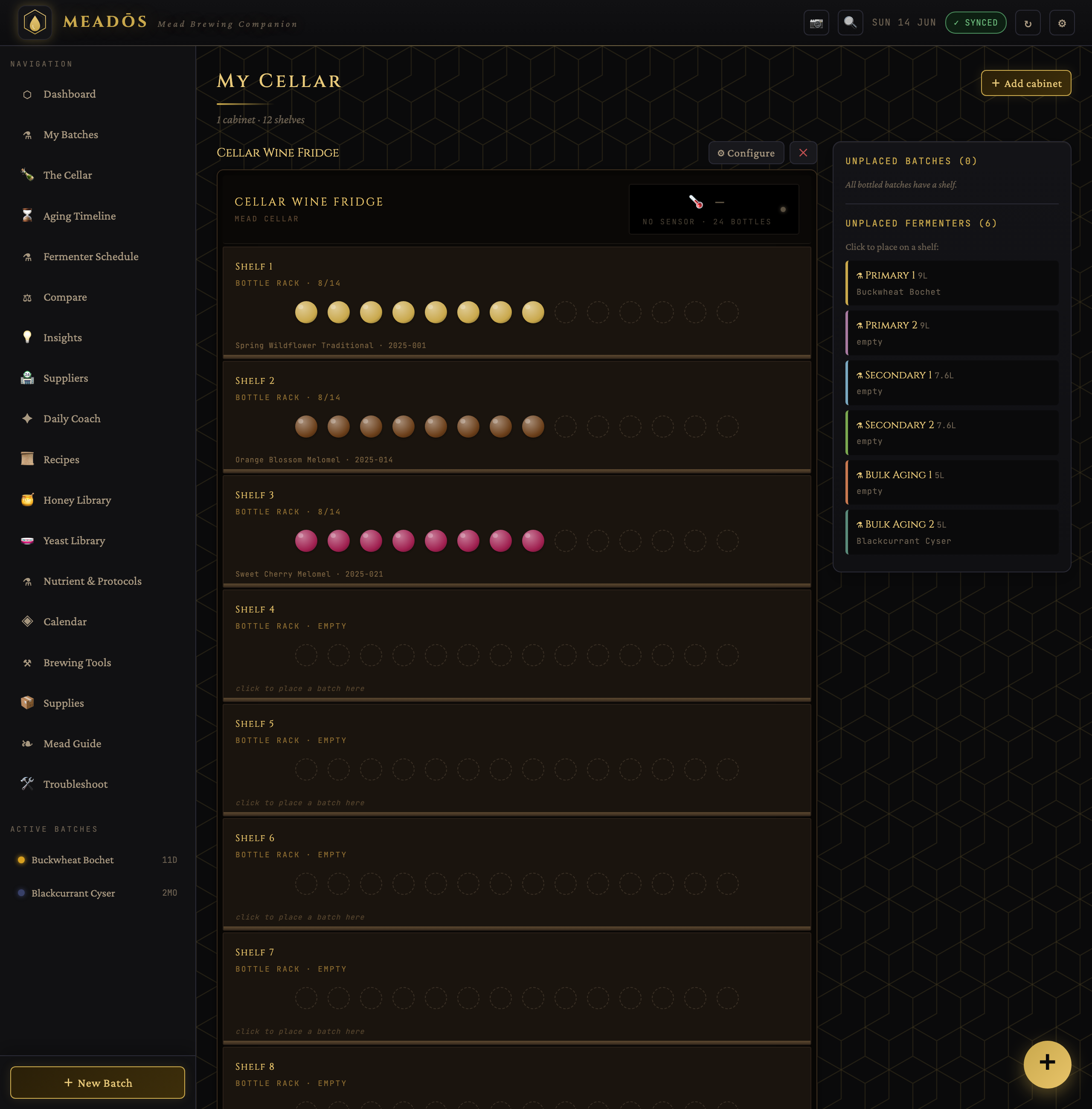
- Cabinets — any number of them: a wine fridge in the living room, a rack in the basement, a shelf in the garage. Each has named shelves.
- Placement — drop bottled batches and bulk-aging fermenters onto shelves visually, so you always know what's where.
- Drinking windows — each batch shows whether it's still maturing, ready, around its peak, or beyond its suggested maximum.
- Totals — the cellar sums your collection by style and by estimated value.
- Live sensors — a cabinet can optionally bind a Home Assistant temperature/humidity sensor for a wine-fridge-style readout and history charts.
The Aging Timeline buckets every batch into drink-now / maturing / past-peak, so you can see at a glance what to open next and what needs more patience.
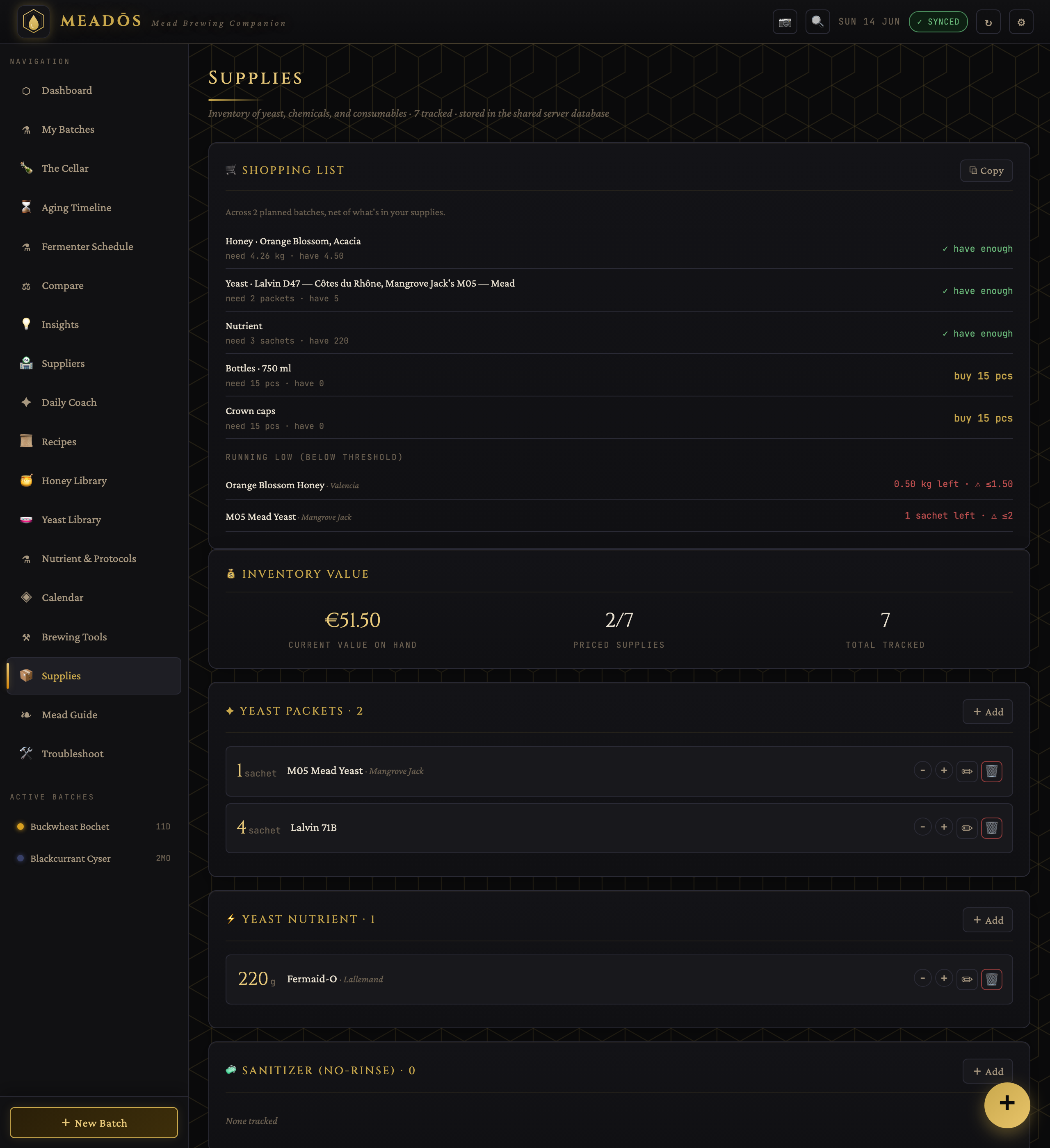
Track everything you brew with: honey, yeast, nutrients, chemicals, bottles and miscellaneous materials — each with quantity, unit, price, expiry date and a restock threshold.
- Automatic deduction — starting a batch can subtract the ingredients it uses from stock.
- Shopping list — anything at or below its restock threshold (plus what your planned batches need) is gathered into one list at the top of the Supplies page, copyable as text.
The Brew with what you have panel checks the built-in recipes against your current inventory — honey, yeast, nutrient, and the specific chemicals each recipe calls for (pectic enzyme, sorbate, metabisulfite) — and shows which recipes you could start right now, scaled to a batch size that fits your stock, and cross-checked against batches you've already planned.
A directory of your beekeepers and homebrew shops. Tag each supplier with the honey varieties they normally carry, and they appear as sourcing hints in the Honey Library and on recipe pages — so when a recipe suggests a honey, you can see who sells it.
With a currency and honey/ingredient prices set in Settings, MeadOS estimates per-batch brewing cost (shown on the recipe page) and totals your cellar value. Insights turns this into lifetime stats.
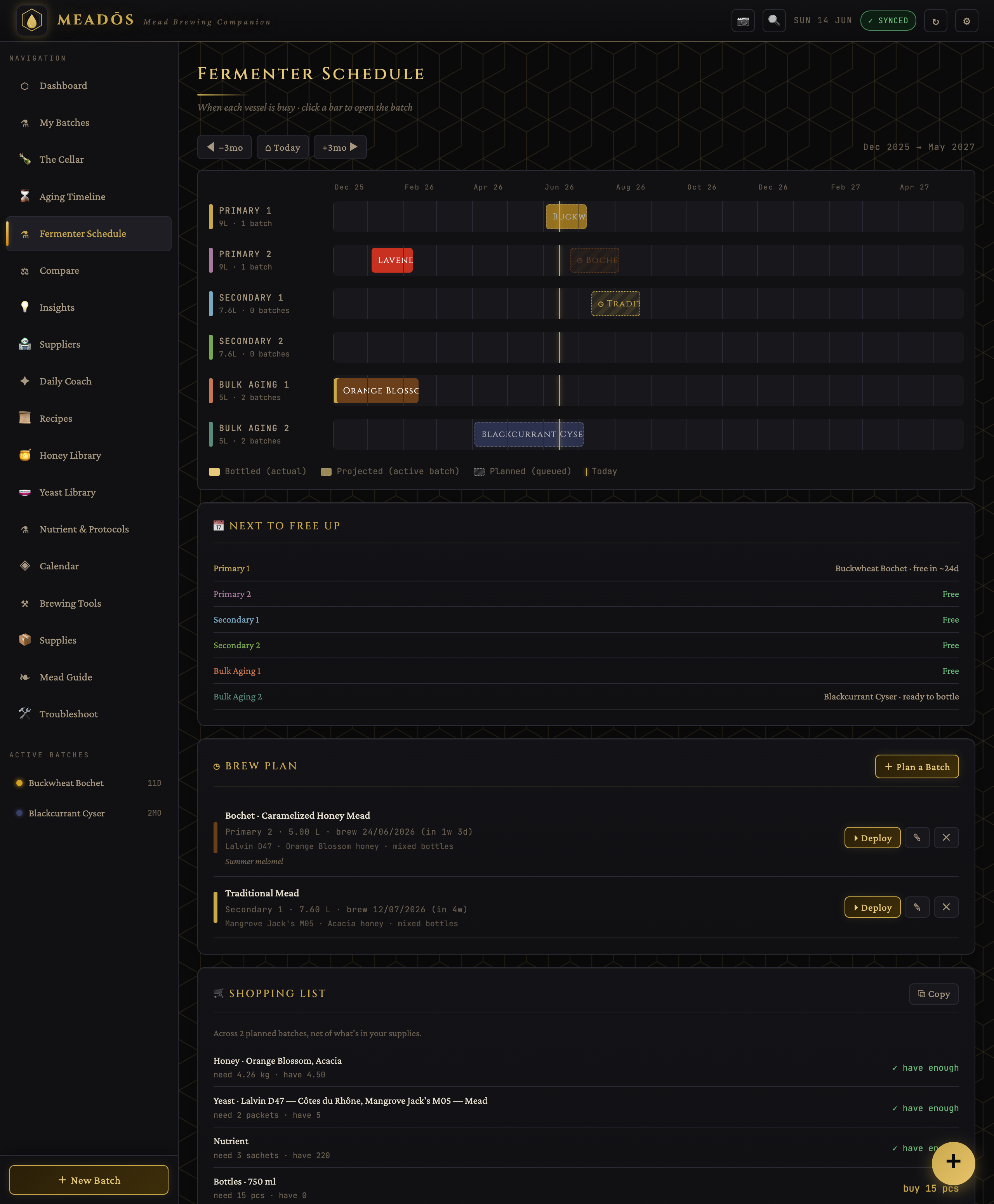
- Plan a batch from a recipe (at your chosen scale) without starting it.
- Planned batches show on the Fermenter Schedule as provisional bookings, with vessel-conflict warnings if two would share a fermenter.
- Their ingredients roll into the shopping list (netted against stock).
- On brew day, deploy a plan straight into a live batch.
- Batches & Fermentation — the brewing side
- Home Assistant — live cabinet temperature/humidity