Summary:
When trying to embed a content hosted in the course files section with an iframe the .css, .jpg and .js files aren't getting loaded and Chrome's inspector shows: "Refused to apply style from 'http://192.168.1.13/courses/2/files/11/css/bootstrap.min.css' because its MIME type ('text/html') is not a supported stylesheet MIME type, and strict MIME checking is enabled."

Steps to reproduce:
- Create a simple html page with an image and some styles (css)
- Then upload the files (html, css, js) in any course in the files section
- Create a new page for the course
- Select the .html file, then the editor will show the relative path it will show an href like this:
<a target="" title="index.html" href="/courses/2/files/11/download?wrap=1" class="instructure_file_link ">index.html</a>
- Then get the relative path
/courses/2/files/11/download and make an iframe with the absolute path:
<iframe src="http://192.168.1.13/courses/2/files/11/download" width="100%" height="700" data-api-endpoint="http://192.168.1.13/api/v1/courses/12/files/1356" data-api-returntype="File"></iframe>
- Save the page.
Expected behavior:
After the page is saved the html page should be shown with full css styles and so on.
Actual behavior:
Just the html is shown and the .css files are getting blocked and Chrome's and Mozilla's inspector show the error message:
Refused to apply style from 'http://192.168.1.13/courses/2/files/11/css/bootstrap.min.css' because its MIME type ('text/html') is not a supported stylesheet MIME type, and strict MIME checking is enabled.
Additional notes:
This is the preview of the .html file, .css files are getting blocked as shown before

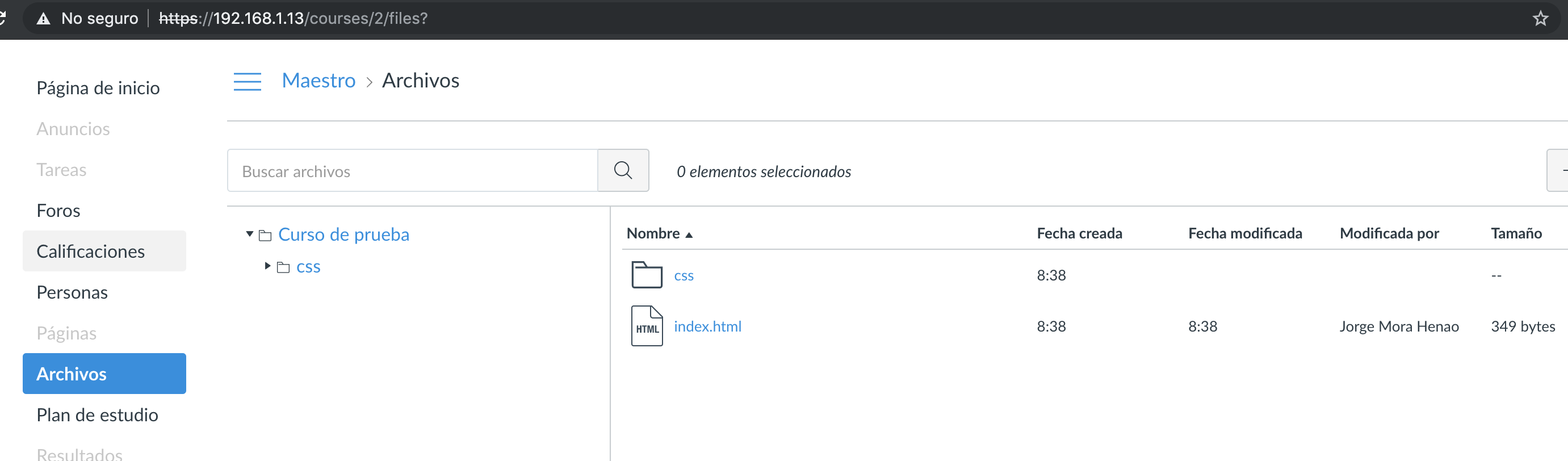
These are the uploaded files in the course:
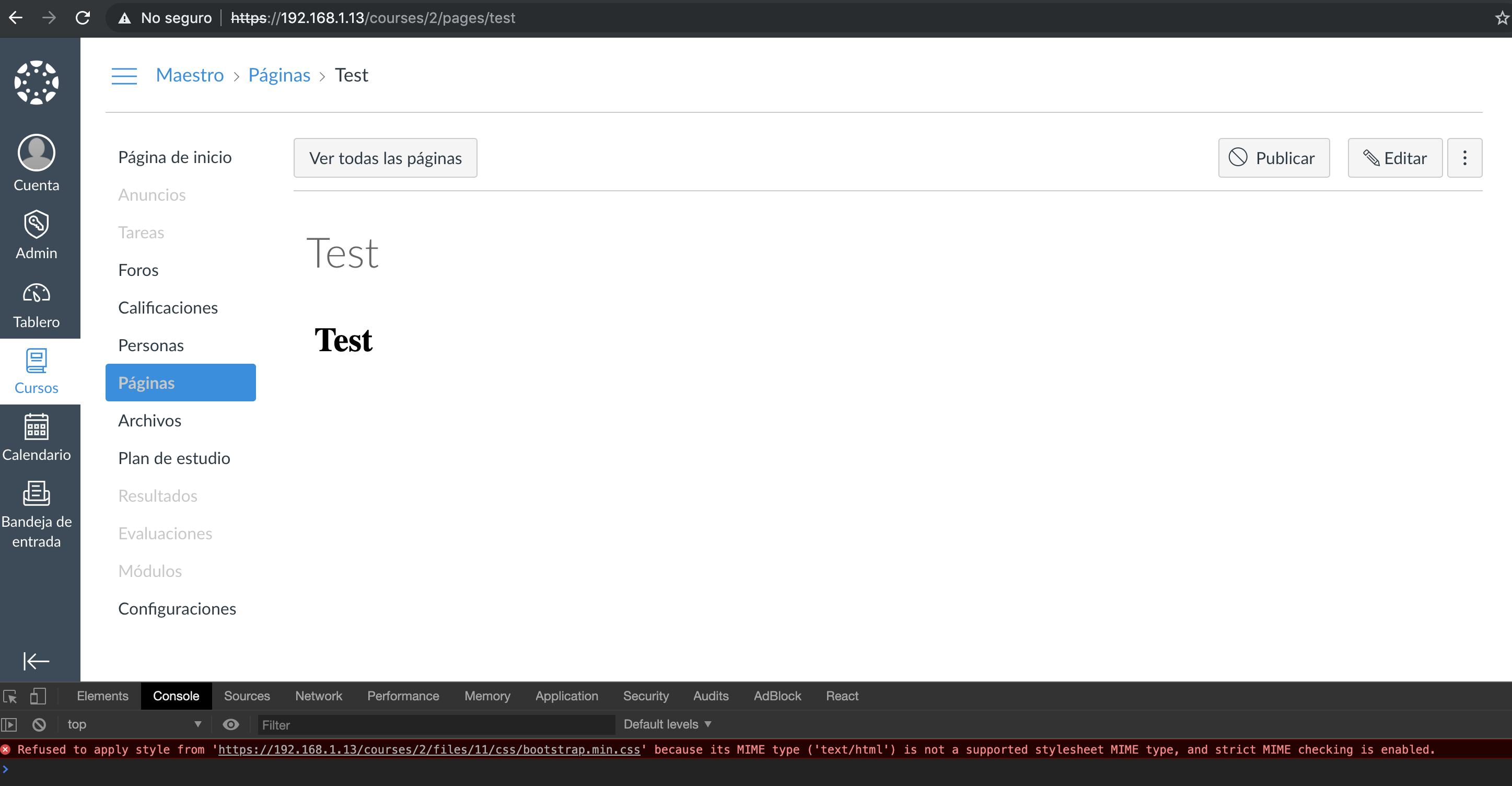
This is the page preview, with the same blocking message as shown before.
Summary:
When trying to embed a content hosted in the course files section with an iframe the .css, .jpg and .js files aren't getting loaded and Chrome's inspector shows: "Refused to apply style from 'http://192.168.1.13/courses/2/files/11/css/bootstrap.min.css' because its MIME type ('text/html') is not a supported stylesheet MIME type, and strict MIME checking is enabled."
Steps to reproduce:
/courses/2/files/11/downloadand make an iframe with the absolute path:Expected behavior:
After the page is saved the html page should be shown with full css styles and so on.
Actual behavior:
Just the html is shown and the .css files are getting blocked and Chrome's and Mozilla's inspector show the error message:
Refused to apply style from 'http://192.168.1.13/courses/2/files/11/css/bootstrap.min.css' because its MIME type ('text/html') is not a supported stylesheet MIME type, and strict MIME checking is enabled.
Additional notes:
This is the preview of the .html file, .css files are getting blocked as shown before



These are the uploaded files in the course:
This is the page preview, with the same blocking message as shown before.